This thread has been locked.

If you have a related question, please click the "Ask a related question" button in the top right corner. The newly created question will be automatically linked to this question.

CC2340R5: UART2_write keeps returning UART2_STATUS_EINUSE

Part Number: CC2340R5
Other Parts Discussed in Thread: SYSCONFIG

Tool/software:

My customer found an issue when using UART2_write to print the scan report in basic_ble. basic_ble was set as central role and UART2_write was called in Central_ScanEventHandler -> case BLEAPPUTIL_ADV_REPORT to print the device information when the scan report was updated. The UART was working fine in the first couple of minutes but got stuck afterwards, UART Tx no longer had output and UART2_write was returning -9(UART2_STATUS_EINUSE), the issue could not recover without a reset.
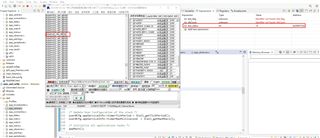

Please find a project to reproduce this issue as below. Run the project freely first, and after around 3 minutes the UART Tx will stop outputing. Then use the "connecting to a running target" method to connect the CC2340, UART2_STATUS_EINUSE will be observed as the output of UART2_write in Central_ScanEventHandler -> case BLEAPPUTIL_ADV_REPORT.

https://e2e.ti.com/cfs-file/__key/communityserver-discussions-components-files/538/scan_5F00_uart_5F00_write.7z

Please help suggest why the UART could not recover from a UART2_STATUS_EINUSE situation, thanks.

Best regards,

Shuyang

  • Hi Shuyang,

    Could you try to change the size of the ring buffer in SysConfig, and report if this change anything.

    Also, can you transmit data again after closing and re-opening the uart?

    Could you also check if you have the same problem when writing in blocking mode and in non-blocking mode

    Regards,
    Tanguy

  • Hi Tanguy,

    I change the size of ring buffer to 1024 in SysConfig,the same problem will reproduce.

    When the problem arises,I use UART2_writeCancel and then transmit data again.

    Only writing in UART2_Mode_CALLBACK can problem arise. 

  • Hi Yunwen,

    Thank you for testing and for the additional information.

    According to the UART2 driver documentation, in callback mode, the user's callback function is called when the driver is ready to accept another write operation. I think the issue you are experiencing is due to the amount of data you are writing and the UART is not ready for another write operation.

    Could you give me more detail about your use case? If possible, I recommend registering to the BLEAPPUTIL_SCAN_DISABLED event to process all advertisement report received.

    If you want to continue logging information in BLEAPPUTIL_ADV_REPORT, I suggest using the nonblocking mode or adding some logic in your code to only send the write command if the user's callback has been called.

    Nevertheless, I will conduct further investigation about this behavior as I don't know if it's expected.

    I hope it will help,
    Tanguy

  • Hi Tanguy,

    We've tried using callback mode and then determining if it's alreadyin transmission before sending, but the phenomenon still occurs.

    Is the behavior of this issue expected and has there been any progress updates?

  • Hi Tanguy,

    I have also reproduced this issue on a LaunchPad. I think the key issue here is the UART cannot recover from the situation even there is no more data put into the Tx buffer.

    I checked the UART driver code and the actual Tx command is not executed when UART2_STATUS_EINUSE happens. The ideal behavior will be UART sends the left data in the buffer out during the time bought by UART2_STATUS_EINUSE, and UART back to work after Tx buffer is cleared. But somehow the UART is staying in UART2_STATUS_EINUSE and could not recover unless UART2_writeCancel is called, it loos the data is stuck in the buffer and is stopping UART to take new data.

    Shuyang

  • Hi,

    I manage to reproduce the issue on my side, the UART experts are currently out of the office, I will need their help to solve the problem. As a temporary work around could you use the snippet below?

    test_status = UART2_write(uart, "BLEAPPUTIL_ADV_REPORT\r\n", strlen("BLEAPPUTIL_ADV_REPORT\r\n"), NULL);
    if (test_status == UART2_STATUS_EINUSE)
    {
        ((UART2_Object *)uart->object)->writeInUse = 0;
    }

    I run this code for 10 minutes without the UART being stuck, however, this code hasn't been completely tested.

    Regards,
    Tanguy

  • Hi Tanguy,

    With this method I don't think the problem is completely solved. The serial port sometimes serial prints one byte of data less. This is especially likely to happen when powering up and just starting to scan.

    In our application we need to print out the MAC and RSSI in the BLEAPPUTIL_ADV_REPORT event, like the following: 

    With the above method, the data output from the serial port will sometimes have data errors

    Is there a reasonable explanation for this issue and why adding printing to the BLEAPPUTIL_ADV_REPORT event causes problems with serial port data output.

  • Hi,

    I think this issue might be related to DMA. Can you try the following for me, in ${SDK_INSTALL_DIR}\source\ti\drivers\uart2\UART2LPF3.c, locate these lines:

    And replace UDMA_ARB_4 by UDMA_ARB_2, as below:

    #define TX_CONTROL_OPTS (UDMA_SIZE_8 | UDMA_SRC_INC_8 | UDMA_DST_INC_NONE | UDMA_ARB_2 | UDMA_MODE_BASIC)

    Let me know if this work-around works for you. I will talk with drivers' experts end of this week to have additional idea and leads concerning this issue.

    Best Regards,
    Tanguy

  • Hi, 

    According to your instructions,We modified the UART2LPF3.c file by adding or removing the previously mentioned workarounds, and then recompiled the project fully, but there was no improvement in the problem.

    Looking forward to further threads on this issue.


  • Hi Tan, 

    Did you copy UART2LPF3.c file to your project and rebuild it? The file needs to be included into the project to apply the change.

    BR,

    Shuyang

  • Hi Shuyang,

    My apologies, I missed a step there. Yes, I had to copy the UART2LPF3.c from source\ti\drivers\ to my project to rebuild it.

    Best Regards,
    Tanguy

  • Hi,

    I have copied the UART2LPF3.c file to the project directory and rebuilt it, and the problem is still not solved.

  • Hi,

    Taking a step back on the problem, I think the issue come from the usage of the CALLBACK mode, as stated in the UART2 documentation

    The buffer passed to UART2_write() in UART2_Mode_CALLBACK must remain coherent until all the characters have been sent (ie until the tx callback has been called with a byte count equal to that passed to UART2_write()).

    I think 2 modifications should be done to your code:

    1. declare buff as static
    2. use a global variable to check whether or not uart write is ready

    Take a look at the following snippet:

    // in app_main.c
    int writeReady = 1;
    void STTM_uartWriteCallBack(UART2_Handle handle, void *buf, size_t count, void *userArg, int_fast16_t status)
    {
    
        writeReady = 1;
    }


    // In Central_ScanEventHandler
     case BLEAPPUTIL_ADV_REPORT:
            {
                extern int writeReady;
                static char buff[128] = {0};
                if (writeReady)
                {
                    writeReady = 0;
                    snprintf(buff, sizeof(buff), "MAC:%02X%02X%02X%02X%02X%02X,RSSI:%d\n",
                            scanMsg->pBuf->pAdvReport.addr[5],
                            scanMsg->pBuf->pAdvReport.addr[4],
                            scanMsg->pBuf->pAdvReport.addr[3],
                            scanMsg->pBuf->pAdvReport.addr[2],
                            scanMsg->pBuf->pAdvReport.addr[1],
                            scanMsg->pBuf->pAdvReport.addr[0],
                            scanMsg->pBuf->pAdvReport.rssi);
    
                    test_status = UART2_write(uart, buff, strlen(buff), NULL);
                }
                break;

    Best regards,
    Tanguy

  • Hi,

    I referred to the code given and then modified my project for testing. Initially the test was fine for ten minutes or so, but when I re-powered it every few minutes to test in this order, the problem appeared as no data output from the serial port.


    Using DEBUG, I found that the writeReady variable was always 0 when the problem occurred, and the scan event BLEAPPUTIL_ADV_REPORT was being generated continuously. It seems to be caused by the STTM_uartWriteCallBack function callback not being generated all the time. Below is where I hit a breakpoint in the STTM_uartWriteCallBack callback, and you can see that writeReady stays at 0 and doesn't go into the callback function, ultimately resulting in no serial port data output.


    Just in case there's something missing, I've uploaded the code again in order to identify the problem

    scan_uart_write.zip

  • Hi,

    For sanity check could you test again adding writeReady = 0; before UART2_write in user_uart_init?

    I tried to power cycle the device with the reset button several times, but I couldn't reproduce the bug, could you give me more details on your step to reproduce it:

    • How often do you repower it?
    • How do you repower it?
    • Do you see any message sent in the UART terminal?

    Best Regards
    Tanguy

  • Hi

    The problem is not being reproduced on your end, and I suspect it may have something to do with the number of devices around. I have added writeReady = 0 in front of UART2_write in user_uart_init and that also reproduces the problem. Before reproducing the problem, the serial port prints everything fine until the serial port send stops when the problem occurs.

    My test steps are:
    1. After burning the program via DEBUG, exit the emulation, operate the RESET pin to perform a hardware reset on the device, and then start testing.
    2. After 3 minutes of testing, if the problem does not recur, reboot the device again (hardware reset).
    3. Repeat step 2 until the problem recurs. In my test environment, about 2-3 times to repeat the problem can be reproduced.

  • Hi,

    Thank you for the information I will try to reproduce the issue.

    In the meantime, I noticed we don't have the same logs, it seems you are adding the time:

    Is this information also logged through UART? and can it be the source of the issue? For sanity check, send this only if the UART is ready to send some data by testing if writeReady is 1 and setting it 0 before writing.

    Best Regards
    Tanguy

  • Hi,

    I didn't add the timestamp printing in the program, it is added automatically by the serial terminal. The serial port send function “UART2_write” is only called after initialization of the serial port and in the BLEAPPUTIL_ADV_REPORT event, as shown in the code sample I provided. The code ensures that writeReady is 1 before sending and is set to 0 before sending.

  • Hi,

    I received a report of a likely race condition in the UART driver, I think this is the same you are experiencing, can you try the following change and report if this change anything:

    1. Import UART2.c from <SDK_INSTALL_DIR>/source/ti/drivers to your workspace
    2. Import UART2LPF3.c from <SDK_INSTALL_DIR>/source/ti/drivers to your workspace
    3. In UART2.c in UART2_writeTimeoutBlocking make the following change:
    4. In UART2LPF3.c locate UART2Support_dmaStartTx and add UARTClearInt(hwAttrs->baseAddr, UART_INT_EOT); below


    You still need to check if the value of writeReady before sending data.

    Regards
    Tanguy

  • Hi,

    After more than an hour-long test, there are no reproducible problems at this time.
    We will continue to test and will report here if we find any issues. To make sure there are no pitfalls in the future, I have a few questions about the UART?


    1. Can I use UART2_write in the write callback to start the serial transfer again? Similarly, for read callbacks , can I use UART2_read in the callback to turn on reception again?


    2. Is the previously mentioned workaround still needed to be retained.

    #define TX_CONTROL_OPTS (UDMA_SIZE_8 | UDMA_SRC_INC_8 | UDMA_DST_INC_NONE | UDMA_ARB_2 | UDMA_MODE_BASIC)

    Whether or not it still needs to remain unchanged.


    3. can I use writeInUse variable instead of writeReady judgment, for example:

    if (!((UART2_Object *)uart->object)->writeInUse )
    {
        snprintf(buff, sizeof(buff), "MAC:%02X%02X%02X%02X%02X%02X,RSSI:%d\n",
                scanMsg->pBuf->pAdvReport.addr[5],
                scanMsg->pBuf->pAdvReport.addr[4],
                scanMsg->pBuf->pAdvReport.addr[3],
                scanMsg->pBuf->pAdvReport.addr[2],
                scanMsg->pBuf->pAdvReport.addr[1],
                scanMsg->pBuf->pAdvReport.addr[0],
                scanMsg->pBuf->pAdvReport.rssi);
    
        test_status = UART2_write(uart, buff, strlen(buff), NULL);
    }

  • Hi,

    I'm glad hearing this solve your issue, I will work with my team to prioritize this issue and get it fixed in one of the upcoming SDK.

    1. Yes, you can use UART2_write in the write callback to start again the serial transfer, as you can use UART2_read in the read callback.

    2. This workaround doesn't need to be retained.

    3. To avoid potential problem migrating your code to newer SDK version, I recommend using writeReady rather than accessing the internal fields in the application code.

    Best Regards,
    Tanguy