Other Parts Discussed in Thread: ADS1256EVM-PDK, ADCPRO, ADS1256
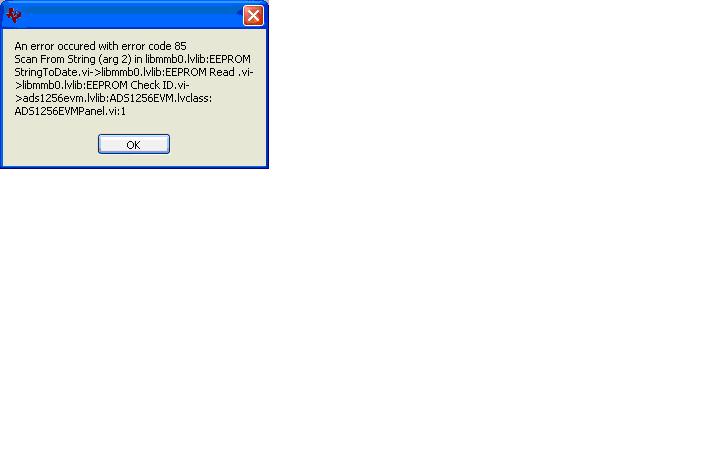
the following error message encountered and preventing operation of ADS1256EVM-PDK using ADCPro application on MMB0
what is needed to resolve?
latest updates are installed.
This thread has been locked.
If you have a related question, please click the "Ask a related question" button in the top right corner. The newly created question will be automatically linked to this question.
Other Parts Discussed in Thread: ADS1256EVM-PDK, ADCPRO, ADS1256
the following error message encountered and preventing operation of ADS1256EVM-PDK using ADCPro application on MMB0
what is needed to resolve?
latest updates are installed.
Hi Dan,
Sorry for the issues, some of these things are out of our hands in the manufacturing process. Sounds like the EEPROM on your ADS1256EVM was not programmed. If you can navigate to the ADCPro installation directory, C:/Program Files/ADCPro by default, then to ADCPro/plugins/evm/ADS1256 you will find a .ini file named adcpro_evm.ini. Open this file in the text editor of your choice and modify the bottom most field to read "EEPROMVerify=FALSE"
Should resolve your problem.
Thanks for your patience.