This thread has been locked.

If you have a related question, please click the "Ask a related question" button in the top right corner. The newly created question will be automatically linked to this question.

CCS 6.1.1: How to Edit TI_PRODUCTS_DIR?

Other Parts Discussed in Thread: SYSBIOS

I've imported a project into CCS and edited all the Path Variables through the contextual menu on project Properties > Resource > Linked Resources.

Unfortuantely, the TI_PRODUCTS_DIR is grayed and can't be edited.  

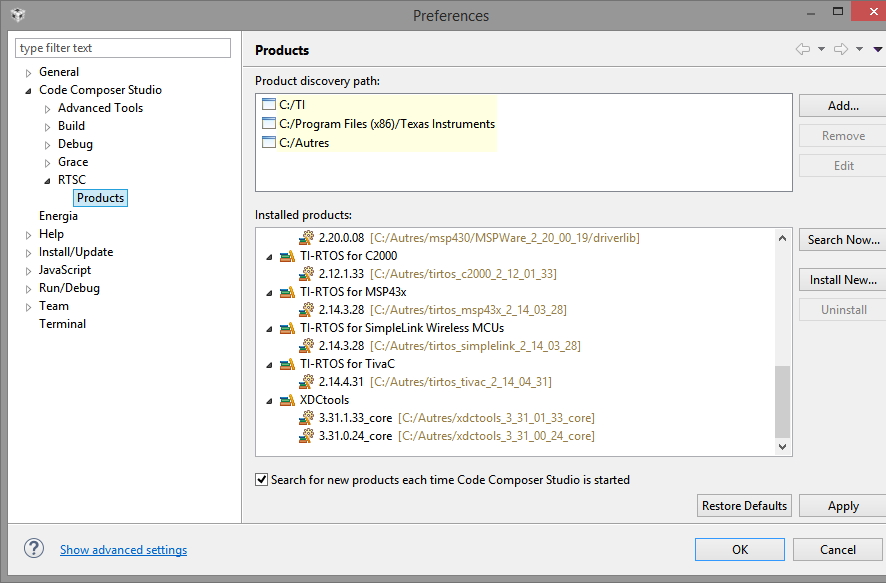
Same happens when calling the menu Windows > Preferences > Code Composer Studio > RTSC > Products.

None of the below listed threads provides a clear answer on how to edit TI_PRODUCTS_DIR.

  • How do I remove the TI_PRODUCTS_DIR from linked resources e2e.ti.com/.../1678946
  • Install bug if you install Code Composer Studio on your D: drive e2e.ti.com/.../1646086
  • How do I remove the TI_PRODUCTS_DIR from linked resources 

The path C:/ti/tirtos_simplelink_2_13_00_06 seems to be hard-coded.

Thank you for your answer.

  • Rei VILO said:
    None of the below listed threads provides a clear answer on how to edit TI_PRODUCTS_DIR.

    TI_PRODUCTS_DIR is not intended to be edited or deleted by the user. Please see this related post.
    TI_PRODUCTS_DIR is usually not referenced directly by projects. Other variables may be referenced depending on the software package being used, but those can usually be edited or deleted as they are not built-in system variables.

  • Hello Rei,
    TI_PRODUCTS_DIR is a system (ccs) generated variable (...well more of a constant), thus it is not editable. Similarly, to some other "variables" in that same panel. I imported a recent SensorTag app and SensortTagStack projects into CCS and I do not see that variable being referenced in those projects. I don't think that adjusting that variable would fix any issues that you are having.

    I am guessing but I would check that xdctools and tirtos_simplelink are discovered/installed in CCS version that you are using. Particularly, if you installed simplelink, xdctools, tirtos_simplelink in non-default directory. If you installed in non-default directory then xdctools and tirtos_simplelink would need to be discovered by adding that installation path to windows->preferences->CCS->RTSC->Products and letting CCS discover/install them.

    If that does not work, then could you let me know what are the errors that you are getting?

    Thanks,
    Martin
  • Hello Martin:

    Thank you for your answer. Pelase find the screen-shots of 

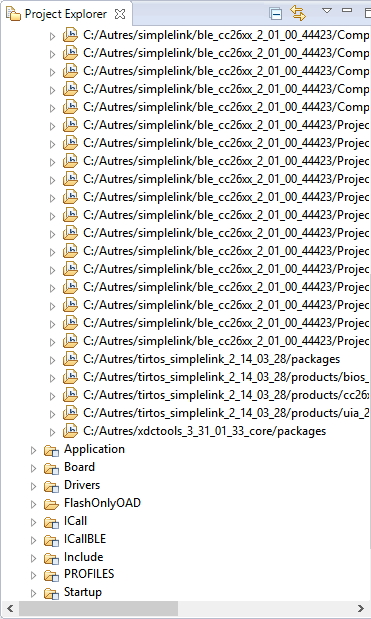
    • Properties > Resource > Linked Resources

    • Windows > Preferences > Code Composer Studio > RTSC > Products

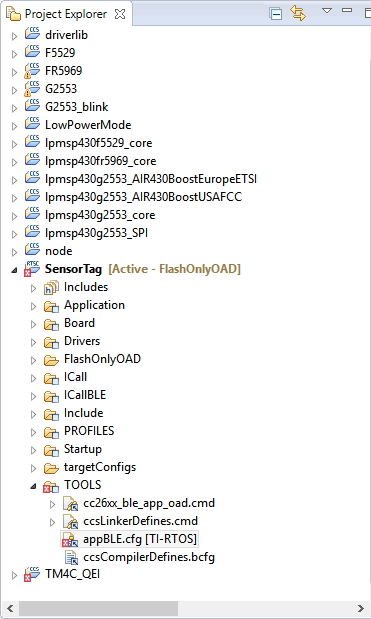
    • Includes group for the project


    The errors are 

    cannot open source file "driverlib/vims.h" .ccsproject /SensorTag line 72, external location: C:\Autres\tirtos_simplelink_2_14_03_28\products\bios_6_42_03_35\packages\ti\sysbios\family\arm\cc26xx\Power.c C/C++ Problem

    cannot open source file "inc/hw_aon_rtc.h" .ccsproject /SensorTag line 48, external location: C:\Autres\tirtos_simplelink_2_14_03_28\products\bios_6_42_03_35\packages\ti\sysbios\family\arm\cc26xx\Timer.c C/C++ Problem

    gmake: *** No rule to make target `C:/ti/tirtos_simplelink_2_13_00_06/packages/ti/drivers/dma/UDMACC26XX.c', needed by `Drivers/UDMA/UDMACC26XX.obj'. SensorTag Unknown C/C++ Problem

    However, C:\Autres\tirtos_simplelink_2_14_03_28\products\cc26xxware_2_22_00_16101\driverlib\vims.h and C:\Autres\tirtos_simplelink_2_14_03_28\products\bios_6_42_03_35\packages\ti\sysbios\family\arm\cc26xx\Timer.c do exist.

    I can't find where the C:/ti/tirtos_simplelink_2_13_00_06 comes from.

    The red cross is located at appBLE.cfg but exploring the configuration with CSS doesn't show more.

    Should I reinstall old release tirtos_simplelink_2_13_00_06 again?

    Thank you for your help!

  • Rei VILO said:

    I can't find where the C:/ti/tirtos_simplelink_2_13_00_06 comes from.

    The red cross is located at appBLE.cfg but exploring the configuration with CSS doesn't show more.

    Should I reinstall old release tirtos_simplelink_2_13_00_06 again?

    The recommended TI-RTOS version to use with BLE example projects is 2.13.00.06. I know I have had trouble building with TI-RTOS 2.14.02.22 although the errors were different from what you show here. 

    I would suggest reinstalling 2.13.00.06 and set the project to use that version. If you still encounter errors, please save the full build log from the CCS build console and attach it here for us to take a look at.

  • When I was testing this that version of ti-rtos came with ble stack installer. However, xdc and ti-rtos look like separate installers that ble software installer invokes (i.e. they have their own dialogs asking to select install path, the default points to C:\ti). As Aarti is suggesting, please try installing that specific version of Ti-rtos. Also please make sure that CCS "discovers/installs" that version of ti-rtos. i.e. you should see it in that dialog that shows all various RTSC products.

    Martin
  • AartiG said:

    The recommended TI-RTOS version to use with BLE example projects is 2.13.00.06. I know I have had trouble building with TI-RTOS 2.14.02.22 although the errors were different from what you show here. 

    I would suggest reinstalling 2.13.00.06 and set the project to use that version. If you still encounter errors, please save the full build log from the CCS build console and attach it here for us to take a look at.

    Thank you for the tip.

    I've reinstalled tirtos_simplelink_2_13_00_06 and compilation completed successfully.

    However, I don't understand how a release could be hard-coded in a project. 

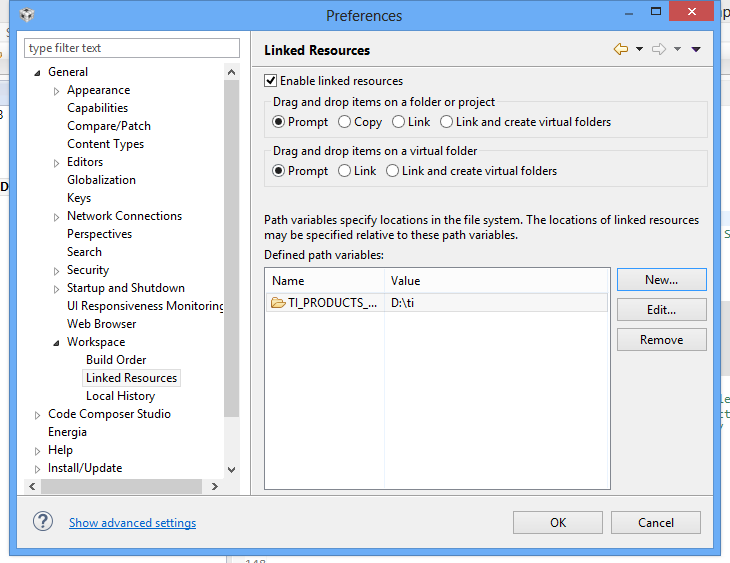
  • HI this one work for me. Windows > Preferences > General > Workspace > Linked Resources . Add New variable TI_PRODUCTS_DIR : Path D:\ti ( change with your location) .