This thread has been locked.

If you have a related question, please click the "Ask a related question" button in the top right corner. The newly created question will be automatically linked to this question.

PGA450-Q1: PGA450Q1-EVM GUI error

Part Number: PGA450-Q1
Other Parts Discussed in Thread: PGA450Q1EVM, TIGER

Dear Engineer; 

Please help to analysis why the PGA450EVM GUI appear error, please refer to the attached picture.

The procedure is as following:

  • Power up PGA450Q1EVM board (connect to 12V) & Connect EVM board with TIGER board
  • Open GUI
  • Plug in the TIGER USB cable

And the software is frozen from there.  Please clarify if the power up sequence is wrong.
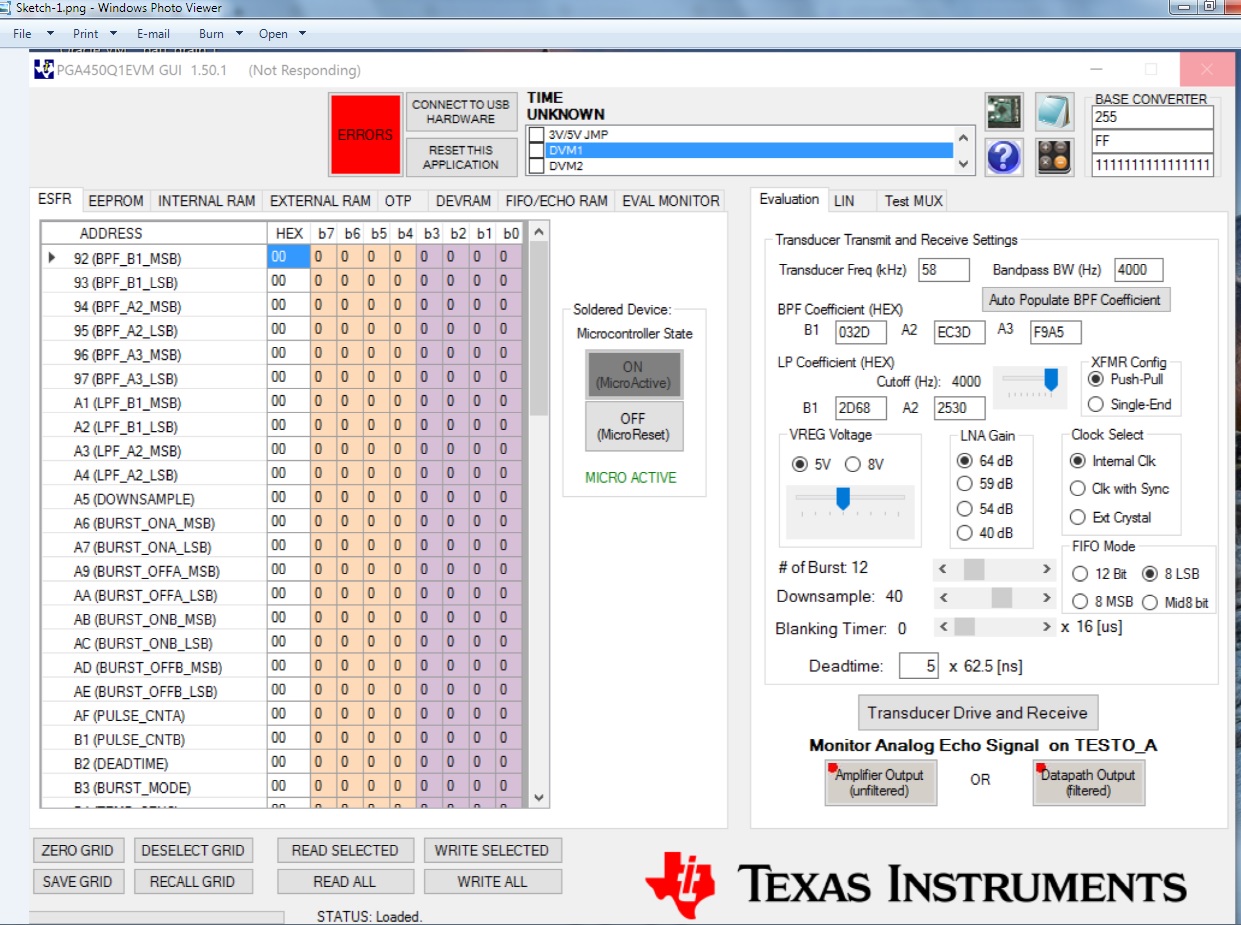
Best regards

Kailyn

  • PGA450 related questions are answered in the automotive forum. I am moving it there.
    Thanks,
    Vishy
  • Hi Kailyn,

    The GUI is confirmed to be able to run on a Windows 10 platform. Your startup procedure should be as follows:
    1. Connect TI-GER board to EVM.
    2. Connect and power EVM (12V is ok; current drawn should average 7mA).
    3. Connect USB from TI-GER to PC. (When you plug the TI-GER board in, does a green LED toggle on the TI-GER board?)
    4. Open GUI. (When the GUI is opened, does the green LED remain solid on the TI-GER board?)

    Can you confirm the jumper settings on the TI-GER board as follows?
    •Ensure the TI-GER USB Interface board has no jumpers populated except for the 5-V digital I/O-level option located adjacent to
    the red 5-V test-point. The HEX jumper should not be installed, nor should any of the pins on pin block P3 be shorted; these are
    reserved for TI only.

    If you have access to a different PC, please repeat this procedure to determine if the freeze error can be replicated on a different machine.
    Also try this alternative startup procedure to isolate the TI-GER board:
    1. Only connect the TI-GER board to the PC (EVM should not be connected or powered)
    2. Open the GUI. Does the GUI still freeze?