This thread has been locked.

If you have a related question, please click the "Ask a related question" button in the top right corner. The newly created question will be automatically linked to this question.

Parameters tweaking to maximize throughput on MSP-430.

Other Parts Discussed in Thread: MSP430F5438A

Throughput measurement on the current release of Bluetopia on MSP430


To achieve maximum throughput using Bluetopia while receiving data, read the data as soon as the application receives a data indication.

While sending data, write data using SPP_Data_Write as fast as possible. If SPP_Data_Write returns a value less than what you are trying to write, that means the outgoing path is full and the application should wait to write until more buffers are available. The stack will indicate that more space is available using the etPort_Buffer_Empty_Indication event in the SPP callback. Once you receive this event, you can send more data. The user will have to take care to send any unsent bytes in the previous call by using the return code of SPP_Data_Write.


The throughput depends on different parameters.

The first is the set of SPP parameters of RFCOMM frame size, Transmit Buffer and Receive Buffer. The current release has L2CAP MTU capped at a lower value to achieve some RAM targets and so it restricts the RFCOMM frame size to 50.

Note: The next release will have the enhancement to increase this value significantly allowing for better throughput. It is currently undergoing testing.


You can check the current values using GetConfigParams. Type the following in the command prompt

SPP+LE>GetConfigParams


It will return the following.

SPP_Get_Configuration_Parameters(): Success

   MaximumFrameSize   : 38 (0x26)

   TransmitBufferSize      : 38 (0x26)

   ReceiveBufferSize        : 38 (0x26)


You can set these values using SetConfigParams. For example, to set a RFCOMM frame size of 50, Transmit Buffer size of 300 and Receive Buffer  size of 500, type the following in the command prompt

SPP+LE>SetConfigParams 50 300 300.


It will return the following.

SPP_Set_Configuration_Parameters(): Success

   MaximumFrameSize   : 50 (0x32)

   TransmitBufferSize      : 300 (0x12C)

   ReceiveBufferSize        : 500 (0x1F4)

You can set the baud rate the SPP is operating at by using the command SetBaudRate. For example to set a baud rate of 921600, type the following in the command prompt

SPP+LE>SetBaudRate 921600


It will return the following.


HCI_Reconfigure_Driver(921600): Success.


You can also try to tweak the UART buffer sizes in file HCITrans.C.

Change the

#define DEFAULT_INPUT_BUFFER_SIZE to 1042 and

#define DEFAULT_OUTPUT_BUFFER_SIZE to 384.


Note: Changing these values may cause the MSP-430 to run out of memory. You can increase the amount of memory allocated by changing the BTPS_MEMORY_BUFFER_SIZE. This option can be found in CCS 5 by going to Project->Properties->Advanced Options->Predefined Symbols. Double click on BTPS_MEMORY_BUFFER_SIZE in the pre-defined names to change it. If you are using IAR, Project->Options->C/C++ Compiler->Preprocessor(Press the arrow button if you can’t see it initially). We set it from 3600 to 9600 and was able to run all of the changes mentioned here. You should be able to set a RFCOMM frame size of 50, Transmit Buffer size of 300 and Receive Buffer  size of 300 and have the DEFAULT_INPUT_BUFFER_SIZE and DEFAULT_OUTPUT_BUFFER_SIZE at default values in HCITRANS.C without increasing the memory.

Below is a table that notes some of the throughput values and parameter combinations.


Data Transfer from Sample Application to MSP-430

ConfigParams

BaudRate

UART Buffer Sizes

Throughput

50 100 300

921600

128,64

197Kbps

50 100 300

460800

128,64

186Kbps

50 100 300

921600

1042, 384

203Kbps

50 100 300

460800

1042, 384

190Kbps

50 300 300

921600

128,64

203Kbps

50 300 300

460800

128,64

190Kbps

50 300 300

921600

1042, 384

209Kbps

50 300 300

460800

1042, 384

190Kbps

50 300 500

921600

128,64

252Kbps

50 300 500

921600

1042, 384

254Kbps


Data Transfer from MSP-430 to Sample Application


ConfigParams

BaudRate

UART Buffer Sizes

Throughput

50 100 300

921600

128,64

158Kbps

50 100 300

460800

128,64

150Kbps

50 100 300

921600

1042, 384

159Kbps

50 100 300

460800

1042, 384

150Kbps

50 300 300

921600

128,64

198Kbps

50 300 300

460800

128,64

192Kbps

50 300 300

921600

1042, 384

203Kbps

50 300 300

460800

1042, 384

193Kbps

50 300 500

921600

1042, 384

203Kbps

50 300 500

460800

1042, 384

193Kbps


Any Increase of the transmit buffer beyond 300 doesn’t seem to improve throughput. Increasing the receiver buffer upto 500 improves throughput but doesn’t after 500. Ideally MaximumFrameSize of 50, TransmitBufferSize of 300, ReceiveBufferSize of  500 works for maximum sending and receiving.


  • Hi Stonestreet,

    I need to pass to 921600 bps, but I have buffer overrun error detected in UART interrupt handler after few seconds.

    I'm working on MSP430F5438A.

    Please advise ...

    Thanks

    Mikael

  • Hi mikael,

    Could you tell us what clock rate you are using?  For running it at 921600 you need to use the maximum supported rate. Also, could you tell us what interrupts are there in your setup? 


    Best Regards,

    Stonestreet One.

  • Hi,

    I working at 25MHz.

    I have two other interrupt in my application : DMA from another UART channel and 1 ms timer for the tick of the stack. both are very short....

  • Hi mikael,

    The issue could be that the the other interrupts are preventing the servicing of the UART interrupt. Could you tell me how much time the other interrupts take?

    Best Regards,

    Stonestreet One.

  • Hi Stonestreet support,

    I have one timer interrupt each 1 ms, and one DMA interrupt one another UART channel. I optimized them and they are very short.

    Did you have tried to redesign your UART/HCI driver to use one DMA channel, to receive bytes at least ? (My application is running on MSP430 ).

    I think it is the best solution to improve the reliability of the communication between microcontrolor and HCI chipset ...

    The interrupt handler of your UART driver seems to be a little bit heavy.

    Thanks

    Mikael

  • Hi Mikael,

    We don't use DMA at the UART/HCI driver at the moment. It is handled in the HCITrans code and the source code for that is provided in case a customer wants to change or improve the implementation of this layer.

    Best Regards,

    StonestreetOne.

  • Hi stonestreet,

    There is not any DMA connected on USCIA3, so we have to use the interrupt style for the driver.

    Anyway, I fixed my problem with buffer overrun, but at 921600 we don't work at 203kbps. We are working at less than 192kps.

    Please help me to make my stack more faster. 

    Another question: What is the difference between Spp profile and rfcomm socket ? How many bytes it will be possible to save in the transmit operation ?

    Thanks

    Mikael

  • Hi mikael,

    I am working on the msp430f5438a, want to calculate the 1ms tick count for throughput calculation. Can you please suggest me  which type of interrupt you are using and this interrupt sourly not effect the main thread.? My project was struck exactly at this place.

    Thanks and Regards,

    Ramana.

  • Hi Ramana, 

    I don't understand what you need ?

    If you are talking about the transmit throughput so you can using the 1 ms timer, count 1000 ticks, and during these ticks, count how many bytes you sent. The function SPP_DataWrite is a blocking function and return the number of bytes really sent. So don't count the number of bytes you want to send, but only the number of byte really sent.

    In SPP example, you will see that the bluetooth stack is synchronized on 1 ms timer interrupt.

    thanks,

    Mikael

  • Hi Stonestreet One,

    Stonestreet One Support said:

    You can set the baud rate the SPP is operating at by using the command SetBaudRate. For example to set a baud rate of 921600, type the following in the command prompt

    SPP+LE>SetBaudRate 921600


    It will return the following.


    HCI_Reconfigure_Driver(921600): Success.


    You can also try to tweak the UART buffer sizes in file HCITrans.C.

    Change the

    #define DEFAULT_INPUT_BUFFER_SIZE to 1042 and

    #define DEFAULT_OUTPUT_BUFFER_SIZE to 384.


    Note: Changing these values may cause the MSP-430 to run out of memory. You can increase the amount of memory allocated by changing the BTPS_MEMORY_BUFFER_SIZE. This option can be found in CCS 5 by going to Project->Properties->Advanced Options->Predefined Symbols. Double click on BTPS_MEMORY_BUFFER_SIZE in the pre-defined names to change it. If you are using IAR, Project->Options->C/C++ Compiler->Preprocessor(Press the arrow button if you can’t see it initially). We set it from 3600 to 9600 and was able to run all of the changes mentioned here. You should be able to set a RFCOMM frame size of 50, Transmit Buffer size of 300 and Receive Buffer  size of 300 and have the DEFAULT_INPUT_BUFFER_SIZE and DEFAULT_OUTPUT_BUFFER_SIZE at default values in HCITRANS.C without increasing the memory.

    Below is a table that notes some of the throughput values and parameter combinations.


    Data Transfer from Sample Application to MSP-430

    ConfigParams

    BaudRate

    UART Buffer Sizes

    Throughput

    50 100 300

    921600

    128,64

    197Kbps

    50 100 300

    460800

    128,64

    186Kbps

    50 100 300

    921600

    1042, 384

    203Kbps

    50 100 300

    460800

    1042, 384

    190Kbps

    50 300 300

    921600

    128,64

    203Kbps

    50 300 300

    460800

    128,64

    190Kbps

    50 300 300

    921600

    1042, 384

    209Kbps

    50 300 300

    460800

    1042, 384

    190Kbps

    50 300 500

    921600

    128,64

    252Kbps

    50 300 500

    921600

    1042, 384

    254Kbps


    Data Transfer from MSP-430 to Sample Application


    ConfigParams

    BaudRate

    UART Buffer Sizes

    Throughput

    50 100 300

    921600

    128,64

    158Kbps

    50 100 300

    460800

    128,64

    150Kbps

    50 100 300

    921600

    1042, 384

    159Kbps

    50 100 300

    460800

    1042, 384

    150Kbps

    50 300 300

    921600

    128,64

    198Kbps

    50 300 300

    460800

    128,64

    192Kbps

    50 300 300

    921600

    1042, 384

    203Kbps

    50 300 300

    460800

    1042, 384

    193Kbps

    50 300 500

    921600

    1042, 384

    203Kbps

    50 300 500

    460800

    1042, 384

    193Kbps

    SetBaudRate() function sets baud between Host and BT module, but what is the baud between two BT modules ie. speed in Kbps between two BT modules, or is that the same?

    How can I calculate the Troughtput for default baud 115200?

    Regards,

    David.

  • Hi David,

    You can calculate Throughput on your own "TP = (Number of Bits/1000)/Time in Seconds". Make sure to converts the amount of data to bits.

  • Hi Sundeep,

    Sundeep Mandava said:
    You can calculate Throughput on your own "TP = (Number of Bits/1000)/Time in Seconds". Make sure to converts the amount of data to bits.

    The Time, do I get this from Baud or I have to measure it ?

    Regards,

    David.

  • Hi David,

    You have to measure it.

  • Hi Sundeep,

    I'm measuring the rf256x evulation board.

    Server->SPPLEDemo, advertise on

    Client->SPPLEDemo, connectedLE to Server.

    Measurement server board.

    When connected and advertising:

    this happens every 200ms.

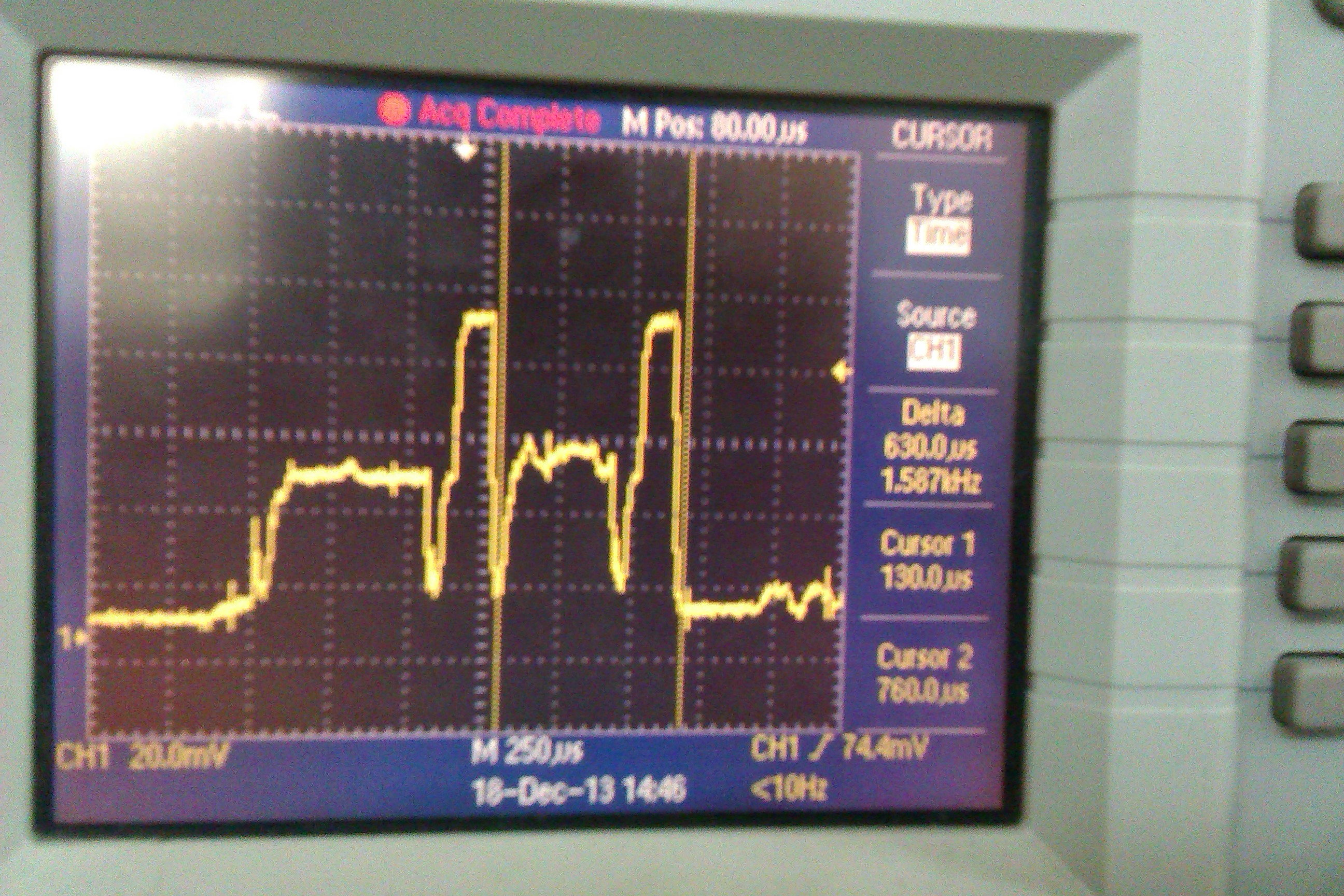
    When sending 10B:

    Only one occurrence.

    Period=600us

    Bits=8*10=80

    TP=(80/1000)/(0.0006s)=133.33kbps ??

    Regards,

    David.

  • Hi David,

    It will be accurate if you take the time from the sniffer log.

    Usually the throughput test is conducted in a shield room, as it will depend on the environment where you are testing it.

  • Hi Sundeep,

    Thank You.

    Is there some sniffer software on TIwiki  for rf256x(PAN1323) board to used it like sniffer? I can't find it probably I missed it.

    Regards,

    David.