This thread has been locked.

If you have a related question, please click the "Ask a related question" button in the top right corner. The newly created question will be automatically linked to this question.

TMDSPLCKIT-V3 works with cold connection, but not with mains

Other Parts Discussed in Thread: AFE031

Hi,  I have a TMDSPLCKIT-V3 kit, and am having problem with the std out of the box test using  Zero Configuration GUI.

The kit ships with PRIME protocol loaded.

I have connected as in the getting started guide, but cannot transmit data. When I disconnect from 220V supply and have just cold connection, it transmits and receives data successfully.

So communication seems to work. However when I connect to 220V supply, transmit fails.

Any suggestions?

Erich

  • Hello Erich!

    At first just in case watch this video   "PLC Solutions: How to use the TMDSPLCKIT-Version 3" from http://www.ti.com/tool/tmdsplckit-v3. Also check on both docking stations J17 & J10 are closed. For experiments I would recommend to use two PC instead one connected to two modems. Honestly if you do it right then I'm surprised about this behavior of PLC modems. I didn't hear something like this before.

    Regards,

    Igor

  • Hi Igor,

    Still no luck... yes, J10 and J17 are fitted. I have reflashed modems with both latest version of Prime 7.9.1.1 as well as G3.

    No go.   I have checked jumpers J24 and J22 too. J24 is in position 7-8  and J22 1-2 (cenelec A). So this is the default setting.

    I have tried a a different physical location, ie workshop as well as in my office which is a totally different area.

    Is there any simple diagnostic I can try?

    Erich

  • Hi Erich,

    I don't know exactly way which you use to connect your modems to one another, but I suspect that you connect to powerline 220V via splitter with multiple sockets + UPS. Perhaps your splitter has Filter Surge Protection inside (if I'm wrong, then correct me). Suppose that when you turn on the splitter then filter will connect to line at the same time. We don't know filter frequency characteristic and maybe this filter suppresses frequency band 30-90 kHz which TI firmware of modems uses. Let's check the following. Take please simple splitter with sockets without any filter. At first again check PLC connection with Zero configuration GUI ("Phy test") on "cold" wire. If connection will successful, then you can try connect splitter to 220VAC net directly (even without UPS). Perhaps, you have tried this, but if not, then let's check this hypothesis.

    Regards,

    Igor

  • Hi Igor,   I have been doing some addition tests.  I do not have any filter surge protection or other. I simply have an extender plug, and plug the modems into the extender..

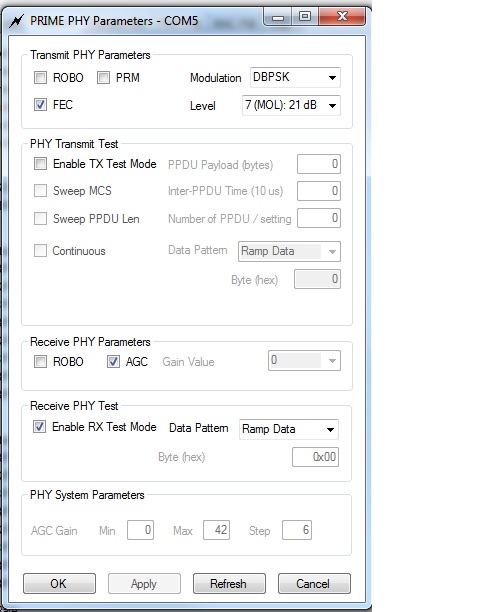
    I had the local TI rep come and check, and he is also concerned. We did some tests using the intermediate mode. Hopefully you can see these graphs. With COLD connect, the SNR is about 15dB. When I plug into power, the SNR goes to 0dB. Then when I unplug from hot, it jumps up to 15dB. 

    Does this make sense to you?

  • Hi Erich,

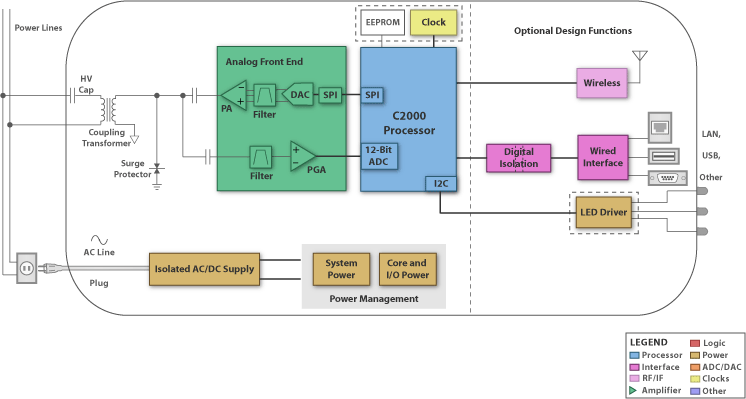
    I find it hard to make any assumptions...But perhaps some element (or elements) of input chain is damaged in one of modems. For example, input sourge protector (in the figure below). I don't think that both modems are damaged simultaneously. It makes sense to test each modem separately. Maybe your local TI rep has another kit for checking this idea.  Anyway SNR 15 dB very small for normal connection conditions without significant attenuation in short cold wire. It must be about 21 dB! This is not a theoretical value. I got this SNR when worked with these modems and Zero configuration GUI.

    Regards,

    Igor

  • Hi Igor,

    Thanks for the inputs you are giving... The local TI office does not have a spare kit.  One of my other customers has a kit, so maybe next week I will see if I can do comparative tests with his kit.

    Erich Nast

  • Yes, Erich,

    I think it is necessary to check this first of all. Especially if there is that possibility. Try to combine modems of different kits on cold wire. Perhaps the problem exists only in one modem of your kit as I noted above.

    Good luck,

    Igor

  • Hi,

    I am a stundent of University and I have the same Problem like Erich described before.

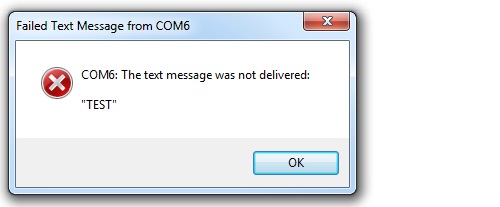
     I Start the Zero Configuration GUI and set on the first pc the Prime PHY test as Transmitter, the second pc as Receiver. I can not send a message from one modem to the other. A error occurs

    But on the "Receiver gui" i can see received packets:

    Here are my choosen Parameters:

    Hardware:

    - S320C2000 Development Kit

    - ControlCard: F28069 Release 1.1

    - AFE Module: AFE031 Module V2 Rev 2

    Software:

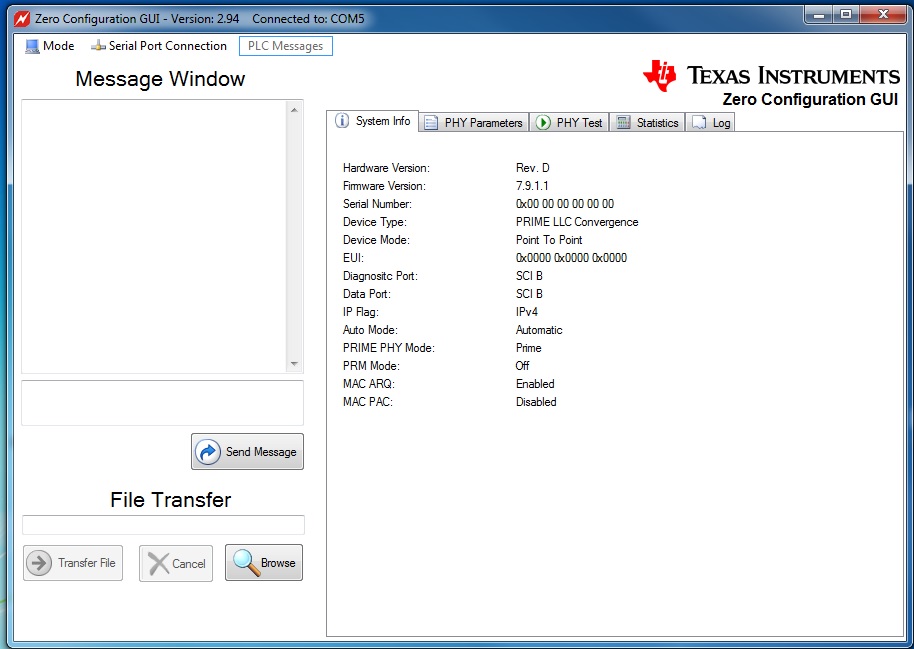
    - Zero Configuration GUI Version 2.94

    - Texas Instruments Prime Development Package V6.0.0.0

    I have connected the modems like in the video described and did the same with two different Kits.

    Also my SNR is very low and i cant choose the OFDM Modulation.

    I hope you can help me with my Problems.

    Christoph

  • Hi,

    I solved the Problem with sending messeges and files.

    The Problem was that I always started Phy Test. To send/receive Message it is not neccessary to do it.

    but i got some open questions:

    1. How to choose OFDM

    2. Igor Gorbachev wrote in the thread

    http://e2e.ti.com/support/microcontrollers/c2000/f/171/t/254032.aspx

    he achieved up to 8km range. Was it just a model or did u do real measurements ?

    3. With which Software did u do the model/measurements ?

    4. Where can i find a official document for range measurement ?

    thank you very much

    Christoph

  • Hi, Christoph!


    Christoph Kraft said:

    1. How to choose OFDM

    2. Igor Gorbachev wrote in the thread

    http://e2e.ti.com/support/microcontrollers/c2000/f/171/t/254032.aspx

    he achieved up to 8km range. Was it just a model or did u do real measurements ?

    3. With which Software did u do the model/measurements ?

    4. Where can i find a official document for range measurement ?

    1 DBPSK, DQPSK, D8PSK etc. are modulations of each subcarrier within OFDM signal transmitted by modems of  TMDSPLCKIT. Thus modems transmit OFDM signal.

    2 These results have been achived at physic model (this is not model of power line, but a model of some other line).

    3 For experiments TI firmware & firmware based on phy_example_project (from V6000 & V5210 packages) were used.

    4 Generally it is very difficult. 

    I would recommend you carefully to look all thread which you mentioned http://e2e.ti.com/support/microcontrollers/c2000/f/171/t/254032.aspx. I think you will find many useful info.

    Regards,

    Igor

  • Hi Igor,

    thanks for your fast answer!

    Do you have any idea, why the SNR is so low ? I tried it with an other kit and also on an other Location...but still ~ 20dB

  • Hi, Christoph!

    Christoph Kraft said:

    Do you have any idea, why the SNR is so low ? I tried it with an other kit and also on an other Location...but still ~ 20dB

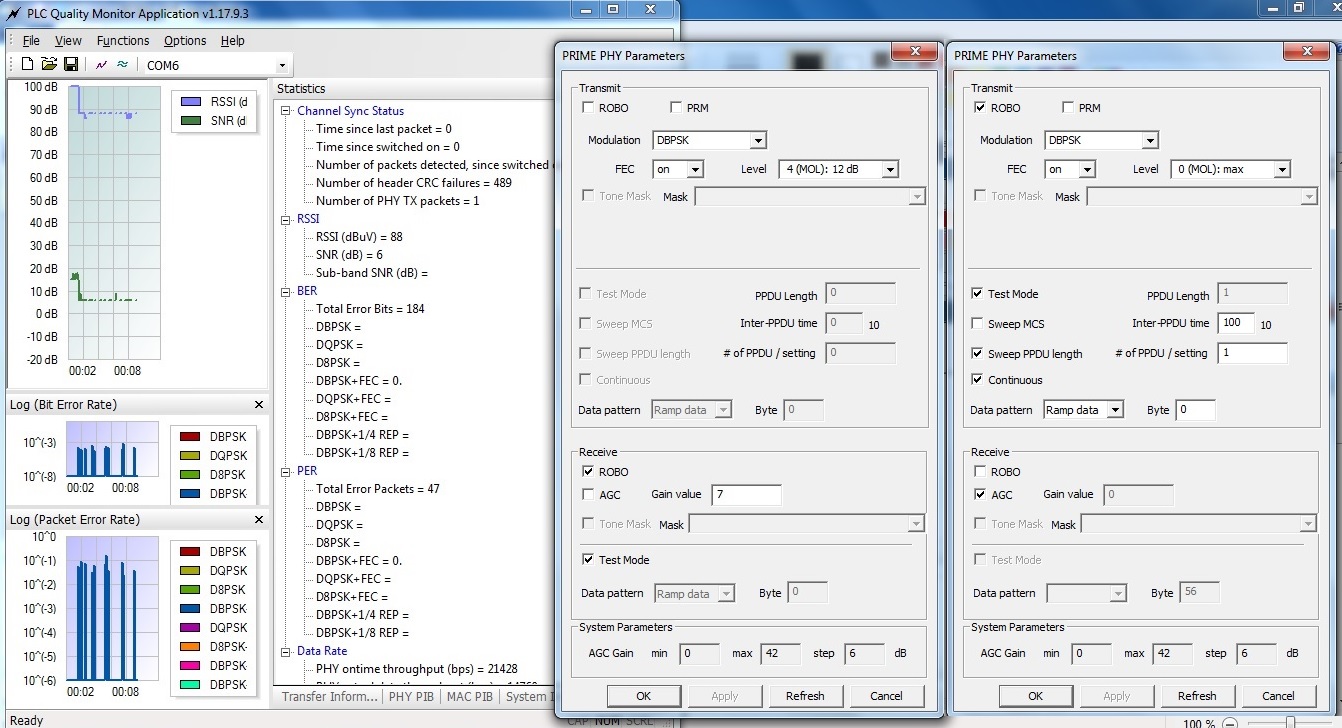
    Perhaps this is some feature of TI firmware (on example window of Kit's User Guide also SNR 21 dB takes place). Try the following:
    1) Set ROBO mode on both sides 
    2) Transmit side -  Level: 0                              Receive side - clean AGC box & set Gain value: 7
    Regards,
    Igor
  • Hey Igor,

    what exactly is "ROBO" mode ? Can you explain it to me ?

    I set the Parameters like u described but the SNR is down to 6 dB and i got a lot of Errors

    any other ideas ?

    I will try g3 now instea of prime...maybe i get better results.

    regards

    Christoph

  • Hi Christoph,

    No, ROBO mode is not necessarily exactly. But honestly your result is quite strange. Robo mode has provided the best results for me when great attenuation at line taken place. Well, try no ROBO and G3 protocol also...Would you like to go to my thread http://e2e.ti.com/support/microcontrollers/c2000/f/171/t/254032.aspx?pi269061=14? Maybe someone else will find your results useful for himself.

    Regards,

    Igor

  • Hi Chiristoph,

    I'm also a college student, I got the same problem just like you. I can not transmit message by Phy Test either.
    Can you tell me how did you solve this problem. I don't understand what is "not necessary to do it" means.

    below are my setting, almost the same with you.

    Hardware:

    - S320C2000 Development Kit

    - ControlCard: F28069 Release 1.1

    - AFE Module: AFE031 Module V2 Rev 2

    Software:

    - Zero Configuration GUI Version 2.103

    - Texas Instruments Prime Development Package V7.9.1.0

    I have connected the modems like in the video described and did the same with two different Kits.

    (PLC Solutions: How to use the TMDSPLCKIT-Version 3)www.ti.com/.../tmdsplckit-v3

    thanks you so much

    Lucien.