This thread has been locked.

If you have a related question, please click the "Ask a related question" button in the top right corner. The newly created question will be automatically linked to this question.

Limiting PI(D) speed controller setpoint current output in instaspin-FOC


Hey all,

I'm trying to determine how to set a configurable limit on the setpoint current from the speed PI(D) regulator in instaspin-FOC. In ctrl.c, the CTRL_setParams() function has one section that seems somewhat relevant (line 407 - 417);

  // set the default speed PID controller parameters
  Kp = _IQ(0.02*pUserParams->maxCurrent*pUserParams->iqFullScaleFreq_Hz/pUserParams->iqFullScaleCurrent_A);
  Ki = _IQ(2.0*pUserParams->maxCurrent*pUserParams->iqFullScaleFreq_Hz*pUserParams->ctrlPeriod_sec/pUserParams->iqFullScaleCurrent_A);
  Kd = _IQ(0.0);
  outMin = _IQ(-1.0);
  outMax = _IQ(1.0);

  PID_setGains(obj->pidHandle_spd,Kp,Ki,Kd);
  PID_setUi(obj->pidHandle_spd,_IQ(0.0));
  PID_setMinMax(obj->pidHandle_spd,outMin,outMax);
  CTRL_setGains(handle,CTRL_Type_PID_spd,Kp,Ki,Kd);

From what I can see here the output is limited to a constant value of +-1, and only the Kp and Ki terms are affected by the maxCurrent parameter. I'm guessing that I'd want to modify the outMin and outMax parameters as well and call PID_setGains(), PID_setMinMax(), and CTRL_setGains() when changing/setting the maximum motor current.

Question 1: What units are the outMin and outMax parameters expresses as? USER_CURRENT_SF? Something else?

Question 2: Should I be careful when calling the PID_setGains(), PID_setMinMax(), and CTRL_setGains() functions? Both in terms of context (interrupt vs. main) and calling frequency; should I only call them when insta-spin is disabled or would they be safe to call during operation as well?

  • Hi, Jonathan,

    To make sure I understand, you want to have a variable that sets the limit of the Iq current controller, correct?  In the end that's what you want to limit (or limit the input Iq_ref) correct?

    1. Yes, everythign is in a scale factor

    Let's look at an exmple where I have used the following in my user.h

    USER_IQ_FULL_SCALE_CURRENT_A         (20.0)
    USER_MOTOR_MAX_CURRENT          (5.0)
    USER_IQ_FULL_SCALE_FREQ_Hz        (800.0)

    Once I'm running my system I set a Speed_Ref of

    1200 RPM

    Let's look at ctrl.pid_Iq and ctrl.pid_spd

    pid_spd.outMax (and -outMin) = IQ24(0.25)

    Where does this come from?

    USER_MOTOR_MAX_CURRENT            /  USER_IQ_FULL_SCALE_CURRENT_A     = 5 / 20 = 0.25

    This is how the MAX_CURRENT is used to limit the Iq Reference

    You'll notice for the pid_Iq this value is 1.33, which comes directly from

    #define USER_MAX_DUTY_CYCLE        (4.0/3.0)

    For the _spd you can also see that the refValue = 0.0999

    this is from gMotorVars.Speed_KRPM but shows again as per unit value of the full scale.

    USER_IQ_FULL_SCALE_FREQ_Hz * 120 / USER_MOTOR_NUM_POLE_PAIRS = 12 KRPM full scale

    1200 / 12000 = 0.1000 = 0.09999


    2

    PID_set functions just set the values into the structure, so timing considerations need apply.

    CTRL_setGains() sets the PID structure values into the controller. You are allowed to set these at any time (you'll notice we set the Kp and Ki values all the time in the background using updateGlobalVariables_motor()

    If you change your limits you need to be careful that you aren't already over the limit.  If you have a reason to do this on the fly you may want to do a "get" first, and if under the limit you allow it to load the new limits.

    the Ui is your integrator, and there are times you want to set this to a previous value or zero it out before starting up. This can also be done on the fly with the appropriate logic.


  • Excellent, thank you for answering Chris!

  • I'd also like to add this for posterity, since you may notice that gMotorVars.IqRef_A (which is really just a helper variable we created to interface with the library) is an  IQ24 value, supporting up to 127.999

    IF for some reason you had a higher current than 127 you need to do the following.

    Say you want 1000 A. 

      _iq iq_ref = _IQ(1000.0 / USER_IQ_FULL_SCALE_CURRENT_A);

       CTRL_setIq_ref_pu(handle, iq_ref);

    The first multiplication can’t be done in IQ24 anymore since it’ll overflow, but you can still do the operation as long as the result written by function CTRL_setIq_ref_pu is within IQ24.

  • Hello,

    I would like to do the same, I mean, e.g.:

    Start with a regulated current at 6A and then switch to 3A or start with 3A and then boost the current to 6A.

    A good way to do that seems to modify the limit of the PID speed regulator with the functions "PID_setGains", "PID_setUI", "PID_setMinMax" and "CTRL_setGains" but it seems to not work.

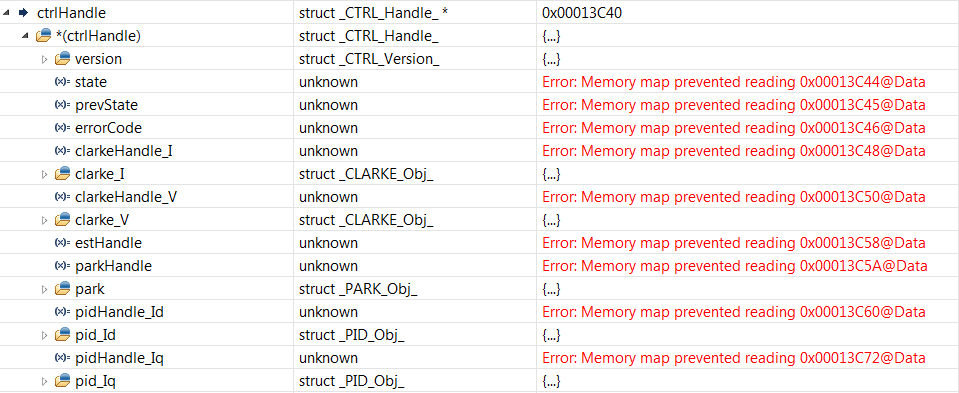
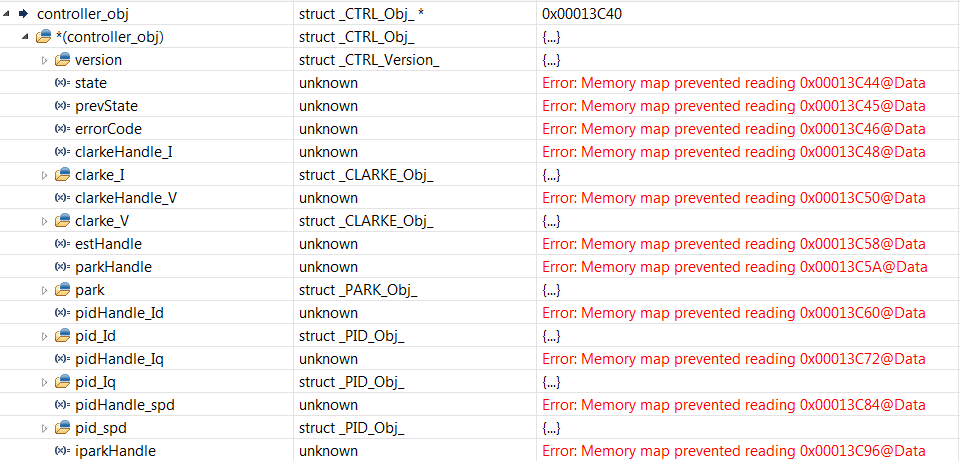
    As you can see in the picture, I can't see the structure of the PID speed regulator and I don't know why.

    Thanks for your help.

  • This is for an F2806x device?

    Try adding to your expressions view

    controller_obj

    or

    controller_obj*

  • Hello Chris,

    Yes, it's for a F2806x device.

    I see the same problem with controller_obj in the expression view.

  • Can you expand the structures?

    You are connected to a powered target, running a valid .out, with real-time enabked?

  • Hello Chris,

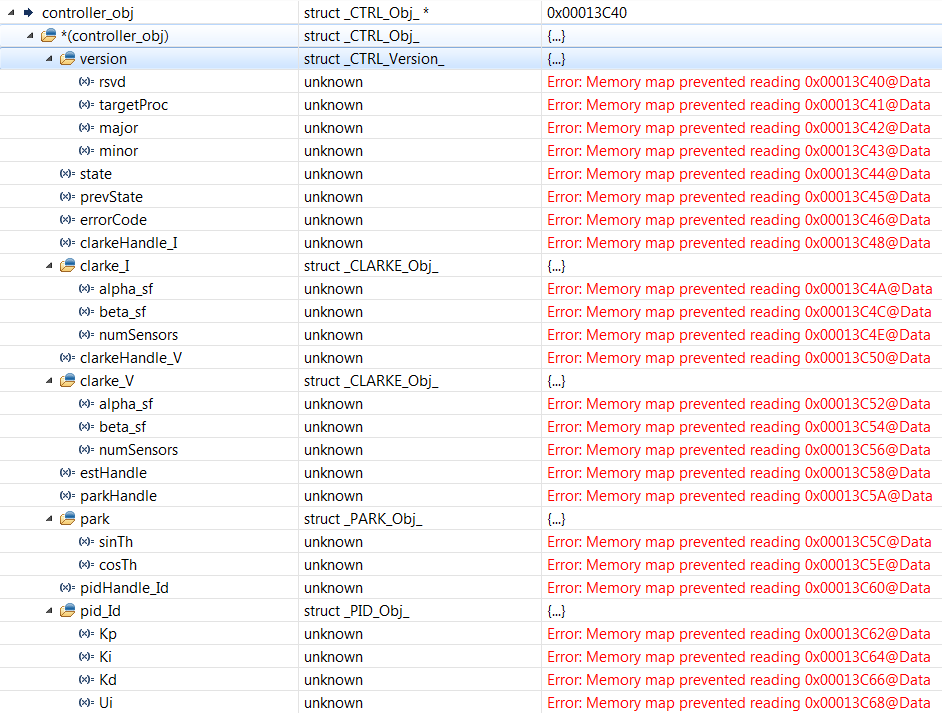
    This is the structures expanded :

    The version of the controller:

    Yes, my target is powered, running with a valid .out  and real-time is enabled.

  • I don't have an answer for what is happening. Did you link in a different memory map .cmd file or something? 

    It appears like everythign is running well, yes?


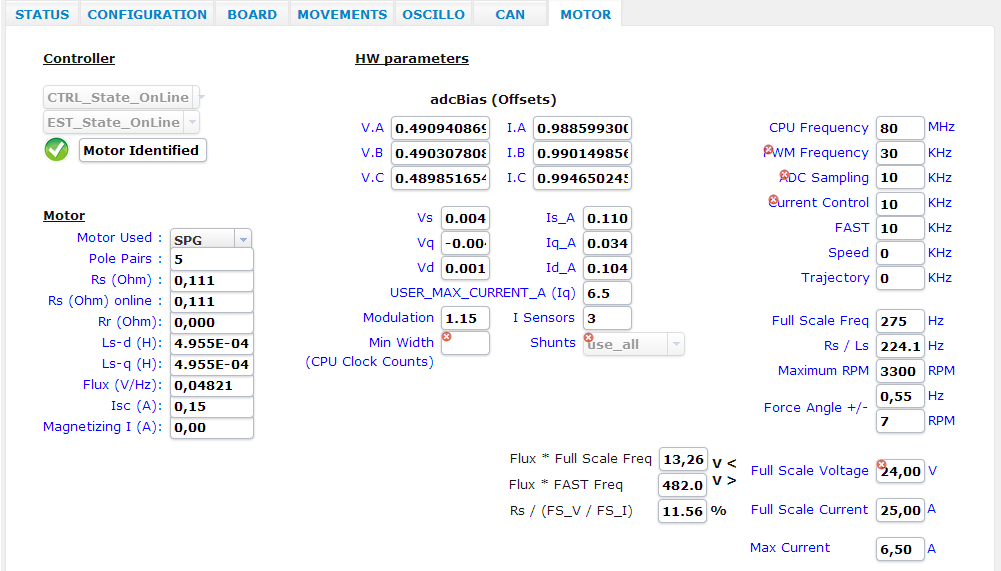
    minor thing, but why did you reduce the CPU frequency to 80 MHz from 90?

    also, your Isc variable has a scaling issue in the display, it needs to be multiplied by 100, the calculation should give you 15A.


  • Hello Chris,

    No, nothing special about memory map .cmd file.

    Yes, everything is running well.

    When I added my CAN stack in that MCU, I think I read that the maximum CPU frequency allowed for the CAN bus at 1 Mbps is 80MHz.

    About Isc variable, I checked the binding variable and :

    with ((gMotorVars.Flux_VpHz  / 6.28) / gMotorVars.Lsd_H) the result is 0.14. It seemes that 6.28 correspond to 628.

    with ((gMotorVars.Flux_VpHz  / 6,28) / gMotorVars.Lsd_H) the result is 14.65. It seemes that 6,28 correspond to 6.28.

    Could you confirm, please?

    It's not too important that I can't read the controller_obj structure.

    Do you have an idea about why I can't change the limits of the speed regulator on fly?

    I tried to use the functions "PID_setGains, PID_setUi, PID_setMinMax and CTRL_setGains.

    Thanks for your help

  • Sebastien Dassy said:

    with ((gMotorVars.Flux_VpHz  / 6.28) / gMotorVars.Lsd_H) the result is 0.14. It seemes that 6.28 correspond to 628.

    with ((gMotorVars.Flux_VpHz  / 6,28) / gMotorVars.Lsd_H) the result is 14.65. It seemes that 6,28 correspond to 6.28.

    Could you confirm, please?

    This looks like an issue of Windows european style comma vs. decimal point.  You should use the ,

    Sebastien Dassy said:

    Do you have an idea about why I can't change the limits of the speed regulator on fly?

    I tried to use the functions "PID_setGains, PID_setUi, PID_setMinMax and CTRL_setGains.

    These absolutely can be used.

    PID_setKi is used in the proj_lab and in ctrl.c the following are used in the normal projects.

     Line 386:   PID_setGains(obj->pidHandle_Id,Kp,Ki,Kd)
     Line 387:   PID_setUi(obj->pidHandle_Id,_IQ(0.0));
     Line 388:   PID_setMinMax(obj->pidHandle_Id,outMin,outMax);
     Line 399:   PID_setGains(obj->pidHandle_Iq,Kp,Ki,Kd);
     Line 400:   PID_setUi(obj->pidHandle_Iq,_IQ(0.0));
     Line 401:   PID_setMinMax(obj->pidHandle_Iq,outMin,outMax);
     Line 412:   PID_setGains(obj->pidHandle_spd,Kp,Ki,Kd);
     Line 413:   PID_setUi(obj->pidHandle_spd,_IQ(0.0));
     Line 414:   PID_setMinMax(obj->pidHandle_spd,outMin,outMax);