This thread has been locked.

If you have a related question, please click the "Ask a related question" button in the top right corner. The newly created question will be automatically linked to this question.

DRV10983EVM: Evaluation software incompatible with Windows 10?

Part Number: DRV10983EVM
Other Parts Discussed in Thread: USB2ANY, DRV10983

Hi,

I successfully installed DRV10983EVM GUI software (+ the required 3rd party packages, including Python, Labview 2014 runtime engine, etc.) on a PC running Windows 10 Pro, and am able to launch it. 

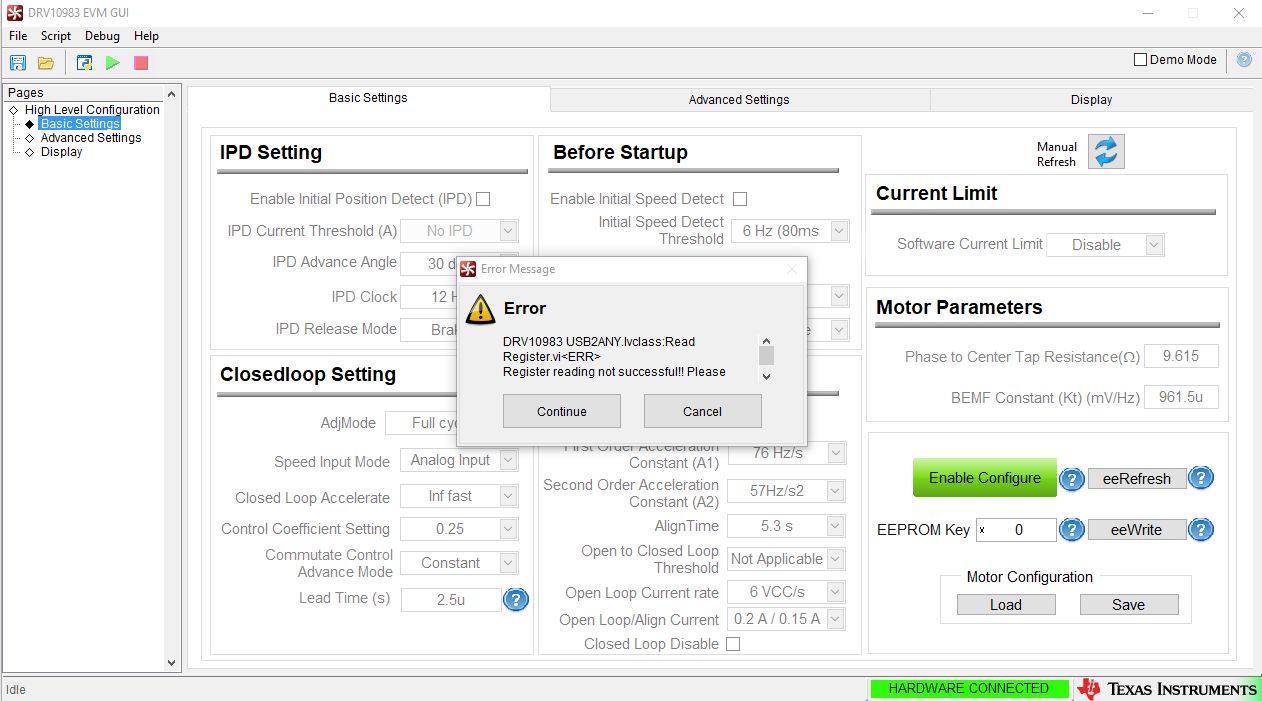
However it is unable to connect, via the TI USB2ANY module, to the DRV10983EVM board. The following two error messages are displayed:

DRV10983 USB2ANY.lvclass:Read Register.vi<ERR>
Register reading not successful!! Please restart the GUI and try again
and:

Notifier Timed Out
Device GUI.lvlib:GUI Wait for GUI Response via Notifier.vi:5770006:\DRV10983.lvlib:Export Read All.vi\DRV10983 High Level.lvlib:Main.vi

I saw elsewhere on this forum that there may be an incompatibility between the Labview 2014 runtime engine and Windows 10. Is this the case? And if so, is there a workaround?

Thank you,

Peter
  • Following up with another issue, which may be related:

    The resistance between Vcc and GND on my eval board is only 2.3 ohms, so when I apply power, the power supply shorts out.

    Looks like this issue has also been discussed on this forum. In that case, the customer measured a similar value (2.6 ohms), and was advised that the eval board was defective and that it should be replaced.

    I will do that, and try the software again with a new board.
  • Hey Peter,

    You're right, if device isn't properly powered, then the interface with the gUI will not work.

    I would try to make sure that nothing in your test setup led to the board Vcc and GND being shorted togethor. Make sure applied Vcc is within the electrical spec.

    Let me know if everything works out.

    Sincerely,
    sanmesh U.