This thread has been locked.

If you have a related question, please click the "Ask a related question" button in the top right corner. The newly created question will be automatically linked to this question.

WEBENCH® Tools/LDC1612: LDC1612 Simulation tool: Excel_FEMM_v1p28.xlsm

Part Number: LDC1612

Tool/software: WEBENCH® Design Tools

Dear Community,

I am trying to use the  Excel_FEMM_v1p28.xlsm simulation- tool however it either crashes with error code 0x800706be or it hangs for hours. Does anybody successfully used this tool so far (including the FEMM version 4.2) ? I would be glad for any advice.

  • Hi Qwertz,

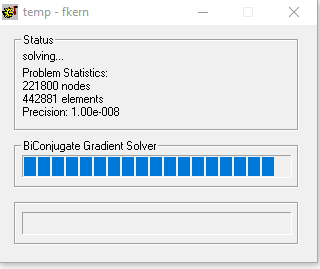
                       We haven't seen anyone have this error before.  We are using the same version of FEMM. what setting are you using in the excel sheet? And do you see the following screenshot pop-up when you run FEMM:  

    If you see this pop-up then FEMM is working and the issue might be your computer or excel sheet settings. Please let us know what exactly is happening. 

    Best Regards,

    Bala Ravi

  • Hi Bala Ravi,

    thank you for responding to my question. I don’t see this screenshot – I am just seeing that FEMM tries to start (a new symbol emerges on the taskbar). However the status windows does not show up. The excel sheet I am using is the default setting of the spread sheet. Is there a way to check the OLE functionality of FEMM separately to make sure this not the reason ?

  • Hi Qwertz,
    What I would try next is go to Control Panel > Programs and Features > Unistall Femm. Try downloading and reinstalling from www.femm.info/.../Download. Also can you confirm that you have Excel 2010 on your computer? Once you install Femm try opening it on its own, just to rule out that Femm is not the issue. Then close it and try it on Excel. Let me know if this fixes your issue.

    Best Regards,
    Bala Ravi
  • Hi Bala Ravi,

    thank you very much for responding. I did the steps you’ve mentioned:

    Programs and Features > Uninstall Femm.

    Try downloading and reinstalling from www.femm.info/.../Download -> DONE

    Excel 2010 on your computer? -> I am using EXCEL 2013

    Install Femm try opening it on its own -> Works

    I’ve looked inside the VB Code of the Excel Spreadsheet and think OLE functionality is somehow broken. “Create Object” seems to cause that FEMM opens but femmcmd femm, "newdocument(0)" does not cause a new document. The subsequent calls of femmcmd femm, fcmd are also called but I think without any reaction. I think due to some security rules inside the company the OLE functionality is blocked but I don’t know what exactly needs to be unblocked. Do you have an idea ?

  • Hi Qwertz,
    Looks like your FEMM tool is working fine and its an excel issue. Please try the following in Excel: File > Options > Trust Center > Trust Center Settings > Macro Settings > Enable All Macros. See if this resolves your issue.

    Note: This will allow all macros without any notification, so If you're worried about security, I would change this setting after using FEMM tool each time. I hope this helps!

    Best Regards,
    Bala Ravi

  • Hi Bala Ravi,
    thank you very much for responding – I did so but without success. To find the source of the problem I’ve tried the excel example www.femm.info/.../excel and this worked. Then I’ve investigates the Excel_FEMM_v1p28.xlsm VB script and found that after execution of "mi_addsegment(2,8437,0,2,9013,0)" the FEMM application crashes due to runtime error. Then I changed decimal separator from “,” -> “.” and as well digit grouping symbol from “.” -> “,” and viola now it works.

    Since I am using a german pc it would be a good idea to add a note that the user might change decimal separator and digit grouping symbol before using the coil calculator tool e.g. by using a cmd file containing “intl.cpl”.