This thread has been locked.

If you have a related question, please click the "Ask a related question" button in the top right corner. The newly created question will be automatically linked to this question.

"timestamp" in fhist

Part Number: IWR1642


I'm running the people counting experiment on IWR1642, and I get the fhist file, which has "timestamp" column. 
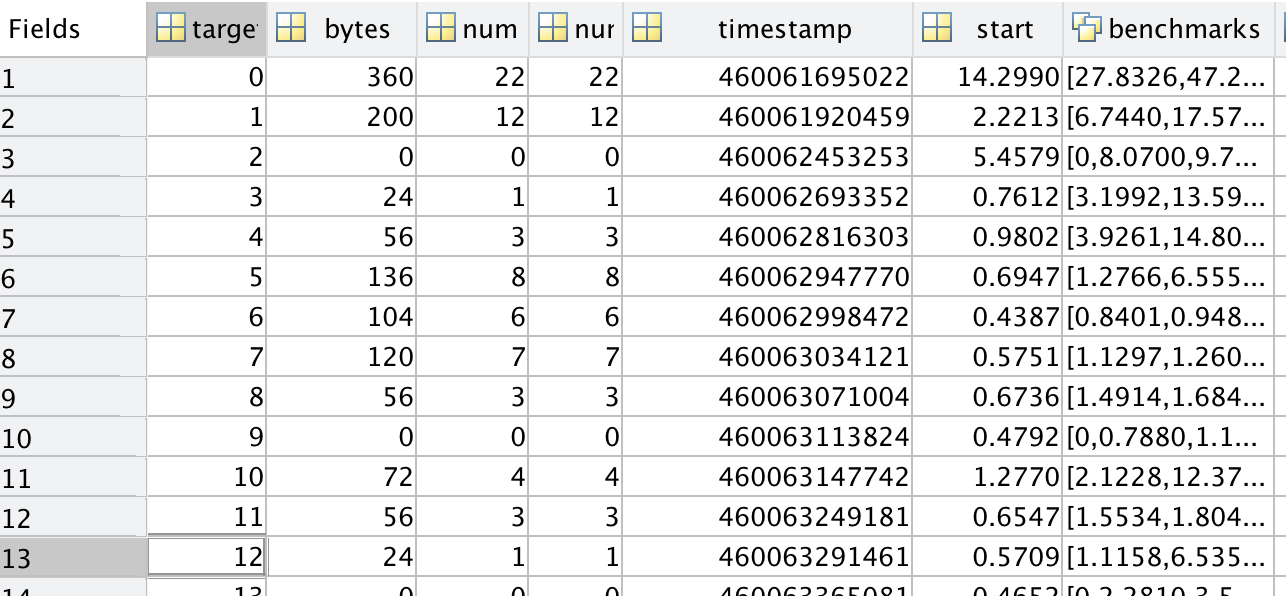
I'm wondering what the "timestamp" number refers to, and what are its metrics. I'm trying to sync my radar data to video data and I need to convert "timestamp" to real time. Also, can I set the global time on IWR1642?

  • Former Member
    0 Former Member

    Hello Laura,

    The timestamp is the cycle count the target has been allocated at. 

    A common method to sync with video data is when you collect data you can use a hardware trigger (the GPIO pin on the EVM) to trigger your radar collection and video collection.

    Amanda

  • Hi,

    Does "cycle count the target has been allocated at" refers to the clock cycle on the radar when the target is detected ? There is also a timestamp in the 'header' column of the Fhist file. What does that refer to? Also, does the timestamp (either of them) refers to the time of detection (in microseconds?) after the radar has started collecting data? Can we sync/measure the fhist data timings with our (computer) system's time?

  • Also, does the hardware trigger just syncs the start and end of video or all the readings to a certain video frame. In case we have an external video data timestamped with global time, can we somehow correlate our radar data to global(system) time?
  • Former Member
    0 Former Member in reply to prakhar kaushik
    Hello Prakhar,

    Previous implementations of using GPIO for trigger sync has been primarily for the start and end of the frame.

    Currently, we do not have an example of global sync time.

    I would not recommend using the benchmarked timestamps in the fhist that are in the Matlab visualizer for reference.
    The frame header TLV has a timestamp that will correlate to the completion and transmission of that frame. Please note that if the device is already running, restarting the visualizer does not reset the device. You will need to reset the device if you want to start at frame 0 and reference from the start of data collection.

    Amanda