


Part Number: OPT8241-CDK-EVM
Tool/software: TI C/C++ Compiler
Hi,
I tried to read RGB ToF and Depth cameras using Visual Studio 2017 C ++.
For RGB camera I use openCV.
I tried scanning the depth camera, but there were 0 devices detected.
I included my library setting, can be shown in the attached picture.
I have install:
- FvSdk 0.0.3-win64
- qt-opensource-windows-x86-msvc2013_64-5.4.0-rc
- pcl-1.7.2
I have put the path in the environment variables:
- C:\Program Files\Voxel SDK 0.6.11\bin
- C:\Program Files\Voxel SDK 0.6.11\lib
- C:\Program Files\Voxel SDK 0.6.11\lib\voxel
Is there something wrong with my code or settings?
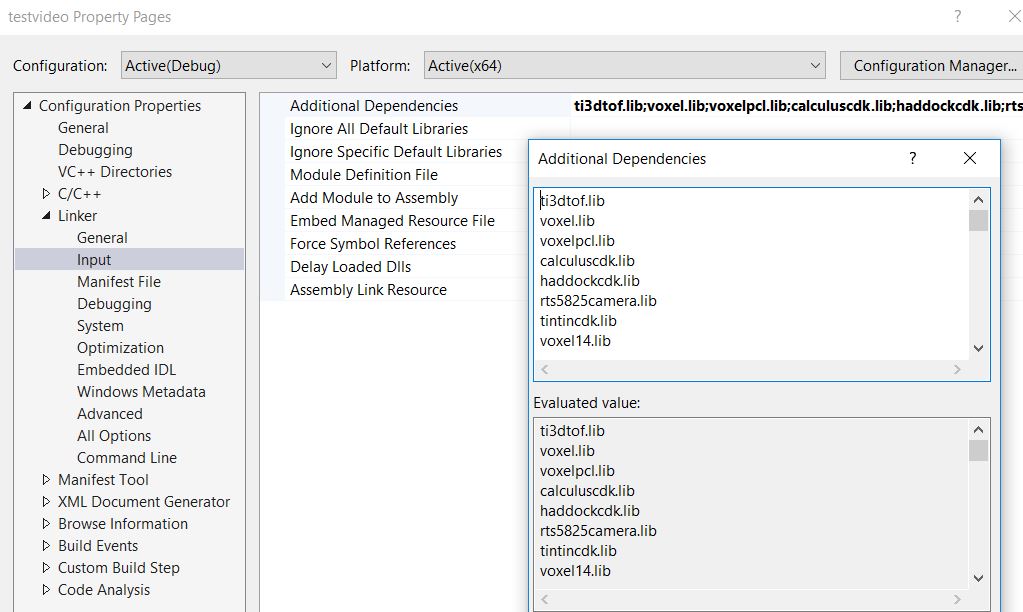
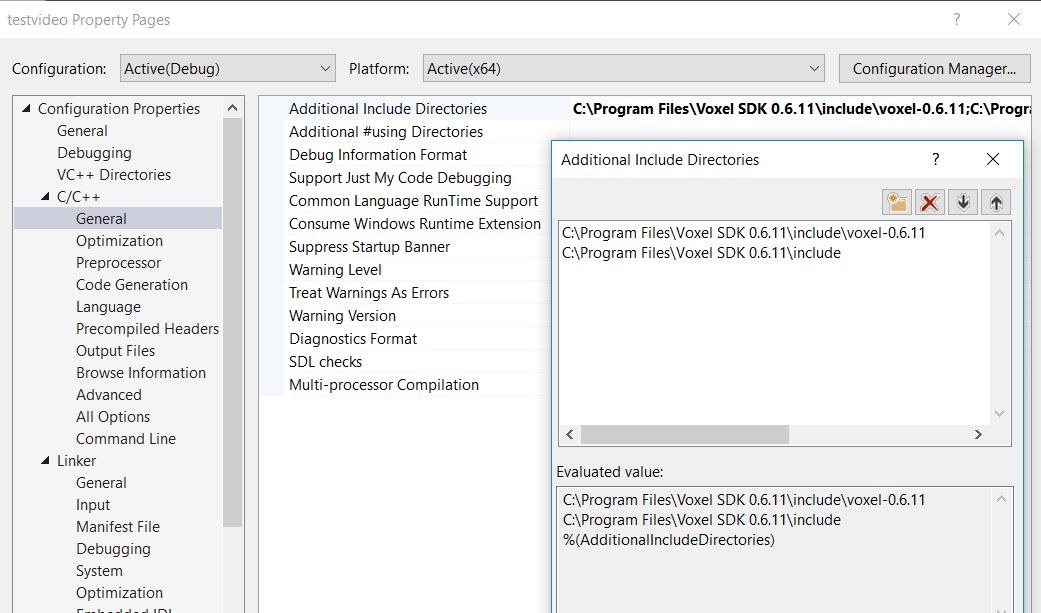
This is my code:
#include "pch.h"
#include "Device.h"
#include "Logger.h"
#include "USBSystem.h"
#include "opencv2/opencv.hpp"
#include <CameraSystem.h>
#include "SimpleOpt.h"
#include "UVCStreamer.h"
#include <iomanip>
#include <fstream>
#include <iostream>

using namespace Voxel;
using namespace std;
using namespace cv;

Mat frame, Dframe;
Mat sys;
Mat im;
int f_count;

int main()
{
	DepthCameraPtr depthCamera;
	FrameSize framesize;
	FramePtr Dptr;

	VideoCapture cap(1);

	if (!cap.isOpened())
	{
		cout << "Error opening video stream" << endl;
		return -1;
	}

	cap.set(CV_CAP_PROP_FRAME_WIDTH, 1280);
	cap.set(CV_CAP_PROP_FRAME_HEIGHT, 720);
	cap.set(CAP_PROP_FPS, 20);

	CameraSystem sys;
	Vector<DevicePtr> devices = sys.scan();

	cout << "Device: " << devices.size() << endl;

	if (devices.size() == 0)
      return 0;

	DevicePtr device = devices[0];

	cout << "Device: " << devices.size() << endl;

	if (devices.size() > 0)
	{
		depthCamera = sys.connect(devices[0]);

		framesize.height = 320;
		framesize.width = 240;

	}

	f_count = 0;

	while (1)
	{
		cap >> frame;

		if (frame.empty())
			break;

		DepthFrame pcframe;

		pcframe.typeCast(Dptr);

		im = Mat(pcframe.depth);
		cout << im << endl;

		imshow("Frame", frame);

		f_count++;
		waitKey(10);

	}

	cap.release();
	destroyAllWindows();

	return 0;
}
