


Other Parts Discussed in Thread: CC2650, CC2640
Tool/software: Code Composer Studio
Hi,
I use the CCS v6.2 in dark theme( Windows -> Preference -> General -> Appearance -> Theme -> Dark) setting.
But I can't see the file name in the project explorer because the font color same with background color.
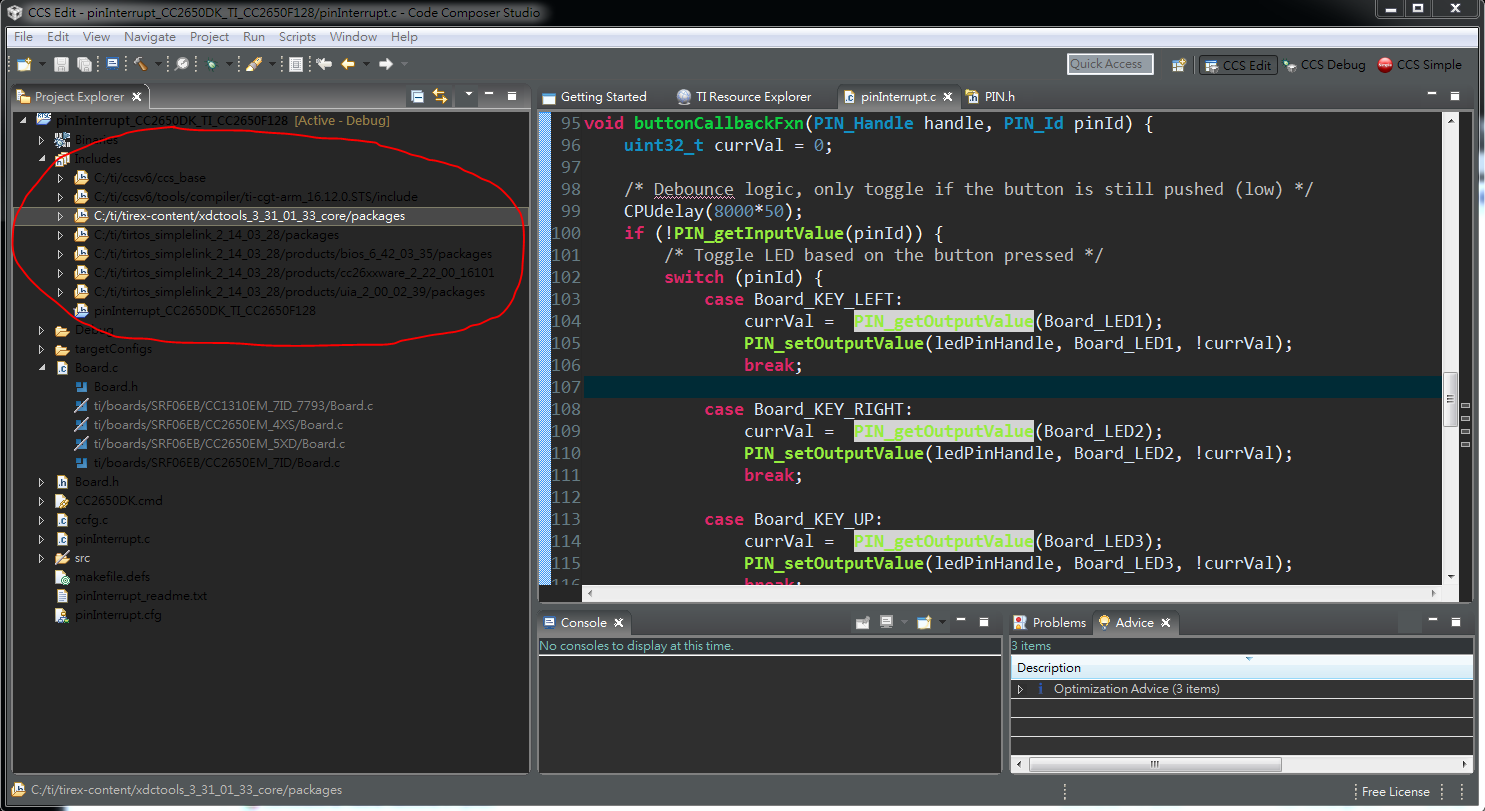
I try to change the font color (Windows -> Preference -> General -> Appearance -> Color and Fonts) , but I can't find the corresponding item about font color of files.
Q1: Anyone know how to setting the font color in project explorer?
In additional, I see the other talk in CCS forum says can setting the CCS theme by import the Eclipse .epf file.
I don't know how to import the .epf file to the CCS then change the theme. Is it the better way to change the CCS theme?
If someone know how to do it, please tell me in detail. Thanks~
Actually, I have been a beginner of Simplelink MCU about one weeks.
I am finding the relative learning material of CC2650 now.
I find the CC2650 fundamental workshop 3 days ago. https://goo.gl/5I0l0u
I think it is a really helpful handout, it illustrate develop procedure step by step.
Q2: Is there other practical material benefit to learning CC2650 or basic MCU & Embedded System concept?
(whatever about document, video, website or book)
The Technical Reference Manual is very detail but not easy to read. https://goo.gl/jXSLki
Because I want to practice the other advanced topic about CC2650 control,
e.g. : Serial communication(UART, IIC, SPI), Timer , Interrupt and Micor Direct Memory Access (uDMA)
I also see lots of example code of CC2640 and CC2650 LaunchPad in Resource Explorer.
Q3: Is the example code of CC2640 and CC2650-LaunchPad compatible to CC2650DK ?
Because CC2640 & CC2650 both support the BLE protocol.
If that is true, I can practice different topic more by CC2650DK.
If you know any answer of above question, please tell me.
I am so appreciated to you ! Thanks a lots !
by Student of MCU beginner

