This thread has been locked.

If you have a related question, please click the "Ask a related question" button in the top right corner. The newly created question will be automatically linked to this question.

CCS/BOOSTXL-AOA: Debugger is acting funny?

Part Number: BOOSTXL-AOA


Tool/software: Code Composer Studio

Sorry, new to CCS, but having trouble with the debugger.

We are running the BOOSTXL-AOA system with LAUNCHPAD CCC2640R2 for all three devices: master, slave and passive. Everything works great using CCS 8.3 and the cloud RTLS_Monitor GUI.

Problem is I'm trying to simply find a place in the slave code to trap a button press on the LAUNCHPAD, but having trouble using the debug system:

1) Can't set breakpoints in any of the AOA related files. I get a message that there is 'No code associated...'. I set optimization off and still get the same result.

2) Any other place I can set breakpoints never trip.

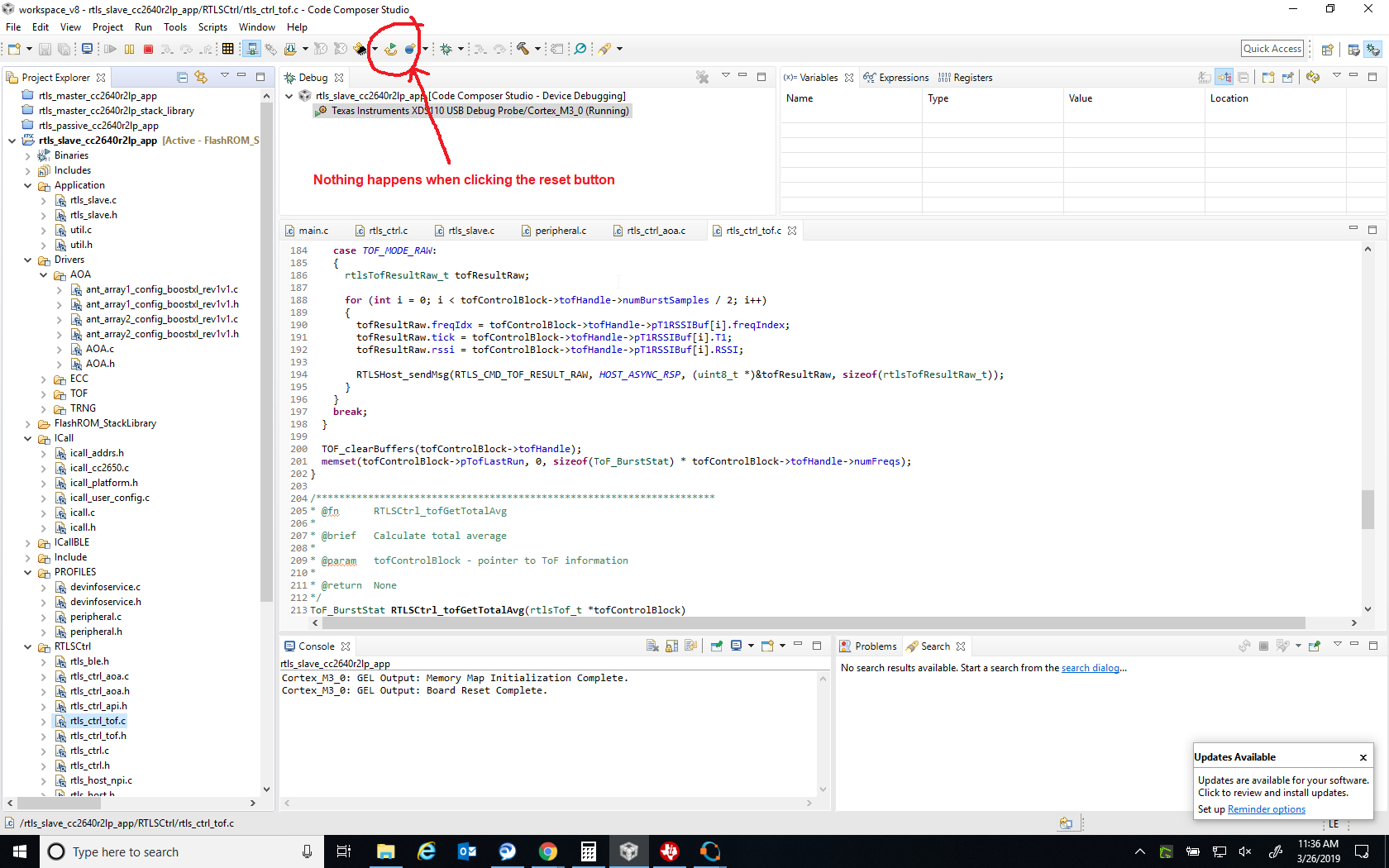
3) The debug reset is just ignored. Only way I can stop running is to end the debug session.

Sorry, know this isn't much to go on, but just not sure I have configured the debug properly...if I'm missing something?

thnaks

  • Hi,

    I am not an expert on the code itself and therefore I can make some general statements about the Debugging experience.

    The Debugger works fine with the Launchpad, but its ability to enable or activate particular features may be dependent on how the code was built or the status of the device.

    For example, if the project does not have debug symbols, the debugger cannot correlate the source code with the assembly loaded into the device's memory. A similar scenario happens if the code is built with a very high level of optimization - this may confuse the debugger given there are many code inlines, out-of-order opcodes, variables being allocated to registers, etc.

    The reference "Debugging and Optimization tradeoff" has a good coverage about this:
    software-dl.ti.com/.../sdto_cgt_debug_versus_optimization_tradeoff.html

    Also, in your case 1) above, if a function is inside a library, you may need to point to its source code to be able to perform source level debugging.

    The section "Debugging library code" of the "Debug User's Guide" has good tips on how to debug libraries:
    software-dl.ti.com/.../ccs_debug-main.html

    The scenario 2) above may depend on where the breakpoint is located and if the device is actually reaching that point. For example, it is not uncommon during development to see a device resetting continuously due to a misconfigured peripheral or Interrupt Vector, but the debugger is not aware this condition happened or the core was trapped in an exception - thus the breakpoint is never reached. In this case, you can trap the exceptions (menu Tools ==> ARM Advanced Features ==> scroll down to where it says "Vector catch".

    For 3) I am not entirely sure what may be happening, as usually the options on the menu Run ==> Reset are selective active depending ont he status of the device.

    Overall, I think it woudl be useful to send a screen capture of the scenarios so I can have a better understanding on what may be going on in your development environment.

    Hope this helps,
    Rafael
  •  Hi desouza,

    Please see the attached screen shot.  

    Debug  does work (I can set break points and they trap when running) for main.c, but seemingly nothing else. Optimization is set to 'off'.

    thanks

  • Works if I only run the slave program alone. For some reason, running 3 XDS debug operations dosen't work as is currently configured.
  • It seems you opened another thread to discuss the same issue.
    e2e.ti.com/.../787140

    I will close this one.