This thread has been locked.

If you have a related question, please click the "Ask a related question" button in the top right corner. The newly created question will be automatically linked to this question.

Loading libraries


I'm trying to write a simple programm on the ccs like this; 

Starting a new ccs project and writting  the following libraries i wish to use

#include "inc/hw_ints.h"
#include "inc/hw_memmap.h"
#include "inc/hw_types.h"
#include "driverlib/sysctl.h"
#include "driverlib/interrupt.h"
#include "driverlib/gpio.h"
#include "driverlib/timer.h"

But on the left of these lines appears a question mark and of course i can't debug it

I trust my mistake is that i don't define where these libraries are located, but i'm a newbee in programming so i don't know what to do

Please guide me.

Note that i have installed the stellarisWare in C:\

  • Hello,

    Minas Sarlanis said:
    Starting a new ccs project and writting  the following libraries i wish to use

    Those files are actually header files.

    Minas Sarlanis said:
    But on the left of these lines appears a question mark and of course i can't debug it

    Most likely you need to add the locations of the 'inc' folder and 'driverlib' folder to your include search paths. You can do this in the build options:

    http://processors.wiki.ti.com/index.php/File:Compilerinclude.jpg

    Then the compiler will be able to find those files when building.

    Hope this helps

    ki

  • Thank you alot, it helped and solved the problem. But that created a new question i have to ask.

    When starting a new project, opens a window in which i have to enter the location. By default it chooses my workshop's location but inthere i don't have any file that contains headers or libraries or something relevant to the CCS.

    What have to do? Or where im supposed to make my workspace?

    Thank you again for your time and help you provided me

  • Hi Minas,

    you can put your project and workspace in any directory that:

    - has no accents/special characters or spaces

    - you have full permissions to

    You point CCS to your included libraries and files in the project properties as shown in this wiki

    http://processors.wiki.ti.com/index.php/Include_paths_and_options

    If you still have issues please post a new thread and generally for any new question.  It is much more efficient!  And your question will have much better visibility.

    Best Regards,
    LIsa

  • Hi Lisa,

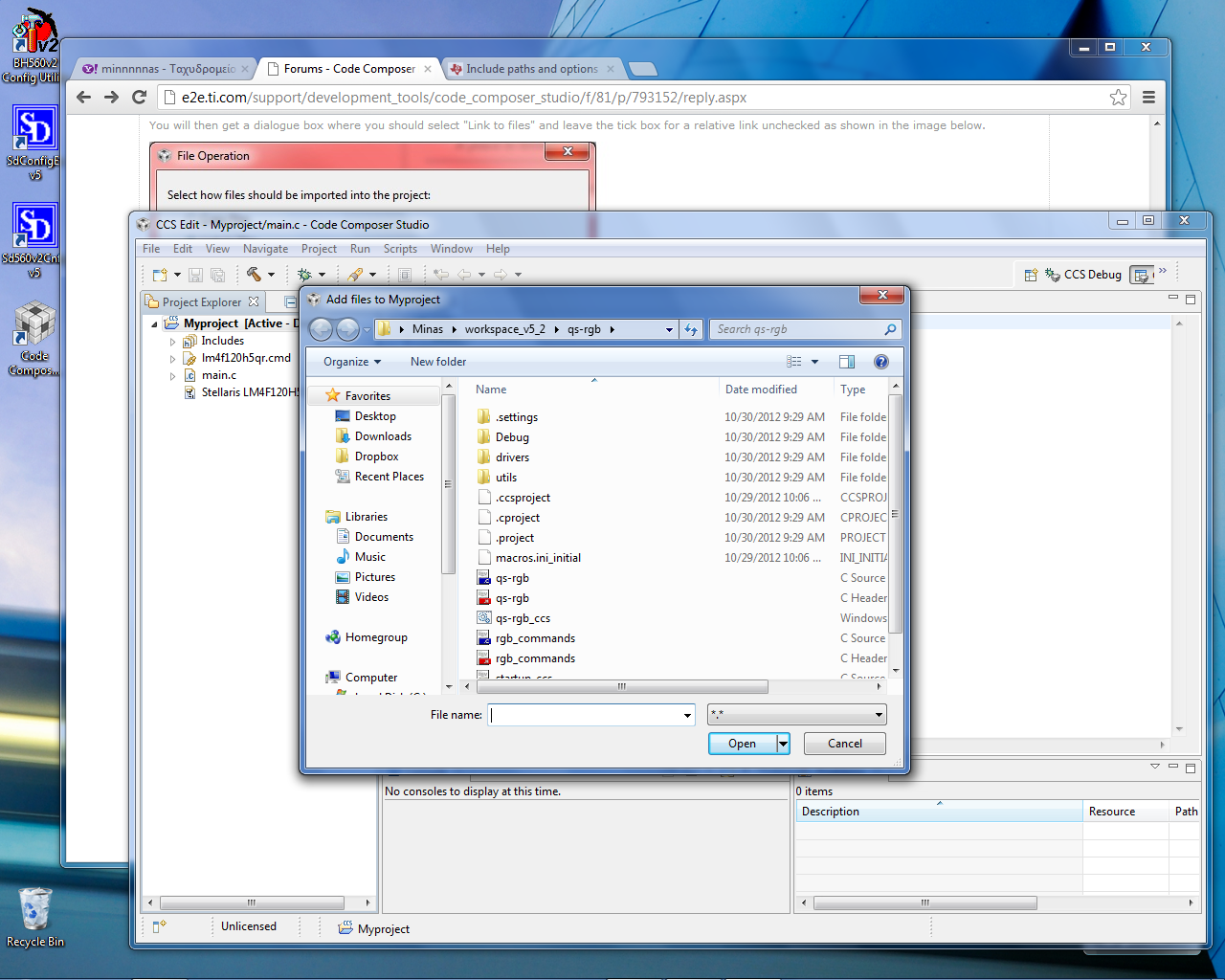
    This wiki points as first step to add files to my project. I'm right clicking on my project and then going to add files but it opens a search window where i should find which files i want to add. Nothing relative to what the wiki shows;

    The first step is to right click on the Project and select "Add Files". 

    You will then get a dialogue box where you should select "Link to files" and leave the tick box for a relative link unchecked as shown in the image below.

    Linkabs.jpg

    Can you please help me a little bit more? I'm totaly new to CCS and i don't know anything about it..

    Thank you in advance

    Minas

  • In my case when im clicking on Add files it opens this one

  • Hi Minas,

    this is correct.  You need to select or drag and drop the file in order to get that dialog box.    Linking = path to file stored, adding = copy of file added into the project.

    Hope this helps you a bit further.  There are some very good workshops and tutorials off of that wiki.

    Best Regards,
    Lisa