This thread has been locked.

If you have a related question, please click the "Ask a related question" button in the top right corner. The newly created question will be automatically linked to this question.

Running CCS Specific Commands in an Eclipse CheatSheet

I installed the Eclipse plugin development package in my CCS v5.5 installation to create cheatsheets for my team.  I can create steps in the cheatsheets using basic eclipse commands, such as opening 'Window-->Preferences' but I always get an error when trying to run a CCS specific command 'Code Composer Studio--> Upgrade Compiler'. I get an error saying the command is disabled.

Does CCS need a flag set for commands to be run through a cheatsheet or are they not fully implemented in CCS?

  • Lucas,

    We played around with Cheat Sheets a few years back.  I will see if I can find the guys who did that work.

    Note that we just released CCSv6 so if you are going in invest a bunch of time in creating these it might be better to do it in the latest version.

    Regards,

    John

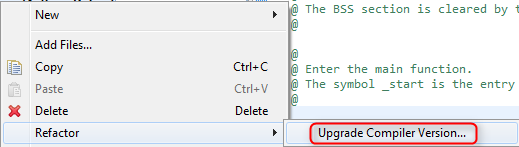
  • Is this the command you are trying to use in the cheat sheet?

    This command requires a project context to run on.  When you use it from the GUI you right click on the project and select this menu item and then it knows the project to apply the command to.

    John

  • Hi,

    Yes that is the command I was trying to use.

    Since it needs a project context, does that mean that the command cannot be run from the cheatsheet view, even if you do have an active project context?

  • Lucas,

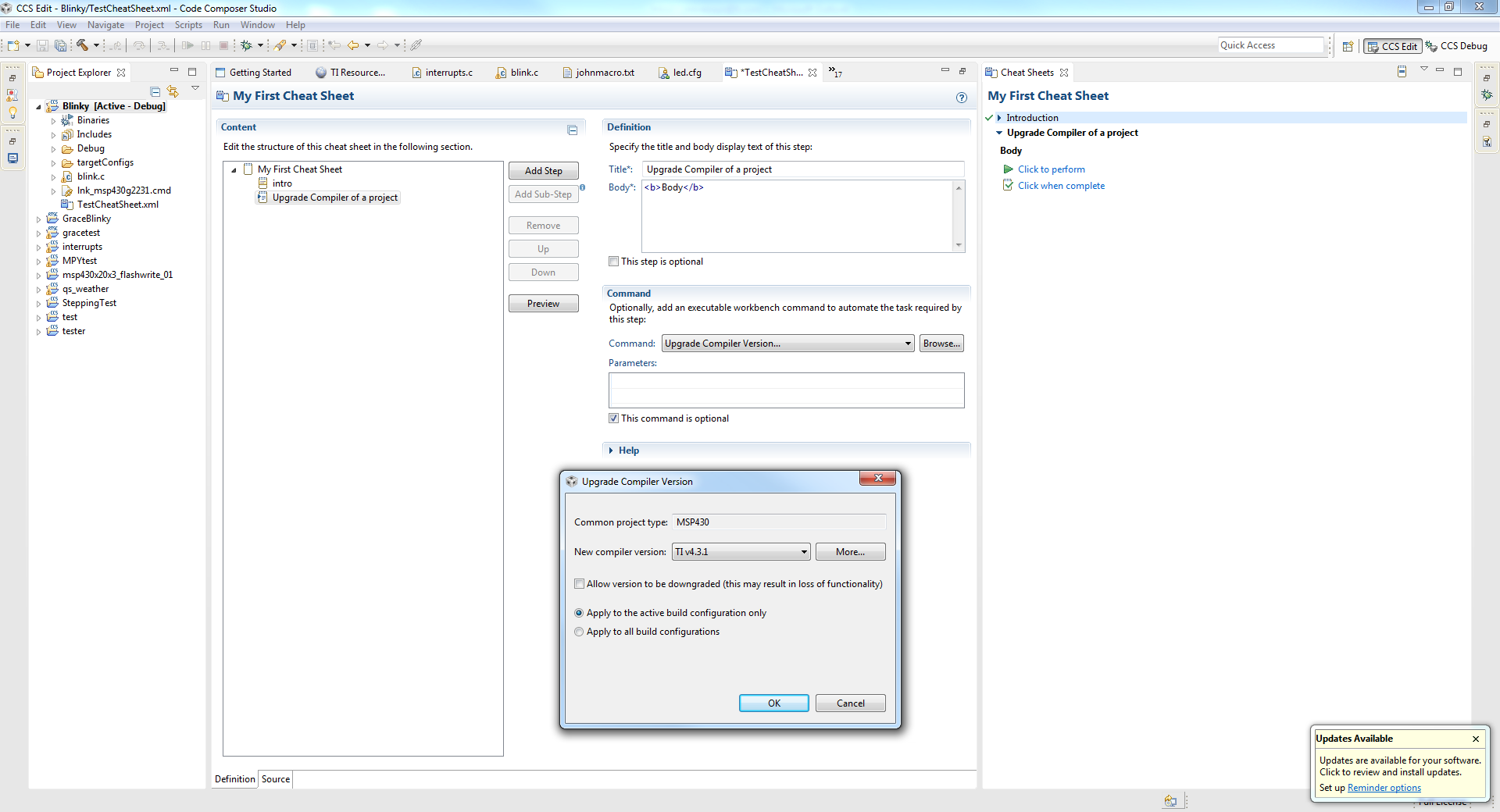
    I was able to get the command to run if I have a project selected in the Project Explorer.  Below is my environment.  I have the project "blinky" selected.  My cheatsheet editor is in the middle and my cheatsheet is on the right.  Ad the bottom you can see that the upgrade compiler dialog opened.

    I then opened the resource explorer and tried to run the command again and this time I got the error dialog.  The project still shows as active in my project explorer but I think context is lost somehow.

    Maybe something similar is happening in your case.

    John

  • Yes, that is the exact error that I got. If i expand that error with the details button it tells me that the command is disabled. So I am assuming that the context is lost.

  • Yes that is what it says for me as well. If I click in the Project Explorer before running the command it is fine.  If I click in some other view first then it fails.