Other Parts Discussed in Thread: UNIFLASH, ENERGYTRACE
Tool/software: Code Composer Studio
MSP-EXP432P4111 Launchpad
CCS v8
Windows 10 (64 bit)
Unable at any time to connect to the target; cannot load/flash a program. Can't connect for debug session of the Out-of-the-Box firmware. That OOB software responds as expected to button presses, so the board is functional.
Run->Connect Target is always unavailable.
The connection to the XDS110 reports okay.
When Selecting the Debug icon
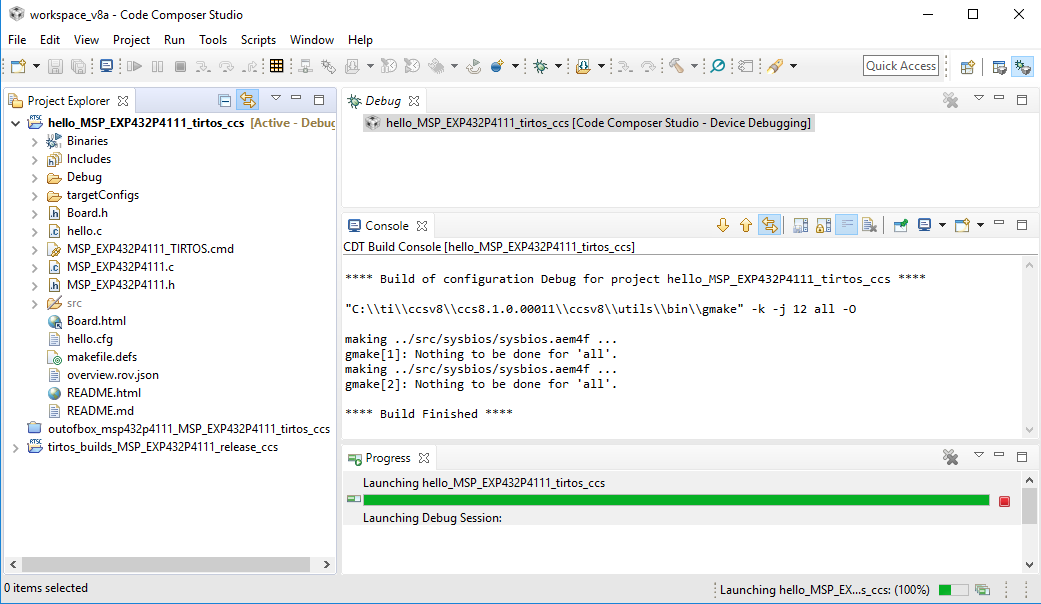
The Progress window opens to report the Launching Debug Session. Both that bar and the progress bar at the bottom of the workspace report 100% completion, but activity stops at the point shown in the following image. There is also no menu item or icon which will then terminate the debug session (because it never really starts). Closing the workspace opens a dialog to report the process of terminating the debug session, but it just stop there (appearing to be doing something but to no effect); and the only available option is to kill from Task Manager.
XDS Testing

JTAG Test Connection

COM Ports appear good in the Device Manager

I have even tested the jumpers on the board between the XDS and MSP sections -- all present, good conductivity.
UniFlash detects the board and is able to read the memory. (Have not yet attempted a flash.)