This thread has been locked.

If you have a related question, please click the "Ask a related question" button in the top right corner. The newly created question will be automatically linked to this question.

CCS/CODECOMPOSER: How to change the console text color

Part Number: CODECOMPOSER

Tool/software: Code Composer Studio

Hello,

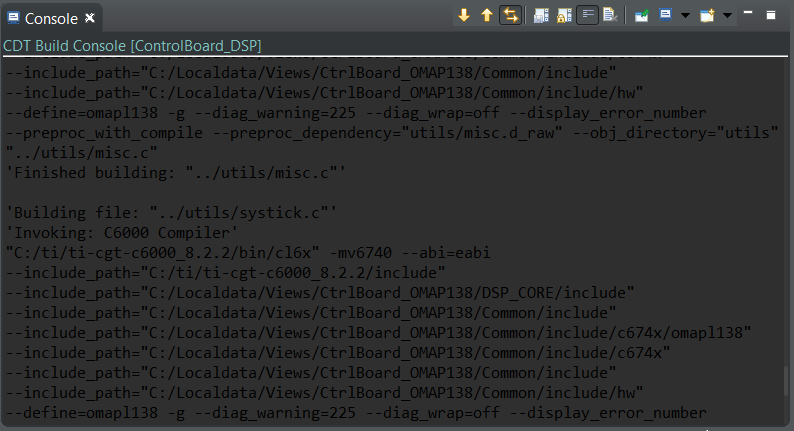
I'm using CCS V7.4, after changing the theme to dark in Window->Preferences->General->Appearance. The text in Console is unreadable. I'm wondering how can I change the text to another color?
Regards,

Albert

  • Aobo,

    Changing the font colour in the console is a bit hard to find.  The size is under the usual Appearance section in the preferences dialog.

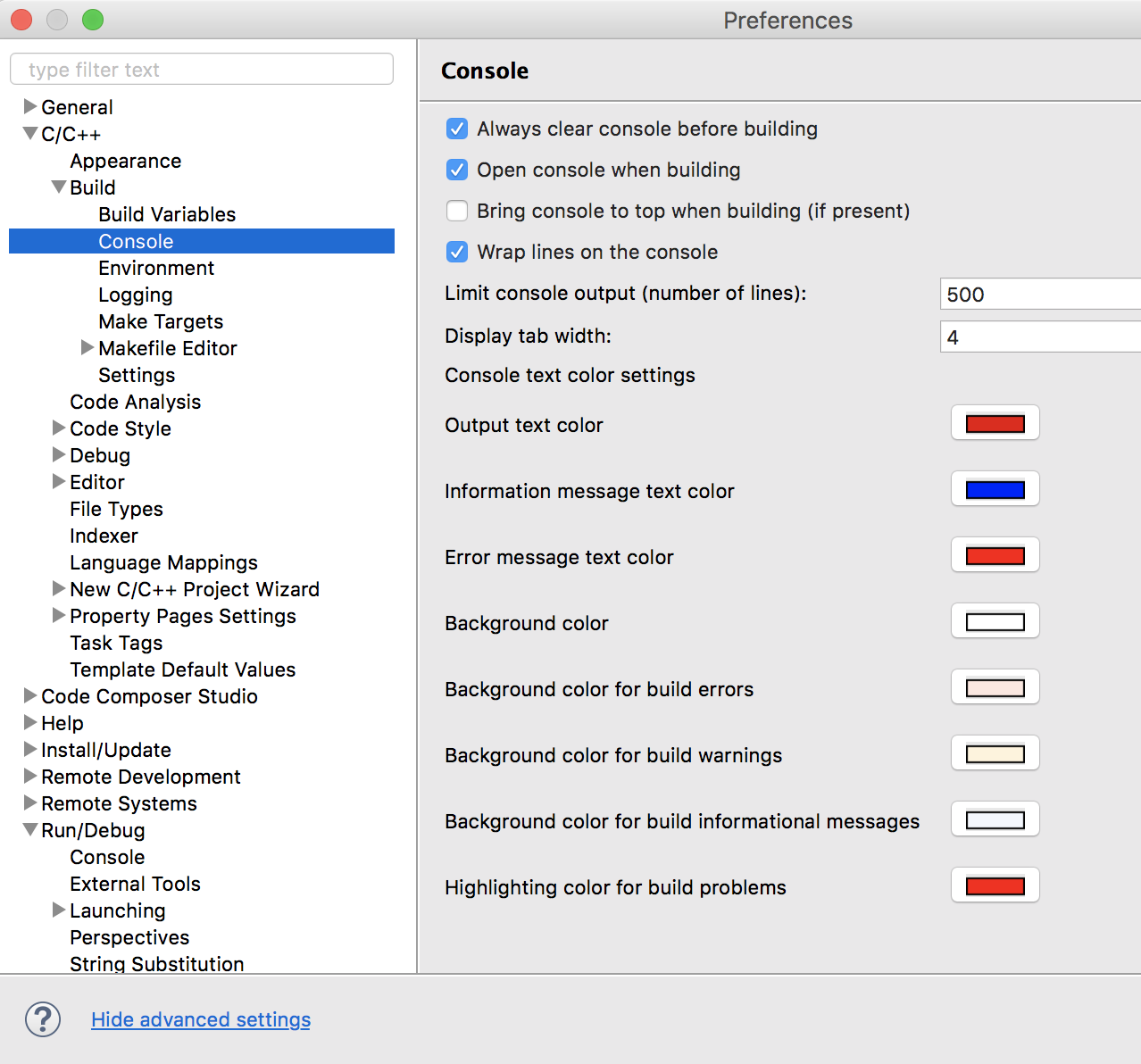
    For colour go to the preferences dialog.  Click on show advanced settings at the bottom.

    Then for the build console expand C/C++ -> Build -> Console 

    For the Debugger console it is under Run/Debug -> Console 

    Regards,

    John