This thread has been locked.

If you have a related question, please click the "Ask a related question" button in the top right corner. The newly created question will be automatically linked to this question.

CCS/CCSTUDIO: CPU Reset symbol in CCS

Part Number: CCSTUDIO


Tool/software: Code Composer Studio

Hello,

I was working with blackhawk usb2000 controller and then I started to use spectrum digital xds200 JTAG emulator. I lived some problem in this transition progress for instance debug configuration settings are changed, etc. But another changing that I didn't solve is hidden CPU reset symbol. While using xds200 JTAG emulator, CPU reset symbol is dissapearing. I don't know why it is happening and I didn't any solution in the forum. It's affecting my working process because I am working on the flash and reconnecting process is taking a little time. I hope there is a option that I can activate to use cpu reset with xds200.

Thanks

Oguz

  • Hello Oguz,

    Oguz Atsiz said:
    But another changing that I didn't solve is hidden CPU reset symbol.

    I'm not sure I understand. Are you referring to the CPU reset option in the CCS menus (Run -> Reset)?

    Thanks

    ki

  • Hello Ki,

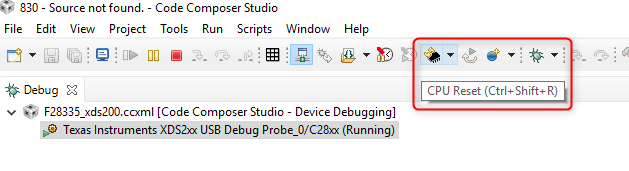
    You're absolutely right about your comment. It's not clear enough what the problem is. But it looks you understand me well. Actually to say hidden symbol will not describe the problem. Because the problem is that the symbol that you can see below is inactive while I'm working with xds200 debugger. By the way CCS version is 8.0.0


    Thanks

    Oguz
  • Oguz Atsiz said:
    you can see below

    Did you intend to provide a screenshot?

  • That'i what I mentioned.

  • Thanks. Note that the available resets depend on the device, debug probe, and if the target is connected/disconnected. CPU reset requires a connected target, while an emulator reset requires a disconnected target. If you see a Reset Emulator option, then likely the target is disconnected. What device is this for?

    Thanks
    ki
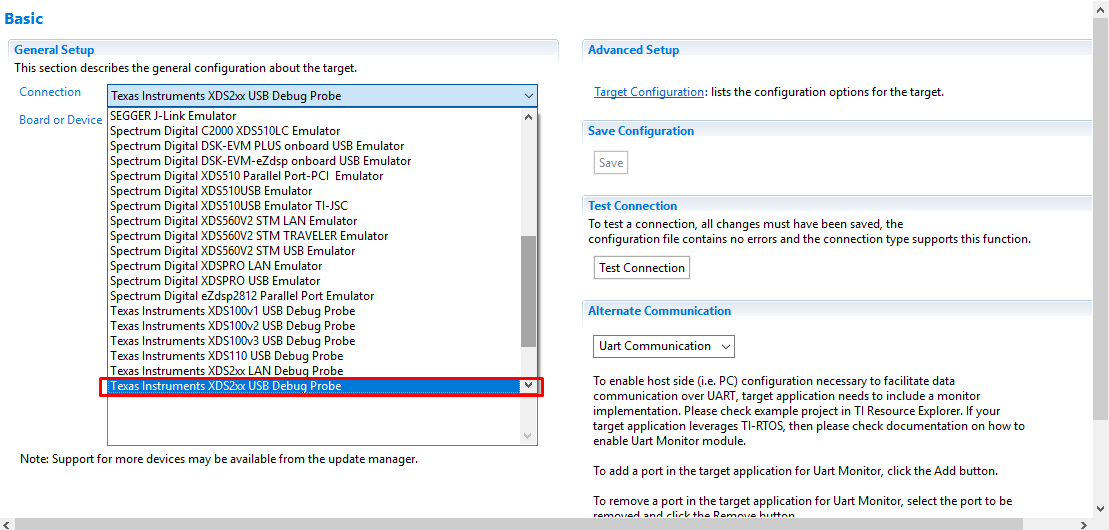
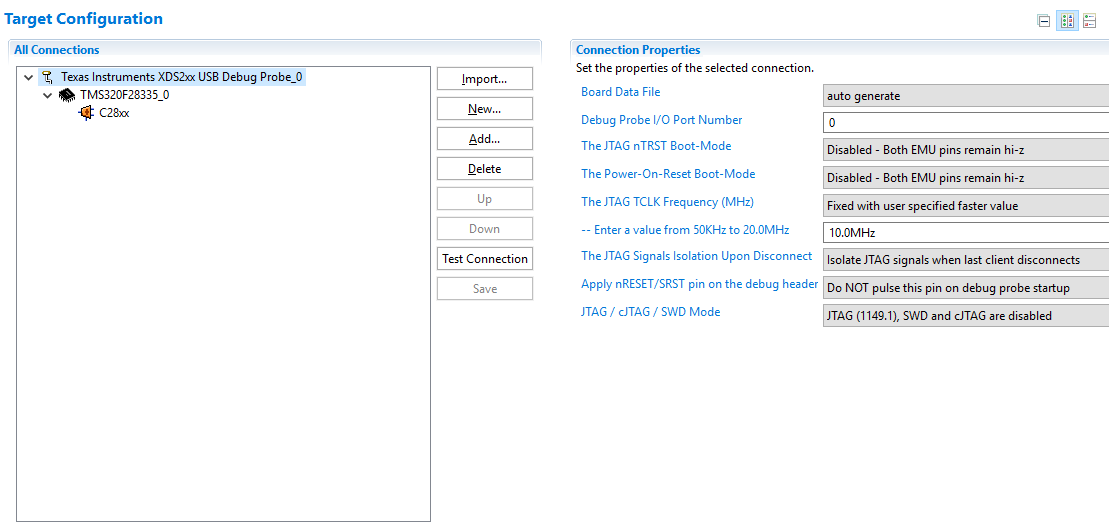
  • I took a screenshot when the device is connected. By the way the device which I used in programming is spectrum digital xds200 and microcontroller is 28335. Another point that could be important is that there is not any option to choose spectrum digital xds200 in the target configuration. So in my configuration texas instruments xds2xx usb debug probe is chosen now. 


    and target configuration is in picture below.

  • That is odd. I used the same target and debug probe but that CPU reset is available for me:

    What exact version of CCS are you using? Under the 'Run -> Reset' menu, is everything grey-ed out?

    Thanks

    ki

  • That'is really weird. I am using 8.0.0.00016 version of CCS. But I tried to connect with another computer in which CCS v8.2.0 is installed, CPU reset symbol is not grey-ed out.

    it looks installing newer version of CCS will solve my problem.

    Thanks for your attention.

    Oguz