Other Parts Discussed in Thread: CC2650, CC2540
Hello,
I'm trying to using MATLAB to capture data from the Movement Sensor (CC2650).
As the answers from my search, it doesn't have a specific way to read the BLE from MATLAB directly. It must use cc2540 usb dongle to set the COM port, and MATLAB used serial port to capture the information from CC2650.
The only example matlab code, which can be searched, is https://github.com/sid5291/SensorTag-Matlab.
However, the existed sample code is for the old version (processors.wiki.ti.com/.../SensorTag_User_Guide).
The new version (processors.wiki.ti.com/.../CC2650_SensorTag_User's_Guide is different with the old one.
Gyroscope, Accelerometer and Magnetometer are intergated to only one movement sensor.
I can connect the device by the sample matlab code.
The new version only show UUID and the existed sample code used the handle address.
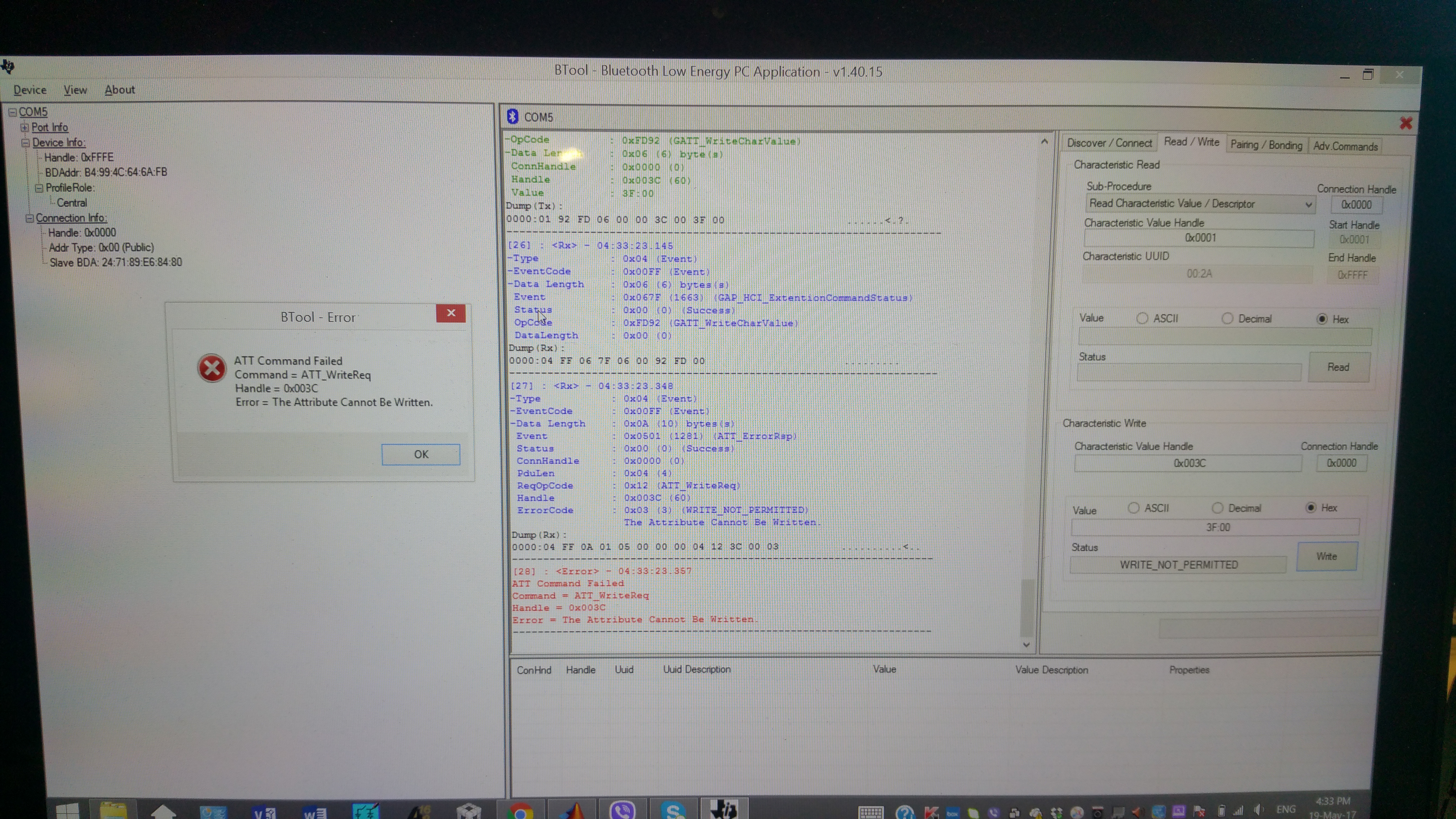
As my guess, the handle address can be find by BTOOL, and I was done. AA82→0x0033, AA81→0x0036
But I still can't read the movement data.
My questions are
1. Can I still use the same sample code for CC2650 SensorTag?
2. Does my guess for transferring the UUID to handle address is correct or not ?
3. I post my matlab code below. I have a very stupid question.
GATT_AccOn = ['01'; '92'; 'FD'; '05'; '00'; '00'; '33'; '00'; '01'];
GATT_AccRd = ['01'; '8A'; 'FD'; '04'; '00'; '00'; '2D' ;'00' ];
What does the number refer for?
4. If possible, does anyone can provide a new MATLAB sample code?
I think it would be very helpful for student research, because some students, like me, can only write the MATLAB.
Thanks,
Tommy
GAP_initialise = ['01';'00';'FE';'26';'08';'05';'00';'00';'00';'00';'00';'00';'00'
'00';'00';'00';'00';'00';'00';'00';'00';'00';'00';'00';'00';'00'
'00';'00';'00';'00';'00';'00';'00';'00';'00';'00';'00';'00';'01'
'00';'00';'00'];

GAP_DeviceDiscovery = ['01';'04';'FE';'03';'03';'01';'00'];
SCAN_TYPE = 1;
GAP_connect = ['01'; '09'; 'FE'; '09'; '00'; '00'; '00' ;'82';'F9'; 'BE' ;'84' ;'BE' ;'C4'];
CONNECT_TYPE = 2;

% Reference processors.wiki.ti.com/.../BLE_SensorTag_GATT_Server.pdf
% 0x31 is the address of the acceloremeter config in the GATT server
GATT_AccOn = ['01'; '92'; 'FD'; '05'; '00'; '00'; '33'; '00'; '01'];
% GATT_AccOff = ['01'; '92'; 'FD'; '05'; '00'; '00'; '33'; '00'; '00'];

GATT_AccPerMin = ['01'; '92'; 'FD'; '05'; '00'; '00'; '36'; '00'; '0A'];
GATT_AccNoti = ['01'; '92'; 'FD'; '05'; '00'; '00'; '33'; '00'; '01'];

WRITE_TYPE = 3;

% 0x2D is the address used to read the acceloremeter data in the GATT server
GATT_AccRd = ['01'; '8A'; 'FD'; '04'; '00'; '00'; '2D' ;'00' ];
READ_TYPE = 4;

disp('Going to Intialize');
HCI_TXRX(GAP_initialise);
disp('Going to Scan');
disp('Make Sure Led D1 is blinking on Sensor Tag');
disp('Wait for Scan To End');
input('Press any key to continue');
HCI_TXRX(GAP_DeviceDiscovery,SCAN_TYPE);
disp('Going to Connect to Sensor Tag');
disp('LED D1 will turn off when Connected, if doesnt there is an error');
HCI_TXRX(GAP_connect,CONNECT_TYPE);


disp('Going to Turn On Acc');

HCI_TXRX(GATT_AccOn,WRITE_TYPE);
HCI_TXRX(GATT_AccPerMin,WRITE_TYPE);
HCI_TXRX(GATT_AccNoti,WRITE_TYPE);
disp('Going to Turn On Accelerometer');