This thread has been locked.

If you have a related question, please click the "Ask a related question" button in the top right corner. The newly created question will be automatically linked to this question.

CC2540: CC2540 USB Dongle

Part Number: CC2540


I am trying to use the CC2540 USB dongle as BLE packet sniffer. But I am unable to see it as a "Capturing Device" in the SmartRF Packet Sniffer. I read on the forums that I need to update the firmware on the dongle and I tried to update it using "Program Files (x86)\Texas Instruments\SmartRF Tools\Packet Sniffer\bin\general\firmware\sniffer_fw_cc2540_usb.hex" but I keep getting the message "Flash image overlaps with the bootloader".

I am connecting the CC Debugger to the USB dongle and I do see the green light.

The device manager shows the driver connected correctly.
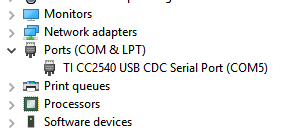
Can somebody please help?

  • Hello Ketan,

    What version of the TI Flash Programmer do you use? There is a TI Packet Sniffer guide on the BLE wiki with programming and usage instructions.

    Best wishes
  • Hello,

    Thank you! It was a mistake on my part.

    I am using TI Flash Programmer version 1.12.8
    The BLE sniffer Guide (processors.wiki.ti.com/.../BLE_sniffer_guide) asks the hex file to be flashed first. One thing I noticed is that in my SmartRF flash programmer, I did not see the System-on-Chip tab at all. This is because, I had selected "Program Evaluation Board" instead of "Program CCxx SoC or MSP430". Once I selected "Program CCxx SoC or MSP430", I was able to successfully program the dongle.