This thread has been locked.

If you have a related question, please click the "Ask a related question" button in the top right corner. The newly created question will be automatically linked to this question.

CCS/LAUNCHXL-CC2650: With adcsinglechannel example, how do I view the System_printf output in CCS7

Part Number: LAUNCHXL-CC2650
Other Parts Discussed in Thread: CC2650,

Tool/software: Code Composer Studio

I have used TI Resource Explorer to load adcsinglechannel into CCS7.0.0.00042.

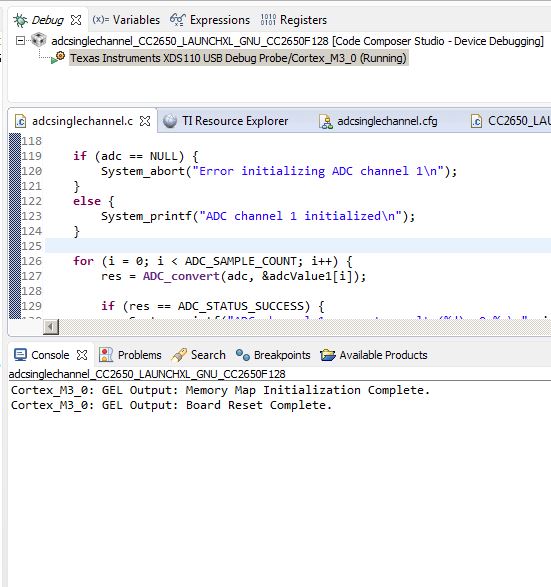
I have a CC2650 launchpad that I can debug and break the code, but I can not see any System_printf output in the console.

I have tried to follow the help provided by Googling my problem but to no avail.  Things like this in the cfg file:

var SysStd = xdc.useModule('xdc.runtime.SysStd');
System.SupportProxy = SysStd;

Also, tried using System Analyser and printf instead of System_printf (added #include <stdio.h>), no luck.

Any help would be appreciated...

Thanks,

Dale  

  • I'd suggest to use SysStd wisely, as it causes your application to hit breakpoints (slows down your system) at every print statement. I'd suggest to use SysMin where you can "print" to a circular buffer and then "flush" (System_flush()) from a relatively low priority task.

    Also, for the CC26xx devices, the default configurations is to use the kernel in ROM. In this case, your system provider will actually be SysCallback; where you need to implement your own system functions. Also, with what kernel configuration are you building your example with? I'd suggest to try the *debug* configuration.
  • Thanks for the link.

    I deleted the example and reloaded a clean example with TI Resource Explorer and the cfg file is NOT set up like your link suggests.

    When I change it to use SysStd, there is still no console output.

    Am I looking for the System_printf output in the correct place, the console window?

  • Yes, it should output on console window.
  • I believe I am building with *debug* configuration.

    I will try to figure out what to change in cfg file to use SysMin and SysCallback. Are you saying in that case I actually have to make my own System_printf function somewhere?


  • I test ADC example on my LAUNCHXL-CC2650 and see it works by default.

  • Thanks for taking the time to do that.

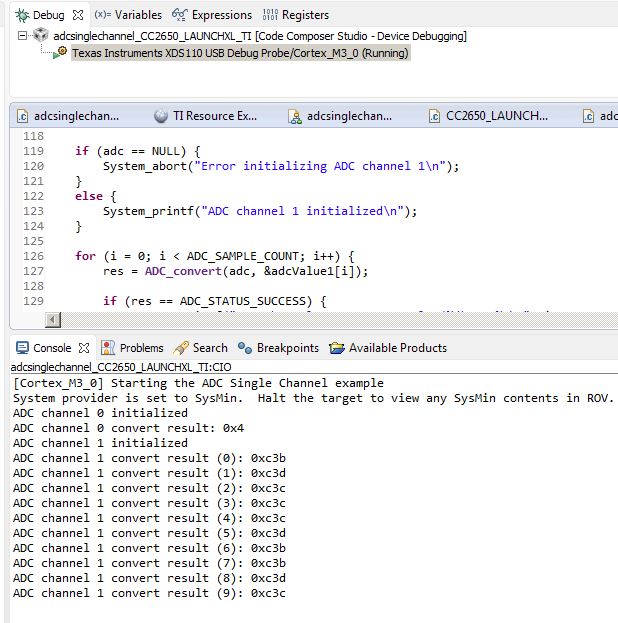
    Below is what I get on a clean and running install.

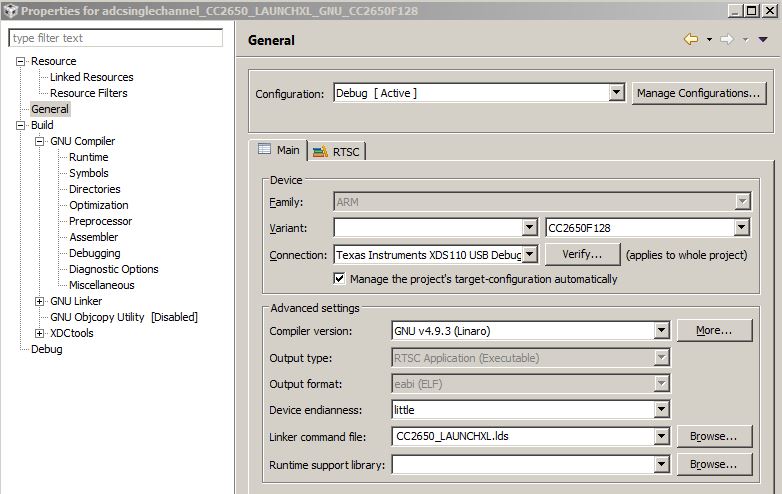
    At least we know it is not in the project code or properties?, looks to me like something not right in my CCS7 setup, but what?

    Although I see our project is named differently, I got mine from the Classic explorer.

  • I use CCS 7.3. Maybe you can try this version.
  • Different file name was it!!!!

    If you download the example using TIREX (TI Resource Explorer) 'Classic', then you get no output in console and a different filename.

    I have not been using TIREX from the cloud (or whatever) because it was not loading, I just now upgraded TIREX without upgrading my CS7 version (which did not complete properly) but I was able to get the same filename (as working above) imported into my IDE and it works, see below.

  • Hi Dale, I'm glad you got this working. I want to investigate the root cause for this. What SDK and version have you tried to download via the Resource Explorer? Also, which version of CCS are you actually using right now?

  • Tom, that is great that you want to investigate this, hats off to TI!!!

    I am using right now, CSS7.0.0.00042

    My TIREX issue was that when I upgraded TIREX without updating CSS7 version, there was an error tripped that I sent logs to TI when prompted with my email address to be contacted if needed. When I start TIREX after its upgrade, it shows as "Warning! Not connected to the cloud server.

    When I try to connect to the cloud I get:

    "This version of Resource Explorer is no longer supported. Please see update instructions here:...." 

    So it appears that the TIREX upgrade did not take due to the error.

    Working in offline mode I can still access examples in left hand window tree.

    I have stopped trying to figure out why the 'adcsinglechannel_CC2650_LAUNCHXL_GNU_CC2650F128' example from 'TIREX Classic' does not work on my install but if you need further input from me on that, I could try.

    Where do I find my SDK version?