This thread has been locked.

If you have a related question, please click the "Ask a related question" button in the top right corner. The newly created question will be automatically linked to this question.

CCS/CC2640R2F: SaBLE-x-R2/CC2640R2F: preprocessor define

Part Number: CC2640R2F


Tool/software: Code Composer Studio

Hello,

I have ported my SaBLE-x-R2 development board and built it and debugged it. When I start the debugging sequence and the stop it, i find out that the program is using the CC2640R2_LAUNCHXL.c  board file, and not my SABLEXR2_DEV_BOARD.c . What could be the problem? The path in the main board.c file is well defined:

------------------------------------------------------------

#if defined(CC2640R2DK_CXS) || defined (CC2640R2DK_4XS) \
|| defined (CC2640R2DK_5XD) || defined (CC2640R2DK_7ID)
#include "./cc2640r2em/cc2640r2em_board.c"
#elif defined(CC2640R2_LAUNCHXL)
#include "./cc2640r2lp/cc2640r2lp_board.c"
#elif defined(CC2640R2_RC)
#include "./cc2640r2rc/cc2640r2rc_board.c"
#elif defined(CC26X2R1_LAUNCHXL)
#include "./cc2652r1lp/cc2642r1lp_board.c"
#elif defined(CC13X2R1_LAUNCHXL)
#include "./cc1352r1lp/cc1352r1lp_board.c"
#elif defined(SABLEXR2_DEV_BOARD)
#include "./sablexr2_module/sablexr2_module_board.c"
#else // unknown board
#error "***ERROR*** Invalid Board Specified! Please see board.h for options."
#endif

-------------------------------------------------------

Regards,

Alen

  • Part Number: CC2640R2F

    Tool/software: Code Composer Studio

    Hello,

    I have done a XDS110 conection test with the following results:

    -------------------------------------------------------------------------------------------------------------------------------------------

    [Start]

    Execute the command:

    %ccs_base%/common/uscif/dbgjtag -f %boarddatafile% -rv -o -S integrity

    [Result]


    -----[Print the board config pathname(s)]------------------------------------

    C:\Users\croat\AppData\Local\TEXASI~1\CCS\
    ti\0\0\BrdDat\testBoard.dat

    -----[Print the reset-command software log-file]-----------------------------

    This utility has selected a 100- or 510-class product.
    This utility will load the adapter 'jioxds110.dll'.
    The library build date was 'May 30 2018'.
    The library build time was '23:03:35'.
    The library package version is '8.0.27.9'.
    The library component version is '35.35.0.0'.
    The controller does not use a programmable FPGA.
    The controller has a version number of '5' (0x00000005).
    The controller has an insertion length of '0' (0x00000000).
    This utility will attempt to reset the controller.
    This utility has successfully reset the controller.

    -----[Print the reset-command hardware log-file]-----------------------------

    The scan-path will be reset by toggling the JTAG TRST signal.
    The controller is the XDS110 with USB interface.
    The link from controller to target is direct (without cable).
    The software is configured for XDS110 features.
    The controller cannot monitor the value on the EMU[0] pin.
    The controller cannot monitor the value on the EMU[1] pin.
    The controller cannot control the timing on output pins.
    The controller cannot control the timing on input pins.
    The scan-path link-delay has been set to exactly '0' (0x0000).

    -----[Perform the Integrity scan-test on the JTAG IR]------------------------

    This test will use blocks of 64 32-bit words.
    This test will be applied just once.

    Do a test using 0xFFFFFFFF.
    Scan tests: 1, skipped: 0, failed: 0
    Do a test using 0x00000000.
    Scan tests: 2, skipped: 0, failed: 0
    Do a test using 0xFE03E0E2.
    Scan tests: 3, skipped: 0, failed: 0
    Do a test using 0x01FC1F1D.
    Scan tests: 4, skipped: 0, failed: 0
    Do a test using 0x5533CCAA.
    Scan tests: 5, skipped: 0, failed: 0
    Do a test using 0xAACC3355.
    Scan tests: 6, skipped: 0, failed: 0
    All of the values were scanned correctly.

    The JTAG IR Integrity scan-test has succeeded.

    -----[Perform the Integrity scan-test on the JTAG DR]------------------------

    This test will use blocks of 64 32-bit words.
    This test will be applied just once.

    Do a test using 0xFFFFFFFF.
    Scan tests: 1, skipped: 0, failed: 0
    Do a test using 0x00000000.
    Scan tests: 2, skipped: 0, failed: 0
    Do a test using 0xFE03E0E2.
    Scan tests: 3, skipped: 0, failed: 0
    Do a test using 0x01FC1F1D.
    Scan tests: 4, skipped: 0, failed: 0
    Do a test using 0x5533CCAA.
    Scan tests: 5, skipped: 0, failed: 0
    Do a test using 0xAACC3355.
    Scan tests: 6, skipped: 0, failed: 0
    All of the values were scanned correctly.

    The JTAG DR Integrity scan-test has succeeded.

    [End]

    -------------------------------------------------------------------------------------------------------

    It does not seem to me to be all right.

    Regards 

    Alen

  • Hi Alen,

    It passed. Are you able to do CCS Debug?

    -kel
  • Hi Alen,

    Try clean your CCS Project then Rebuild CCS Index.

    Alternatively do this.

    1. At Startup folder delete board.c
    2. Copy to Startup folder Board.h, SABLEXR2_DEV_BOARD.c, SABLEXR2_DEV_BOARD.h
    3. Rebuild All CCS Project.

    -kel
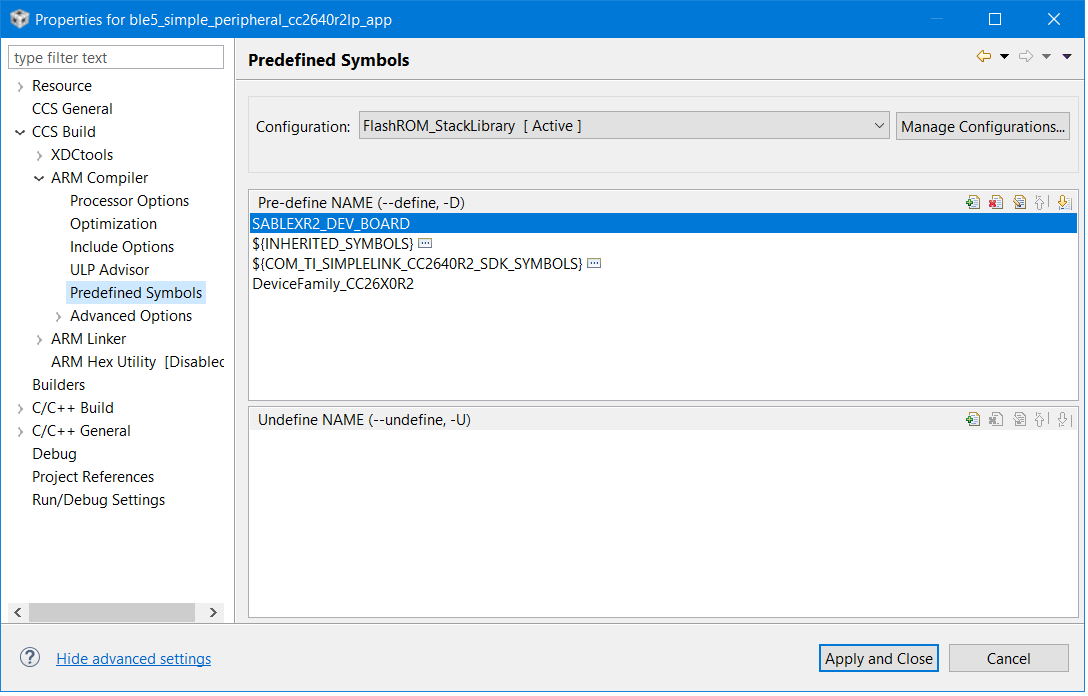
  • Do you define SABLEXR2_DEV_BOARD instead of other board define in your project predefined symbols?
  • Hello,

    i can do the debug, but i think it is not debugging at all. The debug console says:

    Cortex_M3_0: GEL Output: Memory Map Initialization Complete.

    Cortex_M3_0: GEL Output: Board Reset Complete.

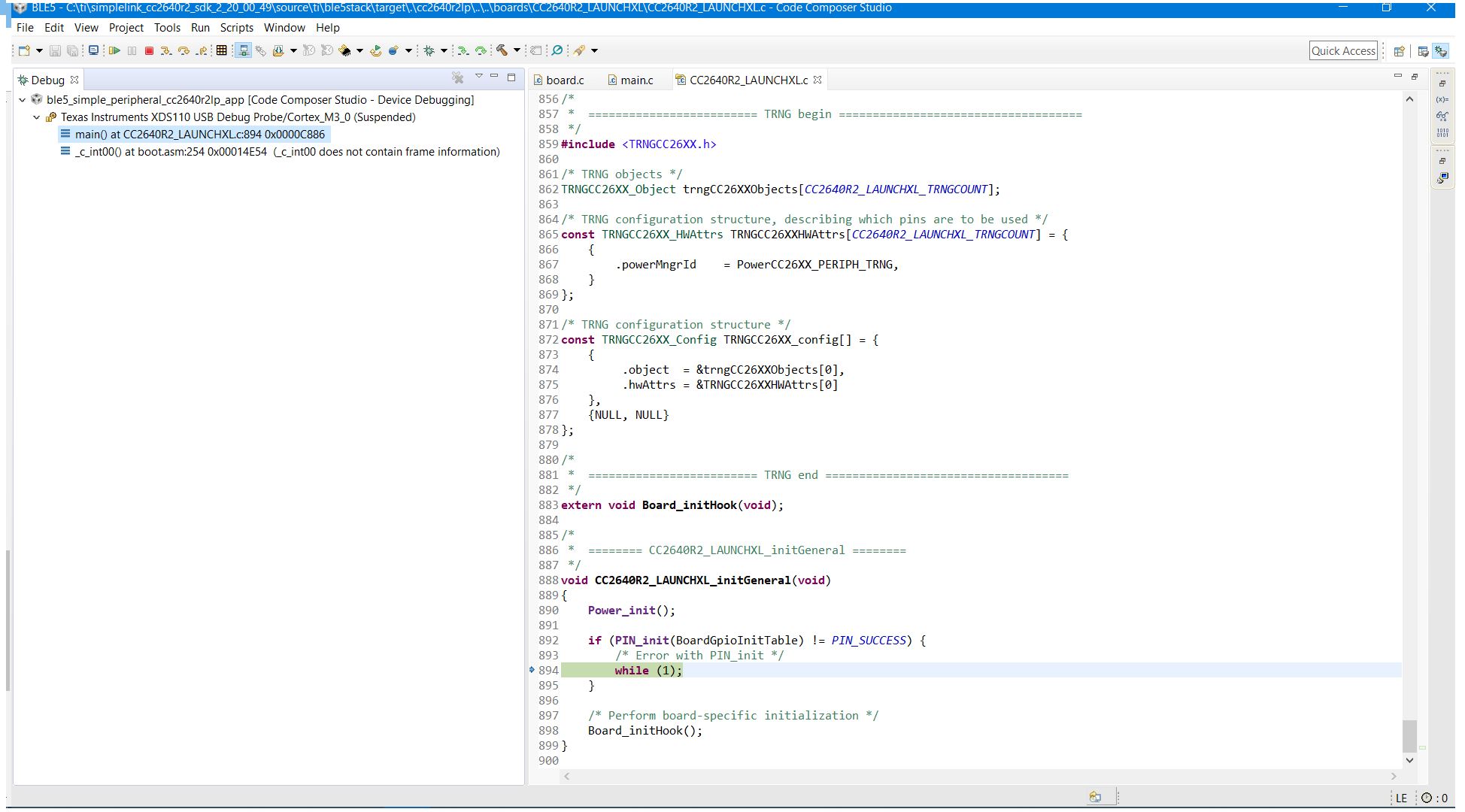
    But when i play the Debug, and suspend it, i have the output as seen on the picture. Why does he open the CC2640R2_LAUNCHXL.c file although it is not the name of my target board ( SABLEXR2_DEV_BOARD is the name of my target board). I suspect that the debugger stops at the while(1) line becouse it is not able to initialise the GPIO pins. Then the problem is how can I tell him no to look at the CC2640R2_LAUNCHXL?

  • I think I have defined it.

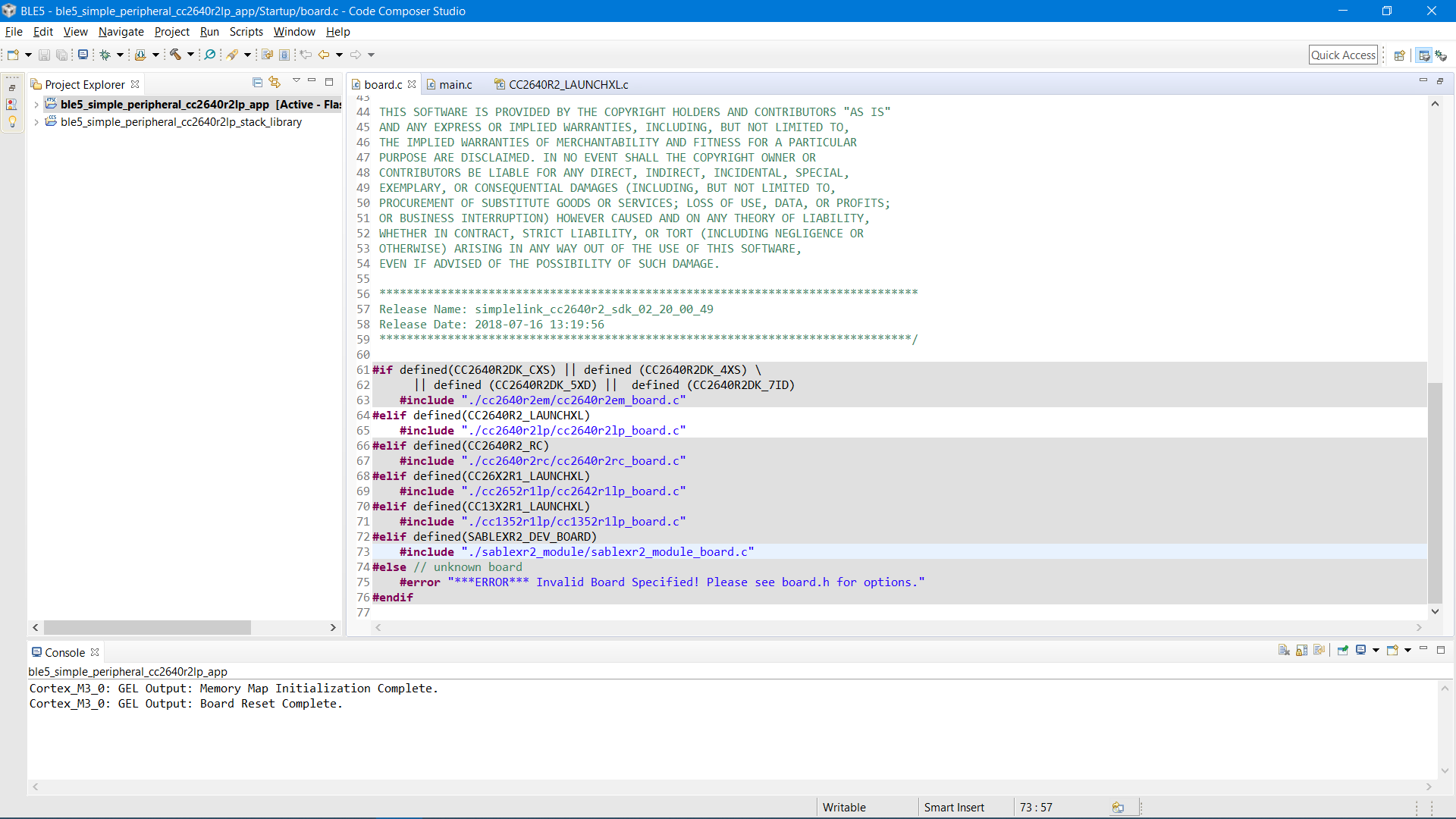
  • This is the board.c file code: 

  • The newest SDK have the predefined in a .opt file.
    Please take a look at this section:
    dev.ti.com/.../creating-a-custom-bluetooth-low-energy-application.html
  • Hi Alen,

        As you can see at board.c the SABLEXR2_DEV_BOARD is not highlighted meaning you did not set the SABLEXR2_DEV_BOARD at CCS Project Properties->Build->ARM Compiler->Predefined Symbol.

        Alternatively you can do this below as I have mentioned earlier.

    -kel

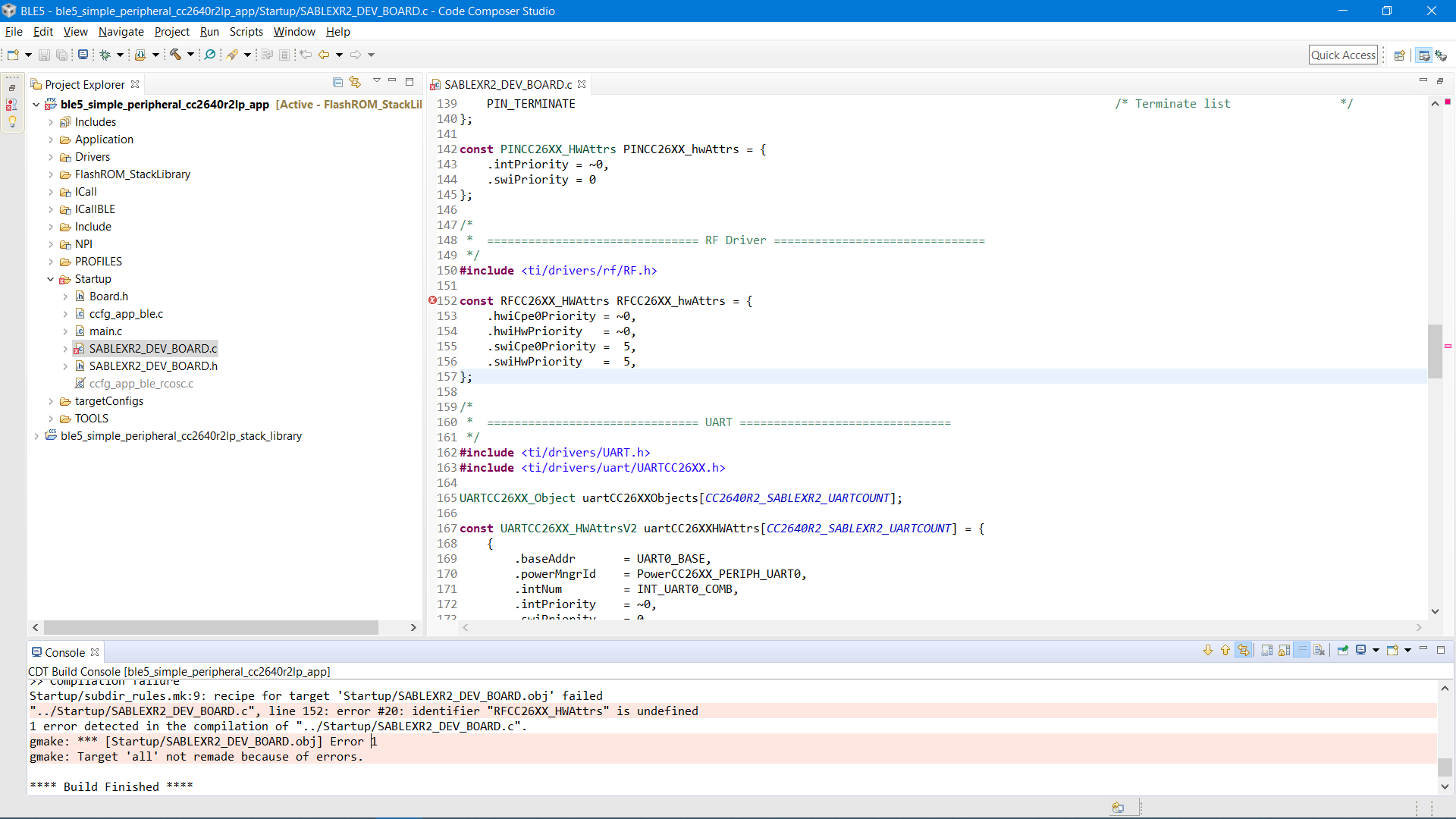
  • I have done as you said, but now a have a error:

  • Hi Alen,

    Your SABLEXR2_DEV_BOARD board files maybe not compatible with SDK 2.20. So use the CC2640R2F_LAUNCHXL board files and make modifications according to the SABLEXR2_DEV_BOARD pin outs.

    -kel
  • Do you claim this RFCCC26xx_hwAttrs by yourself?
  • No, the SABLEXR2_DEV_BOARD.c is LSR made and i haven't made any changes to it. I should mention that their porting guide was written for CC2640R2F SDK v1.35.00.33 and I'm using SDK 2_20_00_49. I have changed the "RF Driver" part according to CC2640R2F_LAUNCHXL.c, but encountered two more errors:

    <Linking>

    undefined first referenced
    symbol in file
    --------- ----------------
    CC2640R2_LAUNCHXL_initGeneral <whole-program>

    error #10234-D: unresolved symbols remain
    error #10010: errors encountered during linking; "ble5_simple_peripheral_cc2640r2lp_app.out" not built

    >> Compilation failure
    makefile:187: recipe for target 'ble5_simple_peripheral_cc2640r2lp_app.out' failed
    gmake[1]: *** [ble5_simple_peripheral_cc2640r2lp_app.out] Error 1
    makefile:180: recipe for target 'all' failed
    gmake: *** [all] Error 2
  • I've done it. LSR is going to make some changes on the porting guide instructions for the new SDK versions, and they gave me the new files which are about to be uploaded on the web. With these files, one fresh install of SDK, and (I think this is the core issues) by putting the SABLEXR2_DEV_BOARD Pre-defined NAME in the Predefined Symbols section in the first place i was able to normally build and debug the project. Thank you all for helping.