This thread has been locked.

If you have a related question, please click the "Ask a related question" button in the top right corner. The newly created question will be automatically linked to this question.

CC1352R: How can I use power saving mode in CC1352

Part Number: CC1352R
Other Parts Discussed in Thread: ENERGYTRACE, , , SYSCONFIG

Hi:

SDK Version: simplelink_cc13x2_26x2_sdk_4_20_00_35

CCS Version: 10.0.0

I am working on simple peripheral example project in my custom board. And I want CC1352 works in the lowest power consumption but I don't know how to do it and have no idea about it. I have seen predefined symbol "POWER_SAVING" in the source code but how can I open it or is it in the simple_peripheral.syscfg ? If I have opened predifined symbol "POWER_SAVING", is there anything else I need to do for power saving ?

Thanks.

BRs.

  • Hi,

    By default, the POWER_SAVING symbol is already defined and the simple_peripheral project can go to low power mode.

    To get the lowest power consumption possible, you will have to chose wisely the connection interval, the advertisement interval, the TX Power... In addition you may want to disable some unused features such as the display. 

    Here are two links that might interest you:

    - www.ti.com/.../BT-POWER-CALC

    - https://www.ti.com/lit/swra478

    I hope this will help,

    Kind regards,

  • Hi,

    I have verified that the "POWER_SAVING" symbol has already defined. But I don't know what happen when the simple peripheral example goes to the lower power mode? Currently I don't know when I enter the lower power mode. Is there a obvious evidence to let me know the simple peripheral example goes to the lower power mode?

    I want to clairfy the two following processes in simple perpheral example:

    I know there are four power modes: Active, IDLE, STANDBY and SHUTDOWN.

    1. When system just starts up, what status does the simple peripheral stay(Active or IDLE)? At the same time, simple peripheral starts broadcasting and what status does the simple peripheral stay (Active) ? At the same time, when I start to connect the simple peripheral through iOS App LightBlue, what status does the simple peripheral stay (Active) ?

    2. When system just starts up, the simple peripheral starts broadcasting(I think this time simple peripheral stay in Active  or IDLE?). How long should I wait for the simple peripheral going to STANDBY mode(lower power mode)? For simple peripheral, can it go to the SHUTDOWN mode? 

  • If you use LAUNCHXL-CC1352R, I suppose you can use EnergyTrace to check power consumption to know if device goes sleeping mode.

  • Hi,

    As suggested by you can verify the power consumption of the device using EnergyTrace (details are provided in the app not I linked in my firt message).

    When the device starts, a lot of operations are made and the device is active (this depends on a lot of parameters and should last a couple of hundreds ms max). The device is then able to go in standby fast enough to be able to go in standby between two BLE advertisements or BLE connection events. If it was not clear, the device has to be active to send/receive BLE packets.

    I hope this will help, don't hesitate to share your power traces if you need assistance to interpret them :)

    Regards,

  • Hi,

    SDK Version: simplelink_cc13x2_26x2_sdk_3_40_00_02

    CCS Version: 9.3.0

    Measurement Hardware and Software:

    Agilent N6705C DC Power Analyzer

    Agilent 14585A Control and Analysis Software

    LAUNCHXL-CC1352R1

    Simple Peripheral Example Project

    I have tested the power assumption on LAUNCHXL-CC1352R1 with firmware simple pheripheral application. I have measured standby current about 50μA during advertisement according to the document "Measuring CC13xx and CC26xx current consumption" .(I don't know why the forum can't upload the screenshot of my consumption measurement.) But I have known the standby current is about 0.85 μA and I have no idea I have measured about 50μA. Can you give me some good suggessions? I have used the default configuration simple_peripheral.syscfg.

    Another question about shutdown mode. I have modified the following code in original simple peripheral example by just adding Power_shutdown():

    static void SimplePeripheral_taskFxn(UArg a0, UArg a1)
    {
      // Initialize application
      SimplePeripheral_init();
    
      Power_shutdown();
    
      // Application main loop (Event processing in the task function)
      for (;;)
      {
        uint32_t events;
    
        // Waits for an event to be posted associated with the calling thread.
        // Note that an event associated with a thread is posted when a
        // message is queued to the message receive queue of the thread
        events = Event_pend(syncEvent, Event_Id_NONE, SP_ALL_EVENTS,
                            ICALL_TIMEOUT_FOREVER);
    
        if (events)
    	{
    	   ...
    	}
    	...
      }
    }

    I think the simple pheripheral have entered shutdown mode but actually I have tested current consumption and found the current is about 30-40μA. And I can't scan the name "Simple Pheripheral" through iOS app LightBlue. But I have known the shutdown current is 150nA according to TI document(CC1352R). First I want to know whether this is the correct method to let the chip go into shutdown mode?

    Thanks.

    BRs.

  • Hi,

    The application should not use the "Power" API. This API is done to be used at driver's level and you should rely on the RTOS and the drivers to handle this properly. In addition, I expect the call to Power_shutdown to fail (and not have any effect).You can review the documentation of the Power_shutdown function for more details.

    Regarding the power consumption, it is important to remove everything that is drawing current (e.g. UART display, two buttons menu...). In addition, you have to verify the current consumption in between the advertisements (and not average the current consumption over a second for example).

    Note: you can insert an image in your messages using the button "Insert/Edit Media". This button looks like a picture with a small +. You cannot directly copy-paste the image in the message.

    Let me know how I can help you further,

    Kind regards,

  • Hi, 

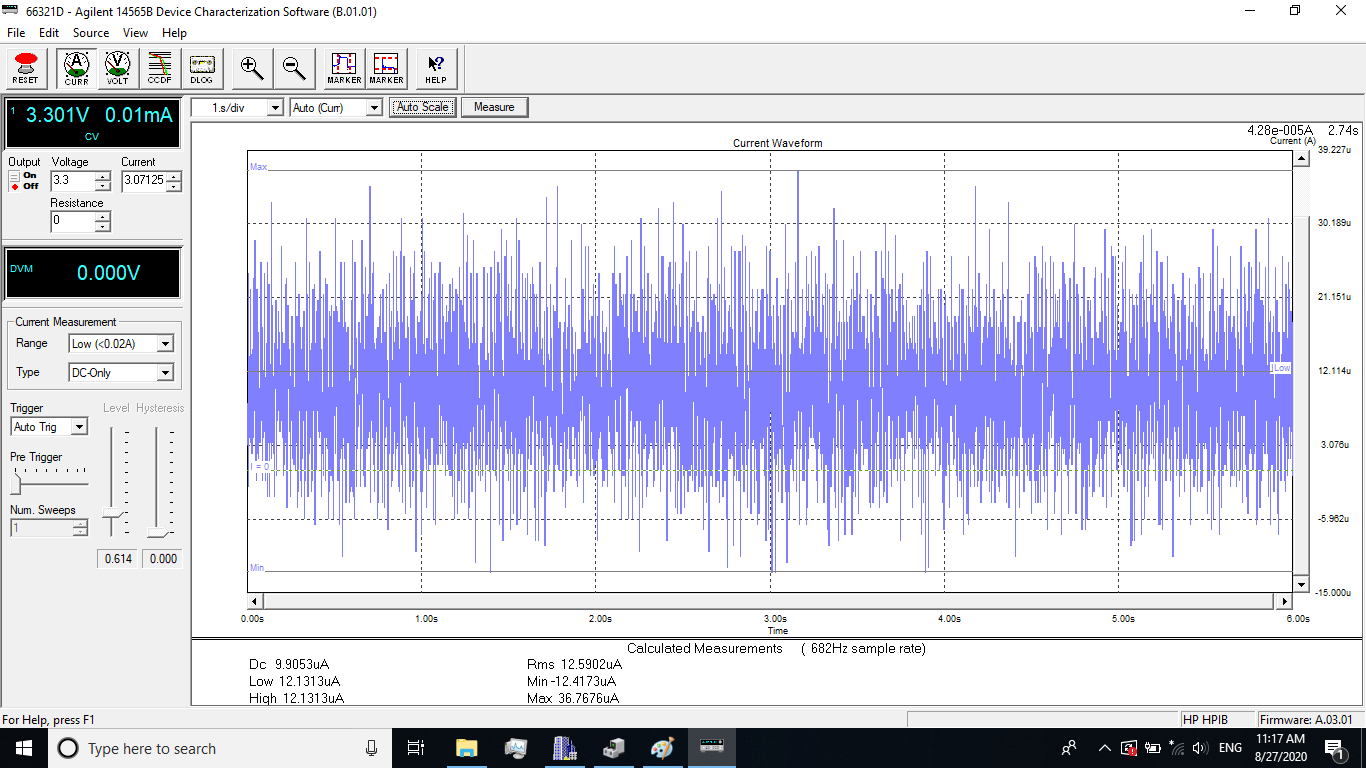
    I have refered to the pinShutdown example project. I have programmed the pinShutdown application into LAUNCHXL-CC1352R1 and measured the shutdown power consumption. Please refer to the following screen shot. The first one is active mode current measurement in pinShutdown application and the second one is shutdown mode current measurement in pinShutdown application. The measured shutdown mode current is not matched with the official document 150nA. Why? As to the power function API, I think I can use this Power_shutdown function API in application according to the pinShutdown example project. Thanks.

    Active mode current measurement:

    Shutdown mode current measurement:

    BRs.

  • Hi,

    A few ideas that could help you:
    - is the external flash shutdown?
    - is the debugger / usb disconnected from the launchpad?
    - have you removed all the jumpers from your launchpad, except the UART RX jumper
    - have you turned of all the peripheral before shutdown? (call PIN_close(), UART_close()...)

    If needed, you can review one more time https://www.ti.com/lit/swra478.

    Regards,

  • Hi, 

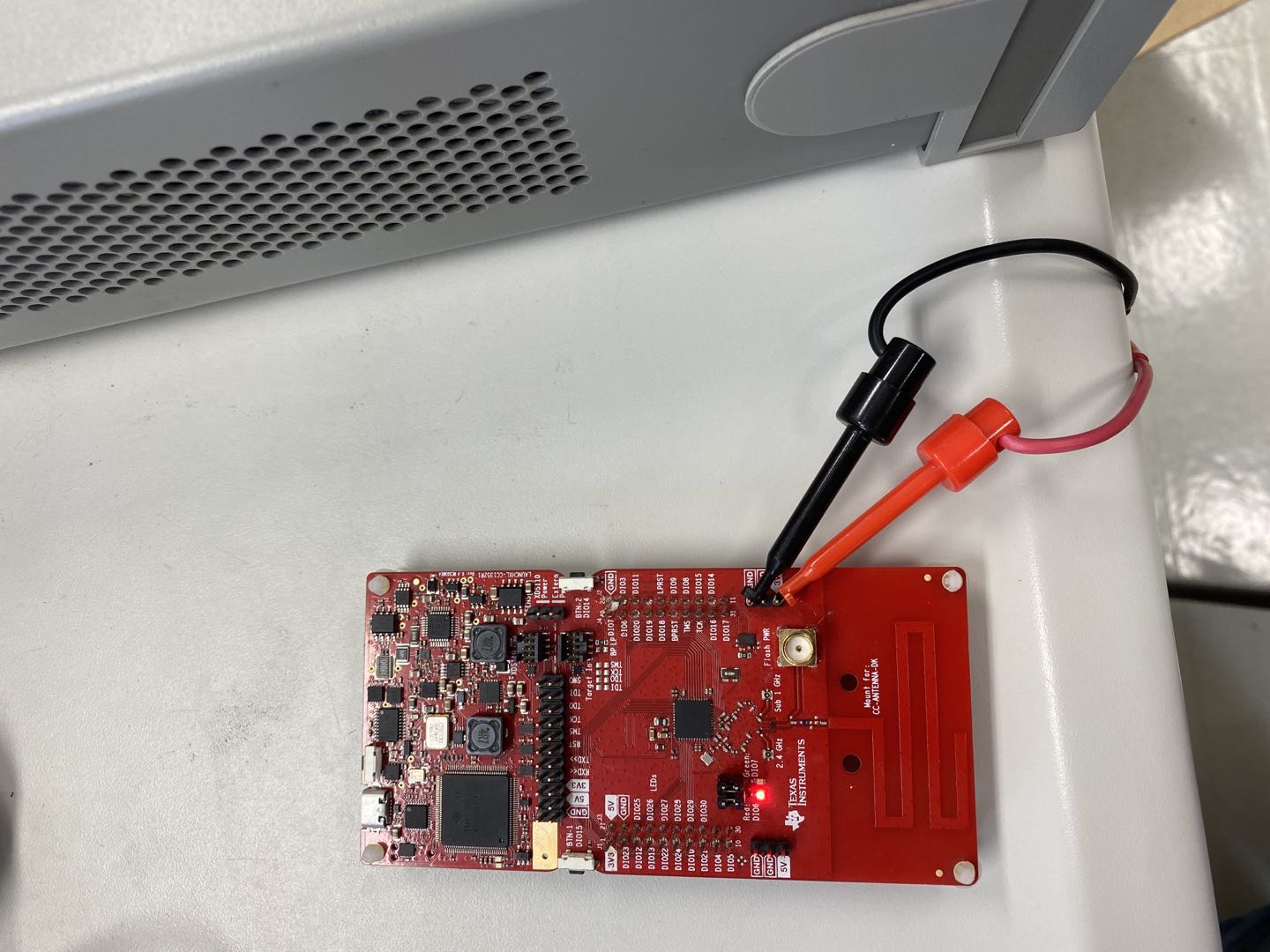
    These following screenshots are our test environment setup:

    The active mode current measurement:

    The shutdown mode current measurement:

    In the second screenshot, even if I remove the jumpers connected to the LED, the shutdown mode current measurement is the same. Thanks.

    BRs.

  • Hi,

    Can you do the same measurement while holding the reset? (you will be required to put back the associated jumper)

    Can you, as suggested earlier, close all the peripheral (especially the PIN peripheral) before going to standby? You can add the following code (PIN_close(hPins);) right before  Power_shutdown();

    Can you o the measurement with a jumper between the contact written "RX<<" and "TX>>"? (This is to avoid having any floating pin)

    To finish, if all of this does not produce the expected power consumption, I will ask you to use an other launchpad in order to verify that not leakage is messing up the results.

    Regards,

  • Hi,

    I have used our own custom board to measure the power consumption in shutdown and standy mode based on pinShutdown example project and the measurement current in these two modes are matched with TI official document and this is exciting. Because We have only one  LAUNCHXL-CC1352R1, we have decided to order more LAUNCHXL-CC1352R1 to verify the low power consumption in the future.

    Although I have got the desired result based on pinShutdown example on our own custom board, then I measured the current on simple peripheral example on shutdown mode and the current measurement is about 200 μA(I think it is not right). In the pinShutdown example project, I found that when UART is used, calling function Power_shutdown may not work well and that is to say, I think the device may not enter the shutdown mode. The big difference between the simple peripheral exaample and the pinShutdown example is adding the BLE module. I suspect that when I call function Power_shutdown, the device may not enter shutdown mode. Does BLE module has effect on the shutdown mode? Any suggestions with this? 

    Another question: I have configured 5 GPIO but I have confused with the difference between the GPIO and PIN. Is there some clarification document about this? You have mentioned turned off all the peripheral before shutdown(PIN_close(), UART_close()). In simple peripheral, it seems that I can't find GPIO API like PIN_close() and how can I handle these GPIOs to get low power consumption? In simple peripheral, I just use Display_close(dispHandle) to close display UART. Is there any other thing I should do? Thank you very much.

    BRs

  • Hi,

    First of all, have you disable power management in your BLE example? I absolutely not recommend to do so, but if you haven't the calls to the Power API won't have any effect. Once again, I suggest to rely on the BLE stack to properly handle power management, but FYI, you can turn off this functionality using SysConfig > RF STACKS > BLE > Advanced Settings > Power Management

    To go back on the Power consumption measurements. I am glad you get the expected results for some of our examples. Now, the BLE examples exercise many different module and this is probably why the power consumption is higher. Using SysConfig, I would suggest to disable the display module and the uart log.

    GPIO and PIN are two different APIs. You can review the Standard TI Driver API Reference for more details.

    Regards,