This thread has been locked.

If you have a related question, please click the "Ask a related question" button in the top right corner. The newly created question will be automatically linked to this question.

LAUNCHXL-CC1352P: Zigbee Gateway Setup Errors - CC1352P1 as ZNP

Part Number: LAUNCHXL-CC1352P
Other Parts Discussed in Thread: CC2531, Z-STACK

Hi Guys,

I working on to setup the BBB Rev.C to running the latest version of the Zigbee_3_0_Linux_Gateway_1_0_1 together the Texas LaunchPad as the  ZNP exchange device via USB. I have using Resource Explores as the reference but I have several problems when I trying to start the gateway!

I´ll describe my ambient test below:

reference: https://dev.ti.com/tirex/explore/node?node=AD86J5EtUKXcvz0SahPrBA__pTTHBmu__LATEST,

BBB ver: BeagleBoard rev.C

Linux distro: bone-debian-10.3-iot-armhf-2020-04-06-4gb.img

ZNP Exchange Device: LAUNCHXL-CC1352P1

ZNP firmware inside the launchpad: CC1352P2LP_GW_ZNP_UART.hex

1.st issue that I observed, ttyACM0 doesn´t exist on /dev/tty*, to fix it I have download the FTTI Driver and update it via script mkudevrule.sh. Working very well after update driver.

https://learn.adafruit.com/ssh-to-beaglebone-black-over-usb/installing-drivers-linux

Even I fixed the 1st issue, I have check that my launchpad is not detected via the command lsusb, I cant see the Launchpad connected on USB/ttyACM0 . To make double check if my USB/ACM0 is working well, I connected CC2531 USB dongle with firmware CC2531ZNP_GW_ZNP_USB.hex Zigbee_3_0_Linux_Gateway_1_0_1/firmware and l got success witch CC2531 as can see bellow:

lsusb command and Serial ports ttyACM0 connected on CC2531


2st. issue, my Launchpad is not connecting on BBB via ttyACM0

lsusb command and Serial ports ttyACM0 is not connected on  LAUNCHXL-CC1352P1 (even after the reboot)

3rd  issue, I tried to start the gateway with CC2531 or LAUNCHXL-CC1352P1 and see those errors bellow:

 the shell shows the errors bellow:

I believe that my 3rd issue have relation with the installation procedure, during setup script. I found those erros during a new attempt to fix it during setup.

ERRO detected during the setup script running.......
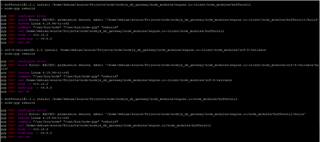
...   ERRO detected during the setup script running.
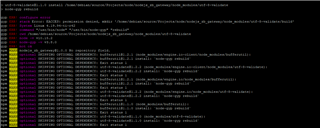

I went to check the 1st setup error presented at beginning :

And I dind´t find the rest of the path inside the directory ... I cant find the /bufferutil or /bufferutil/build or utf-8-validate!

Somebody can help me, please?

Br,

Alex

  • I would suggest you to use Ztool to make sure ZNP running on your LAUNCHXL-CC1352P1 can be recognized first.

  • Thanks mr. Yk, it´s good idea about the LAUNCHXL-CC1352P1!

    But the gateway with CC2531 should have run?

    Br,

    Alex

  • Yes, CC2531 should work with GW without problem but I still suggest you to use ZTool to make sure CC2531 work too.

  • Ok Mr Yk.Thanks a lot!

    I´ll make  tests with both devices (CC2531 and LAUNCHXL-CC1352P1). I´ll let you know soon!

    Br,

    Alex

  • Hi Mr YK.

    I did the testes witch Ztool with both devices, and both worked, but each one with specific BR, as you can see bellow:

    LAUNCHXL-CC1352P1 - BR 115200 (only w/ this BR)

    CC2531 - BR 9600 or 38400 or 115200 

    LAUNCHXL-CC1352P1 port settings

    CC2531 port settings

  • Do you still have any question?

  • Mr Yk. I think that my main problem is around the gateway installation, via script setup.sh under source folder ! 

    When I try to start the gateway service, the 3rd issue keeps happening, even if i use the CC2531, and I observed those messages:


    running ./zigbeeHAgw on an ARM
    file ZLSZNP_arm is missing
    file GATEWAY_SRVR_arm is missing
    file NWKMGR_SRVR_arm is missing
    file OTA_SRVR_arm is missing
    there are 4 missing files!
    exiting ./zigbeeHAgw

    Maybe, I have install twice the Zigbee_3_0_Linux_Gateway_1_0_1 and see the same behavior!

    to do this installation I have use Zigbee Sensor to Cloud - User Guide (section 5.2) or TI Resource Explorer.

    https://dev.ti.com/tirex/explore/node?node=AD86J5EtUKXcvz0SahPrBA__pTTHBmu__LATEST.

    Please, can you show me the way how do I can fix it?

    BR,

    Alex

  • Hi Mr YK.

    I got a little bit progress today, I have observed different behavior when I changed the Linux distro version, I have used a older version, after it I got success to start the gateway, inclusive I got several zigbee messages, but I saw several errors in the log and I can´t see continuous Zigbee message flow when I have sniffed via wireshark on CH 20 (0x14). 

    I have used this Linux the 9th latest version: bone-debian-9.9-iot-armhf-2019-08-03-4gb

    Maybe you have experience with a latest 9th version that can be run well. Please, Would you advise me?

    BR,

    Alex

  • I had used Debian 9.3 4GB SD IoT image on my BBB and run Z-Stack Linux GW without issue. If you suspect there is something wrong with your Debian version, I would suggest you to use Debian 9.3 4GB SD IoT to test again.

  • Hi Mr Yk. thanks a lot. I did the OS installation using Debian 9.3 2018-03-05, but I think that I have the same erros when I have used the 9.9 or 9.5 Debian version, as you can see in the log, I observed continuous blocks that has the expression "Executing reset from external scripts":

    note: I have used the installation procedure in Res.Explorer: dev.ti.com/.../node

    [sudo] password for debian:
    ./start_local.sh: line 48: cd: ../../ERROR__out/Precompiled/servers/: No such file or directory

    Starting the Linux Zigbee Gateway

    Platform type selected automatically as bbb.
    To override this selection, please stop this script, and then run it again,
    specifying the desired platform type at the command line:
    ./zigbeeHAgw [help | bbb | x86 ]

    running ./zigbeeHAgw on an ARM
    done processing arguments, board type bbb, target arm
    NPI is 'NPI_lnx_arm_server'
    Zstack linux server is 'ZLSZNP_arm'
    gateway server is 'GATEWAY_SRVR_arm'
    network manager is 'NWKMGR_SRVR_arm'
    OTA server is 'OTA_SRVR_arm'
    Starting the ZigBee gateway subsystem
    making sure there are no lingering servers...
    there are 0 NPI servers
    there are 0 ZLS servers
    there are 0 GATEWAY servers
    there are 0 NWKMGR servers
    there are 0 OTA servers
    (total 0)
    done
    Executing reset from external scripts
    ===================================================
    starting NPI, cmd ' ./NPI_lnx_arm_server NPI_Gateway.cfg -v 0x0000010E ' on Tue May 25 10:36:20 UTC 2021
    [10:36:20.930,353] [NPISRVR/MAIN] UNMSKBL:
    [10:36:20.932,134] [NPISRVR/MAIN] UNMSKBL: ************************************ ************
    [10:36:20.932,231] [NPISRVR/MAIN] UNMSKBL: * NPI Server v1.0.2d *
    [10:36:20.932,259] [NPISRVR/MAIN] UNMSKBL: ************************************ ************
    [10:36:20.932,282] [NPISRVR/MAIN] UNMSKBL:
    Startup phase 1 completed successfully, server started (NPI_PID=5910) on Tue May 25 10:36:20 UTC 2021
    ===================================================
    starting ZLSZNP, cmd ' ./ZLSZNP_arm 127.0.0.1:2533 config.ini -v 0x0000460E ' on Tue May 25 10:36:20 UTC 2021
    [10:36:21.009,440] [Z_STACK/MAIN] UNMSKBL:
    [10:36:21.010,739] [Z_STACK/MAIN] UNMSKBL: ************************************ ************
    [10:36:21.011,652] [Z_STACK/MAIN] UNMSKBL: * ZStack Server for ZNP v1.0.2d *
    [10:36:21.012,497] [Z_STACK/MAIN] UNMSKBL: ************************************ ************
    [10:36:21.013,071] [Z_STACK/MAIN] UNMSKBL:
    [10:36:21.013,897] [Z_STACK/MAIN] PKTTYPE: [ NPISRVR<<Z_STACK ] [AREQ] 08:5F:00:02:5A:5F:53:54:41:43:4B
    [10:36:21.015,034] [NPISRVR/MAIN] PKT_HEX: New incoming connection from client Z _STACK (connection # 5)
    [10:36:21.016,198] [Z_STACK/MAIN] PKTTYPE: [ NPISRVR<<Z_STACK ] [SREQ] 02:25:3E:FF:FF
    [10:36:21.017,245] [NPISRVR/MAIN] PKT_HEX: [SOCZIGB<<NPISRVR ] [send] 02:25:3E:FF:FF
    [10:36:23.018,714] [Z_STACK/MAIN] ERROR : SRSP Cond Wait timed out!
    [10:36:23.019,153] [Z_STACK/MAIN] ERROR : apicSendSynchData() failed getting re sponse
    [10:36:23.019,309] [Z_STACK/MAIN] PKTTYPE: [ NPISRVR<<Z_STACK ] [SREQ] 01:2F:09:00
    [10:36:25.020,176] [Z_STACK/MAIN] ERROR : SRSP Cond Wait timed out!
    [10:36:25.020,597] [Z_STACK/MAIN] ERROR : apicSendSynchData() failed getting response
    [10:36:25.020,750] [Z_STACK/MAIN] PKTTYPE: [ NPISRVR<<Z_STACK ] [SREQ] 01:2F:06:00

    Wait for Node.js Zigbee IBM Gateway to Start...

    debian@beaglebone:~/source/Projects/node$ Synchronous Request Timeout...
    [10:36:27.018,173] [NPISRVR/MAIN] PKT_HEX: [SOCZIGB<<NPISRVR ] [send] 01:2F:09:00
    [10:36:27.021,408] [Z_STACK/MAIN] ERROR : SRSP Cond Wait timed out!
    [10:36:27.021,553] [Z_STACK/MAIN] ERROR : apicSendSynchData() failed getting response
    [10:36:27.021,630] [Z_STACK/MAIN] PKTTYPE: [ NPISRVR<<Z_STACK ] [SREQ] 01:2F:02:08
    [10:36:29.022,230] [Z_STACK/MAIN] ERROR : SRSP Cond Wait timed out!
    [10:36:29.022,386] [Z_STACK/MAIN] ERROR : apicSendSynchData() failed getting response
    [10:36:29.022,468] [Z_STACK/MAIN] PKTTYPE: [ NPISRVR<<Z_STACK ] [SREQ] 05:2F:08:00:00:00:00:00
    [10:36:31.023,084] [Z_STACK/MAIN] ERROR : SRSP Cond Wait timed out!
    [10:36:31.023,245] [Z_STACK/MAIN] ERROR : apicSendSynchData() failed getting response
    [10:36:31.023,331] [Z_STACK/MAIN] PKTTYPE: [ NPISRVR<<Z_STACK ] [SREQ] 05:2F:08:01:00:20:00:00
    Synchronous Request Timeout...
    [10:36:33.019,092] [NPISRVR/MAIN] PKT_HEX: [SOCZIGB<<NPISRVR ] [send] 01:2F:06:00
    [10:36:33.024,060] [Z_STACK/MAIN] ERROR : SRSP Cond Wait timed out!
    [10:36:33.024,209] [Z_STACK/MAIN] ERROR : apicSendSynchData() failed getting response
    [10:36:33.024,299] [Z_STACK/MAIN] PKTTYPE: [ NPISRVR<<Z_STACK ] [SREQ] 06:21:09:83:00:00:02:FF:FF
    [10:36:35.024,889] [Z_STACK/MAIN] ERROR : SRSP Cond Wait timed out!
    [10:36:35.025,049] [Z_STACK/MAIN] ERROR : apicSendSynchData() failed getting response
    [10:36:35.025,136] [Z_STACK/MAIN] PKTTYPE: [ NPISRVR<<Z_STACK ] [SREQ] 05:21:09:87:00:00:01:00
    nwkmgr: getGwInfoReq
    sendMessage: no responseHndl
    [10:36:37.025,760] [Z_STACK/MAIN] ERROR : SRSP Cond Wait timed out!
    [10:36:37.025,921] [Z_STACK/MAIN] ERROR : apicSendSynchData() failed getting response
    [10:36:37.026,015] [Z_STACK/MAIN] PKTTYPE: [ NPISRVR<<Z_STACK ] [SREQ] 07:21:15:96:00:C4:64:00:00:00
    sendMessage: no responseHndl
    webserver: Server running on http://10.27.1.22:5000
    Error: connect ECONNREFUSED 127.0.0.1:2540
    Error: connect ECONNREFUSED 127.0.0.1:2541
    Synchronous Request Timeout...
    [10:36:39.020,230] [NPISRVR/MAIN] PKT_HEX: [SOCZIGB<<NPISRVR ] [send] 01:2F:02:08
    [10:36:39.026,720] [Z_STACK/MAIN] ERROR : SRSP Cond Wait timed out!
    [10:36:39.026,882] [Z_STACK/MAIN] ERROR : apicSendSynchData() failed getting response
    [10:36:39.032,317] [Z_STACK/MAIN] PKTTYPE: [ NPISRVR<<Z_STACK ] [SREQ] 01:2F:05:04
    Startup phase 2 completed successfully, server started (ZLSZNP_PID=5916) on Tue May 25 10:36:39 UTC 2021
    ===================================================
    starting NETWORK_MGR, cmd ' ./NWKMGR_SRVR_arm 127.0.0.1:2536 -v 0x0000460E ' on Tue May 25 10:36:39 UTC 2021
    [10:36:39.110,765] [Z_STACK/LSTN] CONNECT: Connected to new client, connection # 5
    [10:36:39.112,535] [NWK_MGR/MAIN] UNMSKBL:
    [10:36:39.113,801] [NWK_MGR/MAIN] UNMSKBL: ************************************************
    [10:36:39.114,449] [NWK_MGR/MAIN] UNMSKBL: * Network Manager Server v1.0.2d *
    [10:36:39.114,990] [NWK_MGR/MAIN] UNMSKBL: ************************************************
    [10:36:39.115,658] [NWK_MGR/MAIN] UNMSKBL:
    [10:36:39.116,621] [NWK_MGR/MAIN] PKTTYPE: [ Z_STACK<<NWK_MGR ] [AREQ] 08:00:5F:00:03:4E:57:4B:5F:4D:47:52
    [10:36:39.117,586] [Z_STACK/LSTN] CONNECT: Client at connection # 5 identified itself as NWK_MGR
    [10:36:39.118,497] [NWK_MGR/MAIN] PKTTYPE: [ Z_STACK<<NWK_MGR ] devZDOCBReq
    [10:36:39.119,240] [NWK_MGR/MAIN] PKTBODY: cmdID = DEV_ZDO_CBS_REQ
    [10:36:39.120,054] [NWK_MGR/MAIN] PKTBODY: srcRtgIndCB = 1
    [10:36:39.120,896] [NWK_MGR/MAIN] PKTBODY: concentratorIndCb = 1
    [10:36:39.121,824] [NWK_MGR/MAIN] PKTBODY: nwkDiscCnfCB = 1
    [10:36:39.122,534] [NWK_MGR/MAIN] PKTBODY: beaconNotIndCB = 1
    [10:36:39.123,115] [NWK_MGR/MAIN] PKTBODY: joinCnfCB = 1
    [10:36:39.123,651] [NWK_MGR/MAIN] PKTBODY: leaveCnfCB = 1
    [10:36:39.124,420] [NWK_MGR/MAIN] PKTBODY: leaveIndCB = 1
    [10:36:39.124,993] [NWK_MGR/MAIN] PKTBODY: nwkAddrRsp = 1
    [10:36:39.125,594] [NWK_MGR/MAIN] PKTBODY: ieeeAddrRsp = 1
    [10:36:39.126,123] [NWK_MGR/MAIN] PKTBODY: nodeDescRsp = 1
    [10:36:39.126,954] [NWK_MGR/MAIN] PKTBODY: powerDescRsp = 1
    [10:36:39.128,103] [NWK_MGR/MAIN] PKTBODY: simpleDescRsp = 1
    [10:36:39.128,864] [NWK_MGR/MAIN] PKTBODY: activeEndpointRsp = 1
    [10:36:39.129,468] [NWK_MGR/MAIN] PKTBODY: matchDescRsp = 1
    [10:36:39.130,006] [NWK_MGR/MAIN] PKTBODY: complexDescRsp = 1
    [10:36:39.130,718] [NWK_MGR/MAIN] PKTBODY: userDescRsp = 1
    [10:36:39.131,363] [NWK_MGR/MAIN] PKTBODY: discoveryCacheRsp = 1
    [10:36:39.132,165] [NWK_MGR/MAIN] PKTBODY: userDescCnf = 1
    [10:36:39.132,736] [NWK_MGR/MAIN] PKTBODY: serverDiscoveryRsp = 1
    [10:36:39.133,260] [NWK_MGR/MAIN] PKTBODY: endDeviceTimeoutRsp = 1
    [10:36:39.133,774] [NWK_MGR/MAIN] PKTBODY: bindRsp = 1
    [10:36:39.134,303] [NWK_MGR/MAIN] PKTBODY: endDeviceBindRsp = 1
    [10:36:39.134,785] [NWK_MGR/MAIN] PKTBODY: unbindRsp = 1
    [10:36:39.135,307] [NWK_MGR/MAIN] PKTBODY: mgmtNwkDiscRsp = 1
    [10:36:39.135,657] [NWK_MGR/MAIN] PKTBODY: mgmtLqiRsp = 1
    [10:36:39.136,098] [NWK_MGR/MAIN] PKTBODY: mgmtRtgRsp = 1
    [10:36:39.136,161] [NWK_MGR/MAIN] PKTBODY: mgmtBindRsp = 1
    [10:36:39.136,194] [NWK_MGR/MAIN] PKTBODY: mgmtLeaveRsp = 1
    [10:36:39.136,222] [NWK_MGR/MAIN] PKTBODY: mgmtDirectJoinRsp = 1
    [10:36:39.136,250] [NWK_MGR/MAIN] PKTBODY: mgmtPermitJoinRsp = 1
    [10:36:39.136,278] [NWK_MGR/MAIN] PKTBODY: mgmtNwkUpdateNotify = 1
    [10:36:39.136,306] [NWK_MGR/MAIN] PKTBODY: deviceAnnounce = 1
    [10:36:39.136,333] [NWK_MGR/MAIN] PKTBODY: devStateChange = 1
    [10:36:39.136,362] [NWK_MGR/MAIN] PKTBODY: tcDeviceInd = 1
    [10:36:39.140,306] [Z_STACK/LSTN] PKTTYPE: [ Z_STACK>>NWK_MGR ] zstackDefaultRsp
    [10:36:39.140,478] [Z_STACK/LSTN] PKTBODY: cmdID = DEV_ZDO_CBS_REQ
    [10:36:39.140,570] [Z_STACK/LSTN] PKTBODY: status = ZSuccess
    [10:36:39.142,137] [NWK_MGR/MAIN] PKTTYPE: [ Z_STACK<<NWK_MGR ] sysNwkInfoReadReq
    [10:36:39.142,806] [NWK_MGR/MAIN] PKTBODY: cmdID = SYS_NWK_INFO_READ_REQ
    [10:36:41.033,962] [Z_STACK/MAIN] ERROR : SRSP Cond Wait timed out!
    [10:36:41.034,139] [Z_STACK/MAIN] ERROR : apicSendSynchData() failed getting response
    [10:36:41.035,295] [Z_STACK/LSTN] PKTTYPE: [ NPISRVR<<Z_STACK ] [SREQ] 00:25:50
    [10:36:41.143,913] [NWK_MGR/MAIN] ERROR : SRSP Cond Wait timed out!
    [10:36:41.144,940] [NWK_MGR/MAIN] ERROR : apicSendSynchData() failed getting response
    [10:36:41.147,635] [NWK_MGR/MAIN] ERROR : Reading Local Network Information Failed
    [10:36:41.148,810] [NWK_MGR/MAIN] UNMSKBL: Initialization failed. Quitting now.

    Startup phase 3 failed
    waiting for Zstack linux to exit
    waiting for NPI to exit
    making sure there are no lingering servers...
    there are 0 NPI servers
    there are 0 ZLS servers
    there are 0 GATEWAY servers
    there are 0 NWKMGR servers
    there are 0 OTA servers
    (total 0)
    done
    nwkmgr clientReconnectTimer: attempting to reconnect
    hagateway clientReconnectTimer: attempting to reconnect
    Error: connect ECONNREFUSED 127.0.0.1:2540
    Error: connect ECONNREFUSED 127.0.0.1:2541
    Executing reset from external scripts
    ===================================================

  • Hey Alexander,

    I believe you are close to getting this working.  Debian 9.3 is the platform tested before release of the ZIGBEE-LINUX-SENSOR-TO-CLOUD, and node/gcc v6.3 are the last dependencies documented in the Release Notes.  Please try pushing the LP reset button after "Startup phase 3 failed" or follow the recommendation from this E2E post.

    Regards,
    Ryan

  • Hi Ryan, thanks a lot, after your last post I editing the  zigbeeHAgw script and deleted those lines "soc_reset_hold"and "soc_reset_release" in hw_reset_soc and right now everything works! I see it in CC2531 dongle, I´ll check it with LAUNCHXL-CC1352P1!

    And great thanks to  for the help me!

    Refence:

    E2E post.

    BR,

    Alex

  • Hi Mr YK and Ryan,

    I wrote yesterday that everything works well, but I didn´t tried to add end_devices before sent the last post. But I can´t got success to add.  I believe that I have a security key issue, i have observed the over the air beacons and beacons requests over CH 13.

    My devices here using default TC Link key (Zigbee ORG), to check it I saw that in the config.ini has the parameter BDB_DEFAULT_TC_REQUIRE_KEY_EXCHANGE as default value is 0, I have changed to 1. and nothing was change in the gateway device list, i cant got success to add a new device. I didn´t find the parameter that set TC Link key value. I dont have sure that it is the problem. 

    do you have any idea how do I fix it?


  • Can you attach your sniffer log?

  • Mr Yk, after two reboots I have observed an almost normal behavior, I saw Assoc. req, Assoc resp and device annce, but I didn´t see the attaching sequence procedure completed, its only appear ZDO/ZPD messages I have not seen any up layer messages as the ZCL messages necessary to have a complete attaching procedure.

    I can observe it over the air, in the log attached, and  have checked it in the device table area on the Texas App. the new device that have partial attached is not show in the device table.


    I believe that at this moment I need to see the on my device the Zstack parameters under my applications files like SimpleDescription (EndpointID, ProfileID, DeviceID and etc.), addressing mode or another Zstack parameters. I´m in the correct way? if I have sure, please, would can share with me in the E2E posts or additional material to study more about it?

    note: My end-devices uses Texas and the respectively Z stack 1.2.2.a

    Texas Gateway Attaching procedure.zip

  • BDB_DEFAULT_TC_REQUIRE_KEY_EXCHANGE should be set to zero to allow HA 1.2 devices to join.  Have you observed a Zigbee 3.0 device join successfully?  Note that the gateway sample application only supports control of certain HA clusters (i.e. light/switch, doorlock/controller, temp sensor), please see the Zigbee Linux Gateway User's Guide to understand all controls.  It appears that no endpoint discovery is being performed by either the ZNP (acting as ZC) or ZR.

    Regards,
    Ryan

  • Hi Ryan and Y.K I would like to say thanks a lot for your assistance. I got success to configure the gateway.

    To fix the stranger behavior I did a new installation, according the procedure shared by Mr. YK, with execute those steps:

    BeagleBone Black Setup1 - 12

    Linux Gateway Setup: 1-3

    reference: http://software-dl.ti.com/simplelink/esd/zigbee_3_0_Linux/1.0.1/exports/Documents/Z-Stack%20Linux%20Gateway%20-%20Quick%20Start%20Guide.html 

    In additional to fix the continuous resets on ZNP/SOC as Ryan told me, I have deleted those lines: "soc_reset_hold"and "soc_reset_release" in hw_reset_soc at  zigbeeHAgw under this file path cd ~/source/out/Precompiled/servers, according this reported issue post E2E post.

    My screen with my device attached.

    BR,

    Alex

  • For joining Z-Stack Home 1.2.2a end device, I suppose you should keep BDB_DEFAULT_TC_REQUIRE_KEY_EXCHANGE as default 0 in config.ini to test again.

  • Yes Mr Yk, in the last test at this morning I have changed BDB_DEFAULT_TC_REQUIRE_KEY_EXCHANGE from 1 to 0 and nothing was changed, than I decided to reinstall again! Now the BDB_DEFAULT_TC_REQUIRE_KEY_EXCHANGE defaults to 0!

    thanks a lot Mr. YK!

    I´m very happy!

    BR,

    Alex

  • After you reinstall again and keep BDB_DEFAULT_TC_REQUIRE_KEY_EXCHANGE defaults as 0, does it work now?

  • Yes Mr. Y.K. now everything is working!

    BR,

    Alex

  • Hi Guys, the last thing!

    would you have one E2E post that I can configure the start_local.sh to running automatically after boot via systemctl or another way to do it?

     BR,

    Alex

  • I'm sure you can perform an internet search to find the Linux Debian functionality you are looking for.

    Regards,
    Ryan
