Part Number: CC3220SF-LAUNCHXL
Other Parts Discussed in Thread: UNIFLASH, CC3200, CC3100
Hi all,
we are struggling with the error FS_WRONG_SIGNATURE (ret: -10289, ex_err 2632).
We have performed all the steps in the http://www.ti.com/lit/ug/swru368b/swru368b.pdf and http://www.ti.com/lit/ug/swru547/swru547.pdf
Following are the commands to (try to) accomplish that:
#Generate CA Key
openssl genrsa -out root-ca-key.pem 2048
#Convert Key to DER format
openssl rsa -in root-ca-key.pem -inform PEM -out root-ca-key.der -outform DER
#Generate CA cert
openssl req -new -x509 -days 10000 -key root-ca-key.pem -out root-ca-cert.pem
#Convert CA cert to DER format
openssl x509 -in root-ca-cert.pem -inform PEM -out root-ca-cert.der -outform DER
#Removing DER extension
mv root-ca-cert.der root-ca-cert
#=================================================================================
#Generate my private key
openssl genrsa -out my-key.pem 2048
#Convert my Key to DER format
openssl rsa -in my-key.pem -inform PEM -out my-key.der -outform DER
#Generate my Cert (untrusted)
openssl req -new -key my-key.pem -out my-cert.pem
#Sign with CA key
openssl x509 -req -days 10000 -in my-cert.pem -CA root-ca-cert.pem -CAkey root-ca-key.pem -set_serial 01 -out my-cert-trusted.pem
#Convert my Cert (trusted) to DER format
openssl x509 -in my-cert-trusted.pem -inform PEM -out my-cert-trusted.der -outform DER
mv my-cert-trusted.der my-cert-trusted
We then placed root-ca-cert certificate inside ExampleknownCA folder (to insert it into catalog - the only one that we need)
Then we created the custom catalog and the OTP (windows powershell prompt):
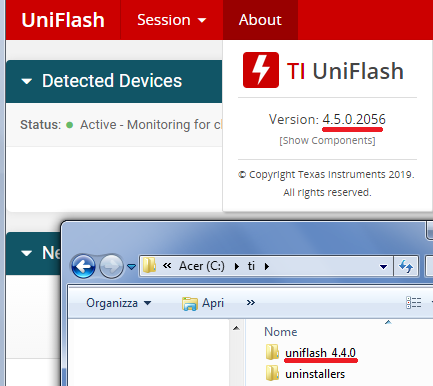
cd "C:\ti\uniflash_4.4.0\simplelink\imagecreator\bin"
.\SLImageCreator.exe tools make_cert_catalog --cert_folder "C:\Certs\ExampleknownCA" --out_file "C:\Certs\certificate_Catalog.lst"
.\SLImageCreator.exe tools sign --file "C:\Certs\certificate_Catalog.lst" --priv "C:\Certs\root-ca-key.pem" --out_file "C:\Certs\certificate_Catalog.lst.signed.bin" --fmt "BINARY_SHA1"
# # creating OTP file
.\SLImageCreator.exe tools meta --cert "C:\Certs\root-ca-cert.pem" --out_file "C:\Certs\vendor_otp.meta"
.\SLImageCreator.exe tools sign --file "C:\Certs\vendor_otp.meta" --priv "C:\Certs\root-ca-key.pem" --out_file "C:\Certs\vendor_otp.meta.sig" --fmt "BINARY_SHA2"
.\SLImageCreator.exe tools inf --algo 2 --sign1 "C:\Certs\vendor_otp.meta.sig" --sign2 "C:\Certs\vendor_otp.meta.sig" --meta "C:\Certs\vendor_otp.meta" --out_file "C:\Certs\vendor_otp.inf"
As you can see, we are using root-ca-cert as root of trust.
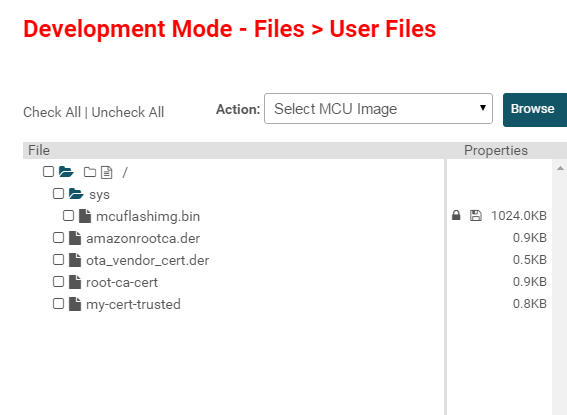
We have attached also the certificates generated (and the other files) that eventually you can check for.

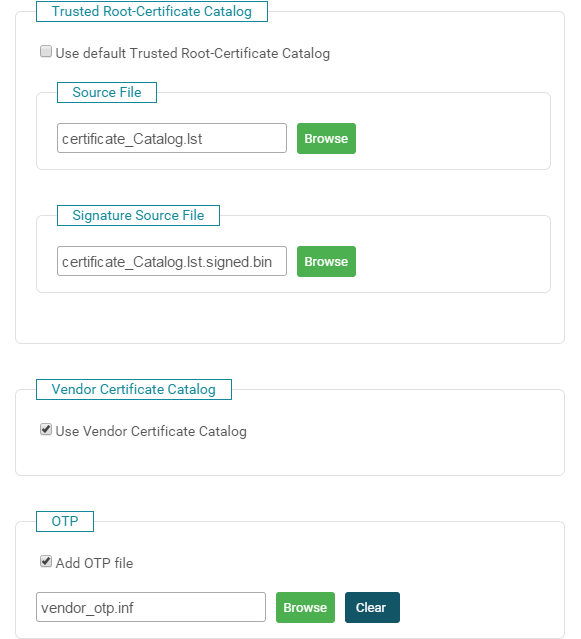
In some way, the MCU can't validate our binary image. What are we doing wrong?
Any help is appreciated.
Thanks in advance,
FP