This thread has been locked.

If you have a related question, please click the "Ask a related question" button in the top right corner. The newly created question will be automatically linked to this question.

Z-Stack Linux Gateway sbl_tool

Other Parts Discussed in Thread: CC2531, Z-STACK, CC2530, CC-DEBUGGER, CC2531EMK

root@arm:~/z-stack_linux_gateway_arm_binaries/tools# ./sbl_tool.bin ../misc/cc2531/OTA_Dongle_Ready_For_SBL\[true\].bin /dev/ttyACM1

***** TI LPRF ZigBee Serial Bootloader Tool for Linux v. 0.83 *****
Executed ./sbl_tool.bin on Jun 6 2014 21:32:15
Requested file file: ../misc/cc2531/OTA_Dongle_Ready_For_SBL[true].bin
Requested serial port: /dev/ttyACM1
Image size: 239616 bytes
Press [ENTER] any time to abort downloading image.
-- TIMEOUT --
-- TIMEOUT --
Received System reset indication.
Transport Protocol Version: 2
Product ID: 0
Software Release: 2.6.1
Done successfully.

Hello im trying to use the sbl_tool for Linux on a BBB and im having the above problem.
The device im trying to update is a cc2531 with the default HA bootloader for SBL. When im running the sbl_tool the cc2531 reboots waits for some time on bootloader and then im having some timeouts. Do you have any suggestions


thank you in advance

  • Hi Nikos,

    From your post, I gather that you are trying to use the sbl_tool from the gateway package with a non-gateway bootloader on the CC2531, for loading a non-gateway image. While this is not the intended use of the SBL tool, this may work (or may not, see below). Anyway, You will need to run the sbl_tool with the correct arguments:

    As you can see in Z-Stack Linux Gateway User Guide BeagleBone Addendum.pdf, page 8:

    Running Serial Bootloader Tool to update CC2531 ZigBee SOC image on USB Dongle
    NOTE: make sure no servers are running.
    $ cd ~/z-stack_linux_gateway_arm_binaries_<version>/tools
    $ ./sbl_tool.bin ../misc/CC2531-GW-ZNP_<version>.bin usb

    i.e. you should specify USB (or usb) as the transport to use, rather than /dev/tty.

    Is there a reason the device is enumerated as ttyACM1? In the default BBB configuration, it is expected to enumerate as /dev/ttyACM0. Specifying USB as the transport for sbl_tool, will tel sbl_tool how to reset the CC2531 correctly, but it will also assume ttyACM0. If the dongle is enumerated as ttyACM1, it will not work.

    It is most possible that the dongle enumeration issue is due to the fact that it is programmed with the default HA bootloader. That bootloader is not optimized for BBB, and may cause re-enumeration at certain cases. I recommend that you reprogram the dongle with the bootloader that came with the gateway installer, which is part of the complete gateway ZNP hex (using a CC Debugger): see Z-Stack Linux Gateway User Guide BeagleBone Addendum.pdf page 7:

    In case the dongle is not pre-flashed with the correct image, use CC Debugger (http://www.ti.com/tool/cc-debugger) to flash Firmware/CC2531-GW-ZNP_<revision>.hex.

    Following this, you should be able to use sbl_tool to download any compatible image.

    Best regards,

    OD

  • Hello OD,

    My question is about the bootloader, where i can find the Gateway bootloader
    (the source code), and which is the differences with the default HA bootloader.

    As far as i can understand from the hex, this is not only the bootloader but
    the a whole image for CC2531 (maybe coordinator). This image is ok with ./sbl_tool
    but is not very useful for me.

    Best regards
    Nikos

  • Hi Nikos,

    The bootloader for the gateway is an updated version of the original bootloader. It provides improved speed, revision information, detailed status indications and more. It also eliminates unnecessary re-enumerations of the USB device.

    This new bootloader firmware It is backward compatible with existing bootloader tools, e.g. the PC tool that we provide.

    On the other hand, the Linux sbl tool is not compatible with previous bootloader firmwares.

    The source for this new bootloader firmware will soon be available as part of TI's next Z-Stack Home release.

    In the meantime, you can easily manually edit the gateway hex file in a text editor, and extract the gateway code from there, removing the rest of the code. The gateway code is at the beginning of the hex file, at addresses 0x0000-0x1FFF

    For your convenience, I attach here a stand alone hex file for the bootloader: http://e2e.ti.com/cfs-file.ashx/__key/communityserver-discussions-components-files/158/5040.CC2531SB.hex (this version is a little different than the one integrated in the gateway hex, but is probably compatible).

    Best regards,

    OD

  • Thank you! I will give it a try!

  • Hi OD,

    Does Z-Stack Home 1.2.1 contain the bootloader for gateway? If yes, does CC2530ZNP-SB.hex compatible with sbl_tool.bin?
    I noticed that there are two bootloader for CC2530 in Z-Stack Home 1.2.1, CC2530SB.hex and CC2530ZNP-SB.hex, so what's the different between them?
    Just meet the same problem with Nikos and please kindly help to give some advice.

    Thanks a lot.
  • I am facing similar problem.

    I am trying to use beagle bone with CC2531 for creating a home automation gateway solution. I have gone through the user guide and installed required s/w e.g. Packet Sniffer, SmartRF Studio, Flash Programmer.

    Running Serial Bootloader Tool to update CC2531 ZigBee SOC image on USB Dongle does not work..

    Device node is present:

    root@beaglebone:~/z-stack_linux_gateway_arm_binaries_38883/tools# ls -l /dev/ttyACM0
    -rw-r--r-- 1 root root 33 Apr 23 20:42 /dev/ttyACM0

    But below command times out

    root@beaglebone:~/z-stack_linux_gateway_arm_binaries_38883/tools# ./sbl_tool.bin ../misc/CC2531-GW-ZNP_38724.bin usb

    ***** TI LPRF ZigBee Serial Bootloader Tool for Linux v. 0.83 *****
    Executed ./sbl_tool.bin on Jun  6 2014 21:32:15
    Requested file file: ../misc/CC2531-GW-ZNP_38724.bin
    Using USB transport
    Resetting USB connection. It takes a few seconds...
    Image size: 239616 bytes
    Press [ENTER] any time to abort downloading image.
    zbSocProcessRpc: CMD0:21, CMD1:9, not handled
    zbSocProcessRpc: CMD0:21, CMD1:9, not handled
    -- TIMEOUT --
    zbSocProcessRpc: CMD0:21, CMD1:9, not handled
    zbSocProcessRpc: CMD0:21, CMD1:9, not handled
    -- TIMEOUT --
    zbSocProcessRpc: CMD0:21, CMD1:9, not handled
    zbSocProcessRpc: CMD0:21, CMD1:9, not handled
    -- TIMEOUT --
    zbSocProcessRpc: CMD0:21, CMD1:9, not handled
    zbSocProcessRpc: CMD0:21, CMD1:9, not handled
    -- TIMEOUT --
    zbSocProcessRpc: CMD0:21, CMD1:9, not handled
    zbSocProcessRpc: CMD0:21, CMD1:9, not handled
    -- TIMEOUT --
    zbSocProcessRpc: CMD0:21, CMD1:9, not handled
    zbSocProcessRpc: CMD0:21, CMD1:9, not handled
    -- TIMEOUT --
    zbSocProcessRpc: CMD0:21, CMD1:9, not handled
    zbSocProcessRpc: CMD0:21, CMD1:9, not handled
    -- TIMEOUT --
    zbSocProcessRpc: CMD0:21, CMD1:9, not handled
    zbSocProcessRpc: CMD0:21, CMD1:9, not handled
    -- TIMEOUT --
    zbSocProcessRpc: CMD0:21, CMD1:9, not handled
    zbSocProcessRpc: CMD0:21, CMD1:9, not handled
    -- TIMEOUT --
    zbSocProcessRpc: CMD0:21, CMD1:9, not handled
    zbSocProcessRpc: CMD0:21, CMD1:9, not handled
    -- TIMEOUT --

    If I try to execute Server following error appears:

    root@beaglebone:~/z-stack_linux_gateway_arm_binaries_38883/servers# ./zigbeeHAgw beaglebone
    running zigbeegw.scr on an ARM
    resetting beaglebone black
     sleeping 6 seconds after reset... Using serial port: /dev/ttyACM0
    zbSocProcessRpc: CMD0:21, CMD1:9, not handled
    zbSocProcessRpc: CMD0:21, CMD1:9, not handled

    BBB FileSystem:

    BeagleBoard.org BeagleBone Debian Image 2014-04-23

    root@beaglebone:~/z-stack_linux_gateway_arm_binaries_38883/servers# cat /etc/*-release
    PRETTY_NAME="Debian GNU/Linux 7 (wheezy)"
    NAME="Debian GNU/Linux"
    VERSION_ID="7"
    VERSION="7 (wheezy)"
    ID=debian
    ANSI_COLOR="1;31"
    HOME_URL="http://www.debian.org/"
    SUPPORT_URL="http://www.debian.org/support/"
    BUG_REPORT_URL="http://bugs.debian.org/"

    Questions:

    1. How to resolve this problem ?

    2. Is it necessary to update CC2531 ZigBee SOC image on USB Dongle before proceeding with sample apps ?

    Update : 20 June,2015

    I updated beaglebone s/w to latest version dated 2015-03-01 but issue still remains.

    ~Suman

  • Hi,
    yes please flash CC2531-GW-ZNP_38724.hex from the FIrmware folder onto the CC2531 USB dongle.
    Thanks,
    TheDarkSide
  • Thanks.

    I tried to upgrade CC2531 USB dongle using CC Debugger and SmartRF Flash programmer. When I plug in the CC Debugger to Host machine USB, SmartRF tells me it needs to updgrade the firmware which I did and after that it does not recognize the CC debugger any more.
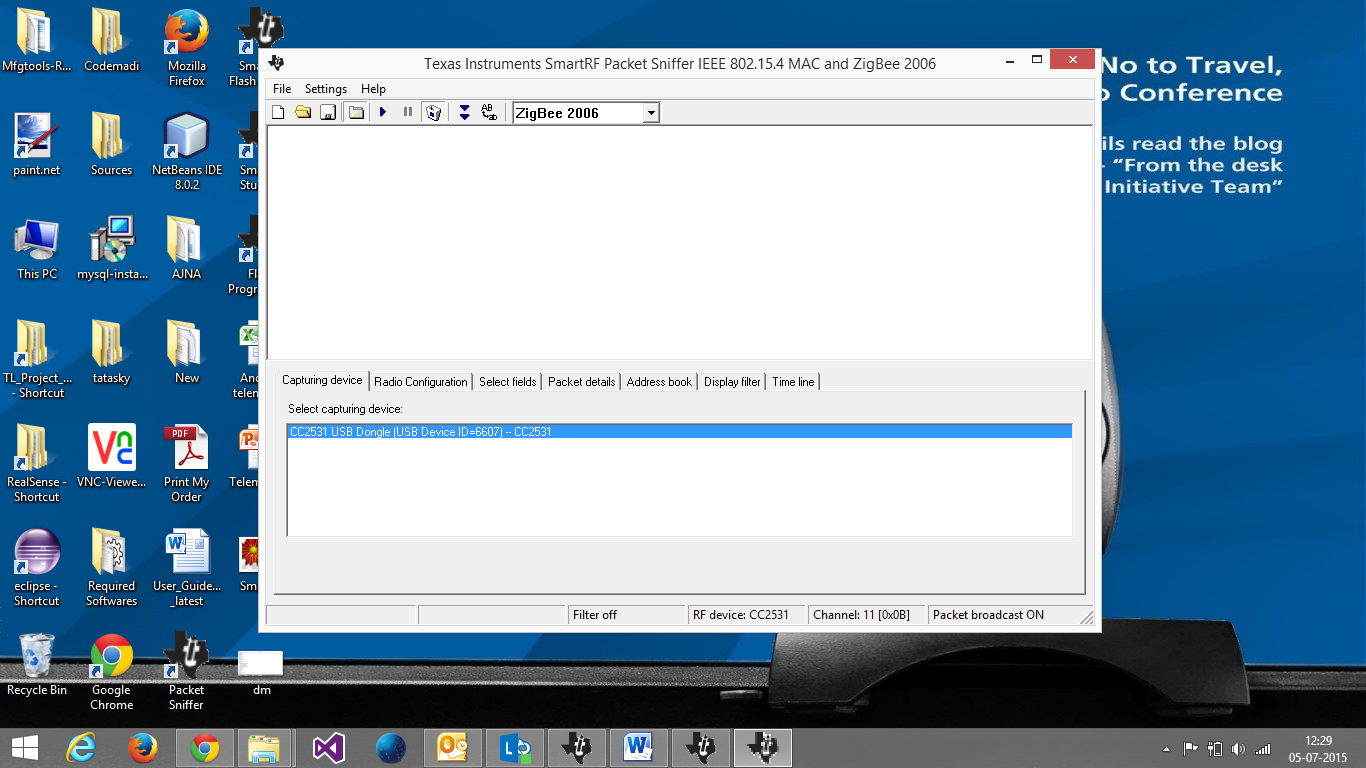
    Packet Sniffer tool is listing CC2531 dongle.

    When I connect CC Debugger to CC2531 I have green light on CC Debugger LED, so drivers seems fine, but tool does not detect CC2531.

    Please help.
  • Can you provide some snapshoot of your screen and HW connections between CC debugger and CC2531 USB dongle?
  • With the same h/w setup if I launch Packet Sniffer tool then it detects CC2531 dongle.

  • Do you have another CC debugger?
  • No, I don't have another CC debugger..
  • Ok.

    Then, once you've connected your CC-debugger to a PC, run the flash programmer.

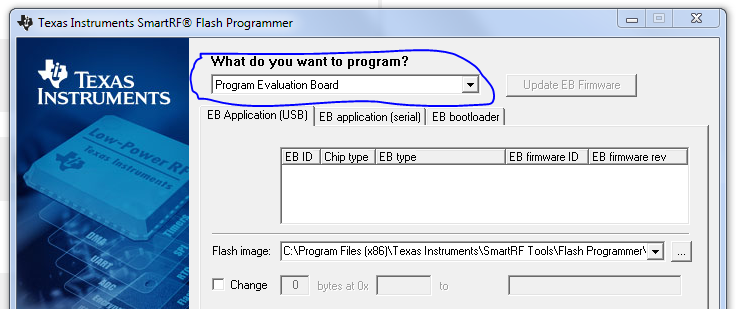
    When in flash programmer, choose "program evaluation board" from the drop down menu (shown in the attached figure),

    does it shows CC-debugger parameters? If you do see CC-debugger parameters, you can reprogram it with this FW: cebal_fw_srf05dbg.zip

  • Device does not show up even under "program evaluation board".
  • Well,

    Final suggestion then, try to recover it, follow instructions in section 8.3 of CC-debugger user's Guide

  • Please disconnect the CC2531EMK from the debugger and follow the instructions in Section 8 of www.ti.com/.../swru197h.pdf

    If the CC debugger board doesn't show up in the list of connected devices after following the instructions, then you may have a faulty CC-debugger board, which would surprise me a lot since I have never seen an issue like that where the CC-debugger LED is green and status shows as functional but that it is not recognized by the PC as connected device.

    For further questions on flashing/debugging tools, I recommend you open a new thread and post them in

    Thanks,

    TheDarkSide 

  • Following the instructions given in Sec 8 I was able to recover CC Debugger and it started appearing in SmartRF Tool as well.

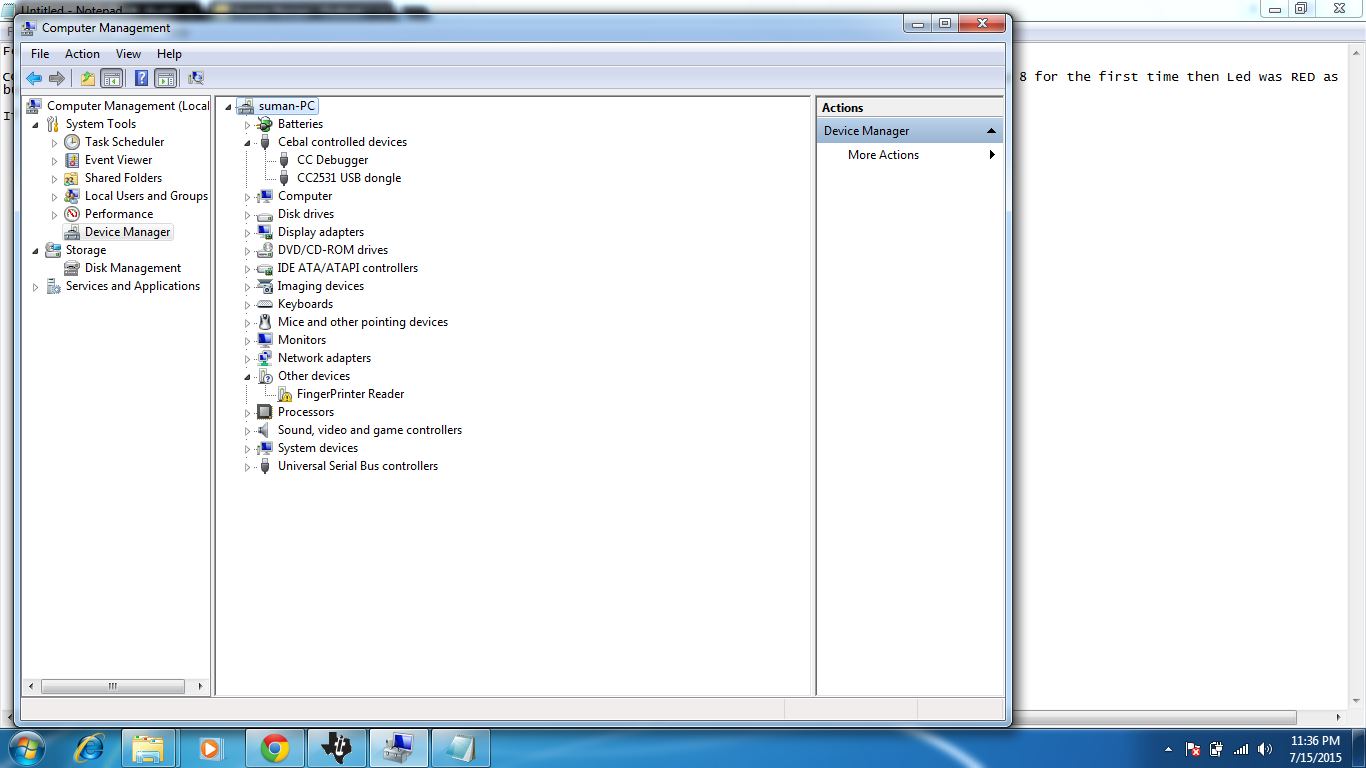
     CC Debugger Led is always RED even though device manager shows cebal driver loaded properly. Also, When I did reset using step 8 for the first time then Led was RED as well,but then I pressed Reset button and it turned GREEN. Repeating the same procedure is not resulting in Led turning Green.

    If I connect CC2531 now to PC it gets enumerated in device manager as CC2531 USB dongle, but both RED and GREEN Leds are glowing here. After sometime it turns RED completely.

    How can I reset CC2531 now ?

    Why is RED led glowing on CC Debugger when everything seems fine at driver and SmartRF tool level ?

  • You can unplug CC2531 USB dongle from USB port and plugin again to reset it. CC Debugger LED only turns GREEN when you press the button and a CC2531/CC2530 is connected.
  • I didn't mean restart. By Reset I meant how to restore CC2531 to factory settings. Is there a way to short circuit CC2531 like CC Debugger ?

    CC Debugger LED is RED even after connecting it with CC2531. I pressed Reset button multiple times in CC Debugger while it is connected with CC2531, but LEDs never turn GREEN.

    Strangely, as you can see in the pictures I posted, both drivers gets enumerated correctly when plugged to host machine USB ports.

    Please help !!