


Part Number: CC2538
Other Parts Discussed in Thread: Z-STACK, , CC2530
Hello Guys,
I successfully flashed the dongle program using the option (Download and Debug) , Then I opened OTA server PC Tool. In that, I gave all the parameters and select open port.
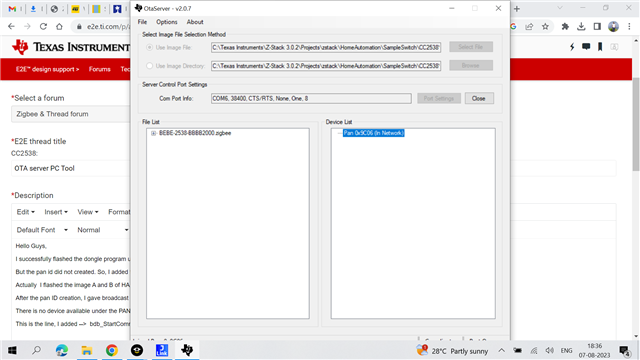
But the pan id did not created. So, I added the B2B line in the end of OTA_Dongle_Init. Atlast, the pan ID created successfully.
Actually I flashed the image A and B of HA sampleswitch application.
After the pan ID creation, I gave broadcast image notify option in device list. I enclosed the image whatever it shows in given below.
There is no device available under the PAN ID.
This is the line, I added --> bdb_StartCommissioning(BDB_COMMISSIONING_MODE_NWK_FORMATION | BDB_COMMISSIONING_MODE_NWK_STEERING);
I don't how to go to the next step.
I am using z-stack - 3.0.2 and EWARM - 9.40.1.
Best Regards,
Kamalesh.C

