This thread has been locked.

If you have a related question, please click the "Ask a related question" button in the top right corner. The newly created question will be automatically linked to this question.

LAUNCHXL-CC2640R2: Can not independently modify CCS Project C files, c files linked to separate CCS Projects

Part Number: LAUNCHXL-CC2640R2


Hi,

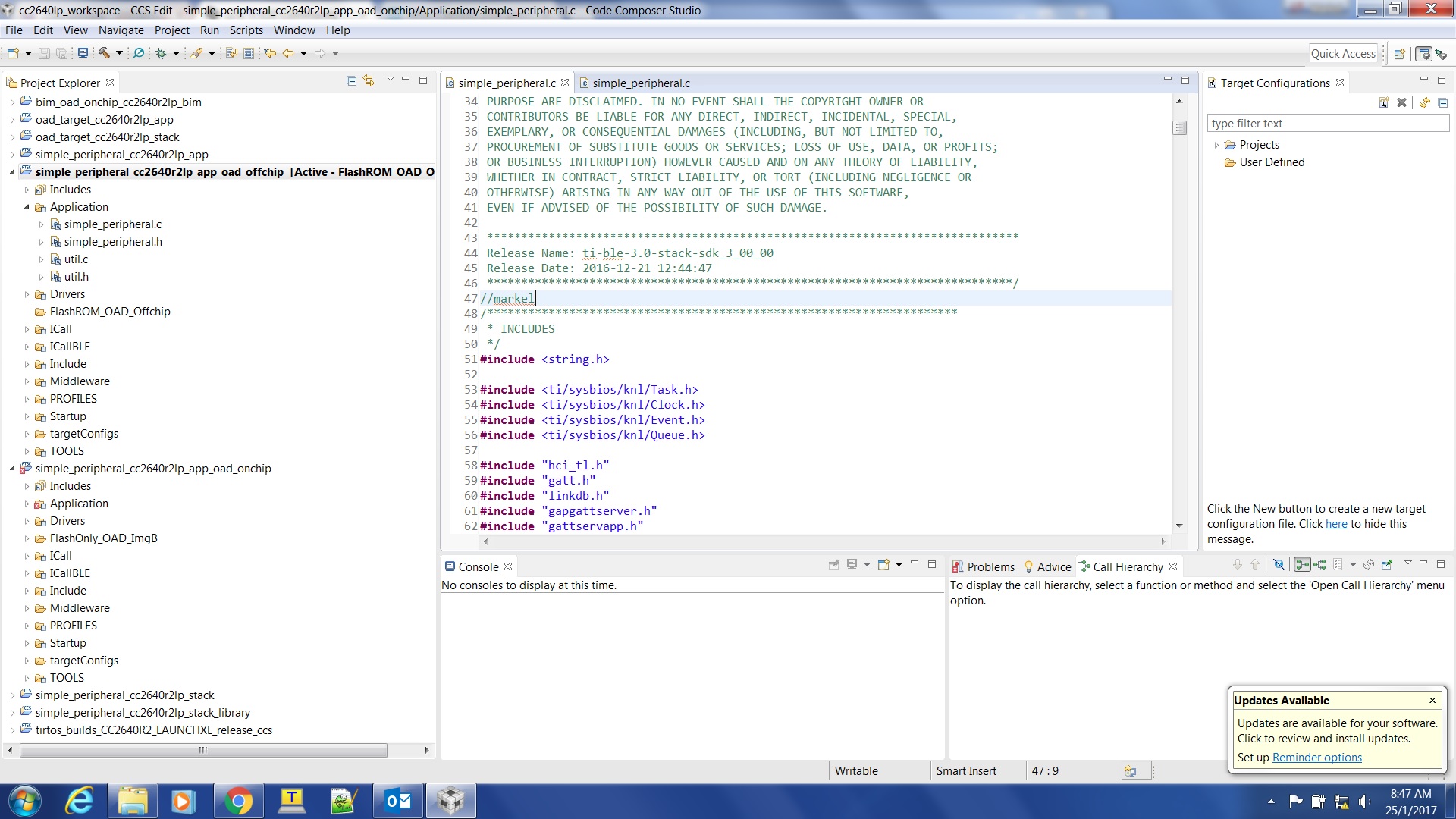
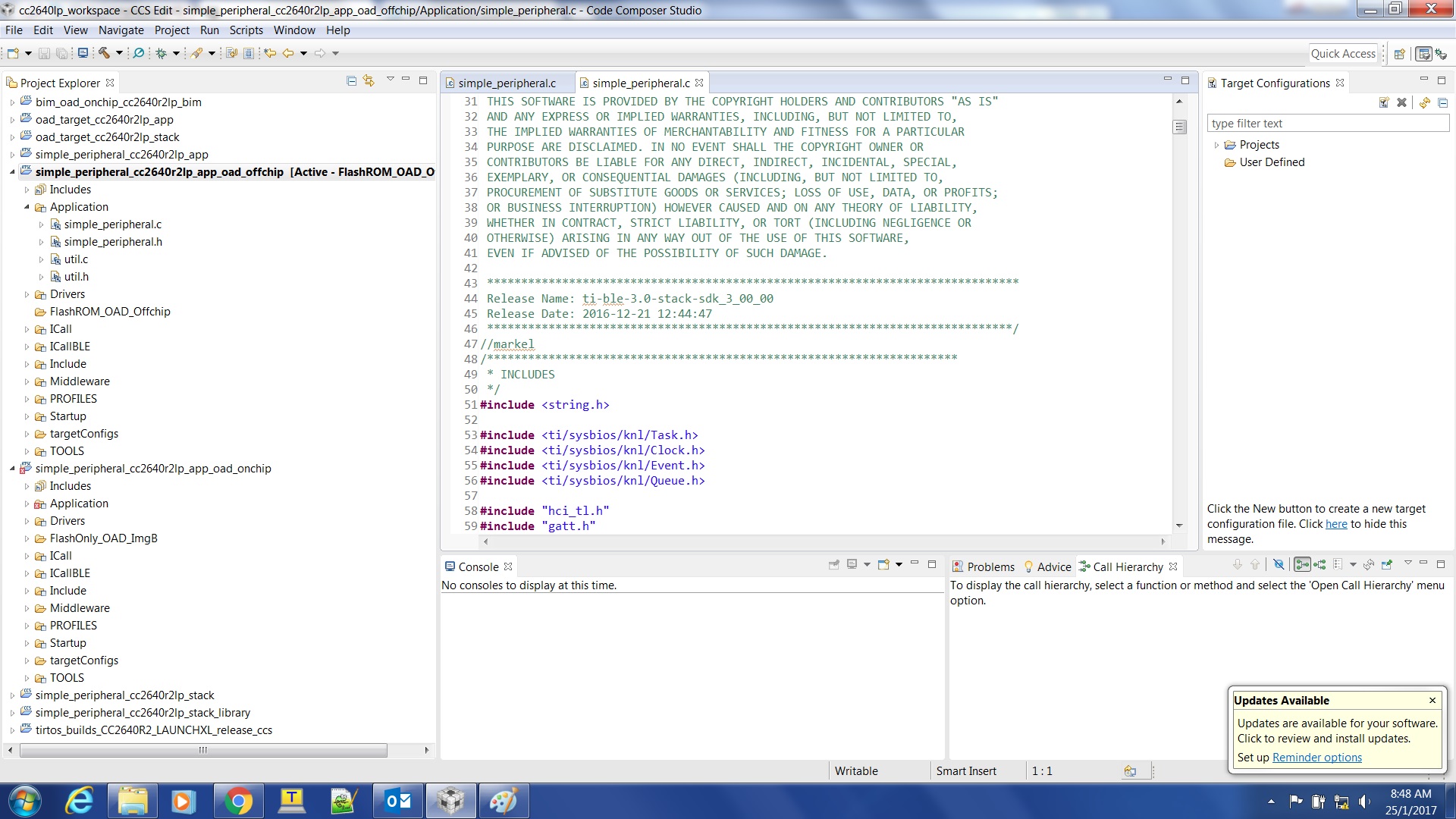
    I imported the CCS Projects below from the picture, with option copy into workspace. When I modify the simple_peripheral.c at simple_peripheral_cc2640r2lp_app_oad_onchip, the modifications are also made at simple_peripheral.c of simple_peripheral_cc2640r2lp_app_oad_offchip.

    Example below, shown at the picture. I put //markel at simple_peripheral.c of simple_peripheral_cc2640r2lp_app_oad_onchip. I checked the simple_peripheral.c at simple_peripheral_cc2640r2lp_app_oad_offchip, and I can also see the //markel. What if I want to do different code modifications to both CCS Projects, every modification I do will apply to the other CCS Project code files. Isn't that inconvenient? I understand that the simple_peripheral.c is linked to both CCS Projects and it is good if you want to do both on-chip and off-chip implementation, just need to modify 1 code file. But, this situation is unusual for me, because I have been importing CCS Projects for other TI MCU's like Tiva MCU and I did not encounter this situation before. 

simple_peripheral.c at simple_peripheral.c of simple_peripheral_cc2640r2lp_app_oad_onchip:

simple_peripheral.c at simple_peripheral_cc2640r2lp_app_oad_offchip:


-kel


  • Hi,

    These projects are linking to the same files, even if the project is copied into the workspace, because the project is linking the files. If you want to change this, you could modify the projectspec files located in C:\ti\simplelink_cc2640r2_sdk_1_00_00_22\examples\rtos\CC2640R2_LAUNCHXL\blestack\simple_peripheral\tirtos\ccs to copy the files instead of linking them. This will copy the files into your local workspace and all modifications will be made to those, which will keep them separate from the files in any other project.

    -Nathan
  • I guess this is the part at projectspec that need to be modified. I need to change action="link" to action="unlink" maybe. I will try it and see what happens.

    <!-- Application Folder -->
    <file path="PROJECT_BUILD_BASE/src/app/simple_peripheral.c" openOnCreation="" excludeFromBuild="false" action="link" targetDirectory="Application" createVirtualFolders="true" applicableConfigurations="FlashROM_OAD_Offchip">
    </file>
    <file path="PROJECT_BUILD_BASE/src/app/simple_peripheral.h" openOnCreation="" excludeFromBuild="false" action="link" targetDirectory="Application" createVirtualFolders="true" applicableConfigurations="FlashROM_OAD_Offchip">
    </file>

    - kel
  • Hi,

    It should be changed to "copy", not "unlink".

    -Nathan


  • How about for CCS Projects hid_emu_kbd_cc2650em_app and hid_emu_kbd_cc2650em_stack. Where are the projectspec file located for these CCS Projects, so I can also set action="copy".

    The problem is I would import CCS Project hid_emu_kbd_cc2650em_app with copy to workspace option. Then I do code modifications. If I want to import to CCS the original CCS Project hid_emu_kbd_cc2650em_app , I can't. Because the modifications I did earlier already applied to the code files. So to be able to import to CCS the original CCS Project hid_emu_kbd_cc2650em_app, I would need to install ble stack to another folder, then I copy the original code files to these folder locations below.

    C:\ti\simplelink\ble_sdk_2_02_01_18\src\common\cc26xx
    C:\ti\simplelink\ble_sdk_2_02_01_18\src\examples\hid_emu_kbd\cc26xx\app

    - kel
  • Markel Robregado said:
    The problem is I would import CCS Project hid_emu_kbd_cc2650em_app with copy to workspace option. Then I do code modifications. If I want to import to CCS the original CCS Project hid_emu_kbd_cc2650em_app , I can't. Because the modifications I did earlier already applied to the code files. So to be able to import to CCS the original CCS Project hid_emu_kbd_cc2650em_app, I would need to install ble stack to another folder, then I copy the original code files to these folder locations below.

    Issue resolved at CCS Forum.

    - kel