Part Number: LAUNCHXL-CC2640R2
Hi,
I have successfully done On-Chip OAD using CCS. I am now trying On-Chip OAD using the IAR Workbench Procedure. However, I am using the Image B from CCS Project simple_peripheral_cc2640r2lp_app_oad_onchip. Here is my Procedure below after generating the production bin file.
Procedure:
- Using SmartRF Flash Programmer 2 program "oad_target_cc2640r2lp_app_oad.bin" production bin file located at "C:\ti\simplelink_cc2640r2_sdk_1_00_00_22\examples\rtos\CC2640R2_LAUNCHXL\blestack\oad_target\tirtos\iar\app\FlashROM\Exe"
- Using SensorTag App, see if OAD Target is discovered. OAD_Target is discovered.
- Using BTool, establish connection to Slave BDA "0A:D0:AD:0A:D0:AD".
- At Btool OAD Tab set simple_peripheral_cc2640r2lp_app_oad.bin path located at "C:\ti\ccsv7workspace\cc2640lp_workspace\simple_peripheral_cc2640r2lp_app_oad_onchip\FlashOnly_OAD_ImgB".
- Click BTool OAD Tab "Send" to start OAD.
- After OAD finish, check at SensorTag App if Image B is discovered.
Result: Image B is not being discovered.
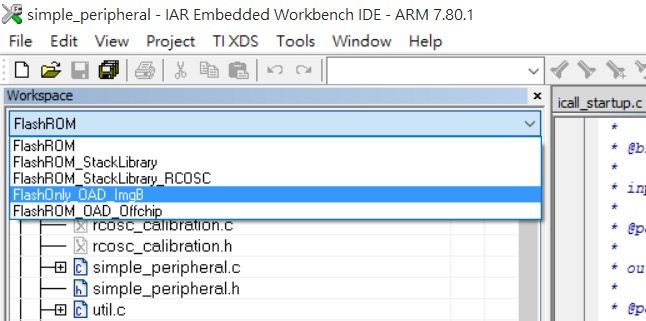
Do I need to use bin file generated from IAR Workbench project "simple_peripheral" for Image B? The reason why I use Image B from CCS project simple_peripheral_cc2640r2lp_app_oad_onchip, is because IAR Workbench project "simple_peripheral" is not configured for On-Chip OAD. Also, IAR Workbench project "simple_peripheral" does not have post build step for generating Image B bin file.
- kel