Other Parts Discussed in Thread: TLV320ADC3101,
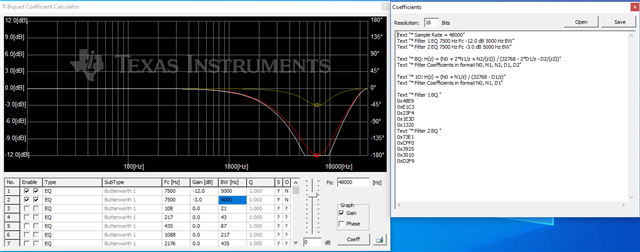
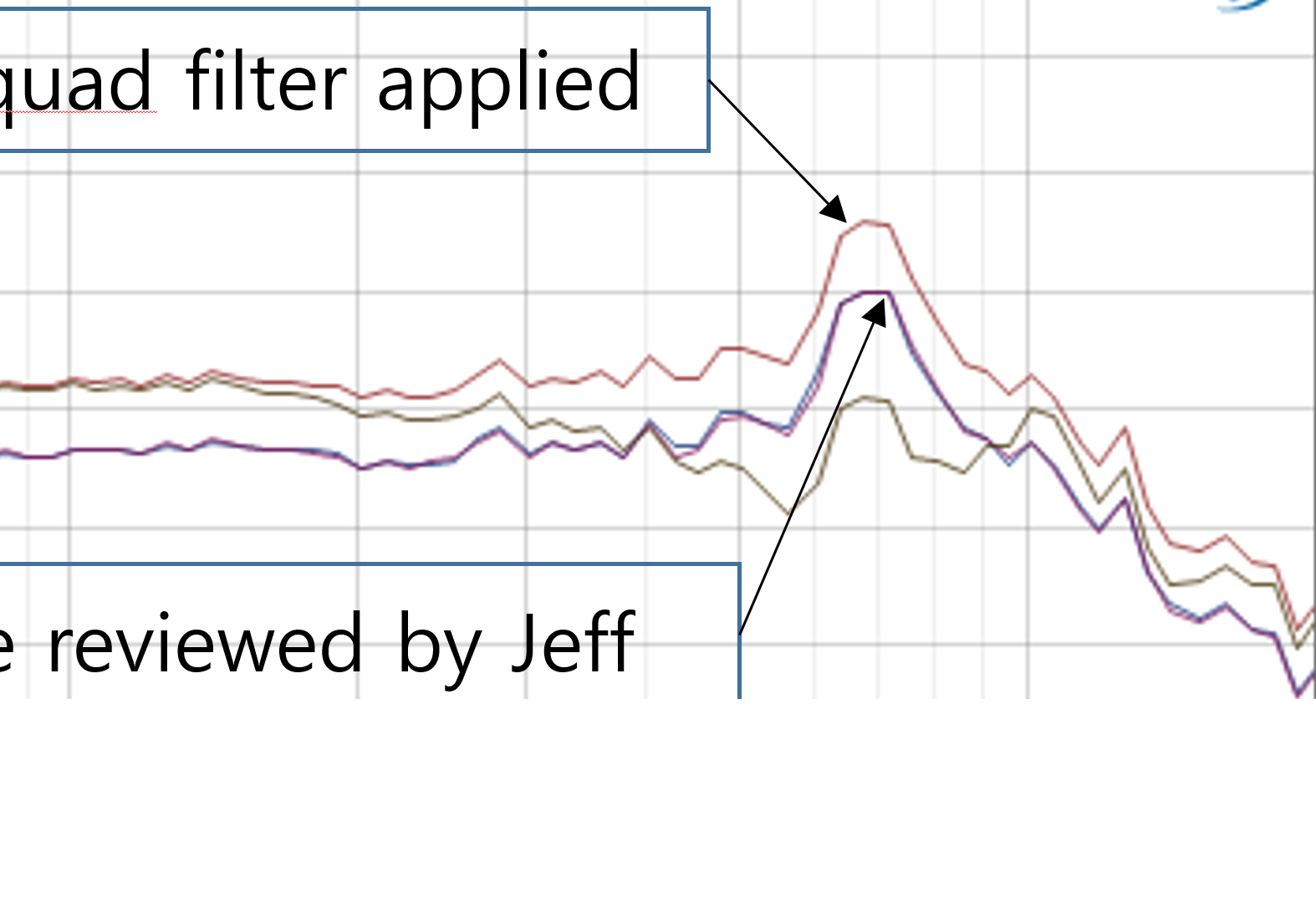
I would like to know what the equalizer settings are to reduce the frequency response in the 5Khz to 10 Khz band.
Please review and recommend the revised register settings of TLV320ADC3101 to resolve this issue asap.
Below are the currently applied setting values.
//###########################################################
//# Clock configuration
//# Master Mode
//# MCLK as PLL input
//# MCLK = 12MHz
//# BCLK = 1.411MHz (44.1khz * 16bit * 2ch)
//# WCLK = 44.1KHz = Fs
//###########################################################
//# Audio Settings
{0x34, 0x00 ,0x00},//# Select Page 0
{0x34, 0x01 ,0x01},//# Software reset required
{0x34 ,0x04 ,0x03},// # CODEC_CLKIN = PLL_CLK, PLL_CLKIN = MCLK
{0x34 ,0x06 ,0x07},// # J=7
{0x34 ,0x07 ,0x14},// # D=5264
{0x34 ,0x08 ,0x90},// # D=5264
// # P=1, R=1, PLL ON, PLL needs to be on before setting the NADC, MADC, AOSR and BCLK dividers
{0x34 ,0x05 ,0x91},
{0x34 ,0x12 ,0x88},// # NADC = 8
{0x34 ,0x13 ,0x82},// # MADC = 2
{0x34 ,0x14 ,0x80},// # AOSR = 128
{0x34 ,0x1B ,0x0C},// # I²S format, 16-bit data, Master mode*
{0x34 ,0x1E ,0x88},// # BCLK Divider = ADC_CLK/8, ON
//# Signal Processing Settings
{0x34 ,0x00 ,0x00},//# Select Page 0
{0x34 ,0x3d ,0x02},//# Set the ADC Mode to PRB_R2
//#Biquad Setting
//{0x34 ,0x00 ,0x00},//# Select Page 0, already in page 0
//{0x34 ,0x3d ,0x02},//# Select ADC Mode 2(PRB_R2) with 5 BQs/Chan, already written
//{0x34 ,0x51 ,0x00},//# Power down Left ADC and Right ADC so that BQ Coefficients Can be Downloaded, this is not required as this is the default state
//# Write BQ "A" = EQ, Fc=1000, 6, BW=200
{0x34 ,0x00 ,0x04},//# Select Page 4
//# Left An0
{0x34 ,0x0E ,0x77},
{0x34 ,0x0F ,0x55},
//# Left An1
{0x34 ,0x10 ,0xb1},
{0x34 ,0x11 ,0xc7},
//# Left An2
{0x34 ,0x12 ,0x65},
{0x34 ,0x13 ,0xeb},
//# Left Ad1
{0x34 ,0x14 ,0x4e},
{0x34 ,0x15 ,0x39},
//# Left Ad2
{0x34 ,0x16 ,0xa2},
{0x34 ,0x17 ,0xbf},
//{0x34 ,0x00 ,0x00 },//# Select Page 0
//{0x34 ,0x51 ,0x80},//# Left ADC powered up, Right ADC Powered down, power up ADC at the end after configuring PGA
//{0x34 ,0x52 ,0x08},//#Mic Input Settings, power up ADC at the end after configuring PGA
{0x34 ,0x00 ,0x01},//# Select Page 1
{0x34 ,0x33 ,0x60},//# MICBIAS1 = AVDD, MICBIAS2 Powered down
{0x34 ,0x3b ,0x32},//# Left Analog PGA Setting = +25dB
//{0x34 ,0x3c ,0x80},//# Right PGA is muted, default setting
{0x34 ,0x34 ,0xfc},//# Left ADC Input selection for Left PGA = IN1L(P) as Single Ended, 0dB
//{0x34 ,0x37 ,0xff},//# Right ADC NOT connected mode, default setting
{0x34 ,0x00 ,0x00},//# Select Page 0
{0x34 ,0x51 ,0x82},//# Left ADC powered up, Right ADC Powered down, soft-stepping disabled
{0x34 ,0x52 ,0x08},//# Left ADC ON, Right ADC OFF
};