This thread has been locked.

If you have a related question, please click the "Ask a related question" button in the top right corner. The newly created question will be automatically linked to this question.

PCM2903C: Evaluation board not outputting stereo audio

Part Number: PCM2903C
Other Parts Discussed in Thread: PCM2903, PCM2912

Hi there, I'm trying to integrate the PCM2903 with my Linux machine and I'm finding that it's not playing stereo audio out from the 3.5 mm jack. Instead it is blending it together into mono output. I'm running Ubuntu Linux kernel 5.15.0-58-generic. What's odd is that I'm able to capture stereo audio without any issue; the issue only occurs on playback.

Below is the command in linux I've used to test playback:

  • speaker-test -D plughw:CARD=CODEC -c 2

Can anyone tell me what I'm doing wrong?

  • For additional context here's the output for the following commands:

    arecord -l

    **** List of CAPTURE Hardware Devices ****
    card 1: Generic_1 [HD-Audio Generic], device 0: ALC257 Analog [ALC257 Analog]
      Subdevices: 1/1
      Subdevice #0: subdevice #0
    card 2: acp [acp], device 0: DMIC capture dmic-hifi-0 []
      Subdevices: 1/1
      Subdevice #0: subdevice #0
    card 3: CODEC [USB AUDIO  CODEC], device 0: USB Audio [USB Audio]
      Subdevices: 1/1
      Subdevice #0: subdevice

    amixer --c CODEC

    Simple mixer control 'PCM',0
      Capabilities: pvolume cvolume pswitch pswitch-joined
      Playback channels: Front Left - Front Right
      Capture channels: Front Left - Front Right
      Limits: Playback 0 - 64 Capture 0 - 255
      Front Left: Playback 32 [50%] [-32.00dB] [on] Capture 204 [80%] [-10.20dB]
      Front Right: Playback 32 [50%] [-32.00dB] [on] Capture 204 [80%] [-10.20dB]

  • For additional context here's the output for the following commands:

    arecord -l

    **** List of CAPTURE Hardware Devices ****
    card 1: Generic_1 [HD-Audio Generic], device 0: ALC257 Analog [ALC257 Analog]
      Subdevices: 1/1
      Subdevice #0: subdevice #0
    card 2: acp [acp], device 0: DMIC capture dmic-hifi-0 []
      Subdevices: 1/1
      Subdevice #0: subdevice #0
    card 3: CODEC [USB AUDIO  CODEC], device 0: USB Audio [USB Audio]
      Subdevices: 1/1
      Subdevice #0: subdevice

    amixer --c CODEC

    Simple mixer control 'PCM',0
      Capabilities: pvolume cvolume pswitch pswitch-joined
      Playback channels: Front Left - Front Right
      Capture channels: Front Left - Front Right
      Limits: Playback 0 - 64 Capture 0 - 255
      Front Left: Playback 32 [50%] [-32.00dB] [on] Capture 204 [80%] [-10.20dB]
      Front Right: Playback 32 [50%] [-32.00dB] [on] Capture 204 [80%] [-10.20dB]

  • Hi Yutong,

    I've looped in our software team to help you. You'll hear from them after the weekend.

    Thank you,

    Jeff McPherson

  • Hi Yutong,

    I have tested the speaker-test command on PCM2912, the pink noise played between the two channels in turn. Have you tested the aplay commands to play a stereo wav file? I want to know what will happen by aplay.

    Also, I will test pcm2903 tomorrow, and will give you my feedback in this thread.

    Thanks

  • Hi Kevin, sorry for the delayed response. I have tried aplay to play a stereo wav tile and had the same results. Were you able to test with the PCM2903? I'm curious if you were able to reproduce this on your side.

  • Hi Yutong,

    I didn't reproduce the same issue, the commands are correct.

    I think you should check your platform setting, make sure it can play stereo wav in other device.

    Otherwise I will forward this case to our codec expert.

    Thanks

  • Okay thanks, I will give it another try and report back to you. I'm curious, what host did you test this on. Was it running Linux?

  • Hi,

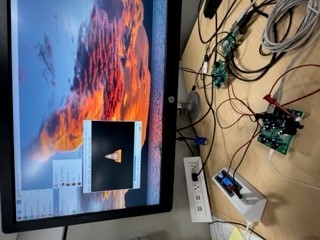
    I tested the PCM2903 EVM using Raspberry Pi Debian and able to hear the music coming out from the audio jack (playback) see attached picture using VLC Media Player. The sound card is USB Audio Codec in Raspberry Pi.

    Regards.

  • I see, thanks for chiming in. Just to confirm, the audio came out from the PCM2903 EVM as stereo and not mono?

  • I was able to inspect the properties of the device and I found that the playback channel map property of the card is read only and it is set to MONO. Why is this the case? The datasheet said that the ADC is stereo but it's clear that it's configured to mono and is read-only. How can I change this?

    root@jukeaudio:~# aplay -l
    **** List of PLAYBACK Hardware Devices ****
    card 0: vc4hdmi0 [vc4-hdmi-0], device 0: MAI PCM i2s-hifi-0 [MAI PCM i2s-hifi-0]
      Subdevices: 1/1
      Subdevice #0: subdevice #0
    card 1: vc4hdmi1 [vc4-hdmi-1], device 0: MAI PCM i2s-hifi-0 [MAI PCM i2s-hifi-0]
      Subdevices: 1/1
      Subdevice #0: subdevice #0
    card 2: CODEC [USB AUDIO  CODEC], device 0: USB Audio [USB Audio]
      Subdevices: 1/1
      Subdevice #0: subdevice #0
    card 3: Loopback [Loopback], device 0: Loopback PCM [Loopback PCM]
      Subdevices: 4/4
      Subdevice #0: subdevice #0
      Subdevice #1: subdevice #1
      Subdevice #2: subdevice #2
      Subdevice #3: subdevice #3
    card 3: Loopback [Loopback], device 1: Loopback PCM [Loopback PCM]
      Subdevices: 4/4
      Subdevice #0: subdevice #0
      Subdevice #1: subdevice #1
      Subdevice #2: subdevice #2
      Subdevice #3: subdevice #3
    root@jukeaudio:~# amixer --card 2 controls
    numid=3,iface=MIXER,name='PCM Playback Switch'
    numid=4,iface=MIXER,name='PCM Playback Volume'
    numid=2,iface=PCM,name='Capture Channel Map'
    numid=1,iface=PCM,name='Playback Channel Map'
    root@jukeaudio:~# amixer --card 2 cget numid=1
    numid=1,iface=PCM,name='Playback Channel Map'
      ; type=INTEGER,access=r----R--,values=2,min=0,max=36,step=0
      : values=0,0
      | container
        | chmap-fixed=FL,FR
        | chmap-fixed=MONO

  • It's still not working for me. I just inspected the device properties using amixer and the capture properties are clearly set to mono and read-only. This is frustrating.

  • Hi Yutong,

    The chmap-fixed is correct, what I saw on pcm2912 is also chmap-fixed=MONO, but I can hear clearly for the stereo. 

    Just one more thing, pls check the 'PCM Playback Volume', check whether the set volume is consistent, this control can mute one channel.

    Recommended commend is "amixer --card 2 cget numid=4". also you can use cset to adjust single channel's volume.

    Thanks

  • I've checked that control and played around with it. Regardless of the setting, the left and right channel always come out as mono. I was able to get it into a state where it outputs stereo but it goes away after a while, the exact steps to get it into these states are unclear. Hopefully that is a clue. I've been able to reproduce this on both my Linux laptop and raspberry pi CM4. They are both on kernel 5.15. Could this be a driver issue or a problem with the chip itself?

  • I've solved my issue! It turns out that it had nothing to do with my drivers. There's a weird failure mode where if I plug my headphone jack in all the way into the EVM board's audio jack socket, the audio becomes mono (likely due to the contacts not being aligned properly, resulting in left and right channels becoming blended). The solution was to pull the audio jack out slightly so that the contacts were aligned.

    I'm relieved to find out that I'm not doing anything wrong with my firmware but I wish I didn't have to spend so long to figure this out. Thank you for those who commented.

  • OK, We will close this.