This thread has been locked.

If you have a related question, please click the "Ask a related question" button in the top right corner. The newly created question will be automatically linked to this question.

TAA5412-Q1: The system cannot recognize I2C

Part Number: TAA5412-Q1

Dears, 

   When first powered on, it can be connected to I2C and read from registers. After running for a period of time, the system cannot recognize I2C, and even after power restart, it cannot recognize I2C. 
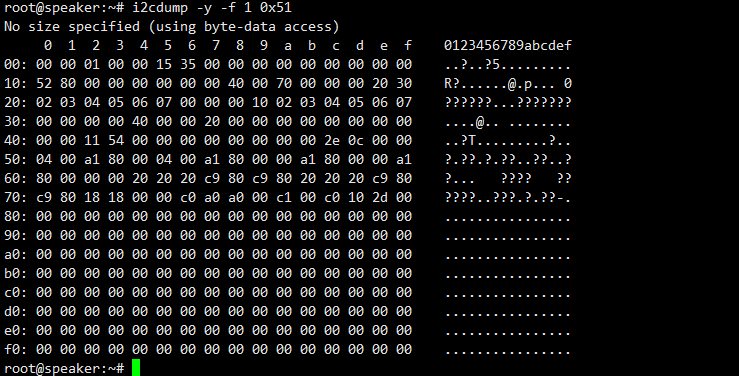
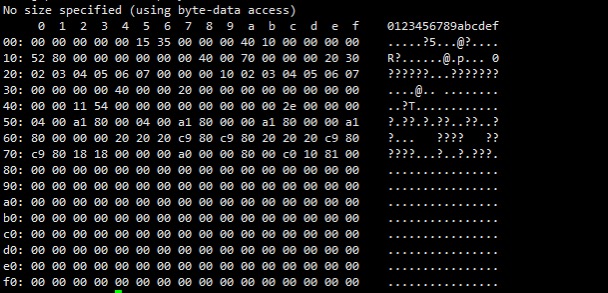
The register values read by the system are as below
756b820c374c9d33a94f7101d3745d91.png

log information2bed018280a9353fc70781b3d88d2b4a.png

SCH

ba73df93547d05e0c2ed117f3aa9b89a.jpg

  • Hi,

    Before the issue, when you have the communication issue, and then after reset, can you run "i2cdetect -y 1" in the terminal and show the results of that? I wonder if that I2C address is in use by something else on the system that got plugged in or connected after you started the session with the ADC? Are you able to restore communication after a full system restart? Is your register dump in the first picture before the connection error occurs?

    Best,
    Mir

  • Hi,

    After a communication issue occurred, running i2detect-y-a 1 without restart resulted in reading only 0xFF (which should be caused by communication abnormalities), and then after restart, running i2detect-y-a 1 stopped seeing the I2C node of the sound card device

  • Hi,

    Can you check this order of testing?

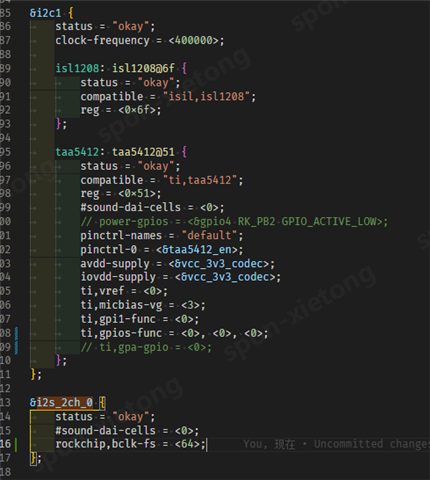
    First, remove all power from TAA and MCU. Disconnect SDA/SCL from TAA. Then, plug in MCU and check i2cdetect, to verify that nothing is in the register slot we expect (0xa0 or 0x50, not sure if 7 or 8 bit address for you). Then, connect power to TAA, then connect SDA/SCL to MCU. Then run i2cdetect, see if we have something in the slot we expect. Please send a screenshot or copy paste of what you get when you run i2cdetect here. Next, if we see the device show up there, please let me know what command you are doing to return 0xff for all registers. This may be caused by pulling the SDA line low from something else, so make sure that all other I2C devices are disconnected. Also, please check the SCL/SDA lines on a scope to verify what voltage they are at, and what voltage they change to when you send I2C detect and any other I2C commands to the TAA.

    Best,
    Mir

  • Hi,

    There are three devices on the customer's I2C bus, and the I2C address of one device can be accessed.

    TAA5412-Q1chencksum.doc

  • I2C timing

  • Hi,

    Can you show a screenshot of the Linux terminal i2cdetect commands when you have these issues accessing the I2C bus. Can you agister dump when the device is active so I can check on the DOUT? Typically the culprit for no DOUT is that you do not have the analog inputs configured, this will be in the dapm_route section of the driver.

    Best,
    Mir

  • Hi

    The I2C communication issue has been resolved.

    Currently encountering a problem in I2S mode, the acquisition channel only has a slight sound output at the beginning, and then it remains at 0 data
    I have looked at the relevant content of the document, and there should be no problem with the registers. Can you help me check what might be causing it?
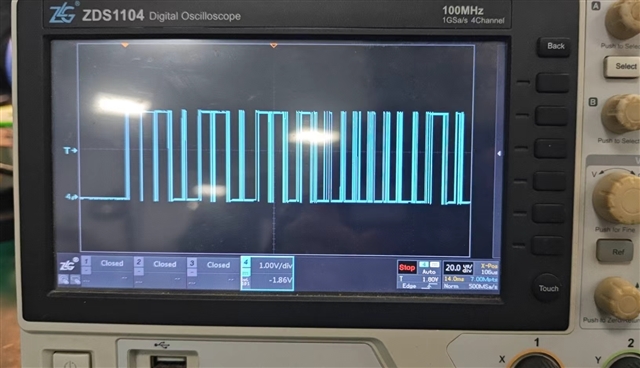
    At present, both FSYNC and BCLK clocks are correct. But the data cable of the sound card only outputs a little bit of data before stopping.

  • Hi,

    Today is a holiday for our team in the U.S. We will follow up with you again on Tuesday.

    Thank you for your patience,
    Jeff McPherson

  • Hi,

    I tried out your register dump as a script on an EVM, and I did get data out continually without this issue you describe, although note that the volume may be low because the full scale input is 10Vrms differential - this is changed with register 0x50, you can set it to 0x06 to reduce the full scale to 5Vrms. I tested with 2Vrms which gives -14dBFS (or -8dBFS if register 0x50 is changed). Here are a few things you can check on your system when the ADC stops:

    Before and during the data stopping, can you verify that the BCLK and WCLK clocks are constant? Can you also monitor the I2C lines to check if there are any register writes during that time that could be interrupting data? Finally, can you check the IOVDD and AVDD to make sure that they are not dropping (or increasing) at all during this?

    Best,
    Mir