This thread has been locked.

If you have a related question, please click the "Ask a related question" button in the top right corner. The newly created question will be automatically linked to this question.

stand alone aic3254 without USB controller

Other Parts Discussed in Thread: TLV320AIC3254

Hello  and all,

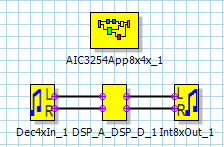
By refer to above processflow, After ‘Build download and run’ button is pressed, .cfg file will be generated.

So I use that .cfg file onto Aic3254 Control Software.

Then I go to Command line interface and look at Command buffer. So I paste the .cfg file to the command buffer and press execute command buffer.

Aic3254evm-k is running well until I Unplug USB and audio is stop playing.

I am Suspecting it has to do with USB MCK.

So how to program such in Appendix A Clocks and PLL Scripts SLAA404C PAGE 19, PAGE 20 to make the aic3254evm-k to be stand alone without USB cable or USB controller?

Thanks

kal

  • Hello Kal,

    The AIC3254EVM gets Digital Audio, I2C and power supply connections from USB, I suppose you are using an external supply but I'd like to ask if you are using external clocks. You can configure USBMODEVM to receive an external MCLK and I2S signals at J14 by the selection of SW2-5 as indicated in the user's guide. 

    Best Regards,

      -Diego Meléndez López
       Audio Applications Engineer

  • Hello Diego Meléndez ,  and all.

    Thanks for the reply.

    1. True that I am using an external supply. 

    2. I am not using external clocks yet.

    3. I found that PGA Analog Bypass script in AIC3254 CS is independent from sw2-5 (USB MCK)

    4. Is there any way by just configuring tlv320aic3254 so that MCLK is activated to drive stand alone system?

    5. Is it compulsory to drive the aic3254 from external clock (e.g. from arduino) for stand alone system?

    6. Is tlv320aic3254 did provide clock configuration to accommodate clock supply for the system?

    Best Regards,

    kal