This thread has been locked.

If you have a related question, please click the "Ask a related question" button in the top right corner. The newly created question will be automatically linked to this question.

TLV320DAC3100: Large Output Signal Condition

Part Number: TLV320DAC3100

Hi,

My customer is evaluating the TLV320DAC3100 with their system.

When SPK output signal is large, the sound stops.

What is this caused by?

Register values are below during stopping sound;

paeg0

0x03

0x66

0x25

0x8A

0x27

0xA0

0x2C

0x00

0x2E

0x08

page1

0x1E

0x00

0x1F

0x5C

0x20

0x06

Please let me know if you have any question.

Best Regards,

Kuramochi

  • Kuramochi-san,

    Could you provide the entire TLV320DAC3100 registers configuration? Additionally, could you share the TLV320DAC3100 schematic portion, please?

    This would help us to have a better approach to this issue.

    Thank you!

    Best regards,
    Luis Fernando Rodríguez S.
  • Luis-san,

    Thank you for your reply.

    I sent a private message with schematic and I'm requiring my customer another registers.

    Best Regards,
    Kuramochi
  • Lui-san,

    I provide register data as below;
    audio register
    page0:
    reg data
    {0x1b,0x0c}
    {0x05,0x14}
    {0x06,0x06}
    {0x07,0x00}
    {0x08,0x00}
    {0x0b,0x05}
    {0x0c,0x05}
    {0x0d,0x01}
    {0x0e,0xE0}
    {0x1d,0x01}
    {0x1e,0x9E}
    {0x05,0x94}
    {0x0b,0x85}
    {0x0c,0x85}
    {0x1e,0x9E}
    {0x3c,0x19}
    {0x48,0x40}
    {0x3f,0xd4}
    {0x41,0xf0}
    {0x42,0xf0}
    {0x40,0x00}
    page1
    reg data
    {0x26,0x9e}
    {0x25,0x9e}
    {0x1f,0x5c}
    {0x20,0x86}
    {0x28,0x02}
    {0x29,0x07}
    {0x2a,0x1d}
    {0x2b,0x00}

    Best Regards,
    Kuramochi
  • Kuramochi-san,

    I reviewed the information that you shared and I have few comments about it.

    - It seems that the schematic is all in order. I only recommend to leave the unused analog outputs (MICBIAS, HPL) as floating pins.

    - Regarding the registers configuration, is customer using 4MHz or 12MHz MCLK? In the schematic that you shared, it seems that MCLK can achieve this kind of clocks. If so, I strongly recommend to take a look at the clocking configuration again. With the PLL values that customer is using, the codec is configured with the following values:

    Actual Registers Settings

    CLOCKS

    CONDITIONS 4 MHz case 12 MHz case
    MCLK N/A 4 MHz 12 MHz
    CODEC_CLK_IN < 110MHz 96 MHz 288 MHz
    DAC_CLK < 49.152MHz 19.2 MHz 57.6 MHz
    DAC_MOD_CLK < 6.758 MHz 3.84 MHz 11.52 MHz
    DAC_FS (WCLK) < 192 KHz 8 KHz 24 KHz
    BDIV_CLK (BCLK) N/A 128 KHz 384 KHz

    Please notice that the 12MHz case doesn't respect all the conditions. On the other hand, 4 MHz respects them. Are these the values that customer expects?

    - Regarding the register 0x20, it seems that it is configured to power up de Class-D amplifier, but then the Class-D amp is powered down. Is customer connecting only one speaker? In the schematic, it seems that the SPKP and SPKM outputs are connected to SPK1 and SPK2. Please remember that this is a mono audio DAC. So, only one speaker is supported.

    Please let me know if you have questions or comments about this.

    Best regards,
    Luis Fernando Rodríguez S.

  • Luis-san,

    Thank you for your advise.

    Their MCLK is 4MHz, so their clock is no problem.

    Their system is connected 2 speakers.
    However, stopping sound occurs also in the case of also 1 speaker.
    Though I posted another thread, can short protection work?
    If short protection works, can we check it from any registers?
    (I couldn't find such registers/)

    This symptom occurs on 2 of 10 units.
    Please let me know if there is else possible reason.

    Best Regards,
    Kuramochi
  • Kuramochi-san,

    When only 1 speaker is connected, does customer try connecting SPKM outputs (pins 19 & 23) to one terminal and SPKP outputs (pins 22 & 26) to the other terminal? This is the suggested connection when speaker impedance is low.

    Additionally, may customer try disconnecting the capacitors 806, 807, 808 and 809 from speaker outputs?

    Please let me know if he gets different results.

    Best regards,
    Luis Fernando Rodríguez S.
  • Hello, Kuramochi-san,

    Excuse me, do you have any update about this? Did you have the chance to take a look at my questions above?

    Thank you.

    Best regards,
    Luis Fernando Rodríguez S.
  • Luis-san,

    Thank you for your help.

    I have not received the response about it yet from customer.

    I have an additional question.

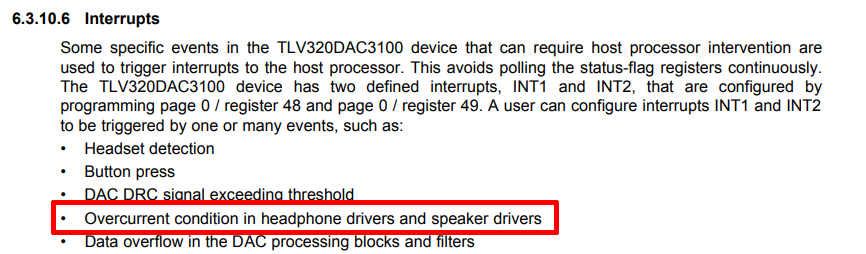
    It is mentioned about "Overcurrent condition " on the datasheet as below.

    If shor-circuit protection work, does the trigger interrupt?

    If yes, does the device detect the current value of SPKVDD pin?

    If no, how the device detect overcurrent condition?

    Best Regards,

    Kuramochi

  • Kuramochi-san,

    Overcurrent condition is related to headphone and speaker outputs current. This is a protection for cases where short-circuit is presented at the headphone or speaker driver. When an impedance below the minimum value (4 ohms for speaker driver and 16 ohms for headphone driver) is connected or there's a short-circuit between the drivers terminals, the TLV320DAC3100 will be protected until a hardware or software reset is applied.

    The overcurrent detection event takes place in the headphone and speaker drivers independently, not at the power supplies pins (such SPKVDD). The TLV320DAC3100 is capable to measure and compare the current in both drivers and enable a flag in Page 1 / Register 31 / Bit D0 for headphone driver and Page 1 / Register 32 / Bit D0 for Class-D speaker driver. This flag can be associated to an interrupt pin with Page 0 / Registers 48-49 / Bit D3.

    Best regards,
    Luis Fernando Rodríguez S.

  • Luis-san,

    Have you ever heard same problem(misdetection of short circuit)?

    Best Regards,
    Kuramochi
  • Kuramochi-san,

    Short-circuit protection is always enabled in this device. Both headphone and Class-D outputs are protected for cases where overcurrent is reached. However, it is possible to power down the device or limit the maximum current at the headphone driver outputs.

    Page 1 / Register 31 / Bit D1 is used to configure the headphone driver. It makes the device respond to the overcurrent event powering down the TLV320DAC3100 output or limiting the heapdhone current.

    Could you provide more details about your misdetection issue? Do you intentionally generate the short circuit at the outputs? Is the short-circuit flag enabled after this event?

    Best regards,
    Luis Fernando Rodríguez S.