This thread has been locked.

If you have a related question, please click the "Ask a related question" button in the top right corner. The newly created question will be automatically linked to this question.

TAS2505EVM: Getting started with EVM?

Part Number: TAS2505EVM
Other Parts Discussed in Thread: TAS2505, , TAS2505-Q1EVM

Team,

Are both "Codec Control SW" (SLAC366A) and "GUI SW" (SLAC772) needed to use the TAS2505 EVM?

-The TAS25xx Codec Control EVM (Rev. A) only mentions Codec Control SW (SLAC)
                http://www.ti.com/tool/TAS2505EVM#technicaldocuments
The below post mentions the two SW:
https://e2e.ti.com/support/audio/f/6/p/822808/3043836#3043836 Could you please clarify?

-Can both "Codec Control SW" (SLAC366A) and "GUI SW" (SLAC772) be used on Win 10?
What is the procedure to install it on Win 10?

Thanks in advance,

A.

  • Hello A, 

    To download Codec Control for the TAS2505, or TAS2505 Q1 EVM, I recommend the following steps: 

    1. ti.com

    2. Search for "TAS2505" in the search bar, and redirect to the product folder. 

    3. Click on the Design and Development Tab 

    4. Scroll Down to Software: TAS25xx Codec Control EVM GUI 

    5. The downloaded GUI should be SLAC772.zip

    This procedure can be used for Windows 10. Please let me know if you have additional questions. 

    All the best, 

    Carolina Gomez 

  • Hi Carolina,

    1) My customer did this but the TAS2505 EVM does not seem to be recognized by the GUI SW (SLAC772).
    -Is there a special procedure needed so that WINDOWS will install the according dirvers?
    -Are the drivers installed by the GUI SW or is it a manual process?
    -Does the GUI need to be installed with Admin right?

    2) I started to look at the E2E as 1) did not work accordingly.
    -Can you confirm the SLAC772 is enough to use the TAS2505 EVM?
    -Or Is SLAC366A still needed in some cases? If yes when?

    Thanks!

    A.

  • Hi A, 

    I just downloaded the software onto a new computer, the procedure: 

    1. Download software 

    2. Extract all to a permanent location

    3. With the folder location open, open "CodecControl.exe"

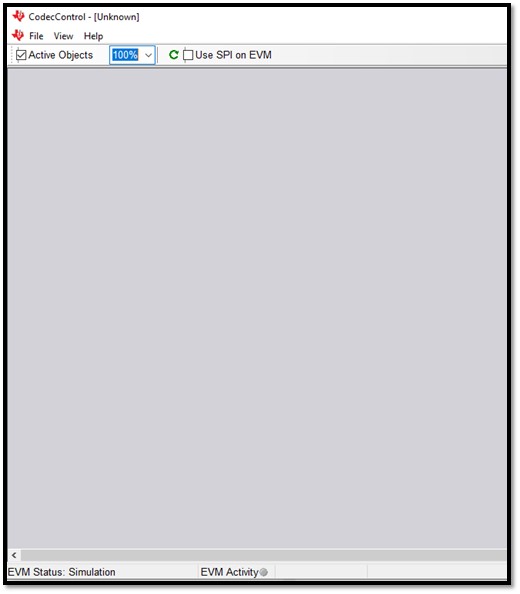
    4. A gray window should appear

    5. Plug in TAS2505 EVM 

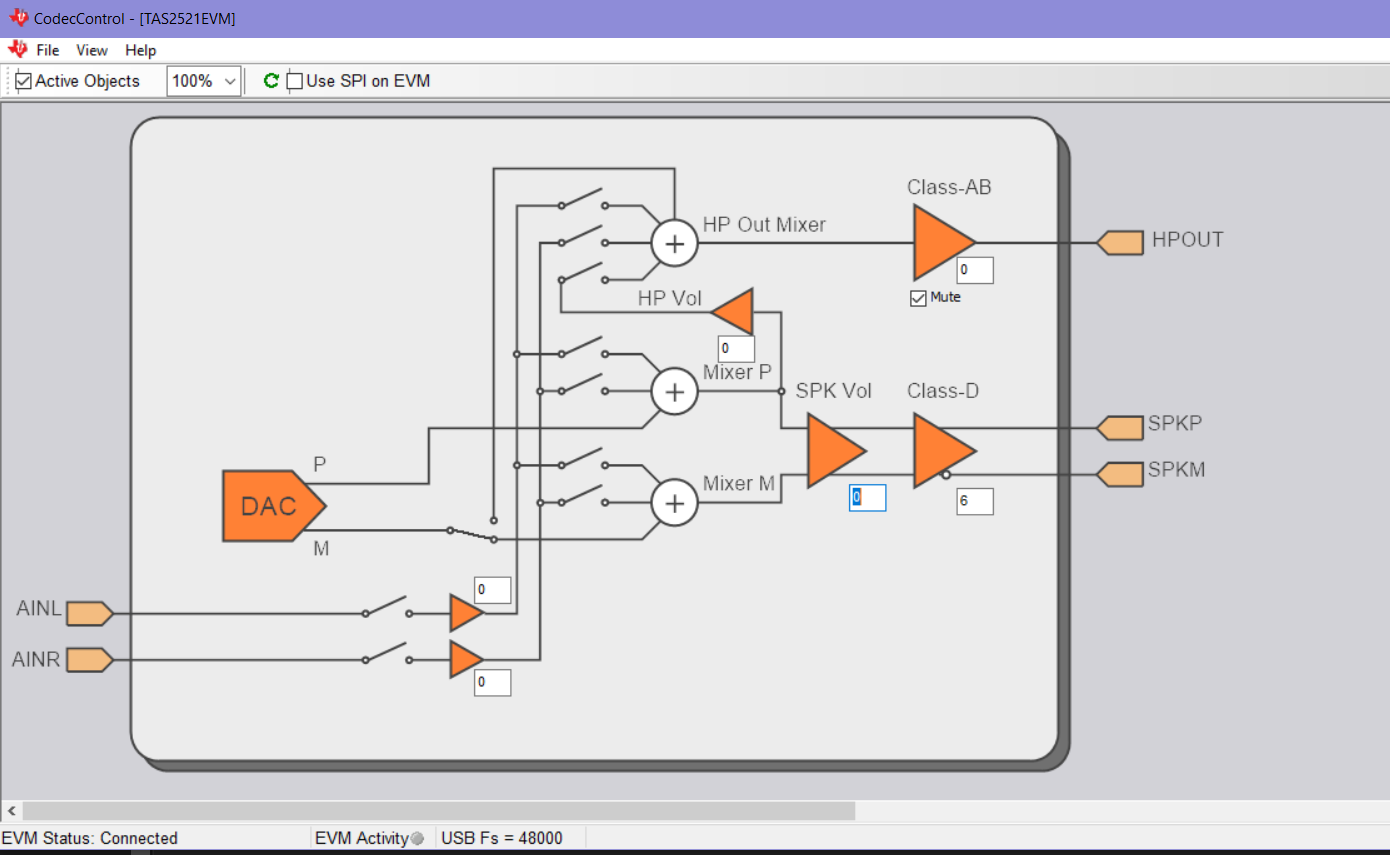
    6. The gray window should turn into the GUI

    Please let me know if this works for your customer. 

    All the best, 

    Carolina

  • we followed the description, step by step, anyway the result was the same.

    When I plug in the USB the EVM appears like unknown, even on CodecControl appears as a unknow device, see picture bellow.

    When I try to connect to it, nothing appears:


  • Hello A, 

    It appears that you are using the Codec Control GUI under EVM simulation. 

    Please close the executable and reopen. Do not press anything in the GUI and plug in the TAS2505EVM. 

    The following page should pop up: 

    Additionally, do you have the folder location open when opening the executable? 

    All the best, 

    Carolina

  • Hi Carolina,

    No progress so far.

    -Your procedure was tried multiple times.
    Windows version is Win 10.
    The behavior does not change when the CodecControl.exe is run as admin.
    Customer tried on different USB port and with different cables.
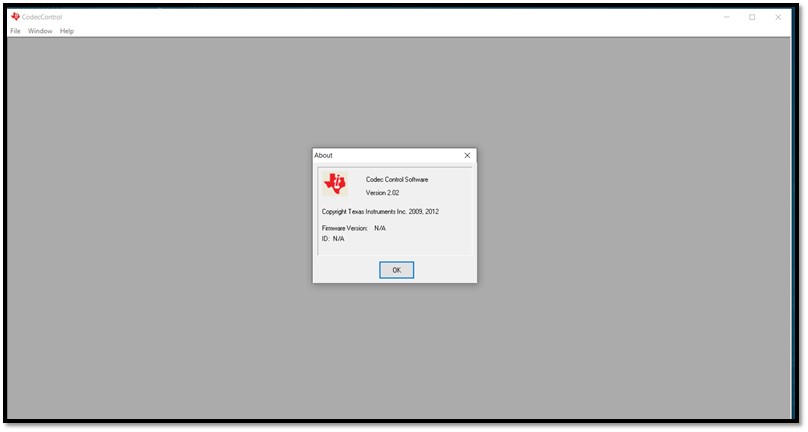
    See below the version of the tools used:


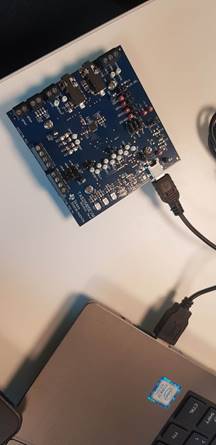
    -On the HW side and board setup:
      -How to check if the EVM is recognized by the OS?
      -How to check if the EVM card has the default settings (ie jumpers default position)?
       The jumpers are listed in the schematics (page 9 of SLAU498A ) however it does not give the default position.
      -How to check that the EVM is functional? Should some LED blink when USB is connected?

    The voltage on 1V8, 3V3 and 5V test points were measured.
    The results using the external supply were as expected. All the test points has the constant voltage there.
    However when the J10 connector was changed to use the input voltage from USB cable the voltage on those test points were not constant, neither similar whose we expected.
    For both case the LED’s never turn on.

    Please advise!


    Thanks in advance!

    A.

  • Hello A, 

    Based off your pictures, the jumper settings are correct. 

    The LEDs (D1 and D2) should both be turned on for either power input (USB or External). 

    Since neither are on, I believe that the EVM you have is damaged. I would order another one. 

    All the best, 

    Carolina 

  • Hi Carolina,

    Thanks for your help.
    Just for completeness I am posting some quick check info you provided me:

    Power Supply:

    The TAS2505 EVM can be powered externally using a 5V supply or the USB.


    Default Jumper Settings:

    The jumper settings the EVM comes with is for USB, I2S, I2C, and not using external LDO.

    If your customer would like to use the external LDO, the LDO_SEL jumper can be moved to pin 1 and 2 and W11 should be removed.


    Quick Check if EVM is functional:

    To check if EVM is fully functional, both LEDs (D1 and D2) should be on.

    Additionally, once connected to the GUI:

    View -> Example Configurations -> Program Codec -> Play music

    Also the TAS2505-Q1EVM documentation provides more information on how to use/setup the EVM board:

    http://www.ti.com/tool/TAS2505-Q1EVM


    BR,

    A.