This thread has been locked.

If you have a related question, please click the "Ask a related question" button in the top right corner. The newly created question will be automatically linked to this question.

TLV320AIC3106 driver installation issue

Other Parts Discussed in Thread: TLV320AIC3106

Hi,

We have recently purchased a TLV320AIC3106 EVM kit. When I have tried to install USB-MODEVM in both Windows 7 and 10, I have faced issues. I could not install the driver properly, due to which I could not use the application software (AIC3106). Please support me to find the right package for the USB-MODEVM driver.

Thanks in advance.

Regards

Pavithra

  • Hello Pavithra,

    Can you please follow follow the information in the following E2E post:

    Let me know if this helps any.

    Regards,

    Aaron

  • Hi,

    Even after disabling the digital signature verification, I could not use the driver. The driver got installed without any issue, but when I launch the application software I am getting "Connect the USB" pop up window even though I connect it to the USB. Please let me know what I am missing here. I have tested in another PC as well, and the issue is repeatable. Kindly respond!

    Regards

    Pavithra

  • Hello Pavithra,

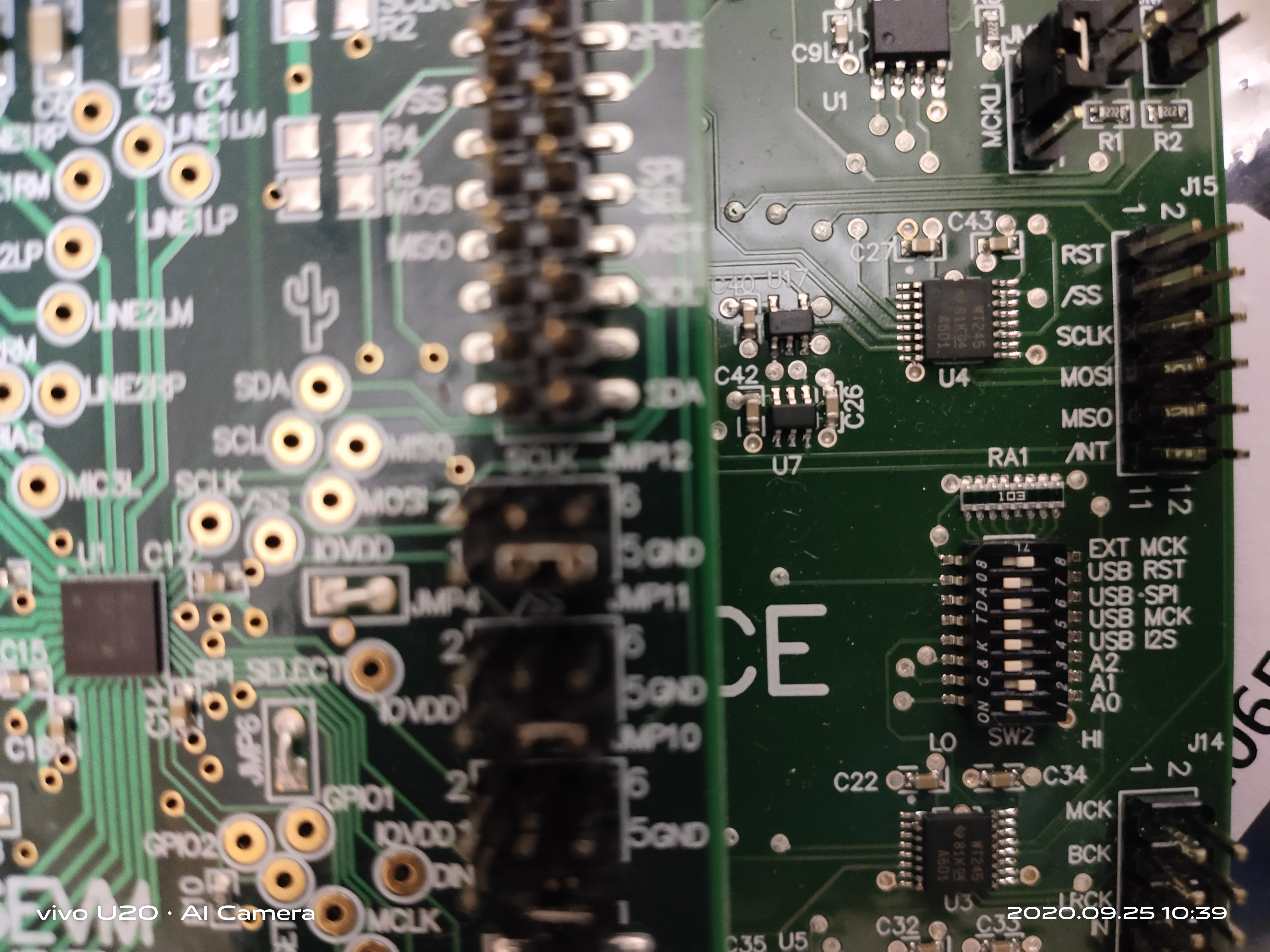
    Is LED D2 powered on when you connected the EVM to the PC? Can you please share an image of the USB-MODEVM board with emphasis on SW2 as well as the EVM daughter card? I would like to make sure that the jumpers are in the correct locations. 

    Also, can you share an image of the Hardware Id? You can go to Device Manager, right click on USB-MODEVM under the NI-VISA USB Devices tab and go to Properties. Then go to Details tab and in the drop down, click on Hardware Ids

    Regards,

    Aaron

  • Hi Aaron,

    The LED D2 is not active. and I could see that the driver is still under unknown device list, even after executing the "USB-MODEVM_vista&7.inf" file. PFA the driver status from device manager. Please share me any other solution/driver installer files for installing the driver properly. I have also attached the hardware LED status and SW2 status.

    Just a doubt to clarify: Will the board work if I try to access the I2C from an external DSP processor, in the absence of driver and only with board powered-up?

    Looking forward to your support.

    Regards

    Pavithra

  • Hello Pavithra,

    SW2 seems to be incorrect. A1 should be set to LO position. All switches should be set LO except for EXT MCLK. After this, LED D2 should illuminate. Then check connected with PC. 

    External communication should be possible but I would assume you would have to disable I2C from USB-MODEVM board first. There is a schematic available on the AIC3106 User's Guide.

    Regards,
    Aaron