This thread has been locked.

If you have a related question, please click the "Ask a related question" button in the top right corner. The newly created question will be automatically linked to this question.

TLV320AIC3254: I2S

Part Number: TLV320AIC3254
Other Parts Discussed in Thread: PUREPATHSTUDIO,

Hello,

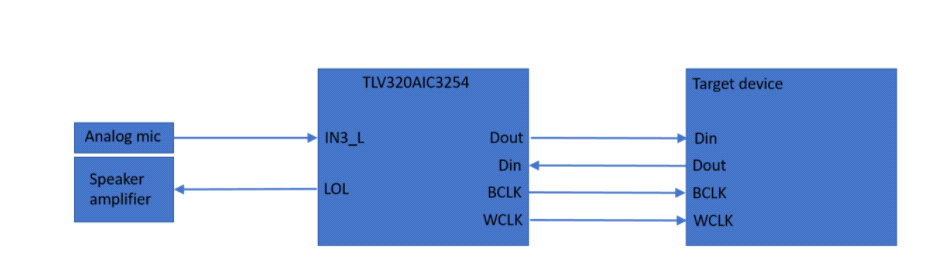
I am working with the "TLVAIC3254" and I want to use it with I2S.

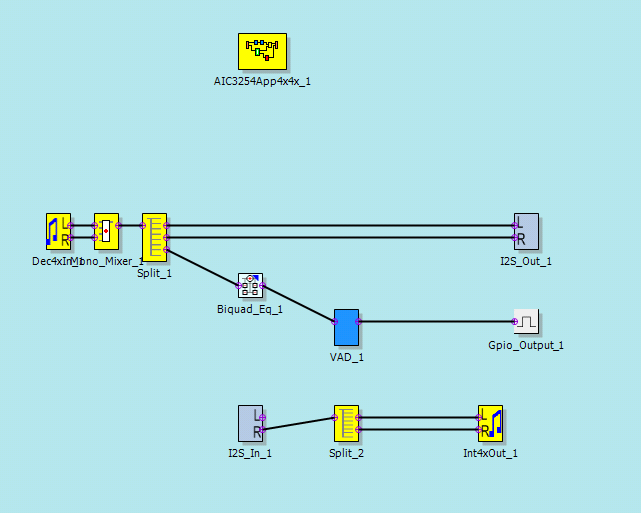
I make this process flow with “PurePathstudio mini DSP GDE” and I run it on the "EVM"with a rate of 16 kHz

The sound is very good from TLV to the Target Device (On Dout on the TLV) but it is impossible to understand (very saturated), in the other way, from the Target Device to the TLV, (On Din).

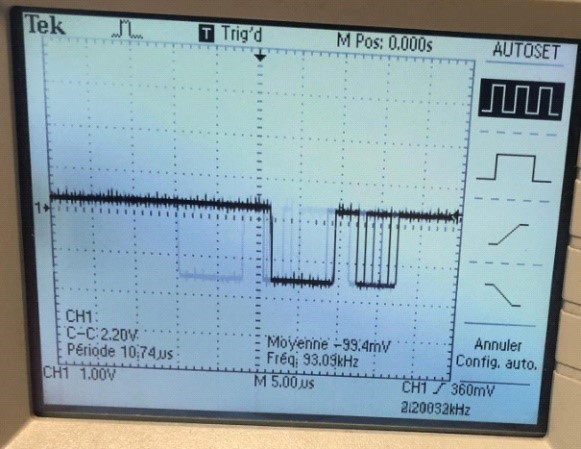
I measure and record the signal on Dout and Din with an oscilloscope:


DIN of TLV :

DOUT of TLV :

Have you any idea why I can only work it on one way?


Thank you !

  • Hello,

    We are looking into this thread.  However, the images you attempted to attach did not make it through.  Would you insert them with the "Insert Image" button in the text editor?  Thanks!

  • Hello,

    I 'm sorry for my mystake. I will restart from the beggining and i hope you will see the image.

    I am working with the "TLVAIC3254" and I want to use it with I2S.

    I make this process flow with “PurePathstudio mini DSP GDE” and I run it on the "EVM"with a rate of 16 kHz

    The sound is very good from TLV to the Target Device (On Dout on the TLV) but it is impossible to understand (very saturated), in the other way, from the Target Device to the TLV, (On Din).

    I measure and record the signal on Dout and Din with an oscilloscope:

    DIN of TLV : 

    Dout of TLV : 

    Have you any idea why I can only work it on one way?


    Thank you !

  • It could be a mismatch in the data format. What is the ASI data format and word length set on AIC3204 and is the target device also using the same data format and word length ? I see that only the right channel is being processed in the DAC miniDSP. Please capture the FSYNC and DIN signals and verify that the data is being transmitted in the right BCLK slot.

    Best Regards.

  • Let us know if you need further assistance on the above. I shall close the thread. Responding will re-open the thread..

    Best Regards.

  • Hi,

    I 'm sorry i was in hollidays last week

    For now, I can tell you the word length on AIC3254 is 16 bits, i don't know the data format (i am currently searching it...)
    The target device is using a codec G722 and the word length is 16 bits

    i also try to process both channel but i have the same problem.

    My FSYNC is 16khz and it look like good

    I will verify that the data is being transmitted and on the right BCLK slot this afternoon

    Thank You

  • You may use a mixer to mix the left and right I2S data before routing it to the splitter. That way you will see an output even if the data is sent on the left slot.

    What is the BCLK and FS clock frequency that you are using for this test?

    Best Regards.

  • Do you have a datasheet for the target device?

    Best Regards.

  • The BCLK is 1 MHz  an the FS is 16 kHz

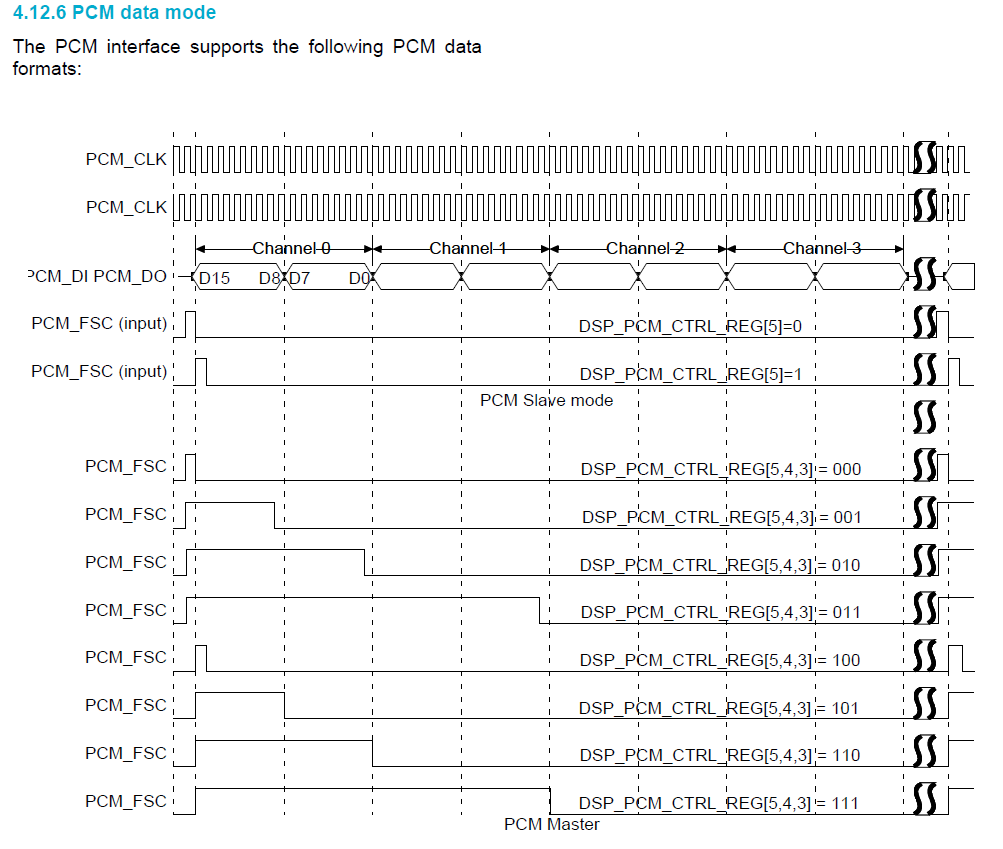
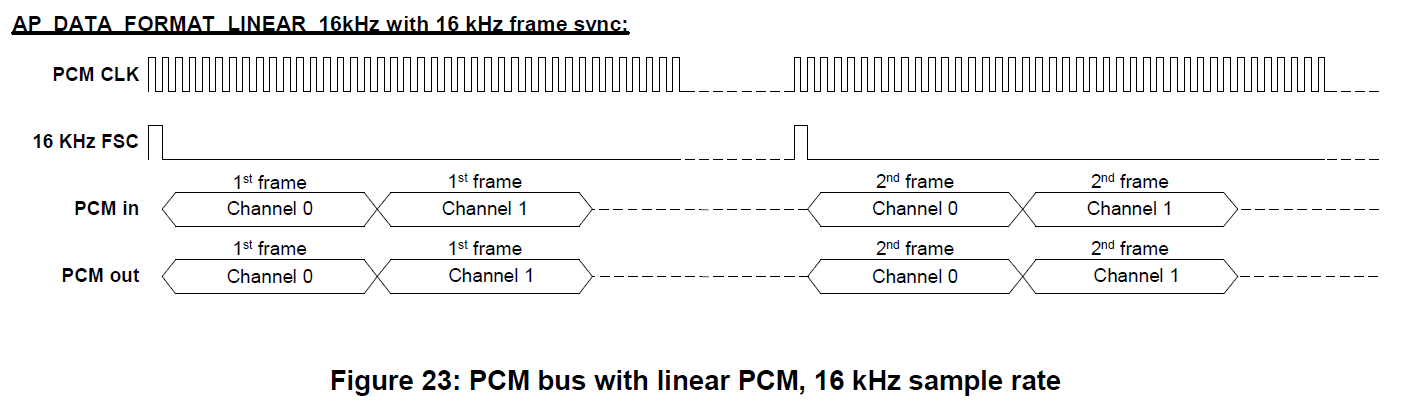
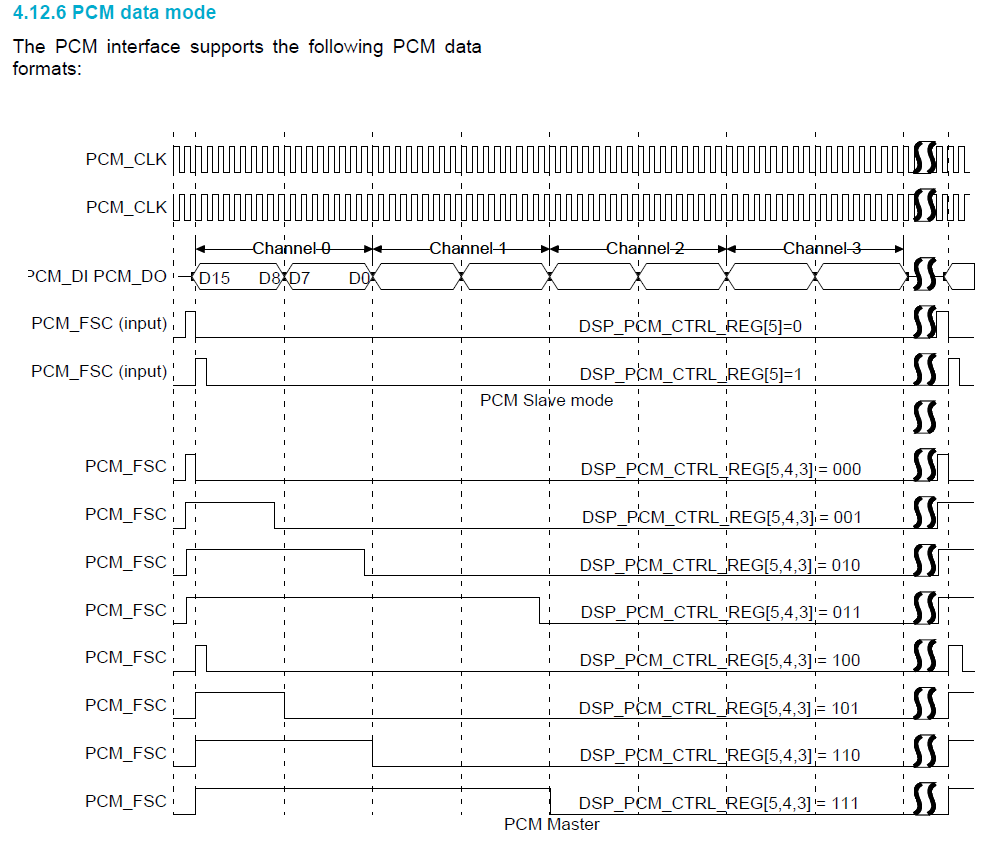
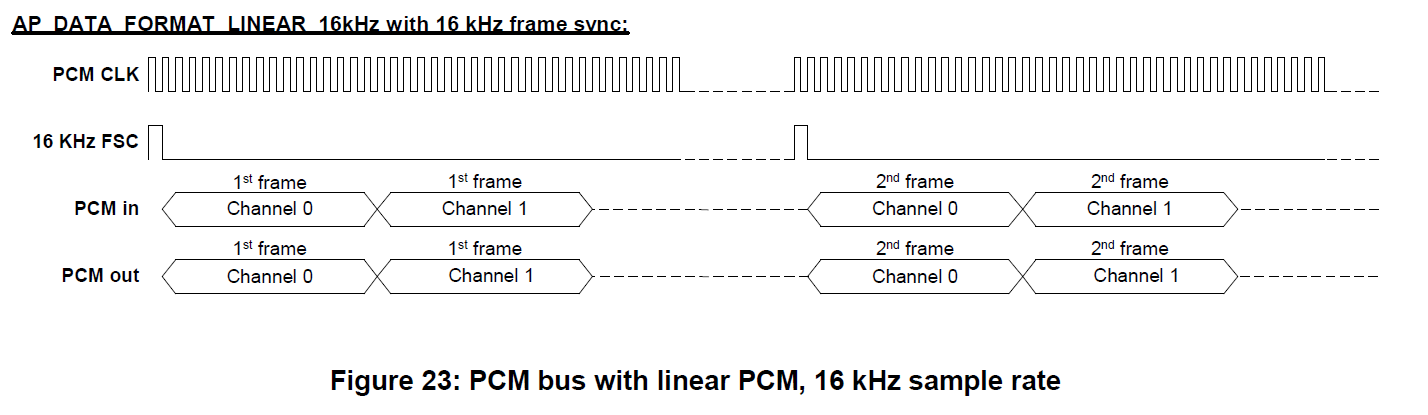
  • Here you find the part about the PCM of the target device :

  • Here you find the part about the PCM of the target device :

    Best Regards

  • Hi,

    Thanks for sharing the interface data format. AIC3254 ASI1 is set to slave by default in PPS. So there may an issue while you were configuring it as master.

    Could you let us know

    (1) the changes were done in PPS to configure ASI1 as master and

    (2) the connections done on the EVM to interface to the external codec

    Diljith

  • Did you get a chance to review the setup and the PPS configuration changes?

    Best Regards.

  • Hi,

    I 'm actually working on it.

    I want to use the TLV320AIC3254 as slave, my BCLK is 1.152 MHz and the WCLK is 16 kHz but it is not working from now...

    If I want to try it as master which configuration should i do ?

    Best Regards

  • Slave configuration is probably easier. You can use the J14 interface on the EVM motherboard to connect to the external codec.

    Please refer to Section 2.4 in the EVM User's Guide (ti.com/lit/slau264a) for more information.

    The MCLK, BCLK, LRCLK, DIN and DOUT signals have to routed through J14 and the SW2 switch has to be set appropriately for external connection. Have you tried that? What was the issue you faced?

    Best Regards.