This thread has been locked.

If you have a related question, please click the "Ask a related question" button in the top right corner. The newly created question will be automatically linked to this question.

ADS1299EEGFE-PDK: ADS1299ECG-FE software outputs some errors (error code 1, error code 6004).

Part Number: ADS1299EEGFE-PDK
Other Parts Discussed in Thread: ADS1299,

Hello TI,

I encountered ADS1299 software's problem. That problem is that the software outputs error code 1 and 6004. Then I cannot use ADS1299EEGFE-PDK at all.

I used 2 boards joint(MMB0 and ADS daughter), supplied 6V into MMB0, then connected USB cable into my WINDOWS10 PC. 

At this time, I could confirm that MMB0 was detected by Windows10 PC. (please see the above image).

Next, I started the "ADS1299EEG-FE" software, then the 1st error appeared, that is "error code 1". (please see the above image)

Next I pushed "OK" and clicked "Analysis" tab and "Scope" tab. After that, I pushed the "ACQUIRE" button.

HOWEVER the 2nd error appeared like below image.
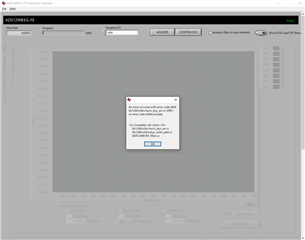
I think that is driver installation problem. But I'm not sure how to solve this problem.

So could you please tell me how to solve this issue ?

Thanks.

  • Hi Tomohiro-san,

    Welcome to the E2E forum !!! 

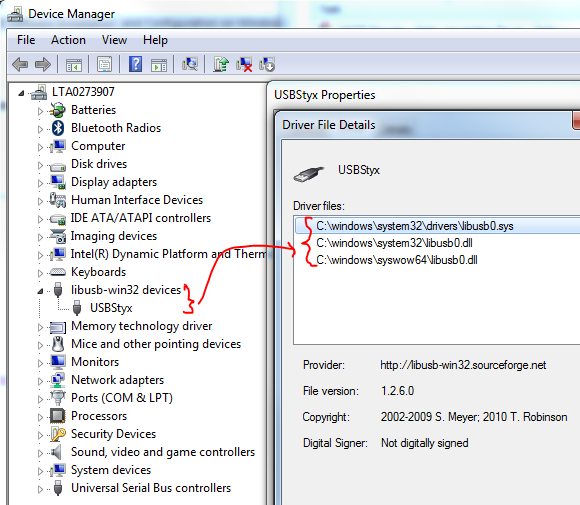
    It seems like there may be some issue with the USBStyx driver during the installation process. When you start the ADS1299ECG-PDK software, you should see the EVM re-enumerate as a USBStyx device (see the device manager picture below). Please uninstall the software entirely and try to reinstall the software with the Administrator's right. Please make sure you follow the step 3.3.1 in the user's guide (page 12) to install the USBStyx driver. You should not see error code 1 when you start the PC GUI software.

    Other issues are associated with the error code 604, such as the jumper setting on the EVM. Therefore, I suggest that you configure the ADS1299EEGFE-PDK hardware as described in the Factory Default section of the User Guide (Section 2.5).

    Thanks

    -TC

  • Hello TC, thank you for your answer.

    I'll do uninstalling software and confirming jumper setting.

    If the issue remains, please let me ask again.

    Thanks.

  • Hi Tomohiro-san,

    Thanks for the update. Please let me know if you still have an issue with the software installation.

    Thanks

    -TC

  • Hello TC,

    I've confirmed the jumper settings, re-installed the software with Administrator right and followed the step 3.3 in user manual.

    However, I encountered the same error as previous. Also the USBStyx was not shown in device manager.

    The procedure is that 

    1. Apply power to the MMB0 and connect the MMB0 to my Windows10 PC.

       -> At this point, I can see MMB0 is detected by my PC (below image).

    2. Launch ADS1299 software

       -> At this point, I can see 2 below images continuously.

    then,

    3. Push "OK" button and go to "Analysis tab" and push the "ACQUIRE" button.

       -> At this point, I see the 6004 error message(below image).

    How should I do to improve this situation?

    Thanks.

  • Hello TC.

    I could fix this issue. It seems the cause is access right into C:\Users\xxxx\Documents\ads1299\saved.

    I've modified the "DataDir" in the ADS1299EVM.ini under C:\Program Files (x86)\ADS1299EEG-FE

    After that, ADS1299EVM worked fine. Two errors( code 1 & 6004 ) have gone.

    Thank you for your support.