This thread has been locked.

If you have a related question, please click the "Ask a related question" button in the top right corner. The newly created question will be automatically linked to this question.

AMC7834EVM: AMC7834EVM - SPI Comms dead

Part Number: AMC7834EVM
Other Parts Discussed in Thread: AMC7834

Problem: Attempting to communicate with AMC7834EVM over SPI using the TI supplied SDM-USB-DIG dongle does not work. All read operations return a value of 0xFFFF and all write operations do not appear to take effect (read back returns a value of 0xFFFF).

Setup: I have the AMC7834EVM connected to a bench supply set to +24V (centre positive) and the SDM-USB-DIG dongle connected to the eval board and to my windows machine running the AMC7834EVM GUI.

Troubleshooting:

Figure 1: SPI Write operation. Here I sent a write command for the POWER_MODE register with a value of 0x02 (which should set the AMC into Active Mode). 
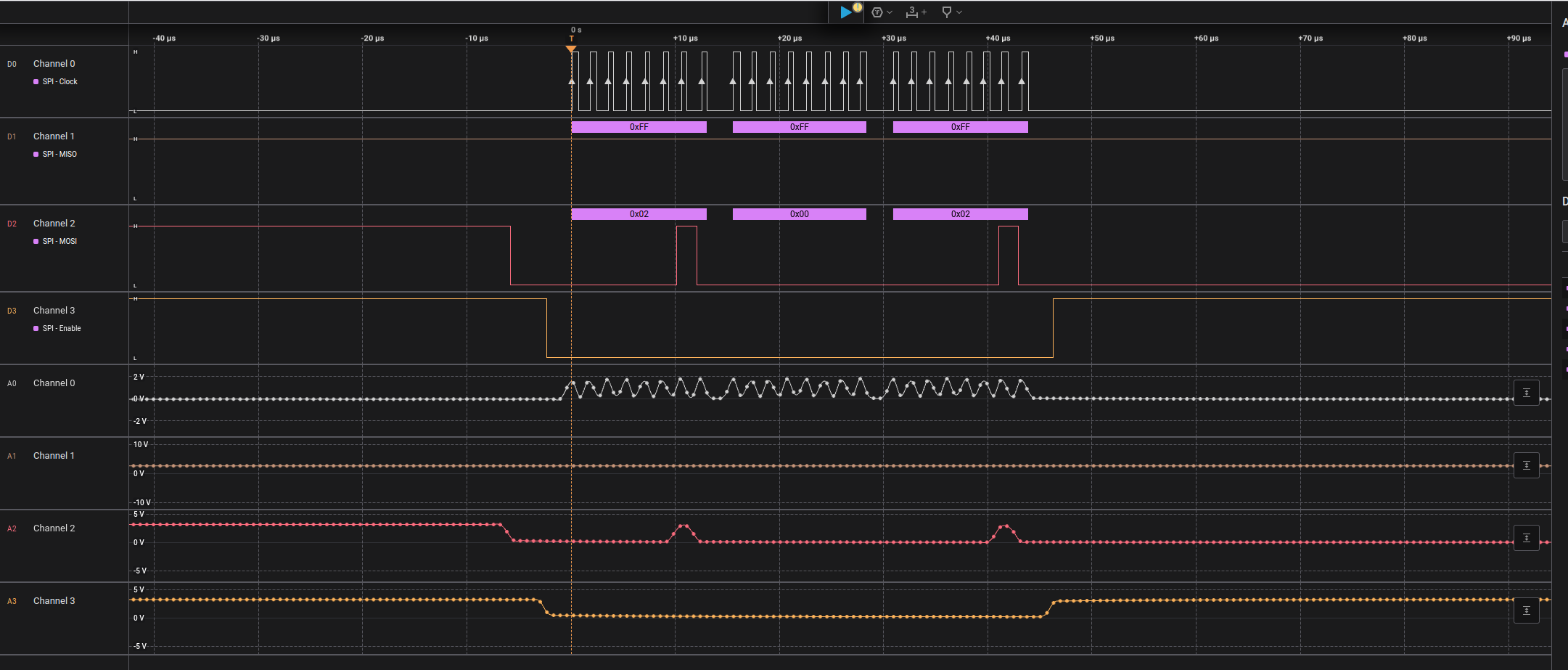
TI_write1.png


Figure 2: SPI Read operation. Here I sent a writeRead command for the POWER_MODE register value. The AMC should have sent the value that was just written to it however the MISO line stays high (corresponding to a value of 0xFFFF).
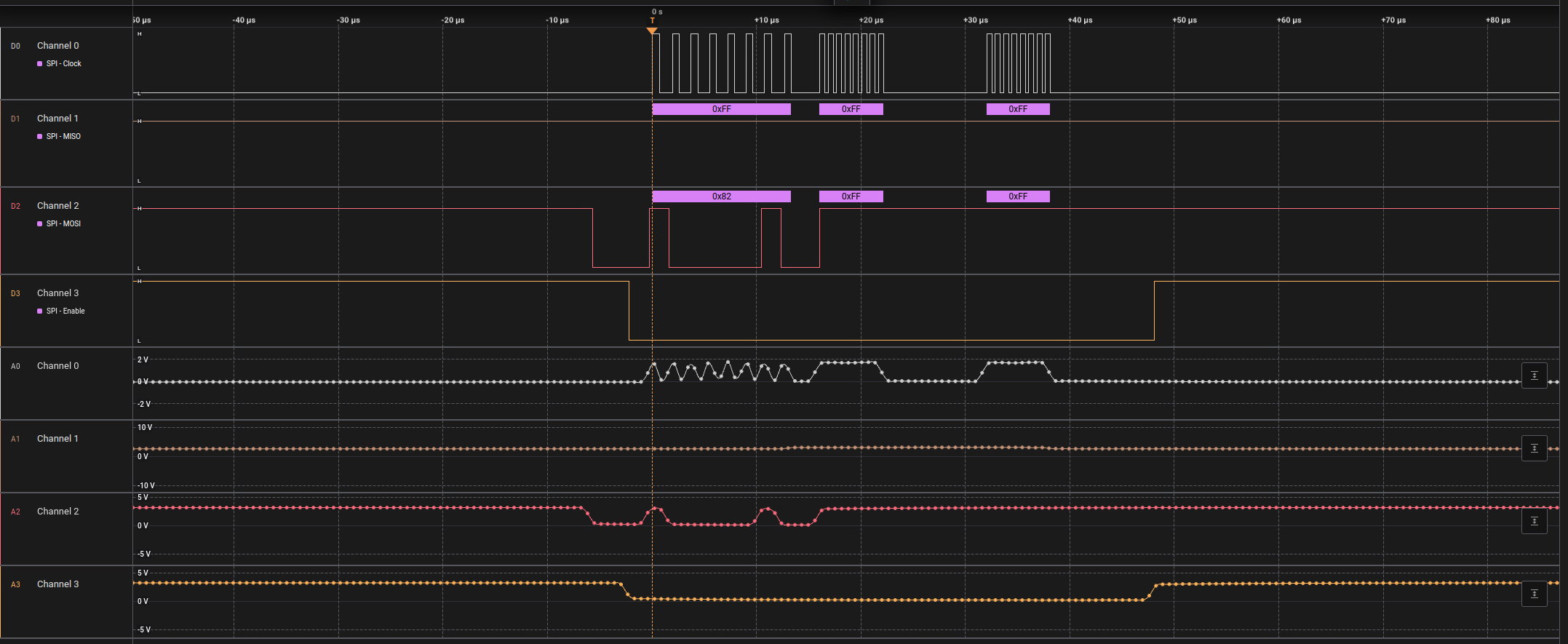
TI_read1.png

Figure 3: Using the AMC7834EVM GUI read all registers returns 0xFFFF for all registers. I tried writing to various Write enabled registers but still read back 0xFFFF.
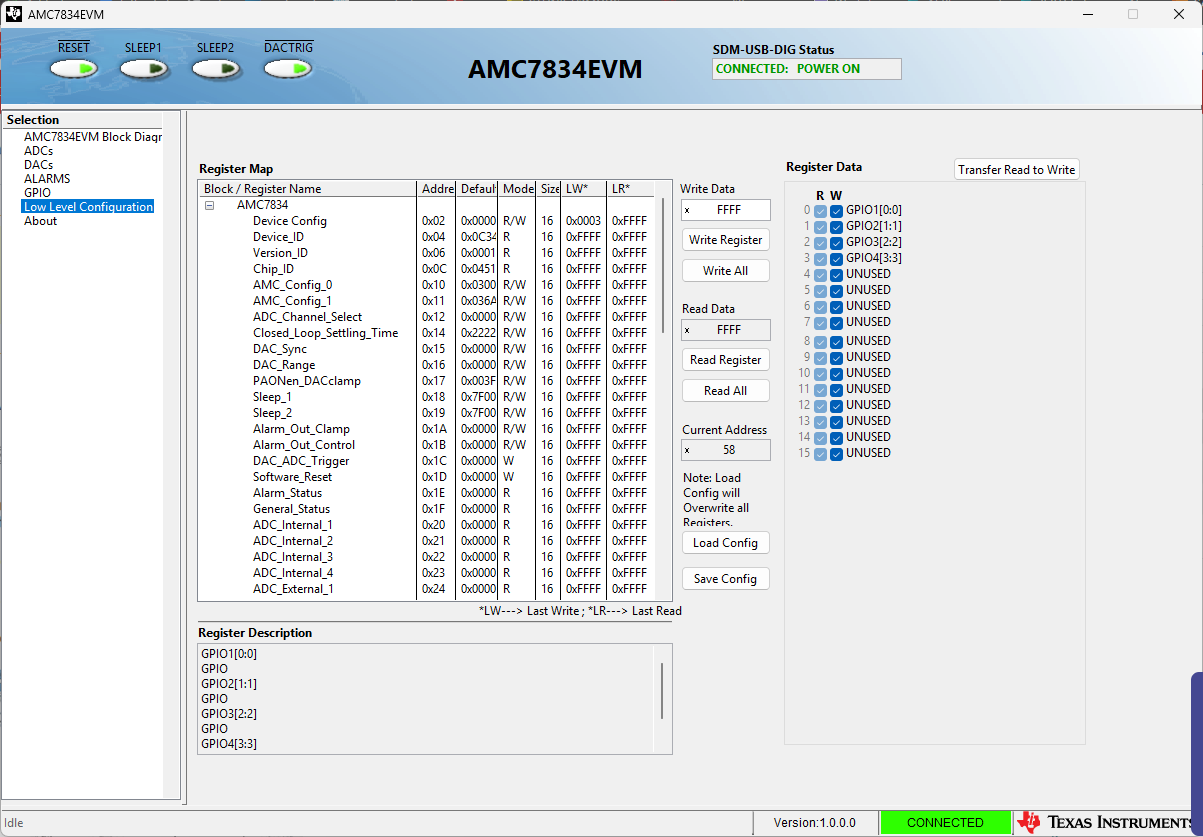
Screenshot 2026-04-23 145023.png

We have probed the following test points/signal lines on the AMC7834EVM board with the observed voltage shown. The hardware surrounding the AMC7834 chip itself (i.e. voltage regulators etc) appear to be working correctly.

TP2 = 5V

TP3 = 5V

TP4 = -5V

TP5 = 3.28V

RESET = 3.3V

SLEEP1 = 0.03V

SLEEP2 = 0.03V

REF_OUT = 2.48V


Do we need to enable the AMC7834 by setting some input line high/low? Or do we need to blind-write to a register to enable the chip?

  • Hi Joshua,

    Sometimes these older EVMs can be a little finicky. I'll check with my own board today and get back to you.

    Thanks,
    Erin

  • Hi Joshua,

    So, here's what I did to start up the EVM
    -I applied the voltages externally (I don't have a 24V plug for using the on-board supplies)
    -I connected the EVM GUI
    -In the GUI, I read back the DEVICE ID register in the low level page. This operation was successful.

    In general, it doesn't seem like you need anything special to start reading from the device.

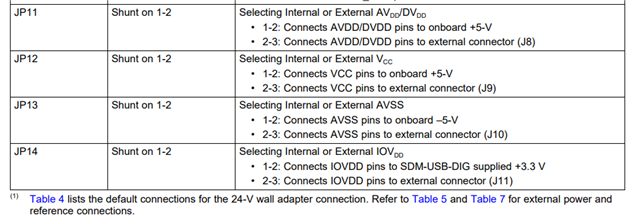
    Your supply voltages look good. Let's make sure your jumper positions are correct in accordance with the user's guide.

    All of these jumpers should be in the "1-2" position to enable on-board supply connections.

    On the USB2DIG pcb, please check to see if 2 LEDs are lit up on the board. I've had issues with these boards in the past where one pin will slowly ground itself, causing issues on the EVM.

    it may also be helpful to measure the supply capacitors close to the DUT to ensure the voltage is reaching the pins.

    Thanks,
    Erin

  • Hi Erin

    Thanks for the response. I confirmed all jumpers are set to the listed positions and checked all the supply capacitors (with the help of a Hardware engineer) and they are all reading correct voltages. We are powering the EVM via a bench power supply and just noticed that it is only drawing ~20mA (with a current limit of 1A). We continued investigating further under the assumption the low current draw was caused by the Chip not being enabled, but now we think the Chip is dead.

    If you know of any way to confirm that the chip is dead (other than trying to read back a register over SPI), please let me know. 

    Thanks for your help.

    Josh

  • Hi Josh,

    When testing a working EVM, I see around 25mA input current. There's a chance we have a blown supply in your case. The device should work easily if you have all power supplies valid and are sending commands through the software.

    Could you also double check the USB_SMD_DIG to make sure both LEDs are enabled?

    Send me an email at e-bowrie@ti.com and I'll send you a free replacement.

    Thanks,
    Erin

  • Hi Erin

    I tried another known working bench power supply and no change - the EVM still appears dead.

    On the USB_SMD_DIG, both LEDs are enabled. I am using v1.0.0.0 of the GUI AMC7834EVM on Windows and have even monitored the output the SPI output of the USB_SMD_DIG and it is working correctly.

    I'll send you an email regarding a replacement. 

    Cheers

    Josh

  • Hi Josh,

    Appreciate the clarification. Closing this thread for now, feel free to re-open it if the second EVM does not work as expected.

    Thanks,
    Erin