This thread has been locked.

If you have a related question, please click the "Ask a related question" button in the top right corner. The newly created question will be automatically linked to this question.

DAC8831EVM: DAC8831EVM GUI cannot connect to the device

Part Number: DAC8831EVM
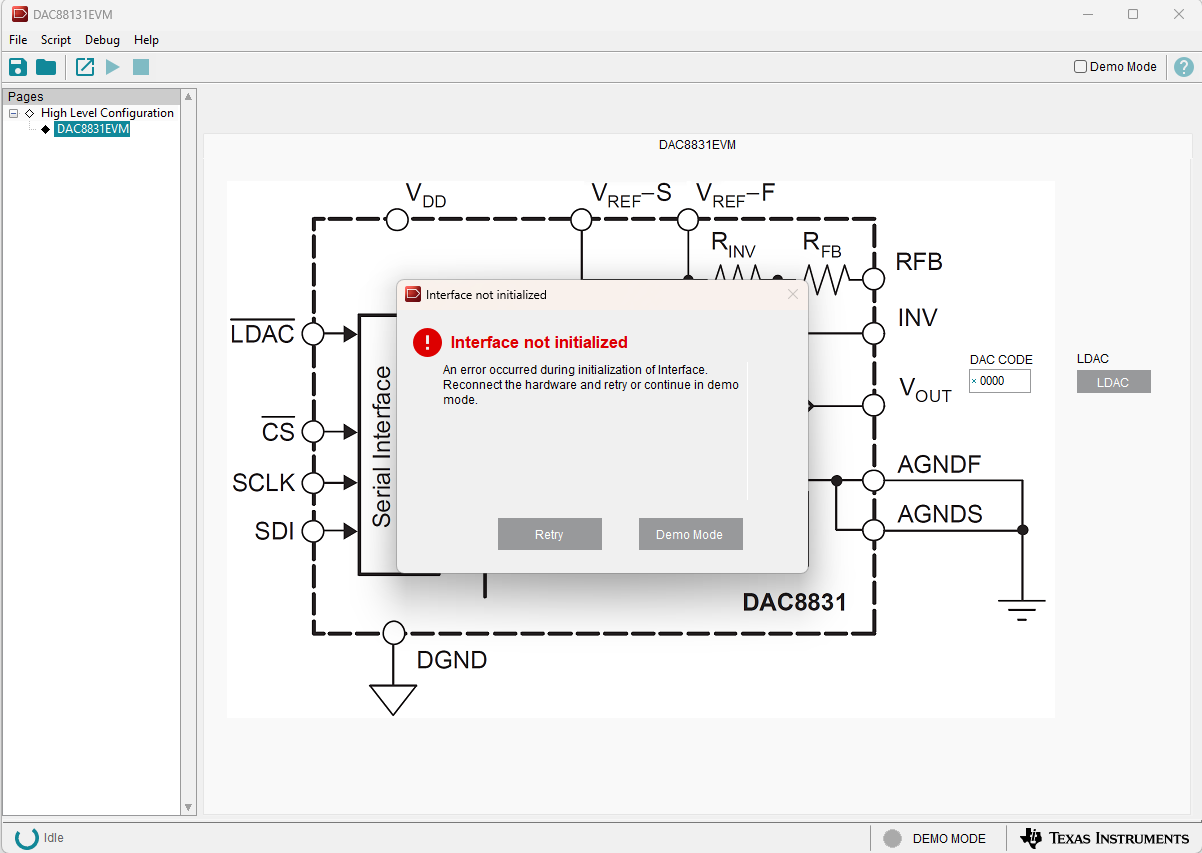
image.png

the moment I open GUI this shows up, and does not help by connet/disconnect the USB to the DAC8831EVM again and again

It is possible to go to demo mode

  • Hi Zoe,

    There could be a few reasons for this.

    1) Sometimes the on-board FTDI takes a bit to connect to the PC. Waiting a bit after plugging it in or repeatedly pressing "Retry" can convince it to connect.

    2) It won't connect if you didn't install the drivers. The FTDI drivers comes with the EVM software, so you likely did install them. You can see if the FTDI is being detected by the computer by going to "Device Manager" and seeing if it shows up under one of the USB sections.

    3) You can check to see if the USB is connected by measuring TP22/TP20. If these are powered correctly, we know the USB is powering the FTDI.

    Thanks,
    Erin

  • for (2) I have suspected of this and checked Device Manager

    I found 5 devices showing up as I unpluged and repluged the USB 

    These are "USB Composite Device" that uses a Microsoft driver, and 4 "USB serial converter" that uses FDTI driver. But I am not sure if the FTDI driver is using the correct path. 

    Is this normal that 4 devices showing up? And are they using the correct driver?

  • Hi Zoe,

    Correct, these 4 are the FTDI address on the board. This specific FTDI has 4 "ports" that it communicates with. I also see an "USB Composite Device" pop up when I plug in my FTDI. 

    It also looks like you have the exact same driver and I do, so it shouldn't be an issue on the software side. 

    Another check, did you restart your computer after installing the GUI and drivers? Sometimes I see customers not able to connect if they haven't done a reset.

    Thanks,
    Erin