This thread has been locked.

If you have a related question, please click the "Ask a related question" button in the top right corner. The newly created question will be automatically linked to this question.

DDC 112 20 bit dual channel ADC interfacing problem

Other Parts Discussed in Thread: DDC112

Dear fellows,

I am recently working on a Chemical analyser project which involves the DDC112 interfacing with a photodiode. But due to its complexity and contrariness in every data sheet i cant figure how to make it work. 

Connections:

I have connected photodiode to IN1 and IN2 has been grounded by me. DIN has also been grounded.

When i retrieve the data on polling DVALID then if i get 40 bit data then it gives me 00000h first and then random values of last 20 bits. I am unable to distinguish which data is for IN1 and which data is for IN2 because the datasheet says that first we get IN1a and IN2a data then we get IN2b and IN1b data,

Can anyone give me a simple algorithm or C language code to make it work?

Here is my code.

#include <16F873A.h>
#use delay(clock=20M)
#fuses HS, NOWDT, BROWNOUT, NOLVP
#use rs232(baud=9600, xmit=PIN_C6, rcv=PIN_C7, ERRORS)

void main()
{
int b;
int data[40];
output_bit(PIN_B1,0); // CONV LOW
output_bit(PIN_B2,0); // DCLK LOW
output_bit(PIN_B3,1); // DXMIT HIGH
/* Range 111 */
output_bit(PIN_B4,1);
output_bit(PIN_B5,1);
output_bit(PIN_B6,1);
output_bit(PIN_C2,0);

while(1)
{
output_toggle(PIN_B1); // CONV HIGH
delay_us(500);
output_toggle(PIN_B1); // CONV LOW
delay_us(500);
output_toggle(PIN_B1);
while(input_state(PIN_A0)); // Wait untill DVALID LOW
while(!input_state(PIN_A0)); // Wait untill DVALID LOW
output_bit(PIN_B3,0); // DXMIT LOW
// output_toggle(PIN_C2);
for(b=0;b<40;b++)
{
output_bit(PIN_B2,1); // DCLK HIGH
data[b]=input_state(PIN_A1);
putc(data[b]+48);
output_bit(PIN_B2,0); // DCLK LOW
}
putc('a');
output_bit(PIN_B3,1); // DXMIT HIGH

while(input_state(PIN_A0)); // Wait untill DVALID LOW
while(!input_state(PIN_A0)); // Wait untill DVALID HIGH
output_bit(PIN_B3,0); // DXMIT LOW
// output_toggle(PIN_C2);
for(b=0;b<40;b++)
{
output_bit(PIN_B2,1); // DCLK HIGH
data[b]=input_state(PIN_A1);
putc(data[b]+48);
output_bit(PIN_B2,0); // DCLK LOW
}
putc('b');
output_bit(PIN_B3,1); // DXMIT HIGH
output_bit(PIN_C3,0);
}
}

  • Shayan,

    We have received your inquiry and hope to have an answer back to you soon. 

  • Shayan,

    Unfortunately we do not have a C code example. One thing we can do first is look at your digital control signals on a scope and verify that you are providing them correctly. Could you please share with me a few scope shots showing your DVALID, DCLK, CONV, and DOUT? I want to see the relationship between them so please put all four signals in the same scope shot if you can.

    Regards,

    -Adam

  • Dear Adam,

    Unfortunately, I cant attach the screenshots. Cameras are not allowed in the facility. You can get the idea from my C code about the pulses. I am getting readings from photodiode but they are inconsistent and very random. I am only confused in data retrieval of DDC112. Kindly if you could tell me a simple data retrieval algorithm to work with, then it would help me a lot. The datasheet and data retrieval pdf are very opposite to each other. This Side A Side B feature of DDC is confusing me., Do i have to send 40 DCLKS out of which 20 would be of IN1 and 20 IN2 on a single DVALID pulse? Or 20 on each DVALID low pulse? Or what?  Just a little hint would do it for me.

  • Shayan,

    please take screenshots using your scope screen capture feature, this way no camera is needed or used. I cannot be sure of the waveform outputs by studying your code. 

    DVALID will go low when data (both A channels or both B channels) is ready to be retrieved. You can start clocking DCLK once DVALID goes low. When clocking DCLK you should see data on DOUT.  Per figure 22 of the DDC112 datasheet, Input 2 MSB is shifted out first followed by the remaining 19 bits of input 2, then Input 1 MSB, followed by the remaining 19 bits of Input 1. 40 bits total per Dvalid pulse. You will get one DVALID pulse when CONV is low outputting Side-A data and then another DVALID pulse when CONV is high outputting Side-B data.

    Regards,

    -Adam

  • Thank you so much Adam. That was helpful. Now, atleast i know that i am on the right track. My code is fine only my timing is going wrong. Last thing., what do you mean by Side A and Side B data apart from IN1 and IN2, when the only things we are concerned with are IN1 and IN2? Considering that each of IN1 and IN2 gives 20 bits then what are the Side A and Side B data for? What is their significance?

  • Shayan,

    Glad I could help. The DDC112 has a Dual-switched integrator. This means that basically each Input has 2 integrators which are in parallel. This allows each channel to have an A-side and a B-side. Take channel 1 for example. The 1A integrator will integrate (collect charge) first while CONV is high, then when CONV goes low integrator 1A will be disconnected from the input and it will be connected to the ADC for conversion. While CONV is low, 1B will be integrating. In one CONV state, the A channels are collecting charge while the B channels are being converted by the ADC. In the other CONV state, the opposite happens where the A channels are being converted by the ADC and the B channels are collecting charge. This architecture makes sure that no charge is lost and that we are continuously integrating.

    In a perfect world, A-side and B-side channels should match each-other very closely. 1A should be very close to 1B and 2A should be very close to 2B. 

    Regards,

    -Adam

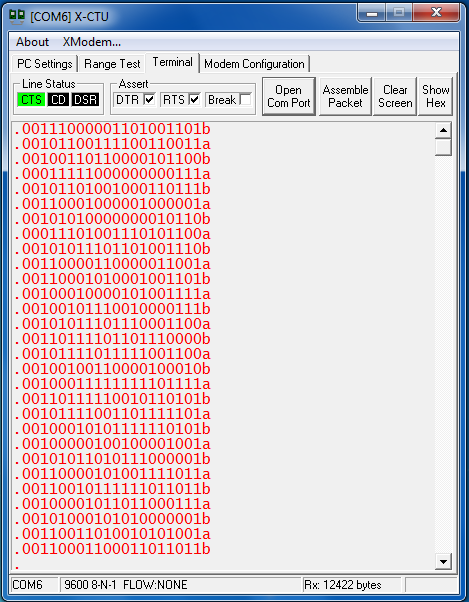
  • Sir, thanks, you have been "to the point". I couldnt understand it better even on reading datasheet many times. Ok! So, i interfaced photodiode to DDC112 which sends data to PIC16F873A microcontroller which sends data to serial port via wireless XBEE modules.  I am attaching a picture of some data taken, kindly help me prove your point discussed above about side A and side B. For example, my Side A data and Side B data vary a bit, they dont come same, then what should i do? Take the B data or subtract the B data from A data ? Or take the averages?

    The picture shows only IN1 data with a or b side shown at the last of the 20 bit data. When i expose photodiode to White light then it shows me full scale FFFFFh on both sides A and B. Just help me deduce data from the readings shown below. In this case, photodiode is simply placed in a room with tube light lit.

  • Shayan,

    Since you are using wireless and also converting the data a few times, It would be helpful to check the output at the pins of the device and make sure that the digital output codes are the same as the codes you are receiving at your PC X-CTU tool. Another helpful idea is to convert the binary output into Decimal values. It will be easier to see than a 20 bit binary number. By default when the inputs are connected to ground, you should get a decimal output code close to 4096 plus or minus about 1000 codes. This will change when you add a sensor since you will be adding input capacitance and injecting some input charge. The A-side and B-side are in parallel but will have some offset so what you can do is either use only one side, or you can take the average. Do not add or subtract the sides as they should be similar and should follow each other when the light intensity increases or decreases. 

    Regards,

    -Adam Sidelsky

  • I checked the data, its fine. Also, when i connect the input to Ground then it shows me 0x00000H rather than 0x01000H probably because i have not created a bipolar range. Averaging of a particular side seems to be a good idea. I will do that.

  • Dear Adam, 

    Well, i followed your advice but still i was receiving some random data so i decided to find the relationship between CONV, DCLK, DVALID, DOUT and DXMIT. I was shocked on seeing that:

    CONV v/s DVALID:
    1) DVALID in my project remains LOW all the time and becomes HIGH only when valid data is ready for 460 us soon after CONV toggles its state. 


    DVALID v/s DXMIT:

    1) DVALID remains LOW all the time and as soon as it gets HIGH, DXMIT which was HIGH all the time goes LOW for 208us and goes back HIGH. 

    DCLK v/s DOUT

    1) DCLK rightly sends 40 pulses of which DOUT only responds on 20 bits which are of IN1's data as i have grounded IN2.

    My ALGORITHM is:
    1) I set RANGE 111
    2) DXMIT initially HIGH, DCLK initially LOW, TEST LOW
    3) Then I keep CONV LOW for 1000us then HIGH for 99us then LOW for 99us then again CONV HIGH

    4) Now I keep waiting till DVALID goes LOW.
    5) Now i hit 40 HIGH to LOW pulses on DCLK and read DOUT on every HIGH state.

    6) I take last 20 bits which are of IN1 and convert them from binary to decimal.
    7) I give a delay of 30us and go back on step 3.

    Kindly guide me as to what is going wrong? Why is DVALID giving me the response which DXMIT should give and DXMIT giving the response which DVALID should give even when i have checked both are connected at their right places from DDC to microcontroller ? 

    Following is my code. I hope you will understand it with the help of algorithm. It is written in CCS C compiler for PIC16F873A.

    void main()
    {
    int b; int a=1;
    int adc_data[20];
    setup_adc(ADC_OFF);
    setup_adc_ports(NO_ANALOGS);
    /* Range set 111 350pC */
    output_bit(PIN_B4,1);
    output_bit(PIN_B5,1);
    output_bit(PIN_B6,1);


    DXMIT(HIGH);
    DCLK(LOW);
    TEST(LOW);


    delay_ms(5000);                  // initialising  delay
    while(1)
    {

    CONV(LOW); // Initially LOW
    delay_us(1000);
    CONV(HIGH); // Integration A complete in 99us
    delay_us(99);
    TOGGLE_CONV; // Integration B completes in 99us
    delay_us(99);
    TOGGLE_CONV;

    while(input(PIN_A0));                                    // wait till DVALID goes LOW
    DXMIT(LOW);                                                  // Make DXMIT LOW
    /* Of the 40 bits, only last 20 bits are IN1 */
    for(b=0;b<40;b++)
    {
    DCLK(HIGH);
    if((b>19)&&(b<40))              // Store only last 20bits
    {
    adc_data[b-20]=(DOUT);
    }
    else{}
    DCLK(LOW);
    }
    DXMIT(HIGH);
    binary_to_decimal(adc_data);             // This function converts 20 bit data from binary to decimal
    delay_us(30);

    }
    }

    void binary_to_decimal(int array[])
    {
    float two;
    float sum;
    volatile unsigned int d,e,f;
    volatile char string[10];
    if(array[19]==1)
    {
    sum+=1;
    }
    else{}
    if(array[18]==1)
    {
    sum+=2;
    }
    else{}
    if(array[17]==1)
    {
    sum+=4;
    }
    else{}
    for(e=17;e>0;e--)
    {
    two=1;
    if(array[e-1]==1)
    {
    f=20-e;
    for(d=f;d>0;d--)
    {
    two=two*2;
    }
    sum+=two;
    }
    else{}
    }
    itoa(sum,10,string);
    //printf("%s",string);
    puts(string);
    sum=0;
    two=0;
    }

  • Shayan,

    I am not able to trace through your code. I need to see a scope picture of your timing diagram in order to help further. Are you pulling DXMIT low before you start clocking DCLK? DXMIT is an input that needs to be held high when not sending DCLKs and pulled low after Dvalid goes low during conversion cycles. Please make sure Dvalid is going high when the chip is powered, DVALID is an output pin. If CLK and CONV are being provided you should see DVALID high most of the time and see it drop low when data is ready during conversions. If you don't see this, there is probably something pulling your DVALID low unintentionally or the DDC112 is not seeing all the power and clock signals it needs.

    Please let me know what CLK frequency and CONV frequency you are using. 

    Regards,

    -Adam

  • I am using a 10MHz clock for the DDC112 and a 20MHz clock for PIC microcontroller. CLK frequency is therefore 10MHz (checked). I will attach scope responses when i get back home. DXMIT is pulled HIGH and is made LOW only when we need to retrieve data after DVALID comes LOW. I have checked that. Still, i will attach the scope responses today.

  • Here are the scope responses you requested, i am attaching them:
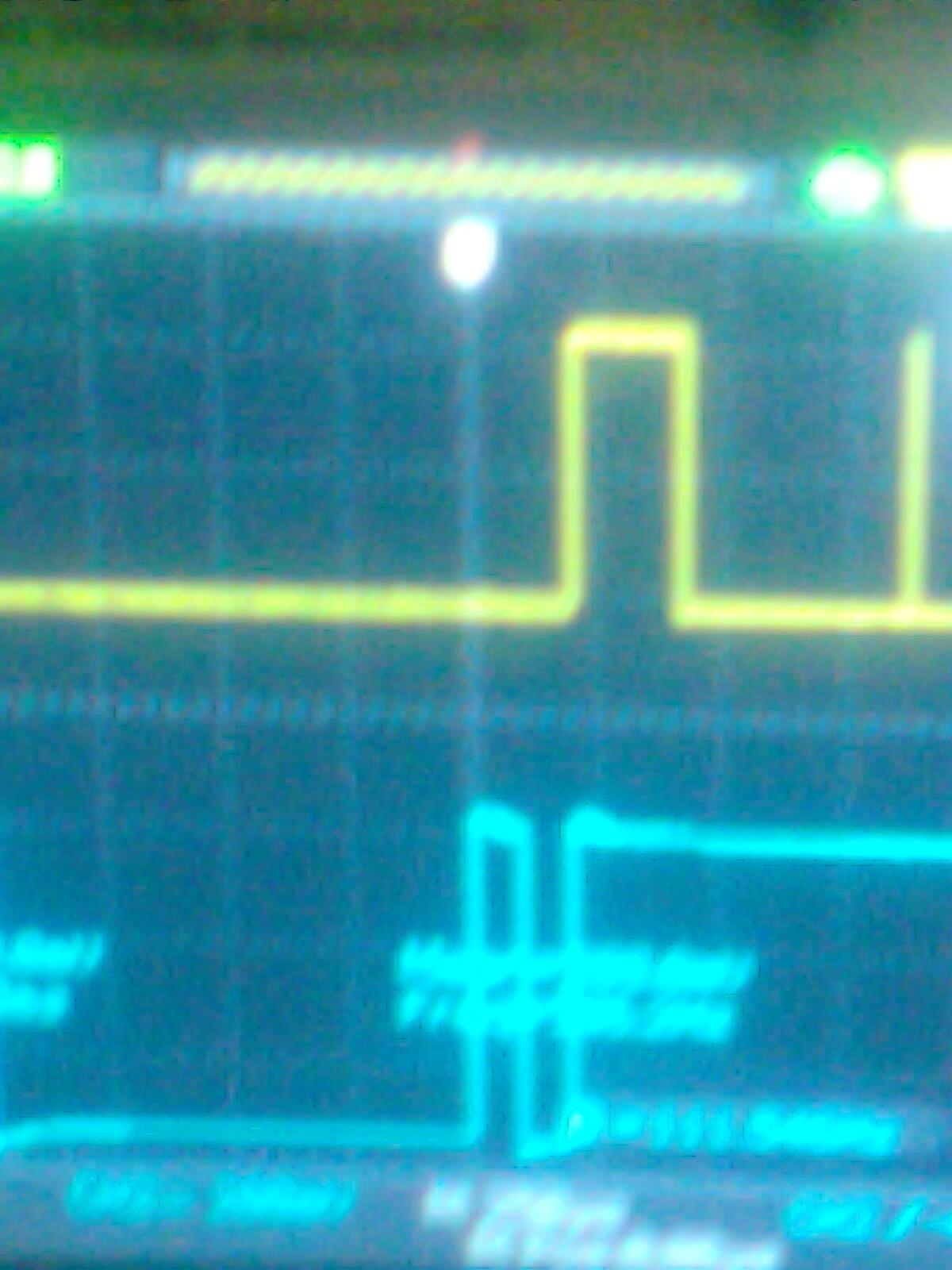
    CONV v/s DVALID:

    This above is what i get when I make CONV HIGH for 500us and put it back LOW.

    2) This image below is what i get when i apply a initial LOW to CONV and make it HIGH for 99us then LOW for 99us then back HIGH. Tint=99us (non-continuous mode) suggested by datasheet. You can see that DVALID remains LOW all the time and gives HIGH when data is ready which is the opposite of what i should receive.


    I hope the images are visible enough to conclude result. I did vary CONV patterns and timings but still i cant get the perfect DVALID pulse. I am using the NON-CONTINUOUS mode of data retrieval in my program. Also., the datasheet opposes itself many times which makes it even difficult to get the perfect logic. That's why all i request you is to give me an authentic ALGORITHM for triggering CONV. I have checked all the other things you mentioned. I hope a fruitful result will be obtained before my project deadline goes off. If you know someone on this forum who has interfaced this DDC112. then he might be helpful in telling the ALGORITHM.

  • Shayan,

    For either continuous or non-continuous mode you need to keep CONV running continuously. The system needs 3-4 CONV cycles before it will consistently output DVALID and data will be real. The reason for this is that there are many internal nodes that need to be synced with CONV and it takes a few cycles for them to be aligned correctly. This is the reason that your DVALID may not be working correctly, the data isn't ready after just one or two CONV cycles. You can do a search on the forum for others who have done this but I cannot recall a concrete example. 

    Regards,

    -Adam

  • Dear Adam,
    After some struggle I figured out the faults in my hardware like the clock 10MHz had gone OUT! My bad !! I rectified them and i am now getting exact waveforms of CONV against DVALID as shown in datasheet with perfect timing match. So, now I checked CONV, DVALID, DXMIT all waveforms match those shown in datasheet BUT now the data DOUT is very SHAKY. For example, when I ground both channels then i get DOUT not 4096 (zero current digital value) but I get values shaking between 3980 to 3700. I am running DDC in non-continuous mode and keep running the code forever. I read an article where the author mentioned that it must be the NOISE I am getting in the DDC112. So, I tried to read the Most Significant 16 bits to get 4096/16=256 but even then i get data like  
    247,244,245,241,230,250,0,244,233,234,0,232,0,234,240,245,244,0 .,.,.,., and so on.

    You have been of much help, tell me now what should i do about it? Is it just the noise coming in IN1 and IN2 channels? Or do i have to look somewhere else? Is there a better solution to the problem?

  • Shayan,

    I'm glad to have been able to help you out! The "shaking" you are seeing is definitely the noise or offset of the device. You will never get a perfect 4096 with no input. Depending on the range and version of the DDC112 you're using, there could easily be up to 600PPM difference between the offset of 4096 and your received value. The only thing I can recommend is to make sure that the edges on your timing signals are quite fast. Slower edges may cause inconsistency in your data. We usually drive these types of devices with an FPGA so since you are using a simpler Microcontroller, hopefully your timing wave-forms do not also have too much jitter. Hopefully this helps. 

    Regards,

    -Adam

  • Shayan,

    It is possible that what you are seeing is purely noise. One option is to hold the TEST pin high while converting and check the output values then. As per the datasheet, this will ground both IN1 and IN2 and inject 13pC of charge internally. You can use this to check for a more consistent output since it will isolate the chip from external noise on the input channels. 

    Regards,

    -Adam

  • Shayan,

    I wanted to check in to see how your project is going. Are you in mass production? If not, when do you plan to?
  • Well, I switched job. It was a Chemistry Analyzer project which required working with DDC112. It is over now

    Regards,

    Shayan Ali Bhatti