This thread has been locked.

If you have a related question, please click the "Ask a related question" button in the top right corner. The newly created question will be automatically linked to this question.

ADS1298RECGFE-PDK failure

Other Parts Discussed in Thread: ADS1298R, ADS1294, ADS1298RECGFE-PDK

I am wondering to know why the ADS129xECG-FE software detect ADS1298R as ADS1294. I get the same result after I press the reset button on MMB0.

The ADS1298RECGFE-PDK could operate normally at the first time. I want to use ADS1298RECGFE-PDK without MMB0. I think I got the wrong way to supply power to the board, and the chip ADS1298R may be broken.

Is it possible that the ADS129xECG-FE software got the wrong board information cause of the broken chip?

Can I fix the ADS1298RECGFE-PDK on this condition?

In addition, I search some information about using ADS1298RECGFE-PDK (REV B) without MMB0 as the following:

  1. Supply 5V on TP7.

  2. Supply 3.3V on TP10.

  3. Supply GND on TP8.

  4. Install JP24 in 2-3.

  5. Open JP4.

Is it correct for using ADS1298RECGFE-PDK without MMB0?


  • Hello Huang,

    Were you able to successfully connect the ADS1298R ECGFE board with MMB0 to the PC GUI? One point I want to mention is that the RESET button on the MMB0 is used to reset the communication between the GUI and the microprocessor. It is not the same as the ADS1298R device "/RESET" and you should not need to press it.

    Often times, the Device ID is misread with the Power-On Reset sequence is not followed, meaning the required supplies were not present when you tried communicating with the device. 

    It looks like you are properly supplying power to the ADS1298R ECGFE board without the MMB0. Do you still have the JP2 and JP20 jumpers installed? These jumpers select unipolar or bipolar analog supply for the ADS1298R.

    Best Regards,

  • Hi Andrews,

    I can successfully connect the ADS1298R ECGFE board with MMB0 to PC GUI at the beginning.The problem started after I supplied power form external power.

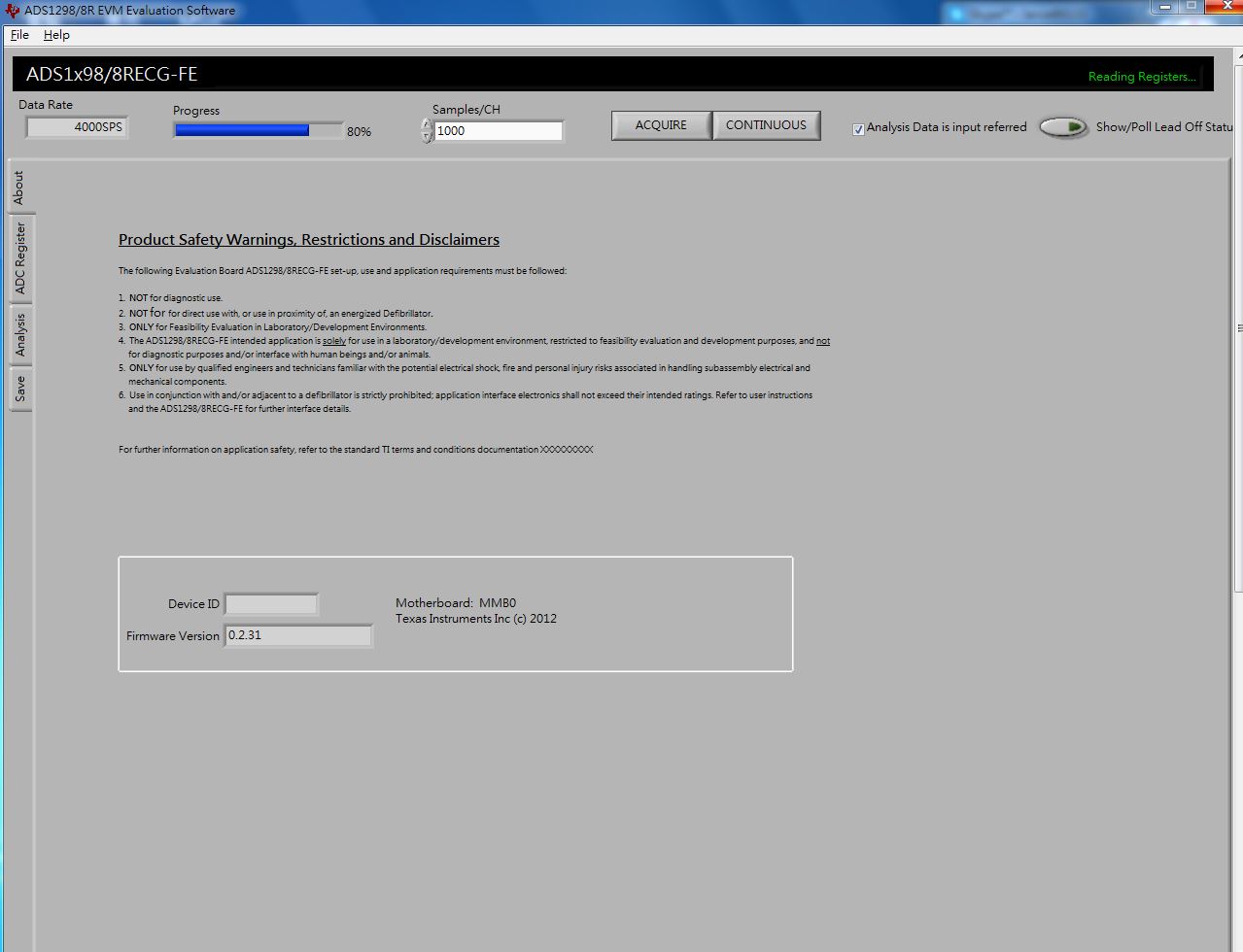
    If I did not press the RESET button on the MMB0, the PC GUI will spend about 5 minutes to read registers, such as the picture below:

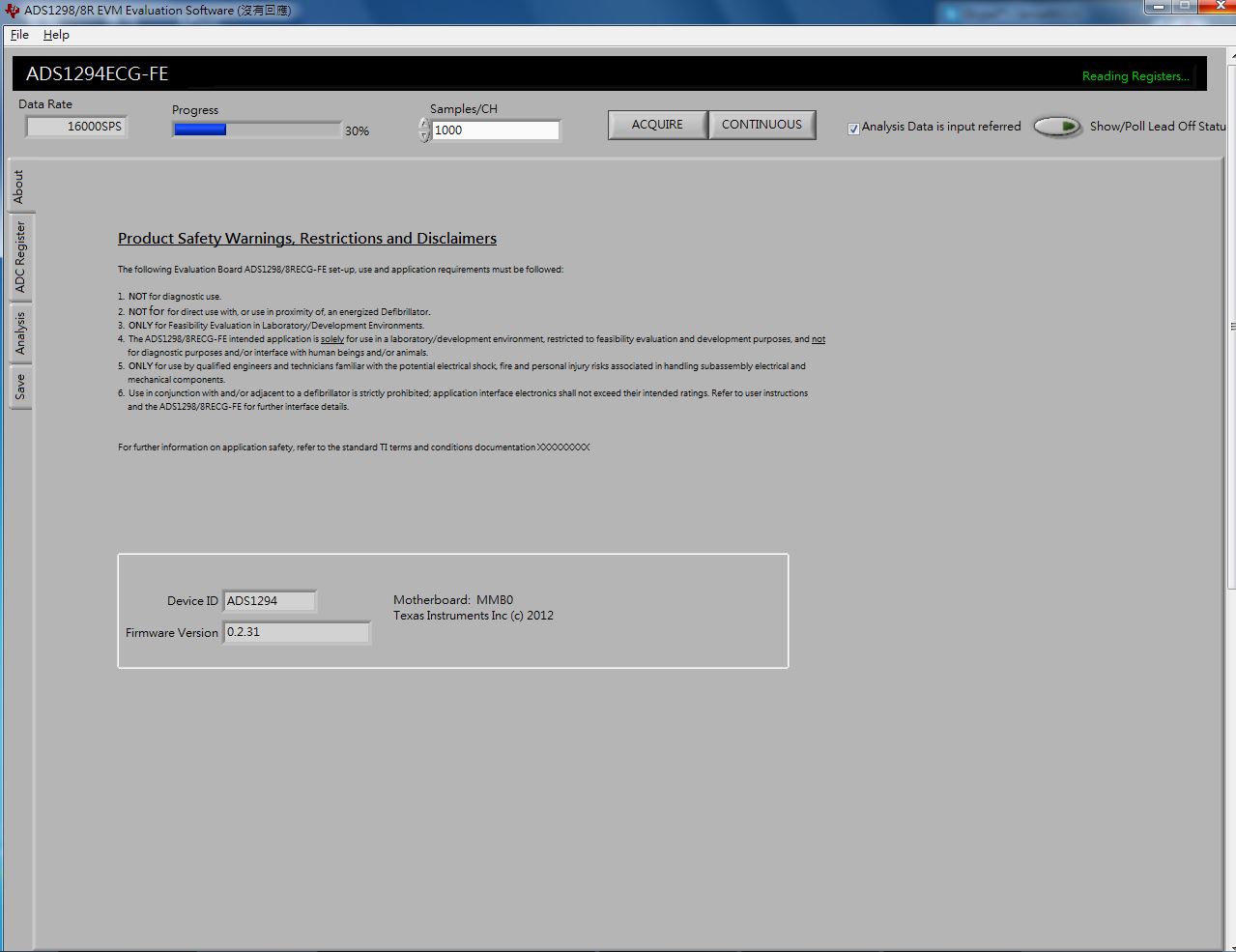
    After it finished reading registers, the PC GUI got the wrong information, that is Data Rate=16000SPS, Device ID=ADS1294, Firmware Version=0.2.31. You can see the picture below.

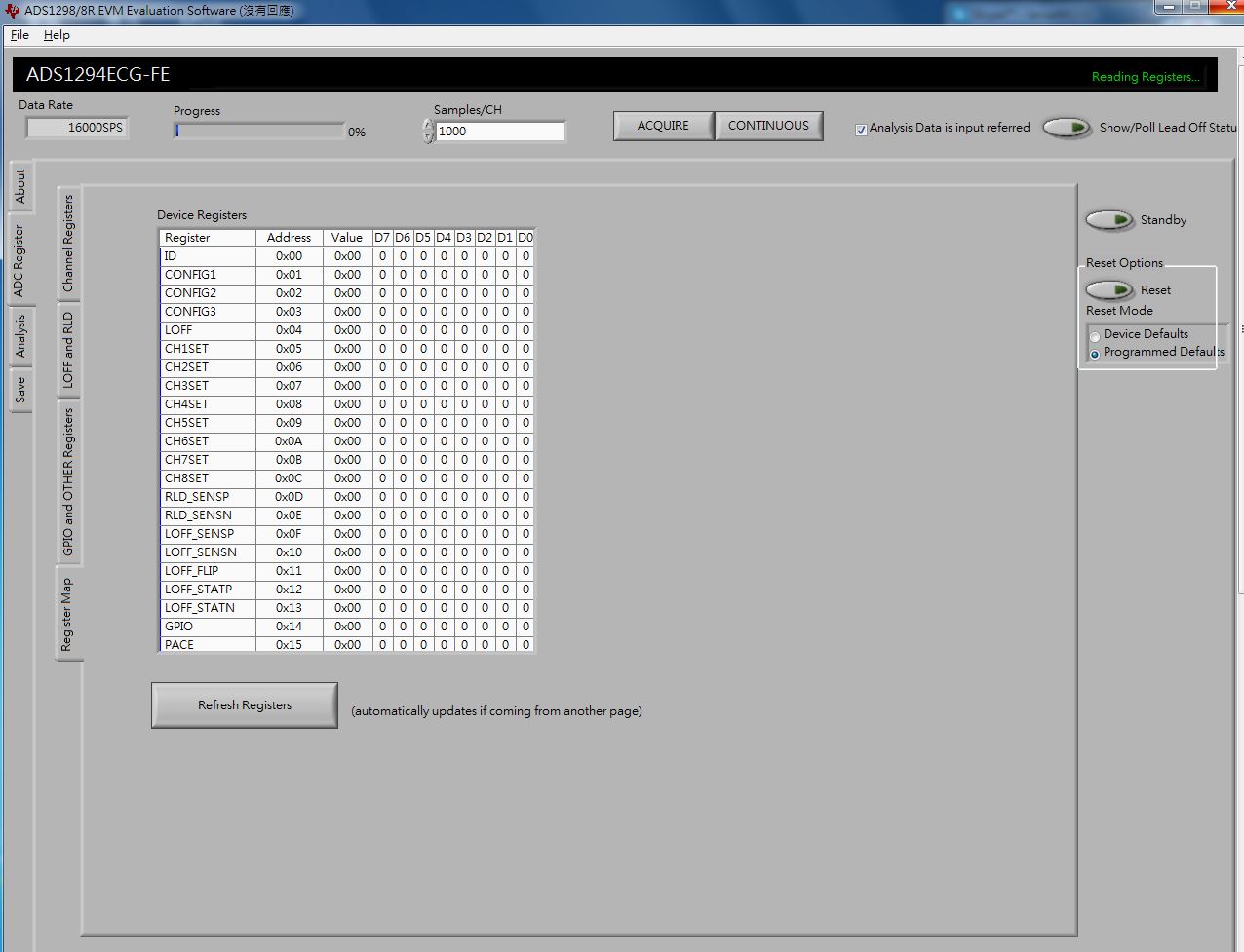
    At this time all Register Map were 0x00,

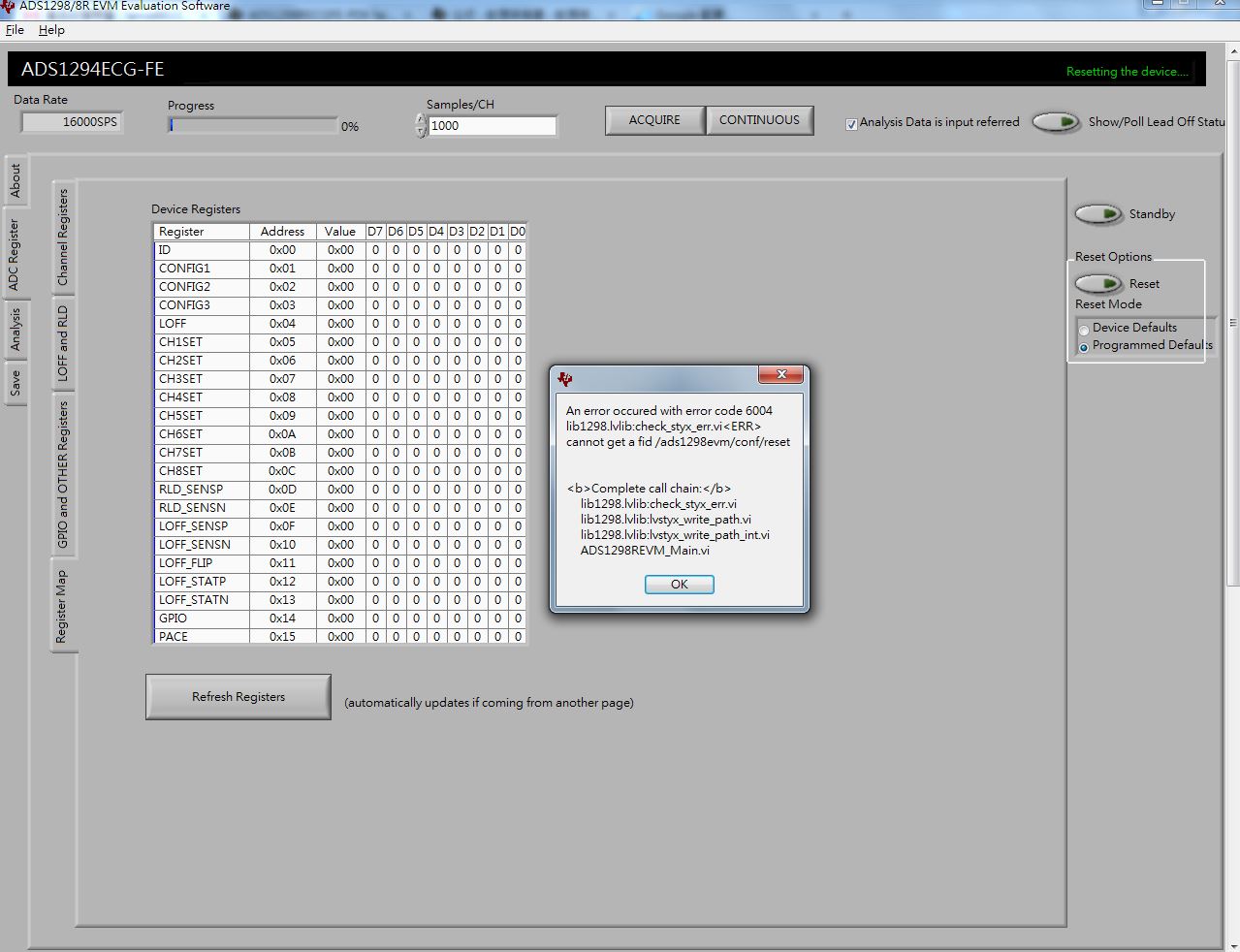
    When I press the Reset on the PC GUI at this time, the error message will come out (error code 6004), like the picture shows below.


    Is it possible that I got the wrong way to supply power to the board without MMB0, it cause the chip is broken and the power could not supply to the chip, and it is the reason that cause the PC GUI cannot get the correct Device ID.

    Could I repair the board on this condition?

    And if I want to supply power without MMB0, how do I set the jumpers about JP2 and JP20?