A related question is a question created from another question. When the related question is created, it will be automatically linked to the original question.
If you have a related question, please click the "Ask a related question" button in the top right corner. The newly created question will be automatically linked to this question.
This EVM is only supported for Windows 7 and Windows XP. However, some community members have been able to get it working with Windows 10. Check out this thread: e2e.ti.com/.../448048
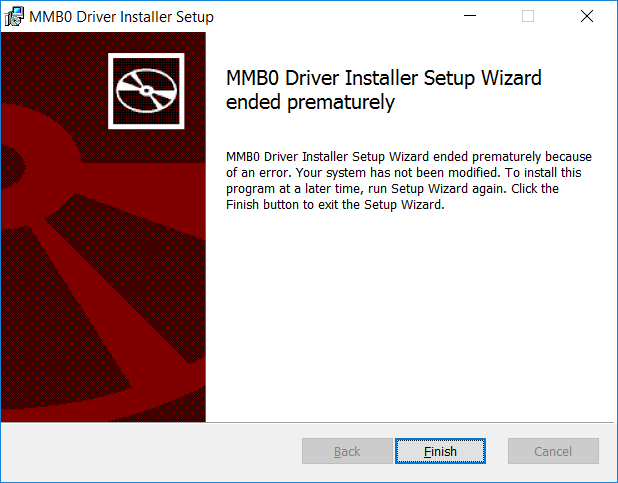
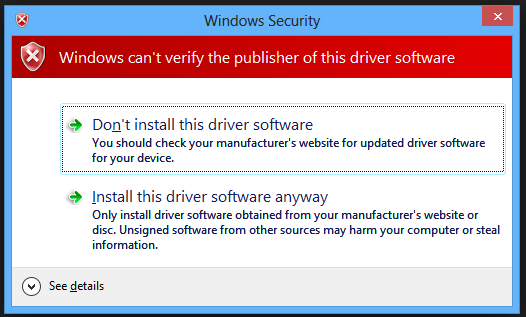
Just to make it simple: there is a need to disable driver signature enforcement, and then (without connecting anything to your PC) install "mmb0_driver_install_x64-v1.0.0.0.msi". When Windows Security shows "Windows can't verify the publisher of this driver software" select "Install this driver software anyway".
After drivers installation I needed the ADS129xECG-FE software yet. This also needed to be installed in the mode of disabled driver enforcement, and the Windows Security showed its "Windows can't verify the publisher of this driver software" message twice. Again, after selected options "Install this driver software anyway", the software installed correctly.
When these two steps completed, I connected MMB0 Modular EVM Motherboard to PC and... everything worked fine!
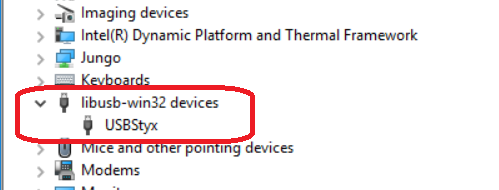
In device manager the board shows as libusb-win32 devices