This thread has been locked.

If you have a related question, please click the "Ask a related question" button in the top right corner. The newly created question will be automatically linked to this question.

Linux: Using DAC60096EVM and SDM-USB-DIG with Linux


Tool/software: Linux

I am looking for a DAC evaluation board that can be USB controlled from Linux - either with Linux drivers or with serial commands via Python. Analog Devices does not have Linux drivers for their DAC evaluation boards when using the USB micro controller. I am hoping the SDM-USB-DIG controller with the DAC60096EVM can be used with Linux!

Cheers

  • Hi Robert,

    Moving this to the Data Converters forum.

    Best Regards,
    Yordan
  • Hi Robert,

    The SDM-USB-DIG uses the Windows USB CDC driver to establish communication via COM Port.  I'm not familiar with USB driver installation in Linux, but I would imagine that it may be possible to send serial commands if there is a compatible or similar USB CDC driver.

    Best Regards,

    Matt

  • Hi Matt,

    I have received the DAC60096EVM and started looking at the software, however, there is no coding information in the manuals for either the DAC60096EVM or the SDM-USB-DIG. In the software, it is possible to see the bit and hex codes being used for each DAC pin and voltage etc, however, sending these commands from script is not so easy.

    Do you have some coding manual for this DAC? We just need to be able to set each pin an independent voltage.

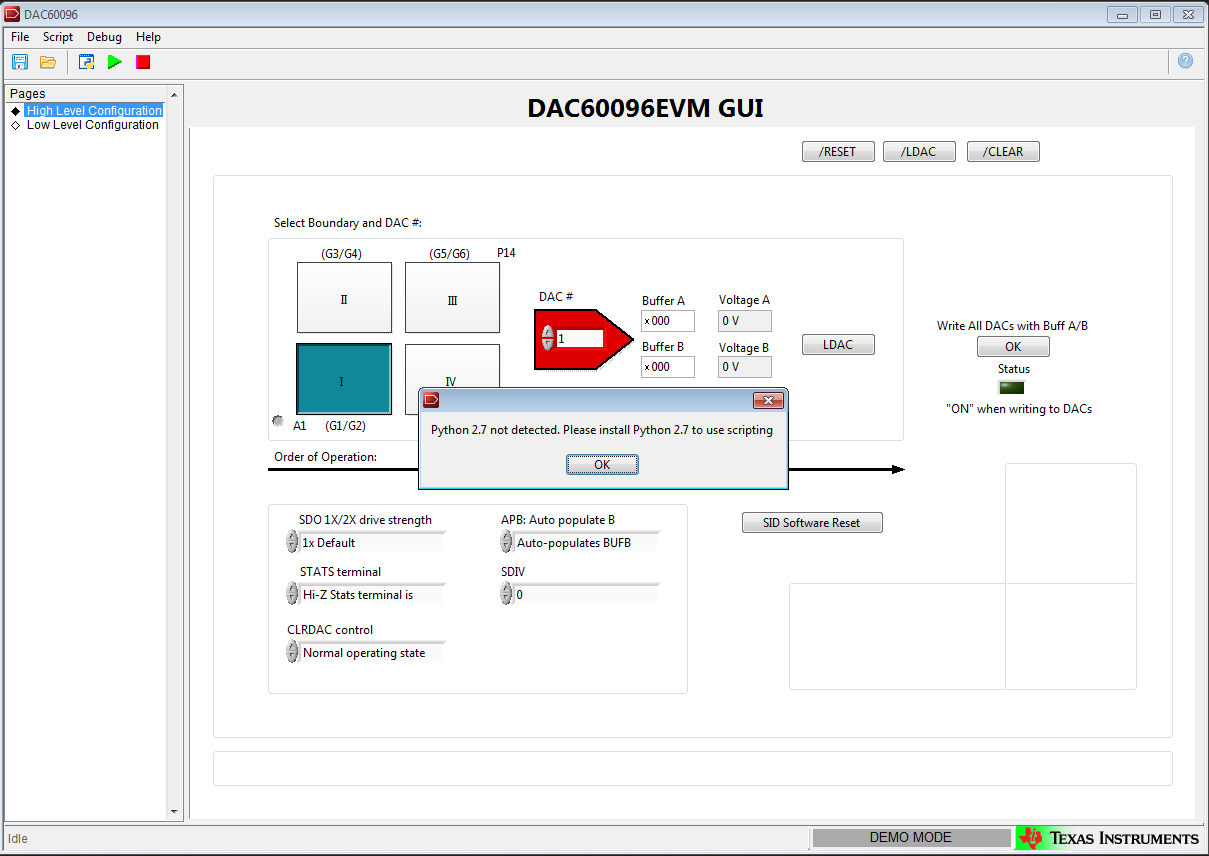
    The Python feature of the software also cannot find my version of Python2.7, despite it being installed in the default location: C:\Python27.

    Cheers,

    Rob

  • Howdy Rob,

    Have you installed the GUI from the DAC60096EVM webpage?  If so you can use the software in conjunction with the EVM User's guide, which is located on the same webpage as the GUI installer: http://www.ti.com/tool/dac60096evm.

    Using the GUI, you can navigate to the register map page to write to register fields of the device, or use the interactive buttons to set DAC voltages.

    - If possible, can you send me a screen capture of the python error?

    Best Regards,

    Matt

  • Hi Matt,

    Thanks for getting back to me. 

    I have installed the GUI and can use that to set the voltages for each pin, however, I want to be able to run a python script that connects to the DAC and set voltages to individual pins. For this, I need to know the format of the serial command to send: I would imagine this includes the number of the header, the number of the pin and the voltage. To reverse engineer this would be very impractical.

    Do you know the format of the serial commands sent? 

    In the GUI, there is a button to launch a scripting window in Python27 which might help with this, however, I get the following error when I click - despite having python27 installed in the default location.

    Thanks for the help.

    Rob