This thread has been locked.

If you have a related question, please click the "Ask a related question" button in the top right corner. The newly created question will be automatically linked to this question.

DAC38RF82EVM: SPI program with a microcontroller

Part Number: DAC38RF82EVM
Other Parts Discussed in Thread: LMK04828

Hi

I just learned spi programming with arduino so I'm kind of new at it. I am trying to use a DAC38RF82evm with a TSW14J56evm, I want to program the DAC38 with the microcontroller instead of the provided GUI.

In the user guide and block diagrams I see I need to use JP23 for the spi programming, but I also see I need to program the on-board LMK04828 as well, for which I dont see any spi pins available in the evm.

Mentionable I am trying to use DAC38 in the direct external clock mode (CMODE1). Any suggestion would be helpful

Thanks

fmj

  • Hi,

    JP23 is installed by default and allows the DAC to be programmed by using the FTDI device. You could remove these jumpers and connect your own signals to these pins to program the DAC. 

    The LMK SPI is connected directly to the FTDI device and there are no jumpers that connect to these pins. This makes it difficult to program it using a microcontroller. You would potentially have to make modifications to the board in order to get to these pins.

    Regards,

    David 

  • Hello

    Thank you for your response. So controlling the DAC with spi is plausible since JP23 is installed, but the GUI shows that any mode I select, I would eventually need to send some instructions to the LMK.

    So there isnt any way I can maybe avoid using LMK or any way I dont have to use a laptop/PC to program this every time?

    Regards

    fmj

  • Hi,

    Yes, you would be able to control the DAC with SPI through JP23. To get the evaluation board working you would need a way to program the LMK. There are a couple of different ways the LMK can be programmed:

    1. Use the DAC38RF82EVM GUI.

    2. There are signals coming from the FMC connector that can be used.

    3. You can remove resistors R183-R186 and solder to these pads to get access to the LMK SPI pins.

    Regards,

    David

  • Hi

    Thank you for your reply. I modified the board as suggested. But the code didnt seem to program the dac.

    From the GUI I collected the register addresses and data for each command: reset, load default, configure dac, reset JESD and sysref trigger.

    I can see there are extra 4 bits at the beginning as "page number", I just used the total 28bits for dac and 20bits for lmk as is.

    Am I supposed to put any other commands separately than those? I tried putting IP config data for 4 wire spi, didnt help either.

    fmj

  • Hi,

    Are you able to verify that you can read back from the registers you are writing to?

    How are you verifying that the DAC has been programmed?

    Regards,

    David

  • Hi David

    Would it be possible for you to provide me your email ID?

    Thanks

  • Hi,

    Lets try some solutions before we move this to email.

    One thing you can do is write to the DAC and put the channels to sleep. Then verify that the power consumption goes down after writing to those registers. 

    Another test is to use the DAC to produce a constant output using the NCO. Attached are the steps to turn on the NCO output.

    1300.DAC38RF82_NCO_Only_Test.pptx

    Regards,

    David

  • Hi David

    I tested with an oscilloscope, the registers are not reading back the values I am writing.

    I am not sure if something's wrong with the code, but the write and clock seemed ok in the oscilloscope.

    I have already modified the board and 4 wires are connected at the places of the resistors, so I am trying to avoid using the GUI for now.

    Regards

    fmj

  • Hi,

    The easiest way to verify if the writes are working is to set Bit 3 high for address 0x40B. This will put DAC A to sleep and you should be able to see a drop in power consumption. If this does not work then we know that there is a issue writing to the registers.

    Can you share you register writes and the frequency of the clock you are inputting?

    Regards,

    David

  • Hi

    So if I put the 3rd bit to high on the data section the whole thing along with address would be 0x40b0008. When I power up the dac the current drawn in 0.81A. If I write 0x40b0008 the current goes from 0.82 to 0.81 to 0.80 then comes back up to 0.81 and stays. Thats it.

    At first I was giving it a clock that high for 2ms and low for 6ms, but to see in oscilloscope easily I made it slower 1000 times. The writes I am inputting in different sets for load default, configure dac and reset and sysref trigger. I am not sure if thats what you meant. I am attaching those.

    configure_DAC.cfgload default.cfgreset JESD & sysref trigger.cfg

  • Apparently all of them are not attaching together. I copied the values from these cfg files and put in my code4152.load default.cfg

  • Hi,

    Please take a look at section 8.4.5 Serial Peripheral Interface (SPI) of the datasheet and make sure you are following these procedures for writing and reading to registers.

    Regards,

    David

  • Hi

    In the datasheet the instruction cycle and data cycle together are 24bits. They dont have instructions for extra 4 bits of page address. I just treated the address as 12bits instead of 8bits. Is that causing any issues?

    If so let me know what is the procedure for page address. 

    I have followed the section 8.4.5. In my function I am sending the address and data together, they separate in the code.

    Before the read write I have to instruct reset. The values for this is different in the datasheet and what I got from GUI. Should I write 0x0 or 0x5803 to address 0x0?

    Also, do I need to give instructions of IO config for spi 4 wire as 0x1880?

    Thanks

  • Hi,

    What the GUI does is it resets by toggling the RESETB pin of the DAC, this can also be accomplished by pressing the DAC RESET button, SW1. The load default button then writes the default value of 0x5803 to 0x00.

    The load default configuration file should set the DAC to 4 wire mode by writing 0x3080.

    Regards,

    David

  • Oh okay. Any comment on the page address issue?

  • Hi,

    For the page address you will have to do a separate write to address 0x09. Please see section 8.5.8 Page Set Register (address = 0x09).

    Also, before you began writing please make sure you do a hard reset using the DAC RESET button and make sure you have a clock being sent to the DAC at J1.

    You can also probe the output of the FTDI and your microcontroller outputs and check if they are the same. If they are not the same then you know that there is a problem with the data being written.

    Regards,

    David

  • Hi David

    Did as you said. I cant see read back from the DAC chip. We have been discussing only the DAC chip, I am also programming the lmk chip.

    Datasheet says it has 13bits if address, GUI shows only 12bits. I just padded them to zero, seems ok from the datasheet (not 100% sure though).

    Can I send you the code?

    Thanks

  • Hi,

    You can send the code. Can you also send a captured timing diagram of the clock, data signals, and the enable. If possible probe as close to the DAC as possible. This will show us if the DAC is receiving the data correctly.

    Thanks,

    David

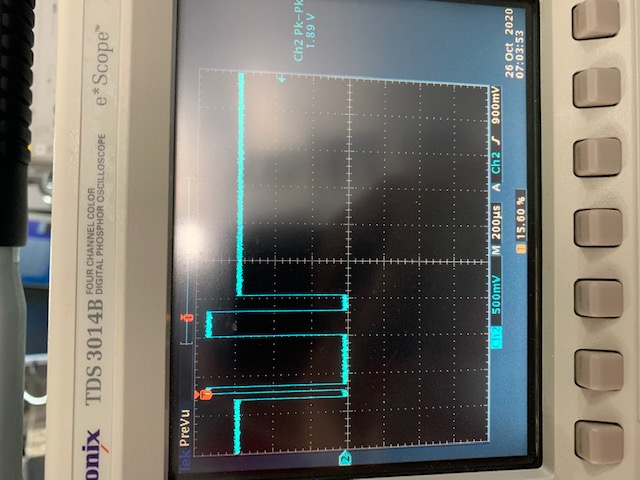
  • I took a video of the oscilloscope response. Originally the "transferDelay" in my code was 2 ms, I increased it to see clearly in oscilloscope.

    Here  yellow = sck

    green = cs

    blue = sdio

    red = sdo

    The sdo wasnt at the same power level I had to adjust to make it bigger and it looks weird.

  • Its really hard sending stuff here with multiple reply for each file . I would really really appreciate if you could send me your email ID please.

    Thank you

    DeviceConfig1.h

  • Hi,


    After looking at your config file I noticed that you are not setting the page address properly. As I mentioned above you set the page by writing to address 0x09. So for the DIG_MISC page you would set 0x09 to 0x4 and then you would write to the DIG_MISC registers 0x0A - 0x77. To write to the multi-DUC registers you have to write either 0x01 or 0x02 depending on which multi-DUC you are trying to write to. For the general configuration 0x09 should be set to 0x00. I modified the Load Default part of your config file to follow this structure. Please apply this for each of your DAC writes.


    #ifndef HEADER_FILE
    #define HEADER_FILE
    
    const int DAC_NUM_REGISTERS = 144;
    const unsigned int DAC_LOAD_DEFAULT[144][2] = {
    { 0x00 , 0x1 },
    { 0x00 , 0x5860 },
    { 0x01 , 0x3080 },
    { 0x02 , 0xFFFF },
    { 0x03 , 0xFFFF },
    { 0x04 , 0x00FE },
    { 0x05 , 0x0007 },
    { 0x09 , 0x0004 }, Set page to DIG_MISC
    { 0x0A , 0xFC03 },
    { 0x0B , 0x0022 },
    { 0x0C , 0xA002 },
    { 0x0D , 0xF000 },
    { 0x1B , 0x0000 },
    { 0x23 , 0xFFFF },
    { 0x24 , 0x1001 },
    { 0x31 , 0x0000 },
    { 0x32 , 0x0308 },
    { 0x33 , 0x403C },
    { 0x34 , 0x0000 },
    { 0x35 , 0x0018 },
    { 0x3B , 0x1802 },
    { 0x3C , 0x8229 },
    { 0x3D , 0x0088 },
    { 0x3E , 0x0909 },
    { 0x3F , 0x0000 },
    { 0x09 , 0x0001 }, Set page to multi-DUC1
    { 0x0A , 0x0210 },
    { 0x0C , 0x2402 },
    { 0x0D , 0x0000 },
    { 0x0E , 0x00FF },
    { 0x0F , 0xFFFF },
    { 0x10 , 0xFFFF },
    { 0x11 , 0xFFFF },
    { 0x17 , 0x0000 },
    { 0x19 , 0x0001 },
    { 0x1C , 0x0000 },
    { 0x1D , 0x0000 },
    { 0x1E , 0x0000 },
    { 0x1F , 0x0000 },
    { 0x20 , 0x0000 },
    { 0x21 , 0x0000 },
    { 0x22 , 0x0000 },
    { 0x23 , 0x0000 },
    { 0x24 , 0x0010 },
    { 0x25 , 0x7700 },
    { 0x27 , 0x8888 },
    { 0x28 , 0x0330 },
    { 0x29 , 0x0000 },
    { 0x2A , 0x0000 },
    { 0x2B , 0x0000 },
    { 0x2C , 0x0000 },
    { 0x2D , 0x1FFF },
    { 0x2E , 0x1FFF },
    { 0x2F , 0x0000 },
    { 0x30 , 0x0000 },
    { 0x32 , 0x0400 },
    { 0x33 , 0x0400 },
    { 0x46 , 0x0044 },
    { 0x47 , 0x190A },
    { 0x48 , 0x31C3 },
    { 0x4A , 0x0003 },
    { 0x4B , 0x1300 },
    { 0x4C , 0x1303 },
    { 0x4D , 0x0100 },
    { 0x4E , 0x0F4F },
    { 0x4F , 0x1C60 },
    { 0x50 , 0x0000 },
    { 0x51 , 0x001F },
    { 0x52 , 0x00FF },
    { 0x53 , 0x0100 },
    { 0x54 , 0x8E60 },
    { 0x5C , 0x0001 },
    { 0x5E , 0x0000 },
    { 0x5F , 0x3210 },
    { 0x60 , 0x5764 },
    { 0x64 , 0x0000 },
    { 0x65 , 0x0000 },
    { 0x66 , 0x0000 },
    { 0x67 , 0x0000 },
    { 0x68 , 0x0000 },
    { 0x69 , 0x0000 },
    { 0x6A , 0x0000 },
    { 0x6B , 0x0000 },
    { 0x6C , 0x0000 },
    { 0x6D , 0x0000 },
    { 0x6E , 0x0000 },
    { 0x09 , 0x0002 }, Set page to multi-DUC2
    { 0x0A , 0x0210 },
    { 0x0C , 0x2402 },
    { 0x0D , 0x0000 },
    { 0x0E , 0x00FF },
    { 0x0F , 0xFFFF },
    { 0x10 , 0xFFFF },
    { 0x11 , 0xFFFF },
    { 0x17 , 0x0000 },
    { 0x19 , 0x0001 },
    { 0x1C , 0x0000 },
    { 0x1D , 0x0000 },
    { 0x1E , 0x0000 },
    { 0x1F , 0x0000 },
    { 0x20 , 0x0000 },
    { 0x21 , 0x0000 },
    { 0x22 , 0x0000 },
    { 0x23 , 0x0000 },
    { 0x24 , 0x0010 },
    { 0x25 , 0x7700 },
    { 0x27 , 0x8888 },
    { 0x28 , 0x0330 },
    { 0x29 , 0x0000 },
    { 0x2A , 0x0000 },
    { 0x2B , 0x0000 },
    { 0x2C , 0x0000 },
    { 0x2D , 0x1FFF },
    { 0x2E , 0x1FFF },
    { 0x2F , 0x0000 },
    { 0x30 , 0x0000 },
    { 0x32 , 0x0400 },
    { 0x33 , 0x0400 },
    { 0x46 , 0x0044 },
    { 0x47 , 0x190A },
    { 0x48 , 0x31C3 },
    { 0x4A , 0x0003 },
    { 0x4B , 0x1300 },
    { 0x4C , 0x1303 },
    { 0x4D , 0x0100 },
    { 0x4E , 0x0F4F },
    { 0x4F , 0x1C60 },
    { 0x50 , 0x0000 },
    { 0x51 , 0x001F },
    { 0x52 , 0x00FF },
    { 0x53 , 0x0100 },
    { 0x54 , 0x8E60 },
    { 0x5C , 0x0001 },
    { 0x5E , 0x0000 },
    { 0x5F , 0x3210 },
    { 0x60 , 0x5764 },
    { 0x64 , 0x0000 },
    { 0x65 , 0x0000 },
    { 0x66 , 0x0000 },
    { 0x67 , 0x0000 },
    { 0x68 , 0x0000 },
    { 0x69 , 0x0000 },
    { 0x6A , 0x0000 },
    { 0x6B , 0x0000 },
    { 0x6C , 0x0000 },
    { 0x6D , 0x0000 },
    { 0x6E , 0x0000 }
    };


    Regards,

    David

  • Hi

    I did write the 4bit page to 0x09 address. I guess my code file didnt attach. Can you take a look? I think I did you are mentioning

    #include <SPI.h>
    #include "DeviceConfig1.h"
    
    // pin declarations
    int sckPin = 13;   
    int sdioPin = 11;  //teensy MOSI pin
    int sdoPin = 12;  //teensy MISO pin
    int csb1Pin = 7; // LMK , 1st from the top
    int csb2Pin = 8; // DAC,  2nd from the top
    const int transferDelay = 5000;
    
    void setup() {
      // put your setup code here, to run once:
      pinMode( sckPin, OUTPUT );
      pinMode( sdioPin, OUTPUT );
      pinMode( sdoPin, INPUT ); // ?
      pinMode( csb1Pin, OUTPUT );
      pinMode( csb2Pin, OUTPUT );
    
      digitalWrite(sckPin, LOW);
      digitalWrite(sdioPin, LOW);
      digitalWrite(sdoPin, LOW);  // ?
      digitalWrite( csb1Pin, HIGH );
      digitalWrite( csb2Pin, HIGH );
    
      // wait to boot
      delay(1000);
    
    //RESETB
    write_read_Data(0 , 0x00, 0x0, 0);  // LMK reset, ... could be 0x80 instead of 0x0
    write_read_Data(1 , 0x00, 0x0, 0);   // DAC reset
    
    //LOAD DEFAULT
     //LMK
      for( int i = 0; i < LMK_NUM_REGISTERS; i++ ){     // LMK_NUM_REGISTERS = 108
        write_read_Data(0 , LMK_LOAD_DEFAULT[i][0], LMK_LOAD_DEFAULT[i][1], 0);     // write
        write_read_Data(0 , LMK_LOAD_DEFAULT[i][0], LMK_LOAD_DEFAULT[i][1], 1);     // read
     }
    
    //DAC
      for( int i = 0; i < DAC_NUM_REGISTERS; i++ ){     // DAC_NUM_REGISTERS = 144
        if(i<=6) {
      write_read_Data(1 , DAC_LOAD_DEFAULT[i][0], DAC_LOAD_DEFAULT[i][1], 0);
      write_read_Data(1 , DAC_LOAD_DEFAULT[i][0], DAC_LOAD_DEFAULT[i][1], 1);
       }
       else {
      write_read_Data_page(DAC_LOAD_DEFAULT[i][0], DAC_LOAD_DEFAULT[i][1]);
      write_read_Data_page(DAC_LOAD_DEFAULT[i][0], DAC_LOAD_DEFAULT[i][1]);
       }
     }
     
    //CONFIGURE DAC 
     //LMK
      for( int i = 0; i < LMK_NUM_REGISTERS; i++ ){     // LMK_NUM_REGISTERS = 108
        write_read_Data(0 , LMK_CONFIG_DAC[i][0], LMK_CONFIG_DAC[i][1], 0);     // write
        write_read_Data(0 , LMK_CONFIG_DAC[i][0], LMK_CONFIG_DAC[i][1], 1);     // read
     }
    
    //DAC
      for( int i = 0; i < DAC_NUM_REGISTERS; i++ ){     // DAC_NUM_REGISTERS = 144
        if(i<=6) {
      write_read_Data(1 , DAC_CONFIG_DAC[i][0], DAC_CONFIG_DAC[i][1], 0);
      write_read_Data(1 , DAC_CONFIG_DAC[i][0], DAC_CONFIG_DAC[i][1], 1);
       }
       else {
      write_read_Data_page(DAC_CONFIG_DAC[i][0], DAC_CONFIG_DAC[i][1]);
      write_read_Data_page(DAC_CONFIG_DAC[i][0], DAC_CONFIG_DAC[i][1]);
       }
     }
    
    
    //RESET DAC & SYSREF TRIGGER 
     //LMK
      for( int i = 0; i < LMK_NUM_REGISTERS; i++ ){     // LMK_NUM_REGISTERS = 108
        write_read_Data(0 , LMK_RESET_SYSREF[i][0], LMK_RESET_SYSREF[i][1], 0);     // write
        write_read_Data(0 , LMK_RESET_SYSREF[i][0], LMK_RESET_SYSREF[i][1], 1);     // read
     }
    
    //DAC
      for( int i = 0; i < DAC_NUM_REGISTERS; i++ ){     // DAC_NUM_REGISTERS = 144
        if(i<=6) {
      write_read_Data(1 , DAC_RESET_SYSREF[i][0], DAC_RESET_SYSREF[i][1], 0);
      write_read_Data(1 , DAC_RESET_SYSREF[i][0], DAC_RESET_SYSREF[i][1], 1);
       }
       else {
      write_read_Data_page(DAC_RESET_SYSREF[i][0], DAC_RESET_SYSREF[i][1]);
      write_read_Data_page(DAC_RESET_SYSREF[i][0], DAC_RESET_SYSREF[i][1]);
       }
     }
     
    }
    
    void write_read_Data(int device, int address, unsigned int data, int rw) {   // rw = read or write
    
     // select device to write to
      if      ( device == 0 ) digitalWrite(csb1Pin, LOW);  // device 0 = lmk
      else if ( device == 1 ) digitalWrite(csb2Pin, LOW);  // device 1 = dac
      delayMicroseconds(transferDelay);
      
    // write R/W bit
    if (rw==0){
      digitalWrite(sdioPin, LOW);
      delayMicroseconds(transferDelay);
      digitalWrite(sckPin, HIGH);
      delayMicroseconds(transferDelay);
      digitalWrite(sckPin, LOW);
      delayMicroseconds(2*transferDelay);
    }
    
    else if (rw==1) {
      digitalWrite(sdioPin, HIGH);
      delayMicroseconds(transferDelay);
      digitalWrite(sckPin, HIGH);
      delayMicroseconds(transferDelay);
      digitalWrite(sckPin, LOW);
      delayMicroseconds(2*transferDelay);
    }
    
      
      // write address
    if      ( device == 1 ) { 
      for ( int i = 6 ; i >= 0 ; i-- ) {     // DAC: 7bits address
        byte bitState = bitRead(address, i);
        digitalWrite(sdioPin, bitState);
      delayMicroseconds(transferDelay);
        digitalWrite(sckPin, HIGH);
      delayMicroseconds(transferDelay);
        digitalWrite(sckPin, LOW);
      delayMicroseconds(2*transferDelay);
      }
    }
    
    else if ( device == 0 ) { 
      for ( int i = 14 ; i >= 0 ; i-- ) {    // LMK: W1, W2 with 13bits address = 15bits
        byte bitState = bitRead(address, i);
        digitalWrite(sdioPin, bitState);
      delayMicroseconds(transferDelay);
        digitalWrite(sckPin, HIGH);
      delayMicroseconds(transferDelay);
        digitalWrite(sckPin, LOW);
      delayMicroseconds(2*transferDelay);
      }
    }
        
      // write data
     if      ( device == 1 ) {
      for ( int i = 15 ; i >= 0 ; i-- ) {     // DAC 16bits dara
        byte bitState = bitRead(data, i);
        digitalWrite(sdioPin, bitState);
      delayMicroseconds(transferDelay);
        digitalWrite(sckPin, HIGH);
      delayMicroseconds(transferDelay);
        digitalWrite(sckPin, LOW);
      delayMicroseconds(2*transferDelay);
      }
     }
    else if ( device == 0 ) {
     for ( int i = 7 ; i >= 0 ; i-- ) {     // LMK 8bits data
        byte bitState = bitRead(data, i);
        digitalWrite(sdioPin, bitState);
      delayMicroseconds(transferDelay);
        digitalWrite(sckPin, HIGH);
      delayMicroseconds(transferDelay);
        digitalWrite(sckPin, LOW);
      delayMicroseconds(2*transferDelay);
      }
     }
    
      // stop writing to chosen device
      if      ( device == 0 ) digitalWrite(csb1Pin, HIGH);
      else if ( device == 1 ) digitalWrite(csb2Pin, HIGH);
      
      delayMicroseconds(2*transferDelay);
    
    }
    
    void write_read_Data_page(int address, unsigned int data) {
    
    byte b[2];
    b[0] = (address & 0xf000)>>12; //msb, 1st 4 bits page address
    b[1] = (address & 0x0fff);
    
    //Page address
    write_read_Data(1 , 0x09, b[0], 0);
    
    //Rest of DAC data
    write_read_Data(1 , b[1], data, 0);
    
    }
    
    
    void loop() {
      // put your main code here, to run repeatedly:
    
    }

  • Hi,

    I noticed that when you set the page you take the most significant 4 bits of a 16bit address. However, the addresses that you have in your config have the page address on bits 8-11 not 12-15. 


    b[0] = (address & 0x0f00)>>8; 
    b[1] = (address & 0x00ff);

    Regards,

    David

  • Hi

    Thank you for reply. I tried that. Isnt working. Is the read back value supposed to be like in the video that I sent?

    Is there any other way I can automate the programming? We were actually planning to demonstrate a system with this where we were hoping to make it user friendly and not have to carry a laptop around all the time. Any suggestion would be helpful.

    Thanks

  • Hi,

    There does seem to be a problem with your SDO pin. When there is nothing being read the SDO pin should be high. When you are reading back you should see it see the register value on the pin. Below is a capture of a read back from address 0x433, which has a value of 0x403C.

    Also, here is a capture of a write, SDIO pin, to address 0x433, the value being written is 0x403C. You can try this same write and compare it with the capture to verify your program is writing the in the correct format.

    Regards,

    David

  • Hi David

    Seems like my sdo pin always stays low. When you tested in the oscilloscope did you use my code? 

    fmj

  • Hi,

    When I performed the test on the oscilloscope I used the GUI to perform the writes. This way you can compare it against what the microcontroller is outputting. If you perform the same write as I did above you should see the same outputs from the microcontroller.

    Regards,

    David