This thread has been locked.

If you have a related question, please click the "Ask a related question" button in the top right corner. The newly created question will be automatically linked to this question.

dm6437 with CCSv6 procedure

Dear sir,

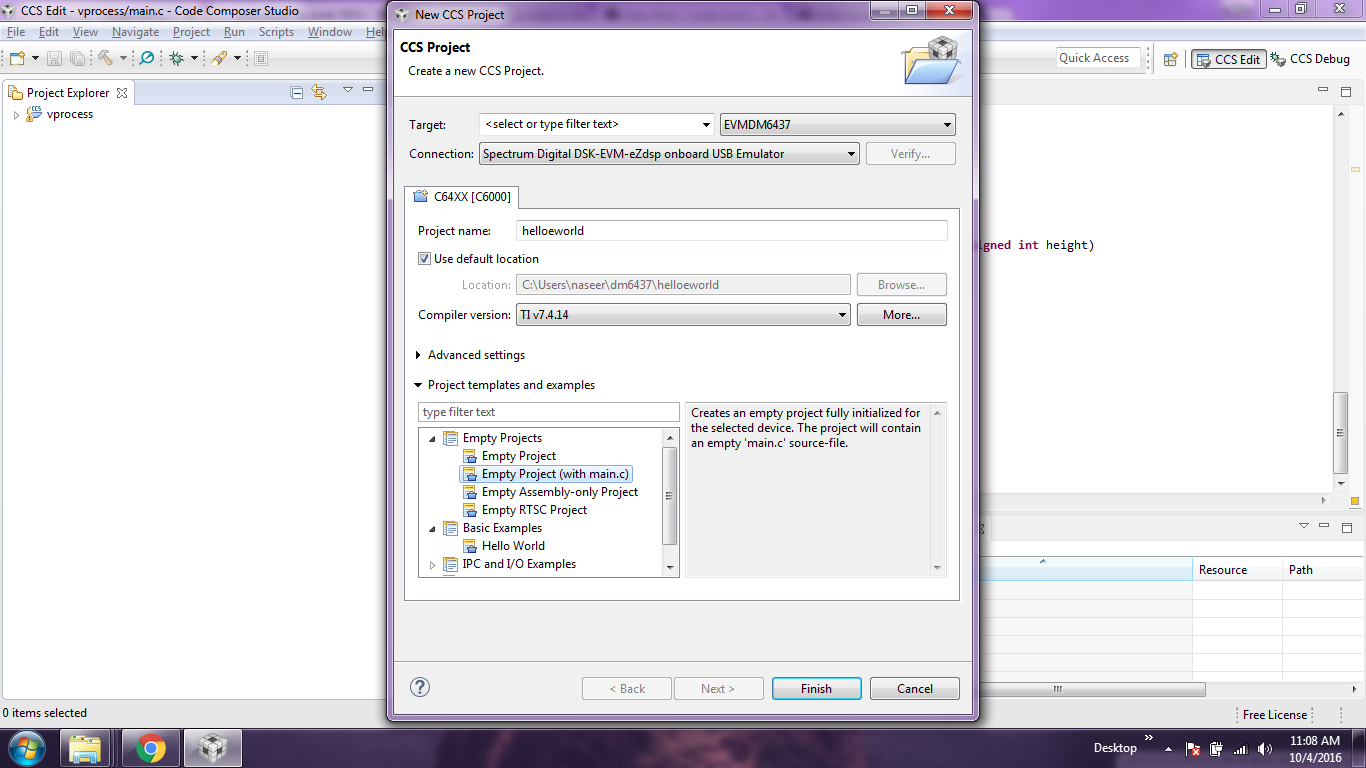
I want to run simple hello world program on DM6437 with CCSv6,I wish to use ONBOARD emulator(not external emulator).Can ypu tell me the procedure as i shared you what procedure i did in screen shot but i got error.

thank you.
  • Hi,

    I would first double-check SW1 and see if the board is booting in Emulation Boot - this will prevent preexisting flashed code clashing with your environment. Details at section 3.5.1 of:
    c6000.spectrumdigital.com/.../EVMDM6437_TechRef.pdf

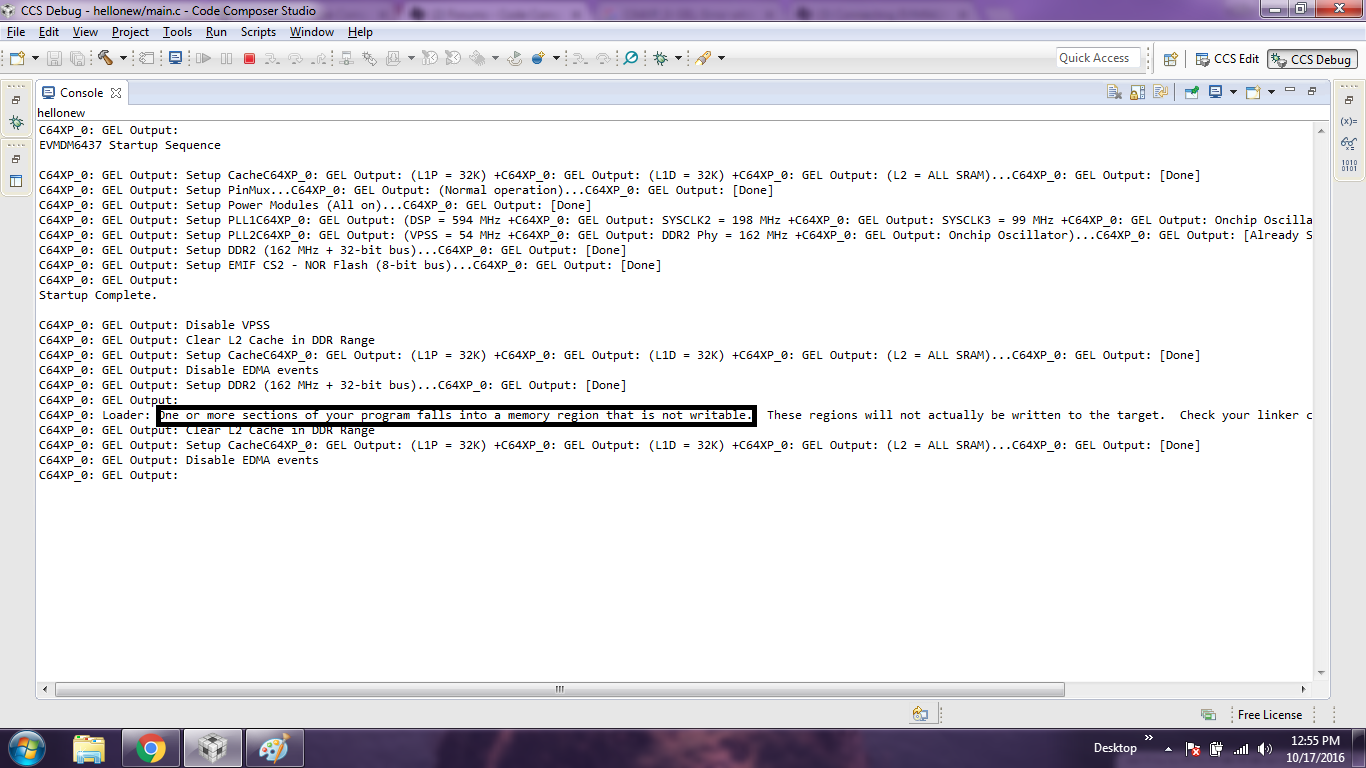
    Also, if you created a project using the wizard (as you seem to indicate you did), then it is possible there is aa secondary issue with the linker CMD file. By default it allocates code to the DSP exclusive L2RAM (address 0x00800000), however the GEL file that comes with CCS only allows access to the shared L2RAM (address 0x10800000).

    You can fix this by either:
    - Modify the default linker DM6437.CMD file to move all sections from L2RAM to L2SHRAM
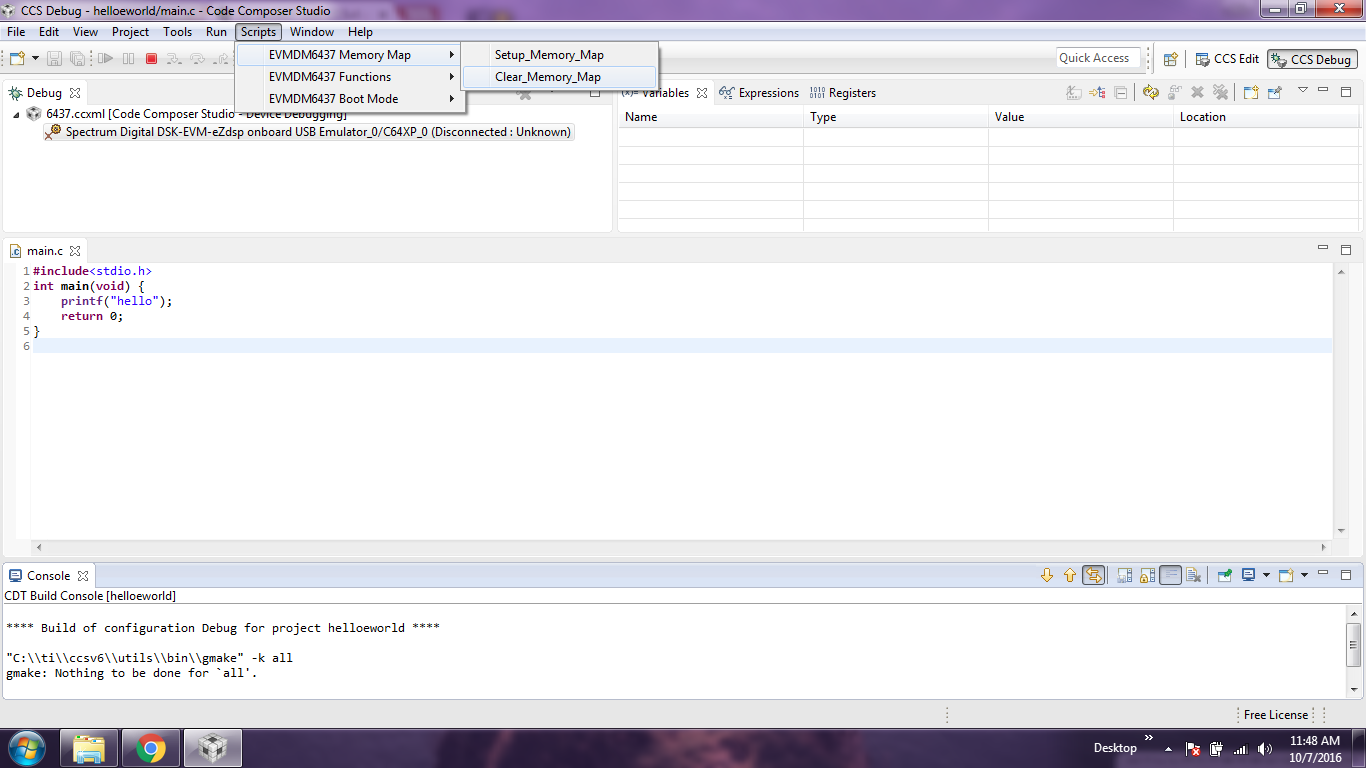
    - With the debugger connected, go to menu Scripts --> EVMDM6437 Memory Map --> Clear_Memory_Map

    Hope this helps,
    Rafael
  • Hi Rafael,

    You can fix this by either:
    - Modify the default linker DM6437.CMD file to move all sections from L2RAM to L2SHRAM
    - With the debugger connected, go to menu Scripts --> EVMDM6437 Memory Map --> Clear_Memory_Map
    

    If we do the above procedure,would we loose the preexisting program flashed ,like video loop back and audio loop back as these programs are inbulit programs?

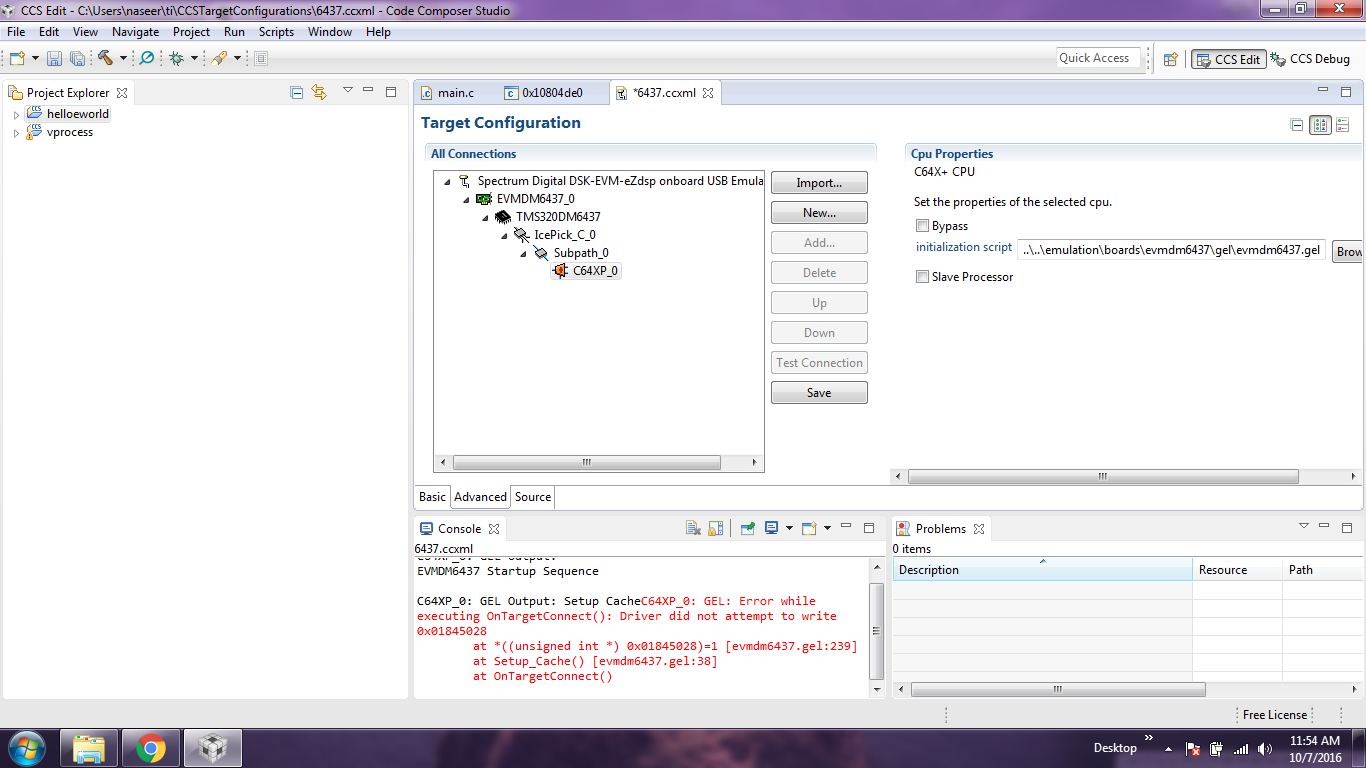
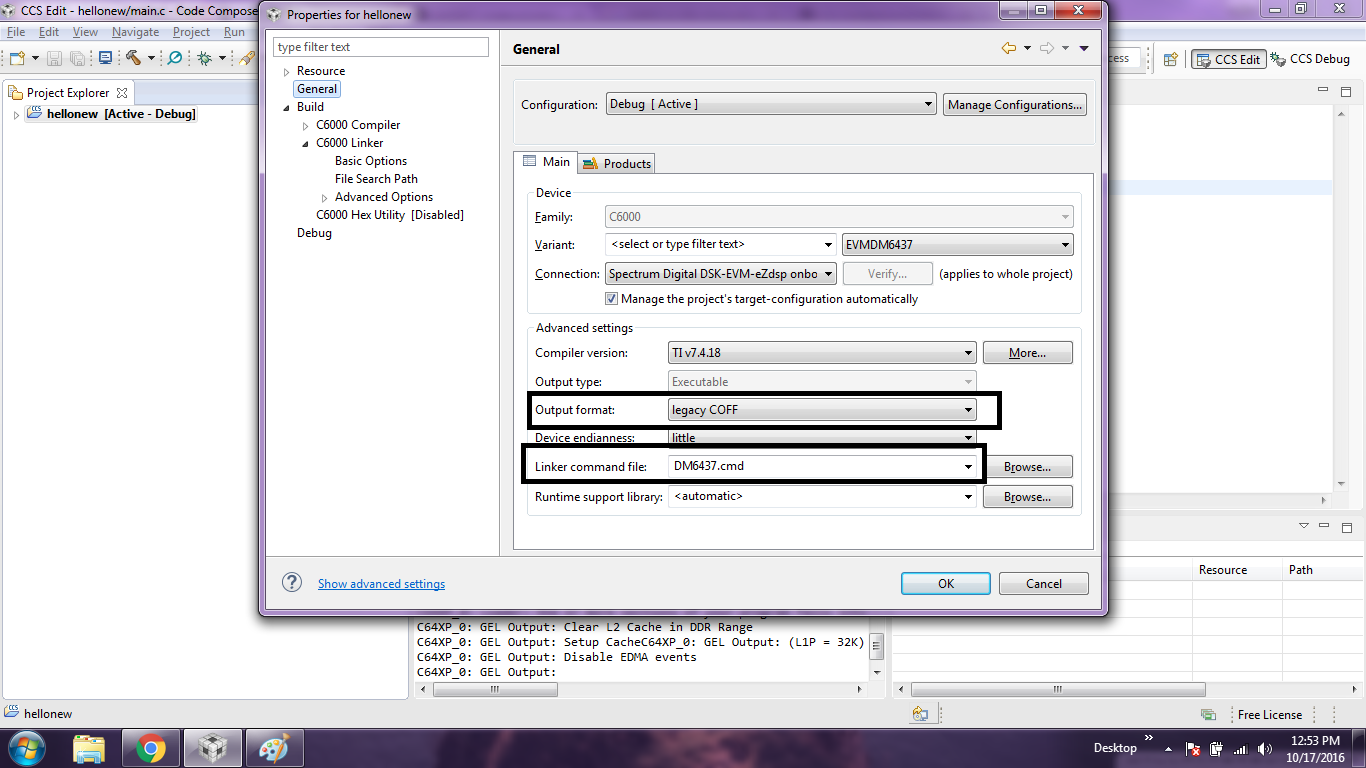
    Is the  step what i did to select the connection:"spectrum digital dsk-evm- ezdsp onboard usb emulator "correct?

    I want to know how to clear the EVMDM6437 Memory Map in menu script.

    requesting to answer all three questions.

    thank you.

  • Hi,
    >> If we do the above procedure,would we loose the preexisting program flashed ,like video loop back and audio loop back as these programs are inbulit programs?
    No. The CCS debugger, the hello world code and the proposed settings will not erase the flash memory of the board.

    >> Is the step what i did to select the connection:"spectrum digital dsk-evm- ezdsp onboard usb emulator "correct?
    Yes, that is the correct selection for the type of debug probe (emulator) built into the EVMDM6437

    >> I want to know how to clear the EVMDM6437 Memory Map in menu script.
    As I mentioned before, when you launch the debugger there should be a menu on the top named "Scripts". Simply follow the options of this menu I mentioned in my previous post and the debugger will have access to the entire memory of the device. If you don't see the options on this menu, then you don't have a pre-configured HW initialization file (also called GEL script).

    To add one to your configuration, close the debug session (click on the red Terminate button on the top toolbar), open the target configuration file (it should be inside the directory targetConfigs of your project), click on the tab Advanced, select the core C64XP_0 and add the following to the box named "initialization script":
    ..\..\emulation\boards\evmdm6437\gel\evmdm6437.gel

    The reason for this Memory Map to obscure certain memory regions is to prevent from accessing invalid locations (gaps in the memory map, non-configured memory regions, etc.). However, it does not affect the loaded code in any way.

    A few references may be useful to better understand the process:
    processors.wiki.ti.com/.../Linker_Command_File_Primer
    processors.wiki.ti.com/.../Debug_Handbook_for_CCS

    Hope this helps,
    Rafael
  • Hi Rafael,

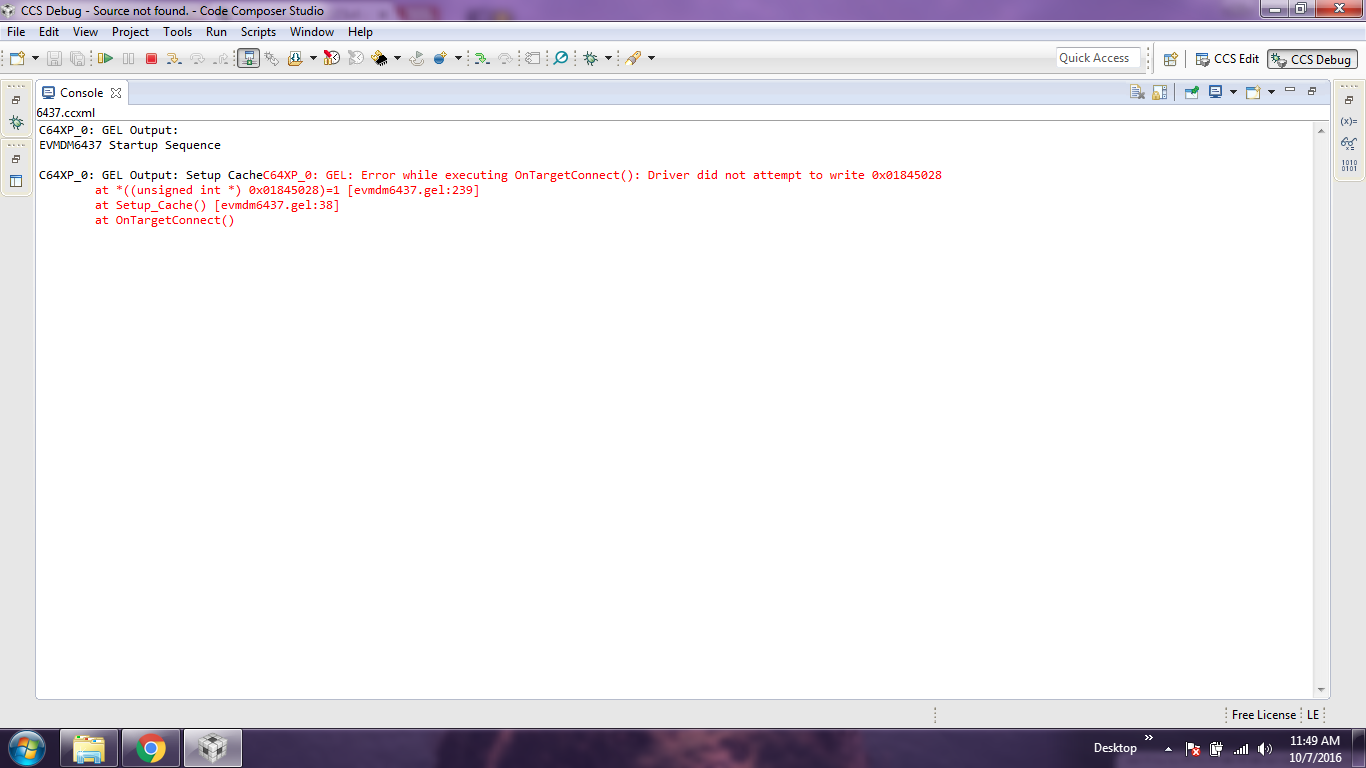
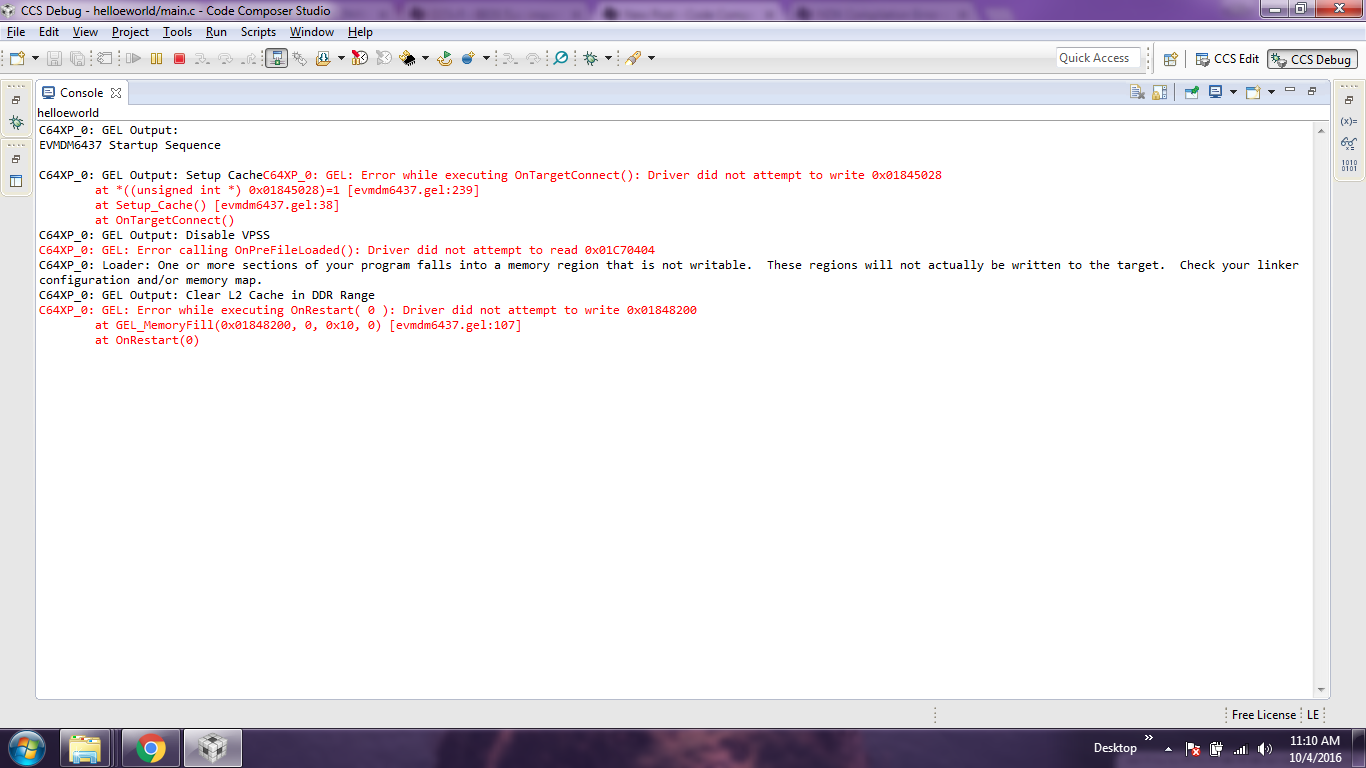
    I cleared the Memory as you said and i loaded the proper gel file from the loacation "C:\ti\ccsv6\ccs_base\emulation\boards\evmdm6437\gel"then when i launch and do connecting the target,i got the error......see the attachments.

  • Dear sir,
    waiting for your reply.
    thank you.
  • Hi,

    Please apologize for the delay. The setup seems correct, although the routine is failing to properly setup the cache at line 239. This can either be caused by code running on the target (as we commented before), a failed GEL file or a bug in the emulation software.

    I looked in my setup here and the same GEL file has a different instruction at line 239 (the line where the error occurs in your setup).

    Therefore I can't help but wonder if this file was somehow modified or is simply an older version. Can you try to use the attached GEL file from my setup?

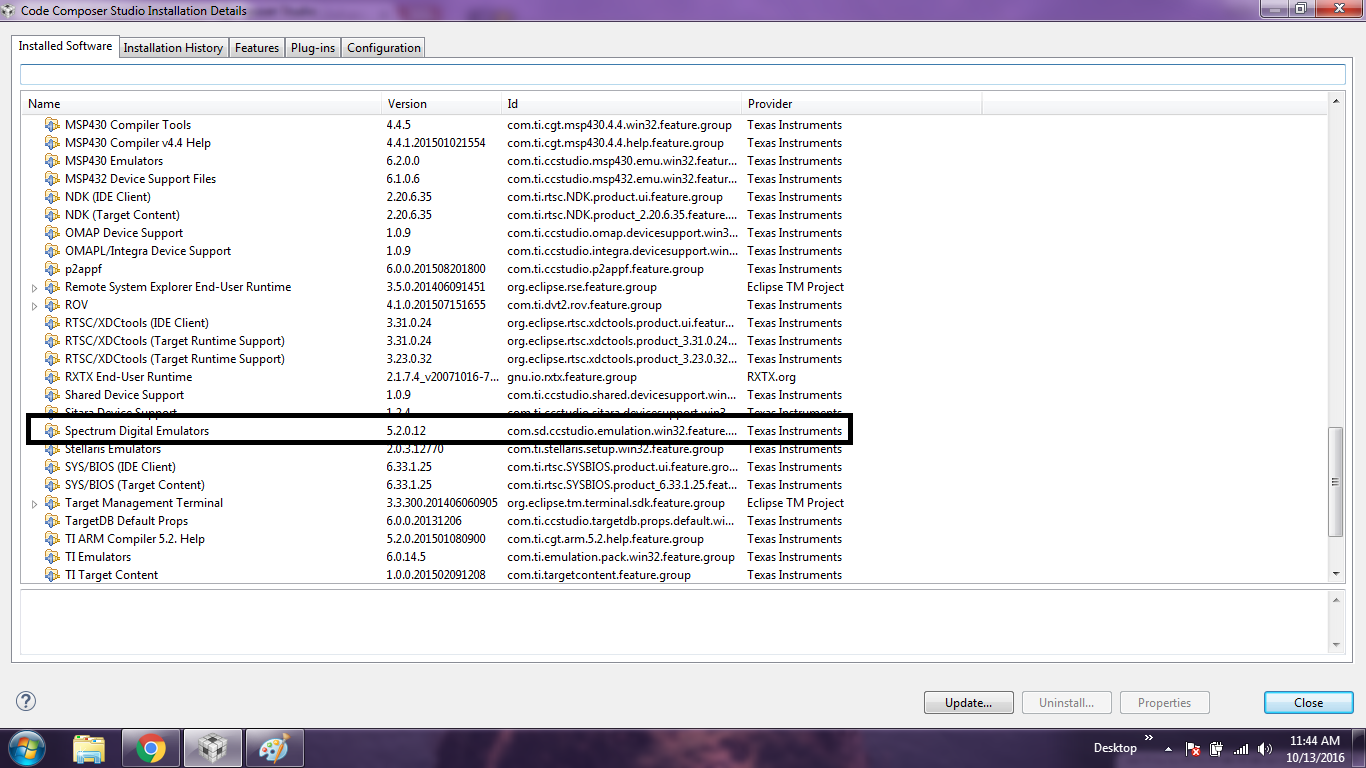
    Regarding the emulation software, perhaps you are using an older version: can you go to menu Help --> Installation details and check the version of the Spectrum Digital Emulators component? Also, which version of CCS are you using?

    Hope this helps,

    Rafael

    evmdm6437.zip 

  • Hi Rafael,

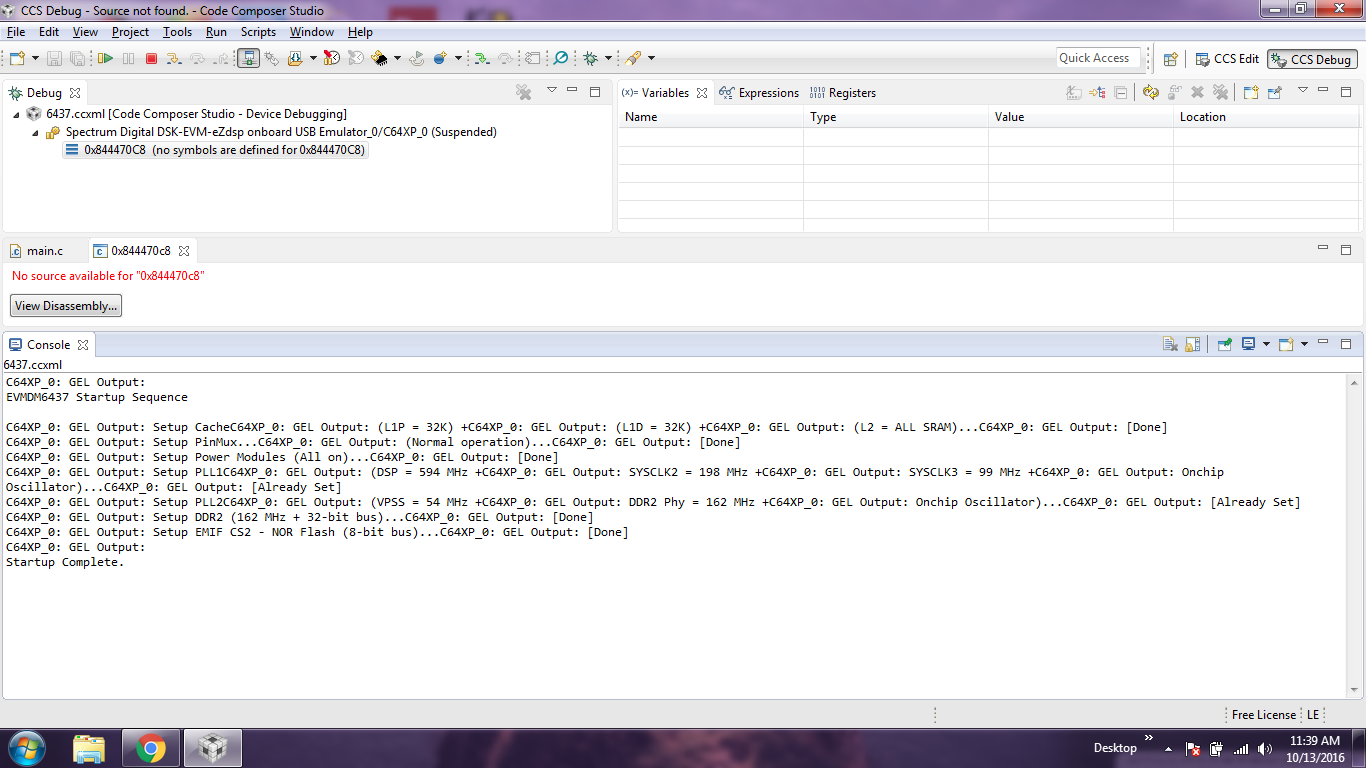
    I added your gel file to my location of CCSv6,now i can over come the connecting error................but when i debug the code ,there am not able to run the program or unable to debug itself(means the resume symbol is Blurr instead of bold with colors).

    please go through my screen shot and update me.............am using ccs version 6.

  • Dear sir,

    waiting for your reply.

    thank you.
  • Hi,

    The Spectrum Digital Emulators component showed in your screenshot came with older versions of CCSv6 (6.1.1. and 6.1.2 to be precise). Did you update your copy of CCS to CCSv6.2 as indicated in another post of yours?
    e2e.ti.com/.../548148

    Also, can you be sure the example code you showed in your second screen has a proper linker .cmd file? In general the code runs freely (without control) if it is placed in invalid addresses of the device's memory.

    One last detail: during these tests make sure you are power cycling the board at every attempt, given the hardware may be initialized to values that may conflict with subsequent attempts to re-connect and run code.

    Regards,
    Rafael
  • Hi,

    It seems the GEL file enables the L2 cache on the device, which in turn disrupts the default memory allocation configured by the linker CMD file.

    In this case, you can either disable the cache on the GEL file (line 38 of the file I sent you) or allocate all memory sections to the DDR2 segment.

    For an example on how to do this, check the attached linker CMD file.

    Regards,

    Rafael

    DM6437.zip

  • Hi Rafael,

    Thanks for your prompt reply,its really appreciatable.

    The Spectrum Digital Emulators component showed in your screenshot came with older versions of CCSv6 (6.1.1. and 6.1.2 to be precise). Did you update your copy of CCS to CCSv6.2 as indicated in another post of yours?
    e2e.ti.com/.../548148

    I overcome the error by uninstalling n  reinstalling the CCS6.2.0,i updated my compilers and there is no issue with that thread.

    Also, can you be sure the example code you showed in your second screen has a proper linker .cmd file? 

    I have not selected any command file,i kept it for automatic.

    which Linker command file and Run support library i need to select?

    In this case, you can either disable the cache on the GEL file (line 38 of the file I sent you) or allocate all memory sections to the DDR2 segment.For an example on how to do this, check the attached linker CMD file.

    But i cant open the command file what you sent,how can i see the line 38?

    can i replace with you command file what you sent from the standard location with earlier one?or no need to do replacement?

    how to allocate all memory section to DDR2 segment?

    If i allocate,is the standard codes like video loob back and audio loopback which always run on the kit by Default will washed out?

    thank you

  • Hi Rafael,

     you can either disable the cache on the GEL file (line 38 of the file I sent you) or allocate all memory sections to the DDR2 segment

    I dont want to change the gel file,so i wish to allocate all memory section into DDR2 segment.

       check the attached linker CMD file.

    It is command file,how to check .

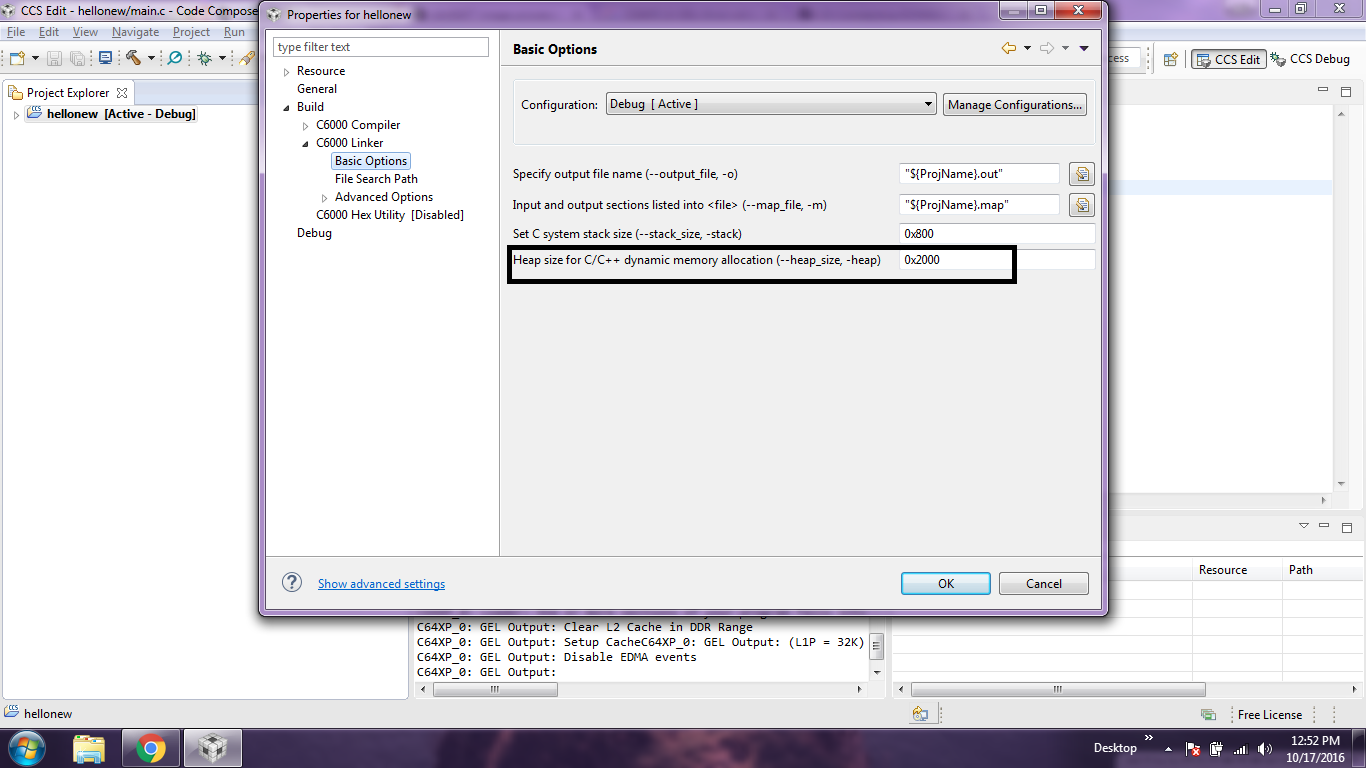
    which Linker command file i need to use then what about heap size?

    thank you.

  • Hi,

    For a simple Hello world project the heap size can start at 0x400. Also, the project selections you chose are fine.

    However, as I said before, the default DM6437 linker CMD file allocates the code to L2SRAM. To allocate it to DDR2 you must modify the file. I sent before a modified file to be used by you.
    e2e.ti.com/.../2002224

    Hope this helps,
    Rafael

    P.S. please refrain from opening multiple threads that discuss the same subject. This allows keeping the train of thought consistent and avoid duplicate work.