Part Number: TPS65981EVM
Dear TI
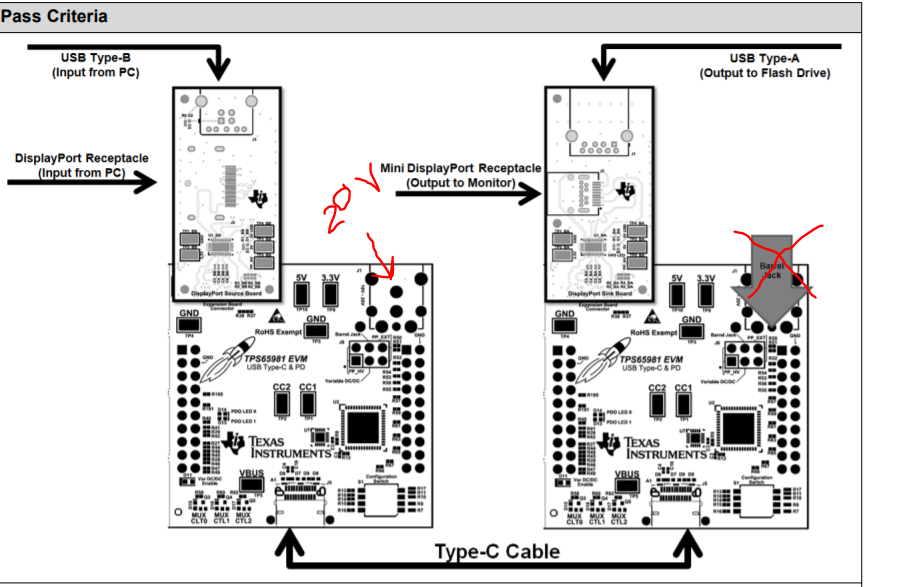
I am working on an application that mimics the EVM User's guide Table 4. The only difference in my application is power is sourced from the PC side and not the dock side. I need to have display, USB 2.0 , and power present in this demo. I started using the Application Customization Tool and could not find a default profile that would work for my application but was curious if you may be able to provide the file names of the examples that may work. I need 20V to show up at the dock side when applied as shown in the picture below. I thought this is the configuration that would work but I have not been successful in seeing 20V on the dock.
Laptop: TPS*_DRP_HOST_STANDARD_v3_10
Dock: TPS*_URP_HOST_STANDARD_v3_10
When I load these configurations, I only see 5V on both ends of the link. Do you have an example file that you can share with me?