This thread has been locked.

If you have a related question, please click the "Ask a related question" button in the top right corner. The newly created question will be automatically linked to this question.

TMS320F28379D: Build Level 1 of Quick Response Control of PMSM Using Fast Current Loop

Part Number: TMS320F28379D
Other Parts Discussed in Thread: TMDXIDDK379D, C2000WARE

Hello,

I am attempting to modify the example found at C:\ti\c2000\C2000Ware_MotorControl_SDK_4_00_00_00\solutions\tmdxiddk379d\f2837x\ccs\sensored_foc for my own inverter hardware. The evaluation platform I am using is the TMS320F28379D Launchpad XL. I am following the instructions for the different build levels from the application report: "Quick Response Control of PMSM Using Fast Current Loop".

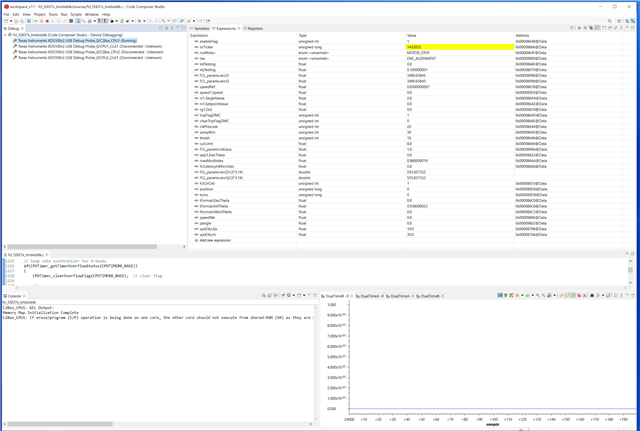
When launching the debug session for build level 1, I run the debug session and set the enable flag to one. As expected, the isrTicker steadily increases. However, the expression runMotor never changes to MOTOR_RUN, and the expressions Speed1.speed, rg1.Out, and qep1.ElecTheta never update as expected as shown in Fig. 6-2. Additionally, when opening the graphs for viewing the voltage vector angle and the SVPWM duty cycle values, the plots remain blank. I've measured the PWM pins on the launchpad with an oscilloscope and there is no signal present. 

Clearly the code is doing something since the isrTicker is increasing, but why isn't there a PWM signal present on the pin? And why are the graphs in the debug session blank? 

Are there any additional steps I need to perform in order to obtain a successful level 1 build? I've attached a screen capture of the debug session as well as a screen capture of the graph settings, which is the default file from the directory.

I'm using CCS 11.2.0 and MotorControl SDK 4.0.
  • The example code is based on the TMDXIDDK379D + TMDSCNCD28379D,  it may not run well on the other boards. You have to change some configuration codes for ADC, PWM and GPIO according to the hardware kits you used if you want to run the example code on the other boards.

    You may also refer to the example code with LAUNCHXL-F28379D + BOOSTXL-3PHGANINV in motor control SDK if you are using LAUNCHXL-F28379D kit.

    C:\ti\c2000\C2000Ware_MotorControl_SDK_<version>\solutions\boostxl_3phganinv\f2837x\ccs\sensored_foc

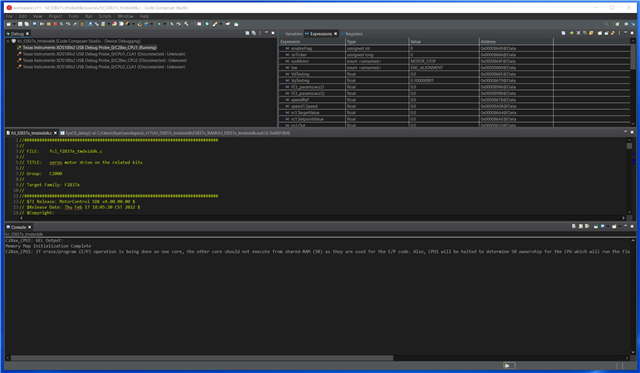
  • Thank you, I am working to change the configuration codes for the ADC, PWM, GPIO and other peripherals to match my hardware. I've changed some of the configuration codes, and am having a issue where the debug session isn't working properly. It seems that I get stuck before ever reaching main(), because the debug session is running, but I never reach main(). The active build configuration is set to RAM. Here is a screen capture: 

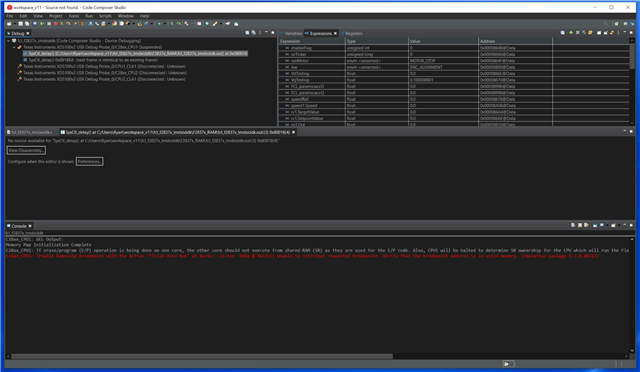
    If I then hit the suspend button, I get the following error:

    Changing to FLASH resolves this issue, but why is the RAM having issues?

  • As mentioned above, please refer to the example code with LAUNCHXL-F28379D + BOOSTXL-3PHGANINV in motor control SDK since you are using  LAUNCHXL-F28379D, make sure that the clock and PLL are configured correctly for this kit.

    C:\ti\c2000\C2000Ware_MotorControl_SDK_<version>\solutions\boostxl_3phganinv\f2837x\ccs\sensored_foc

    Don't need to click the "Enable Silicon Real-Time Mode" to enable real time, just click "Resume" to run the code directly.