Part Number: TMS320F28069M
Other Parts Discussed in Thread: C2000WARE
Hello,
This all started with my attempt to build a release version (run from FLASH) of some code to
communicate between a motor control board and an LCD, using the SLIP protocol.
I finally got it to load the program into Flash, but could not get it to run from Flash,
independent of the Debugger.
The fellow that was helping me out (Gus Martinez) suggested that we take a step back and
try to get the flash_f28069 example loaded and running on my board. That didn't work out so well,
so the next plan of attack was to see if the flash_f28069 example could be run on my evaluation board
(the DRV8301-69M-KIT).
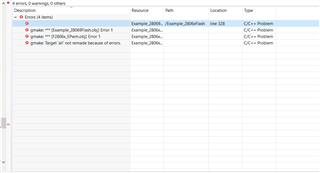
I tried running the flash_f28069 project on the Eval board, but the compiler was issuing an error
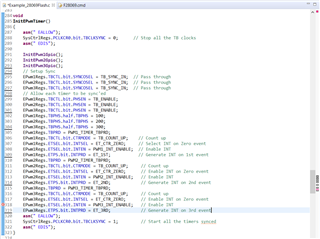
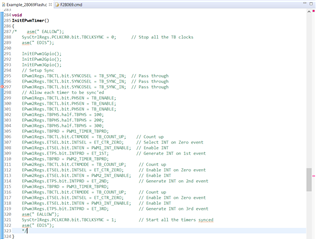
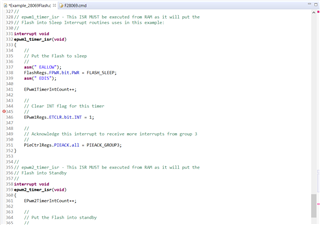
(whose description is blank) that would move around each time I compiled it, and would even tag
comment lines as errors.
Tried compiling it from a new workspace. Same problem.
Thinking that maybe the flash_f28069 example had gotten corrupted, or that perhaps I had made some
crazy change to it, Gus suggested that I update C2000Ware, which would provide me with a "fresh"
instance of the code.
Well, now the project no longer has any build options.
Here's what I wrote to Gus:
By the way, the whole program is riddled with errors, so I can't compile. There are
no paths to the include files, like headers, etc.. With the old version of the project,
if I look under Properties --> Build --> C2000 Compiler, there's a whole list of paths
where the compiler can look for includes. In the new version, under Properties --> Build,
there is nothing, not even a C2000 Compiler subheading. I can add those paths.
It's just a pain, especially when they were just included before...
I attempted to import the project into my workspace and got the following message:
Import failed for project 'Example_2806xFlash' because its compiler definition is
not available.
Please install the C2000 v21.6 compiler before importing this project:
- See 'Help > Install New Software' and select 'Code Generation Tools
Updates' to check if this compiler is available through a CCS update.
- Visit CCS App Center to get the latest compiler support.
- Or download and install the compiler
[http://software-dl.ti.com/codegen/non-esd/downloads],
then register it with CCS through 'Preferences > CCS > Build > Compilers'
I can get as far as 'Code Generation Tools Updates', but there is a huge list. Not sure
which one to install or update. There's a C2800 v21.6.0 in the list, but not a C2000 v21.6,
as the message suggests.
Gus's most recent message to me is as follows:
Dave,
I am really sorry you are facing these issues. [ ] Not having the build options makes no sense.
Please open a new forum post, state that you cannot build or
load the flash_f28069 example from C2000ware. Somebody more familiar with
the software should be able to help you. Let's focus on getting this sorted out before
continuing on getting your code to boot from flash.
Can someone please help?
Thanks,
Dave