This thread has been locked.

If you have a related question, please click the "Ask a related question" button in the top right corner. The newly created question will be automatically linked to this question.

TMS320F28384S: Debugging multiple cores problem

Part Number: TMS320F28384S
Other Parts Discussed in Thread: C2000WARE

Hi TI,

I am trying to debug multiple cores (CPU1 and CM) on the TMS320F28384S controller but I'm having problems with debugging the connectivity Manager (CM) core. Loading the program and stepping through the code on CPU1 works perfectly everytime. However after loading the program on the CM, it goes to boot.asm instead of breaking at main. This prevents me from stepping through the CM code as there is no way of getting out of the boot.asm file. I am unable to get it to break at main and when I add breakpoints it pops up with a "all resources are in use" error.

These are the steps I'm following to try debug the CM core but with no luck. 

1.    Select the C28x application for debugging
2.    Connect the CM
3.    load symbols followed by program

When I first followed these steps it worked and it breaked at the beginning of main in the CM, but after debugging a second or third time then it stopped working and I haven't been able to get it working since.

I'm using the Blackhawk XDS200 debug probe but I was having the same problem with the XDS100 as well.

Debugging CPU1 works fine as shown below:
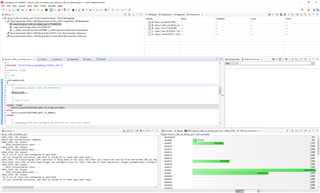
After connecting to the CM, I then load the symbols and the program (Shown in the picture below). The symbols don't seem to load correctly and I'm not sure why?

When trying to add breakpoints to the program this is the error message:

When I reset the CPU and restart the program it halts in boot.asm instead of main:

Any help or suggestions would be great?

Kind regards,

Warrick

  • Hi,

    Are you running into the issue on TI board with C2000Ware LED example or it is your custom board?

    I just tested the same LED example on my setup, and it works fine. Please see the image board. Just make sure you are loading "led_ex1_c28x_cm_blinky_cm.out" from CM project to M4.

    Thanks & Regards,

    Santosh

  • Hi Santosh,

    Thank you for your reply. Yes, it's a custom board and the LED example code has also been changed to account for different GPIO pins, clock settings etc. I can also get this default LED example to work and I'm able to debug the CM.

    However, I have modified the CM code to allow for the TI SYS/BIOS and XDCtools. The purpose of adding these is to use the RTOS functionality of the CM as well an easy configuration interface using the .cfg file. I have attached my main program so you can see the modifications I've made to the CM code. The CPU1 code has been left relatively unchanged.

    Are there any configuration settings that might cause the the CM debugger to fail?

    /*
     *  ======== main.c ========
     */
    
    #include <xdc/std.h>
    
    #include <xdc/runtime/Error.h>
    #include <xdc/runtime/System.h>
    
    #include <ti/sysbios/BIOS.h>
    
    #include <ti/sysbios/knl/Task.h>
    
    #include "cm.h"
    
    //
    // LEDs
    //
    #define HEART_BEAT_LED    36U  // GPIO number for LD2
    #define AC_PLL_LED        37U  // GPIO number for LD3
    
    /*
     *  ======== taskFxn ========
     */
    Void taskFxn_1(UArg a0, UArg a1)
    {
        System_printf("enter taskFxn_1 \n");
    
        int i = 0;
    
        for (;;) {
    
            System_printf("Running task 1 function\n");
    
            GPIO_writePin(HEART_BEAT_LED, 1);
            Task_sleep(1000);
            GPIO_writePin(HEART_BEAT_LED, 0);
            Task_sleep(1000);
    
            System_flush(); /* force SysMin output to console */
        }
    
        Task_sleep(10);
    
        System_printf("exit taskFxn_1 \n");
    
        System_flush(); /* force SysMin output to console */
    }
    
    
    /*
     *  ======== taskFxn ========
     */
    Void taskFxn_2(UArg a0, UArg a1)
    {
    
        System_printf("enter taskFxn_2\n");
    
        int i = 0;
    
        for (;;) {
    
            System_printf("Running task 2 function\n");
    
            GPIO_writePin(AC_PLL_LED, 1);
            Task_sleep(1000);
            GPIO_writePin(AC_PLL_LED, 0);
            Task_sleep(1000);
    
            System_flush(); /* force SysMin output to console */
        }
    
        System_printf("exit taskFxn_2 \n");
    
        System_flush(); /* force SysMin output to console */
    }
    
    /*
     *  ======== main ========
     */
    Int main()
    { 
        Task_Handle task;
        Error_Block eb;
       // uint32_t UART_CLK_FREQ = 125000000;
        System_printf("enter main()\n");
        SysCtl_enablePeripheral(SYSCTL_PERIPH_CLK_UART0);
       // CM_init();
        //
        // Configure UART0 for echoback.Set up to transfer data at 115200 baud.
        //
        //UART_enableModule(UART0_BASE);
    
        UART_setConfig(UART0_BASE, UART_CLK_FREQ , 115200, (UART_CONFIG_WLEN_8 |
                       UART_CONFIG_STOP_ONE | UART_CONFIG_PAR_NONE));
    
        //UART_getConfig(UART0_BASE,UART_CLK_FREQ , 115200, config);
        //
        // Put a character to show start of example.  This will display on the
        // terminal.
        //
        UART_writeChar(UART0_BASE, '5');
    
        while(UART_isBusy(UART0_BASE) == 1)
        {
        }
    
        UART_writeCharNonBlocking(UART0_BASE, '1');
    
        while(UART_isBusy(UART0_BASE) == 1)
        {
        }
    
        BIOS_start();    /* does not return */
        return(0);
    }
    

    The picture below shows the .cfg file setup.

    Kind regards,

    Warrick

  • Warrick,

    There is no configuration change, however I am not familiar with RTOS on CM. I am checking with RTOS expert to review the issue and provide the help.

    Thanks & Regards,

    Santosh

  • Thank you Santosh. Look forward to hearing back from you.

  • Hi Warrick,

    It sounds like it’s loading but CCS isn’t able to place the run-to-main breakpoint. Can you follow the instructions in this thread to free up some breakpoints:

    https://e2e.ti.com/support/tools/code-composer-studio-group/ccs/f/code-composer-studio-forum/489225/c28xx-autorun-target-not-run-as-breakpoint-could-not-be-set-error-enabling-this-function-this-task-cannot-be-accomplished-with-the-existing-aet-resources/1766863#1766863


    The thread above is for C28x, but there should be similar settings for CM.

    Thanks & Regards,

    Santosh

  • Hi Santosh, thanks for your reply.

    I have seen that thread previously and it was something I tried but with no luck unfortunately. 

    Kind regards,

    Warrick

  • Warrick,

    I assume the CM is running from Flash as it looks like CCS is attempting to set a hardware breakpoint but is not able to do so.  Typically that happens if all the breakpoint resources are used up.

    Try the following

    Launch a debug session for the CM

    Go to the View menu and select "Scripting Console"

    Run this command: eval("DEBUG_DumpBreakpoints()")

    That should show all breakpoints that have been set even those that are done by CCS in the background.

    Copy the output from the console and paste it here.

    Regards,

    John

  • Hi John,

    I think I've disabled and removed all relevant breakpoints.

    Here's the output though:

    C28xx_CPU1: GEL Output: 
    Memory Map Initialization Complete
    C28xx_CPU1: GEL Output: 
    ... DCSM Initialization Start ... 
    C28xx_CPU1: GEL Output: 
    ... DCSM Initialization Done ...
    C28xx_CPU1: GEL Output: 
     CM is out of reset and configured to wait boot.
     (If you connected previously, may have to resume CM to reach wait boot loop.)
    C28xx_CPU1: If erase/program (E/P) operation is being done on one core, the other core should not execute from shared-RAM (SR) as they are used for the E/P code. User code execution from SR could commence after both flash banks are programmed.
    C28xx_CPU1: Only CPU1 on-chip Flash Plugin can configure clock for CPU1, CPU2 and CM Flash operations. Plugin automatically configures PLL when CPU1 Flash operations are invoked. However, if users want to do only CPU2 or CM Flash operations without doing a prior CPU1 operation in the current session, they should click on 'Configure Clock' button in CPU1's on-chip Flash Plugin before invoking CPU2 and CM Flash operations. When this button is used, Flash Plugin will configure the clock for CPU1/CPU2 at 190MHz and CM at 95MHz using INTOSC2 as the clock source. Plugin will leave PLL config like this and user application should configure the PLL as required by application.
    C28xx_CPU1: GEL Output: 
    ... DCSM Initialization Start ... 
    C28xx_CPU1: GEL Output: 
    ... DCSM Initialization Done ...
    C28xx_CPU1: GEL Output: 
     CM is out of reset and configured to wait boot.
     (If you connected previously, may have to resume CM to reach wait boot loop.)
    C28xx_CPU1: GEL Output: 
    ... DCSM Initialization Start ... 
    C28xx_CPU1: GEL Output: 
    ... DCSM Initialization Done ...
    C28xx_CPU1: GEL Output: 
     CM is out of reset and configured to wait boot.
     (If you connected previously, may have to resume CM to reach wait boot loop.)
    Cortex_M4_0: GEL Output: Memory Map Initialization Complete
    Cortex_M4_0: GEL Output: Windowed Watchdog Enabled
    Cortex_M4_0: GEL Output: UART0 Enabled
    Cortex_M4_0: Only CPU1 on-chip Flash Plugin can configure clock for CPU1, CPU2 and CM Flash operations. Plugin automatically configures PLL when CPU1 Flash operations are invoked. However, if users want to do only CPU2 or CM Flash operations without doing a prior CPU1 operation in the current session, they should click on 'Configure Clock' button in CPU1's on-chip Flash Plugin before invoking CPU2 and CM Flash operations. When this button is used, Flash Plugin will configure the clock for CPU1/CPU2 at 190MHz and CM at 95MHz using INTOSC2 as the clock source. Plugin will leave PLL config like this and user application should configure the PLL as required by application.
    Cortex_M4_0: Breakpoint Manager Dump: Total Allocated Logical Breakpoints: 59
    
    Cortex_M4_0: Breakpoint Manager Dump: Total Allocated Software Physical Breakpoints: 59
    
    Cortex_M4_0: Breakpoint Manager Dump: Total Allocated Legacy Hardware Physical Breakpoints: 0
    
    Cortex_M4_0: Breakpoint Manager Dump: Total Allocated 55 Hardware Physical Breakpoints: 0
    
    Cortex_M4_0: Breakpoint Manager Dump: Total Allocated Thread Physical Breakpoints: 0
    
    Cortex_M4_0: Breakpoint Manager Dump: 
    
    Cortex_M4_0: Breakpoint Manager Dump: Enabled: 0
    
    Cortex_M4_0: Breakpoint Manager Dump: 
    
    Cortex_M4_0: Breakpoint Manager Dump: Disabled: 5
    
    Cortex_M4_0: Breakpoint Manager Dump: 
    
    Cortex_M4_0: Breakpoint Manager Dump: 	Hardware Configuration
    
    Cortex_M4_0: Breakpoint Manager Dump: 		Location: "C$$IO$$"
    
    Cortex_M4_0: Breakpoint Manager Dump: 	Debugger Response
    
    Cortex_M4_0: Breakpoint Manager Dump: 		Condition: 
    
    Cortex_M4_0: Breakpoint Manager Dump: 		Skip Count: 0
    
    Cortex_M4_0: Breakpoint Manager Dump: 			Current Count: 0
    
    Cortex_M4_0: Breakpoint Manager Dump: 		Action: Process CIO
    
    Cortex_M4_0: Breakpoint Manager Dump: 	Miscellaneous
    
    Cortex_M4_0: Breakpoint Manager Dump: 		Group: Default Group
    
    Cortex_M4_0: Breakpoint Manager Dump: 		Name: 
    
    Cortex_M4_0: Breakpoint Manager Dump: 	Breakpoint set by the system
    
    Cortex_M4_0: Breakpoint Manager Dump: 
    
    Cortex_M4_0: Breakpoint Manager Dump: 	Hardware Configuration
    
    Cortex_M4_0: Breakpoint Manager Dump: 		Location: "C$$IOE$$"
    
    Cortex_M4_0: Breakpoint Manager Dump: 	Debugger Response
    
    Cortex_M4_0: Breakpoint Manager Dump: 		Condition: 
    
    Cortex_M4_0: Breakpoint Manager Dump: 		Skip Count: 0
    
    Cortex_M4_0: Breakpoint Manager Dump: 			Current Count: 0
    
    Cortex_M4_0: Breakpoint Manager Dump: 		Action: Process CIO
    
    Cortex_M4_0: Breakpoint Manager Dump: 	Miscellaneous
    
    Cortex_M4_0: Breakpoint Manager Dump: 		Group: Default Group
    
    Cortex_M4_0: Breakpoint Manager Dump: 		Name: 
    
    Cortex_M4_0: Breakpoint Manager Dump: 	Breakpoint set by the system
    
    Cortex_M4_0: Breakpoint Manager Dump: 
    
    Cortex_M4_0: Breakpoint Manager Dump: 	Hardware Configuration
    
    Cortex_M4_0: Breakpoint Manager Dump: 		Location: "C$$EXIT"
    
    Cortex_M4_0: Breakpoint Manager Dump: 	Debugger Response
    
    Cortex_M4_0: Breakpoint Manager Dump: 		Condition: 
    
    Cortex_M4_0: Breakpoint Manager Dump: 		Skip Count: 0
    
    Cortex_M4_0: Breakpoint Manager Dump: 			Current Count: 0
    
    Cortex_M4_0: Breakpoint Manager Dump: 		Action: Terminate Program Execution
    
    Cortex_M4_0: Breakpoint Manager Dump: 	Miscellaneous
    
    Cortex_M4_0: Breakpoint Manager Dump: 		Group: Default Group
    
    Cortex_M4_0: Breakpoint Manager Dump: 		Name: 
    
    Cortex_M4_0: Breakpoint Manager Dump: 	Breakpoint set by the system
    
    Cortex_M4_0: Breakpoint Manager Dump: 
    
    Cortex_M4_0: Breakpoint Manager Dump: 	Hardware Configuration
    
    Cortex_M4_0: Breakpoint Manager Dump: 		Location: "SVC_Handler"
    
    Cortex_M4_0: Breakpoint Manager Dump: 	Debugger Response
    
    Cortex_M4_0: Breakpoint Manager Dump: 		Condition: 
    
    Cortex_M4_0: Breakpoint Manager Dump: 		Skip Count: 0
    
    Cortex_M4_0: Breakpoint Manager Dump: 			Current Count: 0
    
    Cortex_M4_0: Breakpoint Manager Dump: 		Action: Semi hosting
    
    Cortex_M4_0: Breakpoint Manager Dump: 	Miscellaneous
    
    Cortex_M4_0: Breakpoint Manager Dump: 		Group: Default Group
    
    Cortex_M4_0: Breakpoint Manager Dump: 		Name: 
    
    Cortex_M4_0: Breakpoint Manager Dump: 	Breakpoint set by the system
    
    Cortex_M4_0: Breakpoint Manager Dump: 
    
    Cortex_M4_0: Breakpoint Manager Dump: 	Hardware Configuration
    
    Cortex_M4_0: Breakpoint Manager Dump: 		Location: "C$$EXITE"
    
    Cortex_M4_0: Breakpoint Manager Dump: 	Debugger Response
    
    Cortex_M4_0: Breakpoint Manager Dump: 		Condition: 
    
    Cortex_M4_0: Breakpoint Manager Dump: 		Skip Count: 0
    
    Cortex_M4_0: Breakpoint Manager Dump: 			Current Count: 0
    
    Cortex_M4_0: Breakpoint Manager Dump: 		Action: Terminate Program Execution
    
    Cortex_M4_0: Breakpoint Manager Dump: 	Miscellaneous
    
    Cortex_M4_0: Breakpoint Manager Dump: 		Group: Default Group
    
    Cortex_M4_0: Breakpoint Manager Dump: 		Name: 
    
    Cortex_M4_0: Breakpoint Manager Dump: 	Breakpoint set by the system


    Thanks for your time and help with this.

    Kind regards,

    Warrick

  • Warrick,

    It certainly looks like they are all disabled.  I wonder if there is something else preventing them from being set?

     Santosh for this device what does it mean when the Cortex is configured to wait in boot?

    CM is out of reset and configured to wait boot.
    (If you connected previously, may have to resume CM to reach wait boot loop.)

    If you go to the breakpoints view are you able to set h/w breakpoints on valid flash addresses.  There should be a little breakpoint icon with a + that will give you a dropdown of breakpoint types that you can set.  You could try setting a hardware breakpoint this way and it will let you specify an address or symbol to set it at.  I am curious to see if it works.

    Regards,

    John

  • Hi John,

    I'm not able to set any type of breakpoint on the CM. An error keeps coming up about all resources in use (see below).

    It's strange that the CM code runs okay when I push the green "Resume" button but for some reason the debugger just doesn't want to work.

    Another thing worth mentioning is I was able to get it to debug normally by loading symbols onto the CM and then load the .out program. The code halted at main and I was able to add breakpoints to the code like normal. I repeated these steps two or three times and then it stopped working again and I haven't got it working since. I'm wondering if the problem has something to do with loading symbols onto the core or something along those lines?

    Another option is to leave the SYS/BIOS and XDCtools functionality and go back to using the standard LED template code. This seemed to work every time for us and we didn't have any issues with this setup.

    Kind regards,

    Warrick

  • Warrick,

    I would consider skipping SYS/BIOS and XDCTools.  SYS/BIOS does offer quite a bit of functionality but does not have a lot of adoption on C2000.

    It seems like something is going on that results in the CM4 being in a bad state.

    John